LG - 50” Class UA77 Series LED AI 4K UHD Smart webOS TV (2025)
Series
LED 4K - UA77Screen Size Class
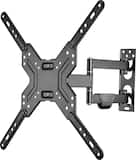
50"- Best Buy essentials™ - Full Motion TV Wall Mount for Most 19–50" TVs - Black$39.99
More Buying Options
Related Item

Highlights
- Key Specs
- Display Type: LED
- Resolution: 4K (2160p) (Refers to the number of pixels, both horizontally and vertically, used to capture video/images. The higher the resolution the finer the detail that can be seen.)
- Screen Size Class: 50 inches (The group size measurement of a screen. This differs from a screen size measured diagonally from corner to corner.)
- High Dynamic Range (HDR): true (An HDR-compatible 4K TV or other HDR-compatible product displays HDR video content when it's available from sources like 4K Ultra HD Blu-ray Discs and 4K streaming services.)
- High Dynamic Range Format: HDR 10, Hybrid Log-Gamma (HLG) (There are a few HDR formats that tell the TV or other HDR-compatible product how to best utilize its capabilities to display HDR content. HDR technology can support one or multiple formats, each with various benefits to picture quality.)
- LED Panel Type: Standard LED
- Backlight Type: Direct Lit (Edge-lit: lights are on the edges of the display with ~10 zones of vertical LEDs. Direct-lit: lights are on the edges and behind the screen for more light uniformity than Edge-lit. Full array: direct-lit with local dimming for greater contrast with up to 100 zones of LEDs.)
- Refresh Rate: 60Hz (The number of frames per second the device can produce natively without enhancement. Higher rates help produce smooth, seamless pictures.)
- Specific Manufacturer Technologies: Alpha 7 AI Processor Gen8 (This is technology that's specific to a TV brand (sometimes called proprietary technology). Here you'll see terms related to picture quality, brightness, processors and more.)
- Smart Platform: webOS (Just like a computer, a smart TV needs an operating system (also called a smart platform) in order to access the Internet, connect with entertainment apps, and play streaming content. Some common TV smart platforms are; Roku TV, Android TV, and Chromecast.)
- Featured Streaming Services: Netflix, HBO Max, Disney+, YouTube, Prime Video, ESPN+, Apple TV, Sling TV (Streaming services and other programs are available on this device. Keep in mind, there may be more services supported than just those shown here.)
- Number of HDMI Inputs (Total): 3
- TV Tuner Type: ATSC, Clear QAM
- Works With: Amazon Alexa, Google Home, Apple Home (Compatible with or able to be connected to other smart devices or applications.)
- Voice Assistant Built-in: No, No (A digital assistant built into the device that uses voice commands to answer questions and control smart devices.)
- General
- Brand: LG
- Model Number: 50UA7700PUB
- Product Name: 50” Class UA77 Series LED AI 4K UHD Smart webOS TV (2025)
- Series: LED 4K - UA77 (Part of a group of the same product type with similar features.)
- Model Year: 2025
- Dimensions
- Product Height With Stand: 27.6 inches
- Product Width: 43.7 inches (The out of box width of the item. Width is measured as the horizontal distance from one side of the item to the other as it would be primarily used or placed.)
- Product Depth With Stand: 10.8 inches
- Product Height Without Stand: 25.4 inches
- Product Depth Without Stand: 2.4 inches
- Product Weight With Stand: 18.7 pounds
- Product Weight Without Stand: 18.3 pounds
- Stand Width: 38.1 inches (The horizontal measurement of the stand/base, or the distance from the outside of one leg to the outside of the opposite leg, as it is attached to the product.)
- Stand Depth: 2.4 inches
- Adjustable Stand Width: false (Whether the stand can adjust to have more than one measurement either between the legs or the base itself.)
- Display
- Display Type: LED
- Resolution: 4K (2160p) (Refers to the number of pixels, both horizontally and vertically, used to capture video/images. The higher the resolution the finer the detail that can be seen.)
- Screen Size: 50 inches (Size of the screen, measured diagonally from corner to corner.)
- Screen Size Class: 50 inches (The group size measurement of a screen. This differs from a screen size measured diagonally from corner to corner.)
- High Dynamic Range (HDR): true (An HDR-compatible 4K TV or other HDR-compatible product displays HDR video content when it's available from sources like 4K Ultra HD Blu-ray Discs and 4K streaming services.)
- High Dynamic Range Format: HDR 10, Hybrid Log-Gamma (HLG) (There are a few HDR formats that tell the TV or other HDR-compatible product how to best utilize its capabilities to display HDR content. HDR technology can support one or multiple formats, each with various benefits to picture quality.)
- Picture Quality Enhancement Technology: Dynamic Tone Mapping
- LED Panel Type: Standard LED
- Backlight Type: Direct Lit (Edge-lit: lights are on the edges of the display with ~10 zones of vertical LEDs. Direct-lit: lights are on the edges and behind the screen for more light uniformity than Edge-lit. Full array: direct-lit with local dimming for greater contrast with up to 100 zones of LEDs.)
- Curved Screen: false
- Refresh Rate: 60Hz (The number of frames per second the device can produce natively without enhancement. Higher rates help produce smooth, seamless pictures.)
- Closed Captioning: true (The text version of spoken audio displayed on the screen. Devices that can display closed captioning typically have the option to toggle the feature on or off.)
- Features
- Remote Control Type: Standard
- Specific Manufacturer Technologies: Alpha 7 AI Processor Gen8 (This is technology that's specific to a TV brand (sometimes called proprietary technology). Here you'll see terms related to picture quality, brightness, processors and more.)
- Smart Capable: true (Smart, or smart-capable devices are able to connect directly to your home network in order to stream content from the Internet, run Internet-based apps, or connect to other smart devices.)
- Smart Platform: webOS (Just like a computer, a smart TV needs an operating system (also called a smart platform) in order to access the Internet, connect with entertainment apps, and play streaming content. Some common TV smart platforms are; Roku TV, Android TV, and Chromecast.)
- Featured Streaming Services: Netflix, HBO Max, Disney+, YouTube, Prime Video, ESPN+, Apple TV, Sling TV (Streaming services and other programs are available on this device. Keep in mind, there may be more services supported than just those shown here.)
- Screen Mirroring: true (Casts the screen of one device onto another wirelessly, using a common protocol (typically Bluetooth).)
- Screen Mirroring Technology: Apple AirPlay 2, Google Cast
- Content Sharing: Mobile to TV (The device is capable of connecting to another device in order to send or receive streaming content. Share content from your mobile device to your TV or vice versa.)
- Indoor Or Outdoor Use: Indoor (Indicates the appropriate environment product was designed to be used in.)
- TV Tuner: Digital (The ATSC TV Tuner is a component built into conventional TV sets or other devices for receiving over-the-air broadcast TV without a cable/satellite box. Digital tuners may be purchased separately and connected to a device if it does not have one built in.)
- Connectivity
- Number of HDMI Inputs (Total): 3
- Display Connector(s): 3 x HDMI 2.0 (The number and type of connectors used to connect to an external display.)
- Network Connector(s): 1 x LAN
- HDMI Audio Return Channel (ARC): eARC
- Wireless Connectivity: Wi-Fi, Bluetooth (The manner in which a device sends data to another device over a short distance without the use of wires or cables.)
- TV Tuner Type: ATSC, Clear QAM
- RF Antenna Input: true (This input is used to connect devices such as antennas or cable boxes to a TV via a coaxial cable.)
- Number Of USB Port(s) (Total): 2 (The total number of USB ports including all generations and versions.)
- Wireless Networking Standard: Wi-Fi 5 (The wireless networking standard used by the device. Each iteration of the standard developed by the Wi-Fi Alliance corresponds to an existing IEEE 802.11 protocol; for example, standard 802.11ac (or AC) is termed Wi-Fi 5. Refers specifically to the standard the device is designed to use, but ultimately determines product interoperability and backward compatibility including previous versions.)
- Bluetooth Version: 5.1 (The Bluetooth specification formalized by the Bluetooth Special Interest Group. All versions of the Bluetooth standard are backwards compatible with previous versions.)
- Compatibility
- VESA Wall Mount Standard: 200mm x 300mm (VESA wall mount standards refer to the spacing of screw holes built into a TV in order to fit with standard TV wall mounts. These standards are implemented into most TVs and monitors.)
- Works With: Amazon Alexa, Google Home, Apple Home (Compatible with or able to be connected to other smart devices or applications.)
- Voice Assistant Built-in: No, No (A digital assistant built into the device that uses voice commands to answer questions and control smart devices.)
- Audio
- Built-In Speakers: true
- Built-in Speaker Type: Downward firing (Backward, downward, and front-firing speakers direct sound into the room from those respective directions. A soundbar is typically long and rectangular, and designed to act as an all-in-one speaker with greater sound production than that of a TV alone. An acoustic surface is the result of small sound actuators embedded directly behind the screen, turning the entire screen's surface into a speaker.)
- Number of Audio Channels: 2.0 (The number of discrete channels of sound output. This can be a single number or multiple numbers separated by decimal(s). The first number is the primary, horizontally directed audio channels. The number after the first decimal, if applicable, is the number of subwoofer outputs or channels. The number after the second decimal, if applicable, is the number of height or atmospheric channels designed to immerse the listener by producing overhead sound effects.)
- Power
- ENERGY STAR Certified: false (Devices carrying the ENERGY STAR service mark, such as computer products and peripherals, kitchen appliances, and other products, generally use 20% to 30% less energy than required by federal standards.)
- EPEAT Qualified: false (The Electronic Product Environmental Assessment Tool (EPEAT) was designed to provide an environmental assessment tool for purchasers. In order to qualify for EPEAT, a product must meet all 23 required criteria.)
- Estimated Annual Operating Cost: 30 United States dollars (Predicted cost of operating the product under average conditions for one year.)
- Estimated Annual Electricity Use: 189 kilowatt hours (Predicted amount of electricity needed to operate the product under average conditions for one year.)
- Included
- Stand Included: true
- Warranty
- Warranty - Parts: 1 year limited
- Warranty - Labor: 1 year limited
- Box Dimension
- Height: 29.9 inches
- Width: 49.4 inches
- Depth: 5 inches
- CubicDimension: 7385.3 inches
- Other
- UPC: 195174102442
Bring home 4K resolution in an impressive range of screen sizes with LG UHD TVs. Enjoy swift, easy browsing and tons of personalized recommendations including over 300 free LG Channels.¹ Spend less time searching and more time streaming with LG webOS 25. Focus on the screen with a slim and simple-to-mount design for a stylish view no matter where you hang it. For gamers, you can quickly customize your gaming experience in one location with the LG Game Optimizer. And, with GeForce NOW & Xbox Cloud Gaming included, you can automatically stream and get in the game.²
- 4K UHD TV: Everything you need to bring your favorite content to life with the power of 4K and the extras you crave.
- Alpha 7 AI Processor Gen8: Enhanced brightness, improved sound, refined picture detail with 4K upscaling* and dynamic tone mapping. It all comes together for a thrilling watching experience powered by the Alpha 7 AI Processor Gen8.
- WebOS: No matter which TV you choose, your LG TV makes it easier than ever to find what you need and more. Browse all your favorite streaming apps and more.⁸
- LG Channels: Get instant access to over 300 free channels,⁹ including movies, breaking news, sports and more. Discover and enjoy premium new entertainment with nothing more than an internet connection, app subscriptions not needed.
- WebOS Re:New Program: With LG’s Re:New Program enjoy new software updates and feature refreshes for up to 5 years. This ensures your TV's OS will be compatible with new feature updates and system refreshes.¹⁰
- Personalized Search & Recommendations: Set your personalized picture and audio settings. The personalized picture & sound wizard uses AI technology to analyze your favorite images and sound clips to create a personalized picture and audio experience tailored for you.
- HDR10 Pro: HDR10 Pro delivers a dramatic visual experience and elevated picture quality by enhancing each color on your screen for a wow effect.
- Filmmaker Mode: Watch films just how the directors envisioned them with automatic preservation of the director’s original colors, settings and frame rates for a true at-home cinematic experience.
- Powerful Gameplay: Experience real-time action with virtually no tearing from FreeSync, VRR, GeForce NOW and Xbox Cloud Gaming.¹¹ Plus, the LG Game Optimizer, Game Dashboard and four HDMI 2.0 ports get you (and keep you) in the action.
- TV Mirroring: Apple AirPlay 2 and Google Cast allow you to display the content from your smartphone, tablet, or computer directly onto your TV screen. Whether you're watching videos, playing games, or sharing photos, TV mirroring provides a larger, more immersive viewing experience.
Whats Included
- 50UA7700PUB
- Standard Remote
- Remote Control Batteries (AAA x 2)
- Power Cable (attached)
- Quick Start Guide
Product Manuals
Documents
- Energy_Guide_PDF
Disclaimers
- Web-based services and content require high-speed Internet service. Some services may require a subscription.
- ¹Internet connection and subscriptions to streaming services are required; number of LG Channels subject to change.
- ²Subscription and compatible gaming controller are required.
- ³Image quality of upscaled content will vary based on source resolution.
- ⁴Internet connection and subscriptions to streaming services required.
- ⁵Internet connection required; number of LG Channels subject to change.
- ⁶Software update will automatically download. Consumers who disable “auto-update” will receive a pop-up notification to accept or deny software update.
- ⁷Subscription and compatible gaming controller are required.
- Google is a trademark of Google LLC. Google Assistant is not available in certain languages and countries. Apple, the Apple logo and HomeKit are trademarks of Apple Inc., registered in the U.S. and other countries.
Q: Does this TV have the ability to down load APPS as in Spectrum Cable APP or YOUTUBE TV APP?
A: The LG Content Store (App Store) feature in the LG 50” Class UA77 Series LED AI 4K UHD Smart webOS TV (2025), Model # 50UA7700PUB allows you to download and install apps that are compatible with the webOS 25 TV Platform that the TV runs on.Both the Spectrum TV app and the YouTube TV app are compatible with the platform and can be downloaded and installed on the TV...^Ivan.
A: The LG 50” Class UA77 Series LED AI 4K UHD Smart webOS TV (2025), Model # 50UA7700PUB, may be incompatible with your Dish cable remote, which is why it cannot adjust the volume on the TV. What type of remote is your Dish cable remote? You may want to contact the Dish Cable provider to ask if the remote you have can be used to control the volume functions on LG TVs. They should have a list of which TV Brands their remotes can control, and what functions on a TV they can control...^Ivan.
A: We will need more details about what information is not being accepted when you try to create an account for your LG - 50” Class UA77 Series LED AI 4K UHD Smart webOS TV (2025), Model # 50UA7700PUB, and we will need clarification about what 'rapid speaker' is. Please contact our Customer Support on social media (Twitter, Facebook, YouTube, Instagram, etc.,) using our handle @LGUSSUPPORT so they can guide you through creating your account, and you can explain to them what 'rapid speaker' is so they can assist you with that...^Ivan.
A: The LG 50” Class UA77 Series LED AI 4K UHD Smart webOS TV (2025), Model # 50UA7700PUB, is a Bluetooth-enabled TV (Bluetooth® ver. 5.1) so it can be paired with an external Bluetooth-enabled receiver. Bluetooth 5.1 still has audio latency, as all wireless Bluetooth connections introduce some delay (typically 34–200+ ms) due to encoding and transmission. While Bluetooth 5.1 provides better data transfer and stability than older versions, the perceived lag depends more on the specific audio codec (e.g., SBC, AAC, aptX) used rather than the 5.1 version itself. The supported Audio Codecs on this TV are AC4, AC3(Dolby Digital), EAC3, HE-AAC, AAC, MP2, MP3, PCM, and apt-X. Check to see which audio codec your receiver supports. Audio latency is often higher if a receiver (or headphones) and TV do not support the same, or the best available, audio codec. Mismatched codecs force devices to default to a slower, basic codec like SBC (typically ~200ms+ delay), whereas matched, low-latency codecs (like aptX Low Latency) minimize delay to under 40ms. Bluetooth does not directly degrade visual video quality (resolution or color), but it commonly causes audio-video desync (latency), where audio lags 150–300ms behind the video. It can also interfere with 2.4 GHz Wi-Fi, causing buffering or reduced quality during streaming...^Ivan.
Q: Dose Best Buy have Ali remote for this tv model50ua7700aua
A: Please pardon us, but we are not clear about what an 'Ali remote' is and will need some clarification. The LG 50” Class UA77 Series LED AI 4K UHD Smart webOS TV (2025), Model # 50UA7700PUB, comes with a standard LG remote control, and it is also compatible with the LG Magic Remote, Model # MR25GA, which must be purchased separately...^Ivan.
A: The LG - 50” Class UA77 Series LED AI 4K UHD Smart webOS TV (2025), Model # 50UA7700PUB, is not limited to Apple's iOS devices. It will also work with Android devices. ALL LG TVs support both Android and iOS devices, and can be connected to them via Wi-Fi or Bluetooth®. Whether you need to get a newer Amazon FireStick is at your discretion. You will need to compare the specifications for your two year old device with those for a newer one to see if it offers features that your older one does not that may interest you...^Ivan.
Q: Am I able to connect a Firestick to the 50UA7700PUB?
A: You can use your Amazon Fire Stick on any TV that has at least one HDMI port. This includes most HD and UHD TVs currently available on the market. Simply plug your FireStick into any of the three HDMI inputs on the LG - 50” Class UA77 Series LED AI 4K UHD Smart webOS TV (2025), Model # 50UA7700PUB, HDMI 2 on the TV is an HDMI eARC port that acts as an input and output when connected to another device with an HDMI ARC or HDMI eARC port, so if your firestick does not support either, you may want to reserve that for another device that does, but you can still use it as an input...^Ivan.
A: As indicated in its header, the LG - 50” Class UA77 Series LED AI 4K UHD Smart webOS TV (2025) Model # 50UA7700PUB is a 2025 model, and the LG Magic Remote, Model # MR25GA, is the compatible magic remote for 2025 LG Smart TVs...^Ivan.
Compare similar products

Bring home 4K resolution in an impressive range of screen sizes with LG UHD TVs. Enjoy swift, easy browsing and tons of personalized recommendations including over 300 free LG Channels.¹ Spend less time searching and more time streaming with LG webOS 25. Focus on the screen with a slim and simple-to-mount design for a stylish view no matter where you hang it. For gamers, you can quickly customize your gaming experience in one location with the LG Game Optimizer. And, with GeForce NOW & Xbox Cloud Gaming included, you can automatically stream and get in the game.²
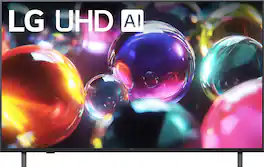
Bring home 4K resolution in an impressive range of screen sizes with LG UHD TVs. Enjoy swift, easy browsing and tons of personalized recommendations including over 300 free LG Channels.¹ Spend less time searching and more time streaming with LG webOS 25. Focus on the screen with a slim and simple-to-mount design for a stylish view no matter where you hang it. For gamers, you can quickly customize your gaming experience in one location with the LG Game Optimizer. And, with GeForce NOW & Xbox Cloud Gaming included, you can automatically stream and get in the game.²
Upgrade your home theater with this stylish 4K TV featuring vibrant colors, rich contrast and an advanced 4K processor. Stay endlessly entertained with thousands of on demand shows and movies for free and enjoy peace of mind as watch thanks to our proprietary triple layer security that protects your personal data across all connected devices at once.

LG QNED AI 4K TV's deliver vibrant colorful images for an immersive viewing experience. HDR10 Pro delivers a dramatic visual experience and elevated picture quality by enhancing each color on your screen for a "wow" effect. You'll enjoy outstanding picture powered by the Alpha 7 AI Processor Gen8, which uses AI to detect what you're watching and automatically improves the picture and sound quality. You'll also experience less searching and more streaming, thanks to LG’s award-winning Smart TV platform: webOS.¹ For gamers, you can quickly customize your gaming experience in one location with the LG Game Optimizer. And, with GeForce NOW & Xbox Cloud Gaming included, you can quickly stream and get int your favorite apps.²
| Pros for LG - 50” Class UA77 Series LED AI 4K UHD Smart webOS TV (2025) | |||
|---|---|---|---|
| Picture Quality, Setup Ease, Size, Weight, App Availability | Picture Quality, Setup Ease, Size, Connectivity, Brightness | Picture Quality, Setup Ease, Size, Weight, Features | Picture Quality, Ease of Use |
| Cons for LG - 50” Class UA77 Series LED AI 4K UHD Smart webOS TV (2025) | |||
| Connectivity | App Performance | Connectivity, Remote Control, Button Layout, Port Quantity, Performance | Remote Usability |
Specs

- Sony - 65" Class BRAVIA 8 II OLED 4K UHD Smart Google TV (2025)$2,699.99$3,299.99
- Sony - 65" class BRAVIA 7 Mini LED QLED 4K UHD Smart Google TV (2024)$1,199.99$1,699.99
- Sony - 85" Class BRAVIA 9 Mini LED QLED 4K UHD Smart Google TV (2024)$2,999.99$4,499.99
Reviews
Customers are saying
Customers highly value the excellent picture quality and the ease of setting up the 50” Class UA77 Series LED AI 4K UHD Smart webOS TV (2025). Many also appreciate the perfect size and lightweight design, as well as the availability to download various apps. However, some customers have noted that the TV lacks RCA composite inputs, which may limit connectivity options for older devices.
Customer Images
The vast majority of our reviews come from verified purchases. Reviews from customers may include My Best Buy members, employees, and Tech Insider Network members (as tagged). Select reviewers may receive discounted products, promotional considerations or entries into drawings for honest, helpful reviews.
- Rated 4 out of 5 stars
Excellent Picture & Sound But Difficult
I purchased this TV for my bedroom and it fits my stand that matches my bedroom furniture very well. The picture was fuzzy at first but then it become excellent. The sound is also excellent and has plenty of volume. But ive had some frustration with this TV. The fast talking Voice Guidance was driving me crazy. I finally found an LG post online that told me to press and hold the mute button on the remote. Sinc we I couldnt turn VG off, I tried it and found the speed control. There is Very Fast, Fast, Medium, Slow and Very Slow. I chose slow. I had to download ThinQ app to my Lenovo tablet which uses 2.4G WiFi as my 5G phone couldnt match the code numbers with the TV. Once set up I could use voice control but the TV says it hasnt been done. The TV worked well on a flat indoor antenna bringing in over 60 channels so it says. But either I goofed up or the set did and the set went totally internet and seemed to set LG Channels or Pluto TV as a default. So when I select Live TV, instead I get LG Channels and mostly Pluto TV. So right now I cannot tune in to my local on air broadcast channels, only internet channels. Ive also had problems downloading some apps to the TV including Hatch News. The TV requires a sign in to my LG account but theres been some problems with it accepting my password although I've reset it several times. Its almost as if the TV is turning off certain things like my local channels for example. Or it could be that I've turned on something undesirable in the settings menu. Sometimed when I hit settings on the Magic remote, it will show a different settings menu but not always. The TV says use the mic on Magic remote but I dont find one there but rather on the ThinQ app. I havr downloaded and printed out a 28 page manual which I hope will help me. I hope something helps me! I was really enjoying my new TV but now not as much as I was. There needs to be a better way to switch between broadcast and internet TV and the TV needs not to have such a mind of its own. Let me have control. Youtube dies work well on this TV and has clear picture and sound.
geigi41fisherman Posted
- Rated 5 out of 5 stars
LG TV
The LG TV is by far the best quality for picture and sound! This is my third LG TV in my house.
JTBT Posted
- Rated 5 out of 5 stars
Nice tv
Works nice picture color seem bright and vibrant!!
user581483 Posted