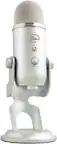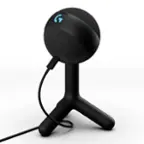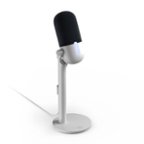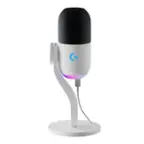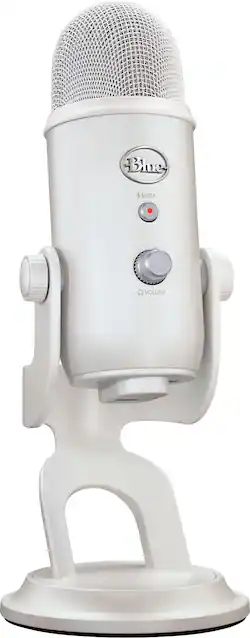
Logitech - Blue Yeti Professional Multi-Pattern USB Condenser Gaming Microphone with Exclusive Streamlabs Themes - White Mist
- Key Specs
- Polar Pattern: Bidirectional, Cardioid, Omnidirectional, Stereo
- Output(s): 3.5mm audio, USB-A
- Microphone Type: Condenser microphones
- Wireless: false
- General
- Brand: Logitech
- Model Number: 988-000529
- Product Name: Blue Yeti Professional Multi-Pattern USB Condenser Gaming Microphone with Exclusive Streamlabs Themes
- Color: White Mist
- Dimensions
- Product Height: 11.61 inches (The out of box height of the item. Height is measured as the vertical distance from the bottom of the item to the top as it would be primarily used or placed.)
- Product Length: 4.92 inches (The out of box length of the item. Length is measured as the longest dimension of the item.)
- Product Width: 4.7 inches (The out of box width of the item. Width is measured as the horizontal distance from one side of the item to the other as it would be primarily used or placed.)
- Product Weight: 3.4 pounds (The out of box weight of the item.)
- Audio
- Polar Pattern: Bidirectional, Cardioid, Omnidirectional, Stereo
- Output(s): 3.5mm audio, USB-A
- Minimum Frequency Response: 20 hertz (Describes the maximum range of frequencies or musical tones a product can reproduce, from very low tones to very high treble tones. The minimum frequency or musical tone the speaker can reproduce. High treble tones have higher frequencies while low tones and deep bass have lower frequencies.)
- Maximum Frequency Response: 20 kilohertz (Describes the maximum range of frequencies or musical tones a product can reproduce, from very low tones to very high treble tones. The maximum frequency or musical tone the speaker can reproduce. High treble tones have higher frequencies while low tones and deep bass have lower frequencies.)
- Features
- Microphone Type: Condenser microphones
- Wireless: false
- Mute Function: true
- Lighting Type: None
- Compatibility
- Operating System Compatibility: Windows, Mac
- Included
- Number of Microphones Included: 1
- Warranty
- Warranty - Parts: 2 years
- Warranty - Labor: None
- Other
- UPC: 097855180919
Designed to be the perfect companion to your Logitech G Aurora Collection headset, mouse and keyboard, Yeti’s new special edition (Pink Dawn/White Mist) finish gives your stream a beautiful, custom aesthetic. Exclusive downloadable Streamlabs themes let you match the look of your overlays with your Yeti mic and Aurora Collection gear for an extraordinary stream experience.
- Special edition finish: The perfect companion to your Logitech G Aurora Collection headset, mouse and keyboard, Yeti’s dazzling new finish gives your game stream a beautiful aesthetic.
- Exclusive Streamlabs Aurora Collection themes: Download exclusive themes that match the look of your Yeti mic and Aurora Collection gear for an extraordinary game streaming experience.
- Blue VO!CE effects: Improve your sound and add flavor to your stream with fun vocal effects, HD samples, and studio tools like EQ, limiter and Noise Removal, powered by NVIDIA Broadcast.*
- Advanced voice modulation: From Electrobeast to Helium Chipmunk, you can alter, morph and transform your voice to excite and entertain your stream audience.
- PlayStation compatible: Connect Yeti to your PS4 or PS5 for an instant audio upgrade.
- Internal shockmount: Yeti’s groundbreaking three-capsule array is isolated by an internal shockmount to help ensure clean, articulate sound.
- Complement your collection: Yeti in special edition White Mist is a perfect companion for your Logitech G Aurora Collection gear.
- HD audio samples: Accentuate your content, set an ambient vibe or make your audience laugh with the included treasure trove of HD audio samples.
- Special edition finish: The perfect companion to your Logitech G Aurora Collection headset, mouse and keyboard, Yeti’s dazzling new finish gives your game stream a beautiful aesthetic.
- Exclusive Streamlabs Aurora Collection themes: Download exclusive themes that match the look of your Yeti mic and Aurora Collection gear for an extraordinary game streaming experience.
- Blue VO!CE effects: Improve your sound and add flavor to your stream with fun vocal effects, HD samples, and studio tools like EQ, limiter and Noise Removal, powered by NVIDIA Broadcast.*
- Advanced voice modulation: From Electrobeast to Helium Chipmunk, you can alter, morph and transform your voice to excite and entertain your stream audience.
- PlayStation compatible: Connect Yeti to your PS4 or PS5 for an instant audio upgrade.
- Internal shockmount: Yeti’s groundbreaking three-capsule array is isolated by an internal shockmount to help ensure clean, articulate sound.
- Complement your collection: Yeti in special edition White Mist is a perfect companion for your Logitech G Aurora Collection gear.
- HD audio samples: Accentuate your content, set an ambient vibe or make your audience laugh with the included treasure trove of HD audio samples.
Whats Included
- Yeti Microphone
- Desktop stand
- USB Cable
- User documentation
- Streamlabs content download code
- Yeti Microphone
- Desktop stand
- USB Cable
- User documentation
- Streamlabs content download code
Q: If I plug in my headphones, will I be able to use this to hear myself speaking?
A: Yes, you can use the headphone jack on the Blue Yeti to hear yourself speak in real-time.
A: Unfortunately, you cannot directly plug a headset into the Blue Yeti microphone to both amplify your voice for your mom and have private conversation.
A: Hey! The device works only with Windows® 10 or later and macOS® 10.14 or later.
Q: if I buy 2 will I be able to connect both of them at the same time?
A: I would be careful about creating a feedback loop, which is rather loud and can damage both mics. If you use the cartioid (heart-shaped) pattern and have a substantial divider between both mics, it might work. Just proceed with caution in this regard.
A: Unfortunately, no unless you buy an attachment because the cord they use it like I think a pacific company brand cord
Q: Is this compatible w apple products? Can you use this with an iPad? It just says has usb plug
A: There are several YouTube videos related Apple compatibility. One of them mentioned connecting to an iPhone, so perhaps that specific video might give you the solution you need.
Q: Does this mic work well with VOIP systems? Is it compatible with Jabra Evolve 2 85?
A: Hey there! Please note that the Blue Yeti is a Plug-And-Play Microphone. Yeti is ready to capture it. Just plug your Yeti microphone straight into your computer or laptop with the included USB cable, and you're all set to record or stream, right away. No drivers required. It is compatible with Windows® 10 or later and macOS® 10.14 or later and requires one USB 1.1/2.0/3.0 port.