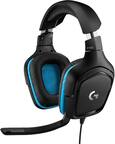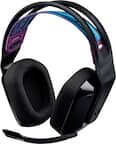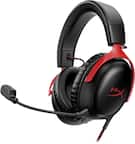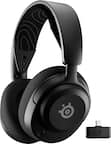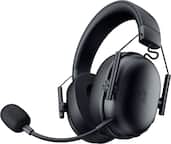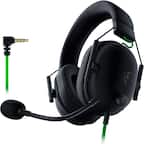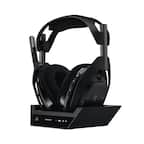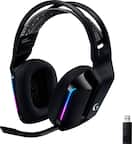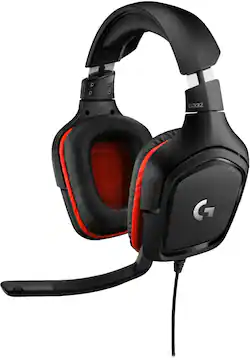
Logitech - G332 Wired Gaming Headset for PC - Black/Red
- Key Specs
- Noise Cancelling (Active): false
- Sound Mode: Stereo
- Connection Type: Wired
- Water Resistant: false (Resists some degree of water penetration.)
- Built-In Microphone: true
- Carrying Case: false
- Microphone Features: Adjustable
- Headphone Fit: Over-the-Ear
- Adjustable Headband: false
- Compatible Platform(s): Mac, Nintendo Switch, PlayStation 4, Windows, Xbox One
- Voice Assistant Built-in: Not Applicable (A digital assistant built into the device that uses voice commands to answer questions and control smart devices.)
- General
- Brand: Logitech
- Model Number: 981-000755
- Product Name: G332 Wired Gaming Headset for PC
- Color: Black/Red
- Audio
- Noise Cancelling (Active): false
- Sound Isolating: false
- Minimum Frequency Response: 20 hertz (Describes the maximum range of frequencies or musical tones a product can reproduce, from very low tones to very high treble tones. The minimum frequency or musical tone the speaker can reproduce. High treble tones have higher frequencies while low tones and deep bass have lower frequencies.)
- Maximum Frequency Response: 20 kilohertz (Describes the maximum range of frequencies or musical tones a product can reproduce, from very low tones to very high treble tones. The maximum frequency or musical tone the speaker can reproduce. High treble tones have higher frequencies while low tones and deep bass have lower frequencies.)
- Impedance: 39 ohms (Describes the resistance of an electric signal throughout the system. Devices with low impedance require less power to deliver optimal signals but are more at risk for damage from overloading. Higher impedance requires more power but is more protected from overload damage.)
- Sensitivity: 107 decibels adjusted
- Sound Mode: Stereo
- Driver Size: 50 millimeters
- Connectivity
- Connection Type: Wired
- Connector Size: 1/8 in. (3.5mm)
- Features
- Water Resistant: false (Resists some degree of water penetration.)
- Built-In Microphone: true
- Carrying Case: false
- Microphone Features: Adjustable
- Lighting Type: None
- Design
- Headphone Fit: Over-the-Ear
- Style: Gaming
- Adjustable Headband: false
- Foldable Design: true
- Compatibility
- Compatible Platform(s): Mac, Nintendo Switch, PlayStation 4, Windows, Xbox One
- Voice Assistant Built-in: Not Applicable (A digital assistant built into the device that uses voice commands to answer questions and control smart devices.)
- Material
- Ear Cushion Material: Leatherette
- Dimensions
- Product Height: 7.8 inches (The out of box height of the item. Height is measured as the vertical distance from the bottom of the item to the top as it would be primarily used or placed.)
- Product Width: 4.2 inches (The out of box width of the item. Width is measured as the horizontal distance from one side of the item to the other as it would be primarily used or placed.)
- Product Length: 9.1 inches (The out of box length of the item. Length is measured as the longest dimension of the item.)
- Product Weight: 1.25 pounds (The out of box weight of the item.)
- Warranty
- Warranty - Parts: 2 years
- Warranty - Labor: None
- Other
- UPC: 097855144621
Stay in constant communication with other players when you wear this Logitech stereo gaming headset. The 3.5mm input works with computers, laptops and gaming consoles for added versatility, and the 50mm drivers bring big sound to your ears. With lightweight leatherette ear cups, this Logitech stereo gaming headset offers added comfort throughout extended play sessions.
- More sustainable: Certified carbon neutral: the carbon impact of the product and packaging has been reduced to zero.
- More sustainable: Certified carbon neutral: the carbon impact of the product and packaging has been reduced to zero.
Whats Included
- Logitech G332 Wired Stereo Gaming Headset for PC
- Owner's Manual
- Y-splitter for separate mic and headphone jacks
- Logitech G332 Wired Stereo Gaming Headset for PC
- Owner's Manual
- Y-splitter for separate mic and headphone jacks
Q: How do you plug it into the Xbox for me I cant use the mic or hear anything?!?!?
A: It has both a 3.5mm plug and USB. If the Xbox has something else then you’re out of luck.
Q: Can you use these on a desktop as reg. Headset and not gaming?
A: yes they are very good. good sound flip up mike to mute volume control on headset
Q: Is there anywhere I can get replacement cables for the headset?
A: Hello Ben, you can go to Logitech's website and order new cables. They are listed under the G633, but they are the same cables. https://support.logi.com/hc/en-us/articles/360025258874--Spare-Parts-G633-Artemis-Spectrum-RGB-7-1-Surround-Gaming-Headset
Q: Does it work with Nintendo switch?
A: It works with Nintendo Switch, Play Station 4, Xbox One, and PC.
A: yes they do even tho I prefer the USB connector
A: 1: The G635 can connect through a traditional 3.5mm headphone jack. 2: The G635 will definitely work with PS4! You can do this with the 3.5mm headphone jack cable or the included USB cable. 3: The headphone jack cable is 4.9-feet, the USB cable is a little over 9-feet.
Q: How long is the cord? 2 feet, 3 feet, ???
A: Hello, the cable length is 6.5 ft.
Q: Does this have a mute mic function? If yes, how to activate?
A: Just put the mic up to mute, lower it to unmute