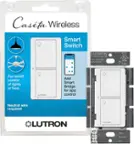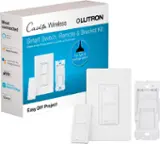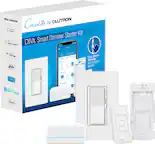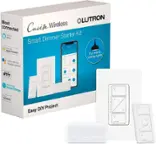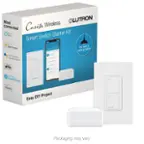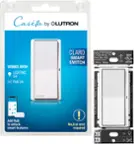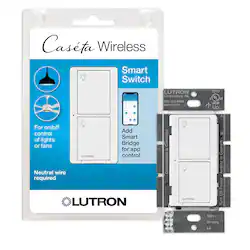
Lutron - Caseta Smart Switch for All Bulb Types or Fans, 5A - White
- Key Specs
- Switch Wiring Configuration: 3-way
- Indoor or Outdoor Use: Indoor
- Works With: Google Assistant, Amazon Alexa (Compatible with or able to be connected to other smart devices or applications.)
- Installation Type: Replacement
- General
- Brand: Lutron
- Model Number: PD-5ANS-WH-R
- Product Name: Caseta Smart Switch for All Bulb Types or Fans, 5A
- Color: White
- Power
- Switch Wiring Configuration: 3-way
- Voltage: 120 volts (Amount of power needed to support an electrical current.)
- Number Of Switches: 1
- Features
- Indoor or Outdoor Use: Indoor
- Compatibility
- Works With: Google Assistant, Amazon Alexa (Compatible with or able to be connected to other smart devices or applications.)
- Installation Type: Replacement
- Dimensions
- Product Height: 1.9 inches (The out of box height of the item. Height is measured as the vertical distance from the bottom of the item to the top as it would be primarily used or placed.)
- Product Width: 3.3 inches (The out of box width of the item. Width is measured as the horizontal distance from one side of the item to the other as it would be primarily used or placed.)
- Product Length: 4.4 inches (The out of box length of the item. Length is measured as the longest dimension of the item.)
- Other
- UPC: 784276247849
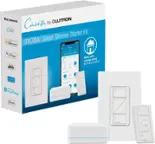
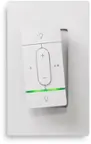
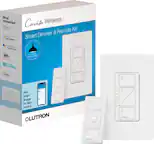
Experience the ultimate convenience in lighting control with Lutron's family of Caseta Wireless dimmers, switches and smart phone control. The Caseta Wireless In-Wall Switch provides switching of multiple load types and, when paired with Pico remote controls, allows remote control from anywhere in the space. Use the Pico remote control either in your hand, on a tabletop pedestal or by mounting the remote directly to the wall (remote control and accessories sold separately). You can even use the Pico remote to control the lights from your car as you arrive home. This switch works with up to 600-Watt of incandescent, halogen, ELV and MLV, 5 amps of LED/CFL and 3.0 amps of general purpose fans. Neutral wire required. Coordinating wall plate sold separately.
- PEACE OF MIND: Set lights to automatically adjust with changing seasons so your family always comes back to a well-lit home; you can also enable the Smart Away feature to randomly turn your lights on and off to look like you’re home even if you’re away (smart bridge, L-BDG2-WH, required)
- MOST CONNECTED: Caseta connects with more leading smart home devices – including Amazon Alexa, Apple HomeKit, the Google Assistant, Ring, Serena shades and Sonos – than any other smart lighting control brand (smart bridge required)
- CONTROL YOUR WAY: Caseta puts the smarts in the switch so you can control your lights a variety of ways – via the app, your voice, or from the wall. Create schedules to turn lights on/off to fit your routines, or activate favorite lighting scenes with the touch of a button (smart bridge required)
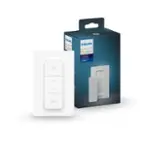
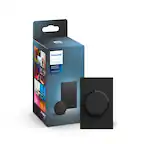
- WIRELESS REMOTE CONTROL: For added convenience, use with the wireless Pico remote (PJ2-2B-GXX-L01) to turn your lights on/off with the touch of a button from anywhere in the home
- EASY 3-WAY SETUP: With a Pico remote and wall mount bracket, create a 3-way by mounting the Pico to almost any wall surface without cutting holes or pulling wire. Replace existing 3-way switches by mounting the bracket and Pico over the backbox (Pico remote and PICO-WBX-ADAPT sold separately)
- TECHNICAL DETAILS: Works with up to 600-Watts of incandescent/halogen/ELC/MLV, 5A of LED/CFL or 3.0A of ceiling or exhaust fans
- EASY INSTALL: Easily replaces existing switch and installs in as little as 15 minutes; NEUTRAL WIRE REQUIRED
- Includes: (1) Caseta smart switch; coordinating wallplate sold separately
Whats Included
- Lutron Caséta Wireless Smart Lighting Switch
- Owner's manual
Product Manuals
A: According to Lutron's product specs, the model number you specify does support installation without a neutral wire, but the trade off is that it has a minimum load requirement that you must meet. (http://www.lutron.com/TechnicalDocumentLibrary/369831_ENG.pdf) This best buy product listing is for the 5ANS, which requires a neutral wire. The NS in the model number stands for Neutral Switch.
Q: Is this switch for 2 lights or 1?
A: The PD-5ANS is meant to control a single load, either fan or light. It is not able to control two separate loads independently.
A: The Caseta Wireless products will require a Caseta Smart Bridge in order to be used with third parties, such as SmartThings. The Philips Hue bridge is not compatible with Caseta products.
Q: What makes this switch wireless?
A: The wireless aspect is for remote control using Caseta's hub, which you would have to purchase separately and connect to your home network. The switch itself connects to standard household wiring, but through a wireless connection to the hub you can control the lights from smartphone, operate them on a schedule, etc.
Q: I have two porch lights, with LED bulbs, connecting to one switch - can this switch handle that?
A: Yes, the PD-5ANS would be able to control this lighting circuit. The PD-5ANS is a neutral-required switch, so Lutron recommends ensuring you have a neutral wire available in the wall box prior to installation.
Q: Does this come with a wallplate?
A: No, it doesn't come with a wall plate.
A: The PD-5ANS can be used in a 3-way application. At the second location, you could either leave the existing mechanical switch or put a Pico remote in its place. If you opt for the mechanical switch, the wiring will need to be altered, and you can view a diagram of that here: http://www.lutron.com/TechnicalDocumentLibrary/368-4493_Page_34.pdf. If you choose the Pico remote option, then refer to the wiring diagram here: http://www.lutron.com/TechnicalDocumentLibrary/368-4493_Page_33.pdf. For a suggestion on which Pico remote to use, please reach out to our Support Team at [email protected] or by phone at 1 (844) 588-7661.
Q: Lutron switch lights turn off if no activity in room how do you disengage this feature?
A: Hello Glenn, thank you for your question. We are sorry to hear about the issue you have encountered with your Caseta switch. Unless you have a Caseta motion sensor paired to this device, there may be an automation active that can be affecting the status of the switch automatically. We would like to hear more about your application to see if we can isolate and resolve the issue. Please reach out to our 24/7 support team at 1-844-LUTRON1 or via email at [email protected].