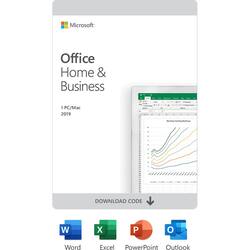
Microsoft - Office Home & Business 2019 (1 Device) - Mac OS, Windows [Digital]
- Key Specs
- Number of Users: 1
- Number of Devices: 1
- Number of Licenses: 1
- Operating System Compatibility: Mac OS, Windows
- Software Format: Digital (Physical software requires a disc, cartridge, etc. be inserted into the gaming console or computer to download and/or operate the software. Digital software allows for downloading and/or playing the software on the gaming console or computer without a physical disc, cartridge, etc. Physical (Download Code Only) software is purchased in physical form with a code that allows for downloading and/or playing the software on the gaming console or computer without a physical disc, cartridge, etc.)
- General
- Product Name: Office Home & Business 2019 (1 Device)
- Brand: Microsoft
- Publisher: Microsoft
- Model Number: T5D-03190
- Features
- Included Mobile App(s): false
- Included Application(s): Excel, Outlook, PowerPoint, Word
- Designated Use: Home/Business
- Language(s): English
- Cloud Based Software: false
- Purchase Rights
- Number of Users: 1
- Number of Devices: 1
- Number of Licenses: 1
- Purchase Rights: Install on 1 Device
- Compatibility
- Operating System Compatibility: Mac OS, Windows
- Software Format: Digital (Physical software requires a disc, cartridge, etc. be inserted into the gaming console or computer to download and/or operate the software. Digital software allows for downloading and/or playing the software on the gaming console or computer without a physical disc, cartridge, etc. Physical (Download Code Only) software is purchased in physical form with a code that allows for downloading and/or playing the software on the gaming console or computer without a physical disc, cartridge, etc.)
- Requirements
- System Requirements: Windows 10,1.6 GHz, 2-core processor,4 GB, 2 GB (32bit) RAM,Mac OS Extended or APFS (The software that a product must have for it to be able to integrate with another product.)
- Subscription: false
- Digital Download Type: Productivity software download
- Download Requirements: Internet connection
- Hard Drive Space Required: 10 gigabytes
- Warranty
- Manufacturer's Warranty - Parts: Not available
- Manufacturer's Warranty - Labor: Not available
- Other
- UPC: 400064025597
For families and small businesses who want classic Office apps and email installed on one Windows 10 PC or Mac for use at home or work. Classic 2019 versions of Office apps including Word, Excel, PowerPoint, and Outlook. 
Whats Included
- Microsoft Office Home & Business 2019 (1 Device) [Digital]
A: you can try contacting best buy but I've tried to down load office 365 and can't get pass the part which states you must purchase firewall for 300.00 have contacted best buy manager and done 2 on line surveys and no response told them I was going to return 1600.00 I spent on the dell and printer but no response. I guess once the sale is made you are no longer important. unless you come in to spend more money then once you leave the store have a nice day take your issues to someone else. forget geek squad they are useless.
A: Office Home and Business 2019 includes everything that Office Home and Student 2019 has and also give you Outlook.
Q: What is the difference between Office 365 (subscription) and Office 2019 (one-time purchase)?
A: Office 365 is constantly evolving and adding new features. Office 2019 is a point-in-time snapshot of the O365 applications.
A: You can as long as you redeem Office Home and Business 2019 to your Microsoft Account. That will allow you to activate and deactivate the license so you can install it on a new device.
Q: is this a subscription or does it last the life of the computer?
A: It lasts the life of the PC
Q: Is internet access required for Office Home & Business?
A: Internet access is required to download and activate Office 2019. However, you don’t need to be connected to the internet to use the Office applications, such as Word, Excel, and PowerPoint, because the applications are fully installed on your computer.
Q: what if I get a new laptop, can I bring the Office Home and Business over to new unit?
A: Yes if it is compatible version
A: Correct. You get updates to your product but not version updates. So if you purchase home & business 2019, you will not receive updates to home & business versions 2020, 2021 and so on.





















