MSI - MAG X870 TOMAHAWK WIFI (Socket AM5) AMD X870 ATX DDR5 Wi-Fi 7 Motherboard - Black
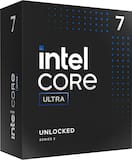 Intel - Core Ultra 7 265K 20-Cores 20-Threads - 4.6GHz (5.5 GHz Turbo) Socket LGA 1851 Unlocked Desktop Processor - Multi$311.99$429.99
More Buying Options
Related Item

Specifications
- ChipsetAMD X870Form FactorATXProcessor SocketSocket AM5 (LGA 1718)Wireless Networking StandardWi-Fi 7Number Of Memory Slots4Maximum Memory Supported256 gigabytes
- Key Specs
- Chipset: AMD X870
- Form Factor: ATX (The size, arrangement, and physical configuration of the product.)
- Processor Socket: Socket AM5 (LGA 1718) (Type of pin configuration that connects a CPU to a computer’s motherboard.)
- Wireless Networking Standard: Wi-Fi 7 (The wireless networking standard used by the device. Each iteration of the standard developed by the Wi-Fi Alliance corresponds to an existing IEEE 802.11 protocol; for example, standard 802.11ac (or AC) is termed Wi-Fi 5. Refers specifically to the standard the device is designed to use, but ultimately determines product interoperability and backward compatibility including previous versions.)
- Number Of Memory Slots: 4
- Maximum Memory Supported: 256 gigabytes
- Memory Type Supported: DDR5
- General
- Brand: MSI
- Model Number: MAG X870 TOMAHAWK WIFI
- Product Name: MAG X870 TOMAHAWK WIFI (Socket AM5) AMD X870 ATX DDR5 Wi-Fi 7 Motherboard
- Color: Black
- Year of Release: 2024
- Compatibility
- Chipset: AMD X870
- Chipset Compatibility: AMD
- Form Factor: ATX (The size, arrangement, and physical configuration of the product.)
- Processor Socket: Socket AM5 (LGA 1718) (Type of pin configuration that connects a CPU to a computer’s motherboard.)
- Processor Compatibility: AMD Ryzen 9 9000 Series, AMD Ryzen 9 7000 Series, AMD Ryzen 7 9000 Series, AMD Ryzen 7 8000 Series, AMD Ryzen 7 7000 Series, AMD Ryzen 5 9000 Series, AMD Ryzen 5 8000 Series, AMD Ryzen 5 7000 Series
- Slot
- Number of M.2 Slots: 4 (This interface is most commonly used for high-speed solid state drives (SSDs), and is often used in laptops due to its small size.)
- Number Of PCI-E x16 Slots: 3
- Number Of Memory Slots: 4
- Connectivity
- SATA Connector: 4x SATA 6G (The configuration of the connector as it connects a computer power supply unit to a SATA-based drive.)
- Wireless Connectivity: Bluetooth, Wi-Fi (The manner in which a device sends data to another device over a short distance without the use of wires or cables.)
- Wireless Networking Standard: Wi-Fi 7 (The wireless networking standard used by the device. Each iteration of the standard developed by the Wi-Fi Alliance corresponds to an existing IEEE 802.11 protocol; for example, standard 802.11ac (or AC) is termed Wi-Fi 5. Refers specifically to the standard the device is designed to use, but ultimately determines product interoperability and backward compatibility including previous versions.)
- Wireless Standard: BE (The wireless networking protocol used by the device. Each iteration of the protocol is based on the 802.11 standard developed by the Institute of Electrical and Electronics Engineers (IEEE) Standards Association. Denoted by letters following 802.11 (802.11a, 802.11ac, etc.), each version, published in alphabetical order, encompasses all previous versions.)
- Ports
- USB Ports: 8 x USB-A 2.0, 7 x USB-A 3.0, 2 x USB-A 3.2, 1 x USB-C 3.2 (The number and type of USB ports the product has.)
- Number of Audio Channels: 7.1 (The number of discrete channels of sound output. This can be a single number or multiple numbers separated by decimal(s). The first number is the primary, horizontally directed audio channels. The number after the first decimal, if applicable, is the number of subwoofer outputs or channels. The number after the second decimal, if applicable, is the number of height or atmospheric channels designed to immerse the listener by producing overhead sound effects.)
- Dimensions
- Product Length: 304.8 millimeters (The out of box length of the item. Length is measured as the longest dimension of the item.)
- Product Width: 243.84 millimeters (The out of box width of the item. Width is measured as the horizontal distance from one side of the item to the other as it would be primarily used or placed.)
- Product Weight: 48 ounces (The out of box weight of the item.)
- Memory
- Maximum Memory Supported: 256 gigabytes
- Memory Type Supported: DDR5
- Memory Format Supported: UDIMM (Memory module size that will fit with the device.)
- Memory Speeds Supported: 4x DDR5, Maximum Memory Capacity 256GB (The RAM's bandwidth rating supported by the device. The number refers to transfer speed. For example, 12800 would indicate that the memory has a theoretical bandwidth of 12,800 megabytes per second (MBs). The higher the number, the faster the speed.)
- Memory Slot Type: 288-pin DIMM
- Features
- RAID Support: RAID 0, RAID 1, RAID 10 (RAID 1+0) (A Redundant Array of Independent Disks (RAID) includes a collection of separate disks that your computer recognizes as one disk unit. Each configuration offers a different level of mirroring, striping and read/write speeds.)
- Other
- UPC: 824142380499
MAG X870 TOMAHAWK WIFI takes all the essential elements of the AMD Ryzen 9000/7000 series processors and combines them with game-ready features and proven durability.
- Processor compatibility: Supports AMD Ryzen 9000/7000 Series Desktop Processor Socket AM5
- Speed (memory speed supported): 4x DDR5, Maximum Memory Capacity 256GB Memory Support DDR5 7800+(OC)/ 7600(OC)/ 7400(OC)/ 7200(OC)/ 7000(OC)/ 6800(OC)/ 6600(OC)/ 6400(OC)/ 6200(OC)/ 6000(OC)/ 5800(OC)/ 5600(OC)/ 5400(OC)/ 5200(OC)/ 5000(OC)/ 4800(JEDEC) MH
- Graphics: Integrated Graphics Processor
- DDR5 memory: 4 DIMMs, Duel Channel DDR5 7800+MHZ (OC)
- Audio: 8-Channel (7.1) HD Audio with Audio Boost
Q: Does the motherboard support RAID 0?
A: This motherboard offers RAID 0 support.
Q: What is the form factor of the motherboard?
A: The form factor of the motherboard is ATX.
Q: Can the motherboard support Wi-Fi 7?
A: This motherboard offers support for Wi-Fi 7.
Q: What is the maximum memory capacity supported by the motherboard?
A: The maximum memory capacity supported by the motherboard is 256 gigabytes.
Q: How many SATA connectors does the motherboard have?
A: The motherboard has a 4x SATA 6G connector.
Q: Are there any USB-A 2.0 ports on the motherboard?
A: This motherboard has 8 USB-A 2.0 ports.
A: Hello bwhip - the 8pin connector at the bottom of the board is there to provide extra power to the PCIe devices to support system stability when using multiple or power hungry PCIe devices.
Compare similar products

MAG X870 TOMAHAWK WIFI takes all the essential elements of the AMD Ryzen 9000/7000 series processors and combines them with game-ready features and proven durability.

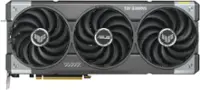
ASUS TUF GAMING X870-PLUS WIFI AMD AM5 X870 ATX motherboard, 16+2+1, 80A SPS power stages, DDR5, PCIe 5.0 Ready, four M.2 slots, Wi-Fi 7, 2.5Gb LAN, HDMI, USB4 40Gbps, SATA 6 Gbps, USB 20Gbps Type-C

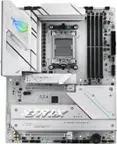
MPG X870E CARBON WIFI takes all the essential elements of the AMD Ryzen 9000/7000 series processors and combines them with game-ready features and proven durability.

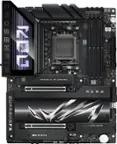
MAG X870E TOMAHAWK WIFI is designed for gamers with a stable, durable and DIY friendly foundation for their PC builds.
| Pros for MSI - MAG X870 TOMAHAWK WIFI (Socket AM5) AMD X870 ATX DDR5 Wi-Fi 7 Motherboard - Black | |||
|---|---|---|---|
| BIOS | Overall Performance, Wi-Fi, Overclocking, USB4, Ease of use | Overall Performance, Design | There were no pros for this product— |
| Cons for MSI - MAG X870 TOMAHAWK WIFI (Socket AM5) AMD X870 ATX DDR5 Wi-Fi 7 Motherboard - Black | |||
| There were no cons for this product— | SSD, Price, Ethernet Port | M.2 SSD Slot | There were no cons for this product— |
Specs



Reviews
Customers are saying
Customers are positive about the BIOS of the MAG X870 TOMAHAWK WIFI motherboard. Users report a smooth experience with the BIOS and setup process.
Customer Images
The vast majority of our reviews come from verified purchases. Reviews from customers may include My Best Buy members, employees, and Tech Insider Network members (as tagged). Select reviewers may receive discounted products, promotional considerations or entries into drawings for honest, helpful reviews.
- Rated 5 out of 5 stars
Amazing Motherboard!
Needed a high end motherboard that had more USB’s than my previous ones and this one has been the perfect match! I connect quite a bit to my PC from cameras, accessories, gaming equipment and this motherboard handles it all with ease. 11/10
Posted by PaysonM
- Rated 3 out of 5 stars
Buggy, be prepared for troubleshooting.
I purchased this board to work with a Ryzen 7 9800X3D. It currently has a few bugs. The BIOS is still in beta, there are no stable versions out yet. As of 11/15/24, the latest version is A17. This version brings X3D Game mode to the BIOS. If you enable this, Wi-Fi crashes when booted into Windows. The only way to get it working again is to disable X3D game mode. I also failed to do my research, any more than 2 RAM modules will cause instability when EXPO is enabled. Make sure you only run dual-channel in slots A2 and B2. When testing A1 and b1, no combination (EXPO/RAM pairings) would allow the board to POST. I am currently limited in features I can use in the BIOS as well as what RAM is supported. I expect them to fix these issues and release a stable build within the next couple of months.
Posted by Kenneth
- Rated 5 out of 5 stars
First build
Decided to use this one for my first Built. Had zero issues great experience. I love the design and the quality. The slot for GPU and SSD are easy to remove by pressing a button. The only issue I had was when adding the windows 11 key so I decided to continue without entering the code and after the BIOS update the code worked.
Posted by OP123