Philips - B-Line 241B8QJEB 24" IPS Widescreen Adaptive Sync Monitor (DisplayPort, VGA, USB, HDMI, DVI) - Black
FREE shipping to
More Buying Options
Related Item

Highlights
- Key Specs
- Refresh Rate: 60Hz (The number of frames per second the device can produce natively without enhancement. Higher rates help produce smooth, seamless pictures.)
- Maximum Resolution: 1920 x 1080 (Maximum resolution refers to the highest number of pixels that a screen can process and display. Higher resolution signals produce more detailed images.)
- Response Time: 5 milliseconds (The speed at which pixels can change colors is called response time. It is measured in milliseconds (ms).)
- Panel Type: IPS (Technology that affects response time and image quality.)
- Synchronization Technology: VSync (Generally, these technologies allow syncing between a computer/console game's frame rate and the device's refresh rate for a smoother display without tearing.)
- Screen Size: 23.8 inches (Size of the screen, measured diagonally from corner to corner.)
- Display Connector(s): 1 x HDMI (The number and type of connectors used to connect to an external display.)
- General
- Brand: Philips
- Model Number: 241B8QJEB
- Product Name: B-Line 241B8QJEB 24" IPS Widescreen Adaptive Sync Monitor (DisplayPort, VGA, USB, HDMI, DVI)
- Color: Black
- Operating System Compatibility: Not Applicable
- Display
- Refresh Rate: 60Hz (The number of frames per second the device can produce natively without enhancement. Higher rates help produce smooth, seamless pictures.)
- Maximum Resolution: 1920 x 1080 (Maximum resolution refers to the highest number of pixels that a screen can process and display. Higher resolution signals produce more detailed images.)
- Native Resolution: 1920 x 1080 (Native resolution of a screen refers to its single, fixed resolution. Sometimes screens must scale an image up or down in order to fit the native resolution. This can cause a loss of resolution or detail.)
- Contrast Ratio: 50,000,000:1 (Measured difference between a displayed image's brightest whites and darkest blacks. The larger the first number, the more detail and color that can be displayed.)
- Response Time: 5 milliseconds (The speed at which pixels can change colors is called response time. It is measured in milliseconds (ms).)
- Display Type: LED
- Panel Type: IPS (Technology that affects response time and image quality.)
- Synchronization Technology: VSync (Generally, these technologies allow syncing between a computer/console game's frame rate and the device's refresh rate for a smoother display without tearing.)
- Aspect Ratio: 16:9 (The measurement of the width of a screen compared to the height of a screen, expressed as a ratio.)
- Curved Screen: false
- Brightness: 250 candela per square meter (A measure of the total light output.)
- Screen Size: 23.8 inches (Size of the screen, measured diagonally from corner to corner.)
- High Dynamic Range (HDR): false (An HDR-compatible 4K TV or other HDR-compatible product displays HDR video content when it's available from sources like 4K Ultra HD Blu-ray Discs and 4K streaming services.)
- Horizontal Frequency: 85 kilohertz (Also known as "horizontal scan rate," this measurement describes the number of horizontal lines displayed per second and is used to calculate a screen's refresh rate.)
- Horizontal Viewing Angle: 178 degrees (The maximum angle at which the display can be viewed with acceptable visual performance from either side.)
- Vertical Viewing Angle: 178 degrees (The maximum angle at which the display can be viewed with acceptable visual performance from above or below.)
- Touch Screen: false (Touch-screen devices make navigating more intuitive. Using a touch-screen display, you can do things such as tap to select, hold and drag to move items, swipe to scroll, and pinch to zoom.)
- Connectivity
- Number of HDMI Inputs (Total): 1
- Display Connector(s): 1 x HDMI (The number and type of connectors used to connect to an external display.)
- Compatibility
- Wall Mountable: true (The product is able to be secured to a wall. Some products are designed ready to mount, while others may require additional hardware/accessories for installation.)
- Voice Assistant Built-in: No (A digital assistant built into the device that uses voice commands to answer questions and control smart devices.)
- Features
- Tiltable: true
- Adjustable Stand Height: true
- Built-In Webcam: false
- Integrated Speaker(s): true
- Dimensions
- Product Height With Stand: 20 inches
- Product Height Without Stand: 12 7/10 inches
- Product Width: 21 3/10 inches (The out of box width of the item. Width is measured as the horizontal distance from one side of the item to the other as it would be primarily used or placed.)
- Product Depth (With Stand): 8 11/100 inches
- Product Depth Without Stand: 2 inches
- Product Weight: 7.43 pounds (The out of box weight of the item.)
- Stand Included: true
- Power
- Power Consumption: 13 watts
- Certifications Listings & Approvals
- ENERGY STAR Certified: true (Devices carrying the ENERGY STAR service mark, such as computer products and peripherals, kitchen appliances, and other products, generally use 20% to 30% less energy than required by federal standards.)
- EPEAT Qualified: true (The Electronic Product Environmental Assessment Tool (EPEAT) was designed to provide an environmental assessment tool for purchasers. In order to qualify for EPEAT, a product must meet all 23 required criteria.)
- EPEAT Level: Silver (The Electronic Product Environmental Assessment Tool (EPEAT) was designed to provide an environmental assessment tool for purchasers. In order to qualify for EPEAT, a product must meet all 23 required criteria. Products are rated Bronze, Silver or Gold based on how many of 28 optional criteria they meet (below 50%, 50%, 75%).)
- Warranty
- Warranty - Parts: Information Not Available
- Warranty - Labor: Information Not Available
- Other
- UPC: 609585252301
Get your work done with the Philips 24" Full HD monitor. Crisp and vivid Full HD gives you the space and clarity to see your work. Features like height-adjustment, Flicker-free and LowBlue mode make work easy-on-the eyes.
- Full HD: 23.8in screen size with 1920 x 1080 resolution provides a native display of Full HD video sources without any degradation due to down-sampling technologies
- LCD Display: Enjoy stunning, luminescent visual images with LCD display
- Viewing Angle: This stylish LCD Monitor offers 178°/178° viewing angles for some great viewing experience no matter where and how you look at it
- VESA Compatible: VESA mount compatibility allows you to mount the display on a wall or with a stand depending on your specific needs
- Brightness: View your content easily in well-lit areas with 250 Nit brightness
- Full HD: 23.8in screen size with 1920 x 1080 resolution provides a native display of Full HD video sources without any degradation due to down-sampling technologies
- LCD Display: Enjoy stunning, luminescent visual images with LCD display
- Viewing Angle: This stylish LCD Monitor offers 178°/178° viewing angles for some great viewing experience no matter where and how you look at it
- VESA Compatible: VESA mount compatibility allows you to mount the display on a wall or with a stand depending on your specific needs
- Brightness: View your content easily in well-lit areas with 250 Nit brightness
Whats Included
- B-Line 241B8QJEB Widescreen LCD Monitor
- DVI-D cable
- DP cable
- Audio cable
- Power cable
- User Documentation
- B-Line 241B8QJEB Widescreen LCD Monitor
- DVI-D cable
- DP cable
- Audio cable
- Power cable
- User Documentation
Product Manuals
Compare similar products
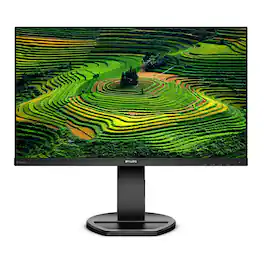
Get your work done with the Philips 24" Full HD monitor. Crisp and vivid Full HD gives you the space and clarity to see your work. Features like height-adjustment, Flicker-free and LowBlue mode make work easy-on-the eyes.
Samsung’s 24" S3 Monitor enables smooth performance, heightened productivity, and greater comfort. The IPS Panel delivers a stunning color experience across the entire display with less color washing, offering clarity from any viewpoint so tones stay consistent and accurate. The 100Hz refresh rate reduces lag and motion blur while playing games, watching videos, or working. Game Picture Mode with optimizable game settings enables instant adjustment of color and image contrast. Eye Saver Mode protects vision, reduces blue light and screen flicker, and extends comfort even during long sessions. The ergonomic super-slim design is a stylish addition to any environment, while ultra-thin border bezels make the most of screen space. Multiple connectivity enables devices to be plugged straight into the monitor for increased flexibility.

Stay engaged while controlling your presentation in 4K. Complete control from one screen, so your eyes can stay on your audience. Make any presentation more interactive and adaptive. Write, draw, and annotate directly with your fingers, or with the precise EM pen. Control multiple displays without ever turning your back to the audience. Annotate over any screen image or video with QOMO Flow!Works Pro. More power in your pen. With dual touch technology-you can write, draw, and annotate with a precise tough pen or your fingers on the anti-glare, anti-fingerprint screen. Pressure Sensitive TouchPrecise EM technology allows you to draw heavy or faint lines - just like a pen on paper. Even better, the battery-free pen never needs charging. Intuitive Capacitive TouchMulti-touch for fingertips makes it easy and intuitive to use - just like using your smartphone. And, unique to QOMO, this feature can be turned on/off with the touch of a button. Designed to fit your set upAdjust the PresenStation to the most comfortable writing angle, between 90 degrees and almost completely flat, allowing nearly limitless positioning. The back of the PresenStation has a standard VESA pattern. Attach to virtually any 3rd-party mount, directly to your podium or desk.
When you need the right tech to take on a day full of projects, meetings, and more, you need the HP Series 5 23.8-inch FHD Height Adjust Monitor. Its sleek design complements any workspace. And its beautiful screen, adjustable stand, and comfort features take your productivity to the next level. Bring flexibility to the way you work through enhanced visual performance, contrast ratio, and refresh rate.
| Pros for Philips - B-Line 241B8QJEB 24" IPS Widescreen Adaptive Sync Monitor (DisplayPort, VGA, USB, HDMI, DVI) - Black | |||
|---|---|---|---|
| There were no pros for this product— | Overall Performance, Size, Refresh Rate, Resolution, Connectivity | There were no pros for this product— | There were no pros for this product— |
| Cons for Philips - B-Line 241B8QJEB 24" IPS Widescreen Adaptive Sync Monitor (DisplayPort, VGA, USB, HDMI, DVI) - Black | |||
| There were no cons for this product— | Button Placement, Adjustability, Port Count | There were no cons for this product— | There were no cons for this product— |
Specs
Reviews
The vast majority of our reviews come from verified purchases. Reviews from customers may include My Best Buy members, employees, and Tech Insider Network members (as tagged). Select reviewers may receive discounted products, promotional considerations or entries into drawings for honest, helpful reviews.
- Rated 4 out of 5 stars
Lots of Inputs, but it Auto Switches Inputs
I needed a monitor that has all of the inputs DisplayPort, DVI, HDMI, VGA and this is one of the few I could find that does have all 4 inputs on the same monitor. I use this on our tech bench where we frequently hook and unhook up devices to it. The brightness and screen quality is really good. However, the problem is this monitor will auto switch inputs when it looses signal. So when I restart a computer, the monitor will auto switch to a different computer. This makes it impossible to see the bootup of the computer I restarted. I already asked support and support said there is no way to turn this off. Support suggested we plug the computer into a different monitor during the reboot and then plug it back into this monitor after it boots. TKT124731
This review is from Philips - B-Line 241B8QJEB 24" IPS Widescreen Adaptive Sync Monitor (DisplayPort, VGA, USB, HDMI, DVI) - Black
Posted by Dataforge