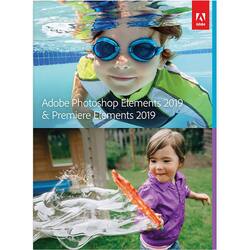
Adobe - Photoshop Elements 2019 & Premiere Elements 2019
- Key Specs
- Software Format: Physical (Physical software requires a disc, cartridge, etc. be inserted into the gaming console or computer to download and/or operate the software. Digital software allows for downloading and/or playing the software on the gaming console or computer without a physical disc, cartridge, etc. Physical (Download Code Only) software is purchased in physical form with a code that allows for downloading and/or playing the software on the gaming console or computer without a physical disc, cartridge, etc.)
- General
- Product Name: Photoshop Elements 2019 & Premiere Elements 2019
- Brand: Adobe
- Publisher: Adobe
- Model Number: ADO951800F114
- Features
- Software Subject: Photo editing, Video editing
- Compatibility
- Software Format: Physical (Physical software requires a disc, cartridge, etc. be inserted into the gaming console or computer to download and/or operate the software. Digital software allows for downloading and/or playing the software on the gaming console or computer without a physical disc, cartridge, etc. Physical (Download Code Only) software is purchased in physical form with a code that allows for downloading and/or playing the software on the gaming console or computer without a physical disc, cartridge, etc.)
- Requirements
- System Requirements: Intel Core i7 and 16GB RAM required for XAVC-S (4K editing); 1280x800 display resolution (at 100% scale factor); DVD-ROM drive; Internet connection required for product activation and content download (The software that a product must have for it to be able to integrate with another product.)
- Other
- UPC: 883919276571
Dive right in and do something amazing with your photos. Auto-generated photo and video slideshows and collages are created just for you and delivered upon launch. Get up and running quickly with the new home screen - see what's new since your last version, discover fun things to try, and get inspiring ideas, help, and tutorials. Effortlessly organize, edit, and create thanks to photo and video automation powered by Adobe Sensei AI technology. Try artistic techniques and effects with 73 step-by-step guided edits. Easily make movies in the redesigned Quick Edit mode. And share your favorite memories in everything from fun memes and animated GIFs to printed artwork and full-length movies.
- Get started creating: Beautiful photo and video slideshows and collages are created just for you and delivered upon launch.
- Hassle-free organization: Go from hundreds of mystery folders scattered across your computer to a visual view of your photos and videos.
- Intelligent editing: Adobe Sensei delivers automated photo and video editing that gives you more time to be creative, and it empowers you to open closed eyes in photos like magic and make selections effortlessly.
- Stunning creations: Photo and video slideshows and collages are automatically created and delivered to you to highlight memorable moments, such as birthdays and vacations.
- Shareable memories: Share with friends and family any way you like. Create animated bounce-back GIFs to easily share on social media.
Whats Included
- Adobe Photoshop Elements 2019 & Premiere Elements 2019
Q: If you plan on upgrading to a different laptop in 6 months, is it transferrable to the new laptop?
A: I've done it, so I guess the answer would be yes. Note: Just make sure you delete the software from the old laptop (especially if you plan on passing the old laptop onto somebody else), as the license is only good for one installation (you cannot use it on more than one computer simultaneously). When installing, you'll need to enter the license key (that comes with the software), so don't lose it. Also, before deleting it from the old laptop, confirm it works on the new laptop (just as a precaution). Sorry if I'm giving you more info than you need. I come from a tech support background and want to make sure I cover everything.
Q: Does this come with a digital download card or only the disks? My computer has no disk drive
A: Based on the reviews, this software is not from a disc, there’s a website you go to initiate downloading of the software. After opening the program that you download, it’s a guided process. Enter the provided serial numbers (your key as proof that you own the product) to unlock the full features.
A: Depends. Bought through Adobe as a charity/not for profit, there is an actual expiration date in the e-mail with the license key. Bought retail, there doesn't appear to be anything on the physical license card/sticker.
Q: does this program allow air brushing of photos to remove portrait wrinkles and imperfections
A: Yes. I use the Healing Brush for cleaning up smaller spots and the Clone Tool for larger areas. The healing brush makes for quick work when cleaning up smaller areas as it samples the surrounding colors and covers the spot you click on. With the clone tool you can adjust the size, hardness and opacity of the brush.
Q: Hey, Is this a subscription? if so how long am I licensing this for?
A: No it's no a subscription .
Q: Is this DVD media or a Download?
A: Currently, it is a download with serial number in the version I received. I believe you can still get a physical copy from the store.
Q: Can you use this product on a Mac computer?
A: Yes it will work on a Mac computer. I have it installed on 2 iMacs and works just like the Windows version.
A: Im assuming you're not familiar with Adobe Premier? Before coming to BestBuy to post that question I would have gone to the Adobe Premier page so you can learn what Adobe Premier is all about:) Its one of the best!!!




















