“My sister has a Tracphone flip phone. I've sent her several text messages that she hasn't responded to. I'm thinking she hasn't read them because she can't figure out how or how to send. Any instructions I can give to her?”
Answer This Question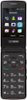
1-1 of 1 Answer
Hi. This is Janet from TracFone Wireless. Whenever she wants to send a message, you can inform her to go to the main menu, select Messages > Write message. Write a text message. One or more recipients can be added from the Contacts, or you can press the left soft key to enter the recipient's telephone number. Press the left soft key to send the message. When retrieving a new message, she still needs to go to Messages. Highlight an unread message and press the left soft key. Press the up or down navigation key to scroll through the screen. When finished, press the left soft key to view more messages or the end key to return to the Home screen. For better assistance, please ask your sister to chat with us at http://bit.ly/2qdrKHH. For your convenience, our representatives are available Monday-Sunday from 8:00 AM to 11:45 PM EST. You may also text the key word HELP to 611611 to view our self-service menu with a list of help key words with valuable information.
Sorry, there was a problem. Please try again later.