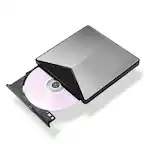
A:AnswerMake sure you have the Apple Emblem on the drive placed on the bottom. I had the it upside down when I tried to use it. It will not take a disk that way. Otherwise if you are using it correctly take it back to the store if it isn’t working.
A:AnswerNo, this is not CarPlay... That requires and iPhone and the iOS to perform, the system requirements for this device outline that you need a MacBook to utilize, its not meant for plugging into a CAR USB port to give audio access, you need a different product not in the computer lineup for that.

A:AnswerYes, it works with the new M2 Macs running macOS 13. The drive does not show up in Finder until a disc is inserted, but it works fine and burns discs well.