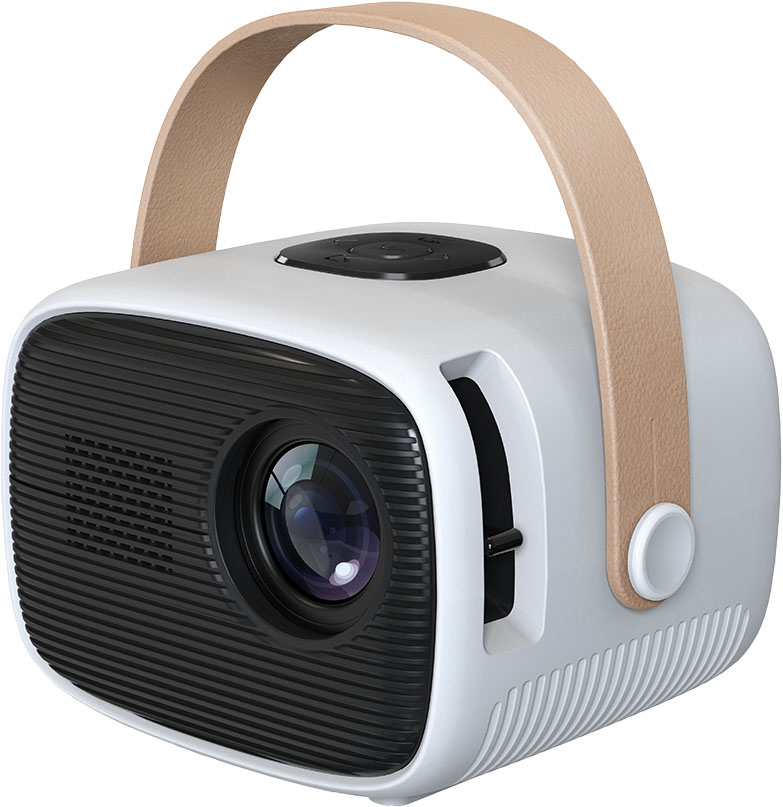
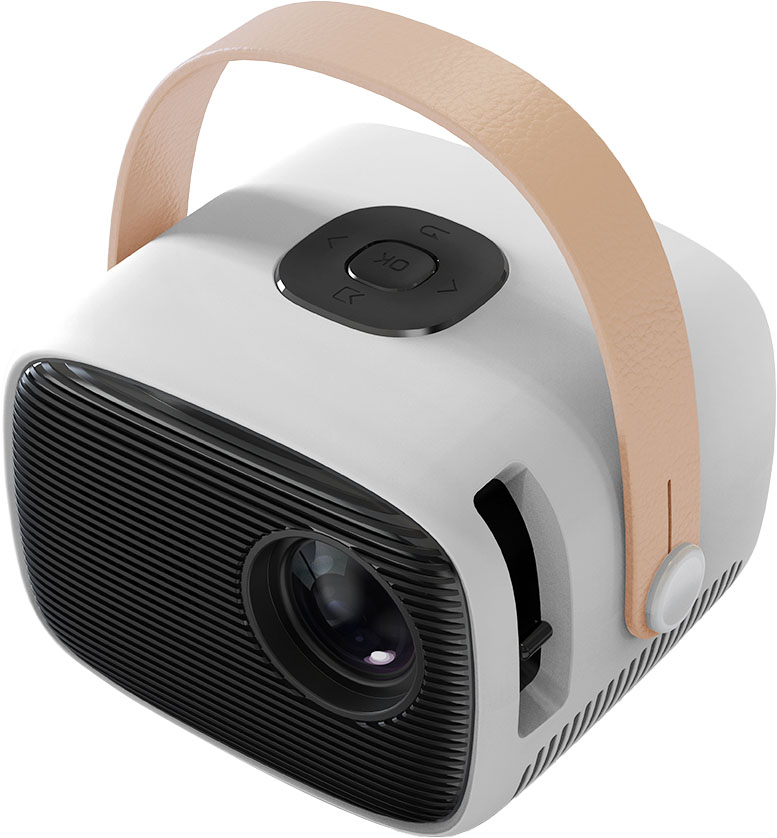
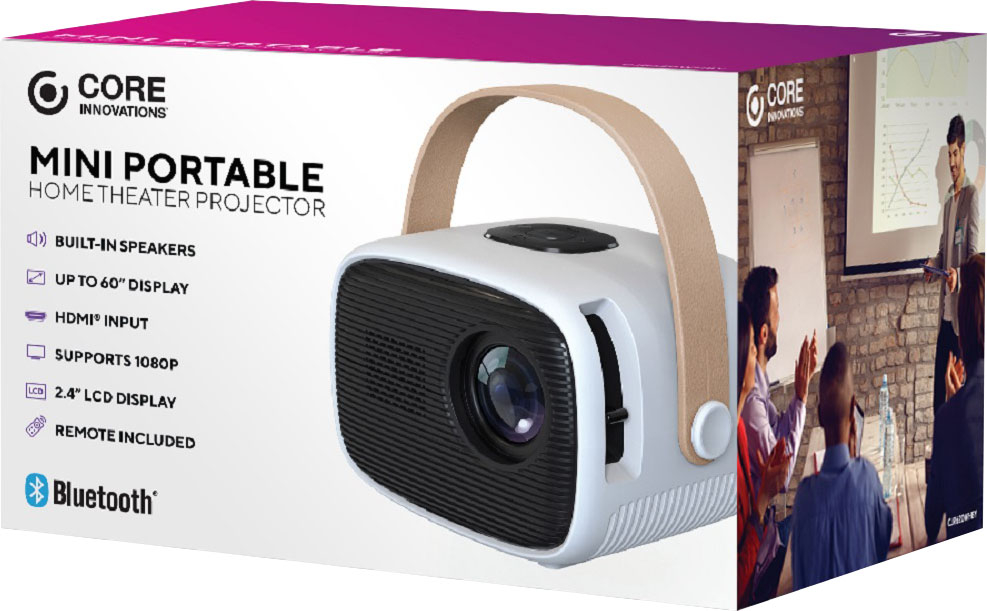
A:AnswerHi Customer, Yes, the Core Innovations 60" Mini Portable Home Theater Projector can function without the remote. This projector supports multiple connection options, including Bluetooth, HDMI, USB, Micro SD, and AV, allowing you to link various devices directly for operation. You can control the projector through these connections, which means you can use a connected device (like a smartphone or laptop) to manage playback and settings instead of relying solely on the remote control. In case you need assistance or have other concerns, you may call our customer service hotline at 1-833-909-2673, Mondays to Fridays from 9 am to 5 pm PST. Or email us at [email protected].
A:AnswerHi, yes, you may connect a wireless speaker to this projector CJR620WHBY via Bluetooth. To know more information about this product, you may call our customer service hotline at 1-833-909-2673, Mondays to Fridays from 9 am to 5 pm PST. Or email us at [email protected].
A:AnswerHi, we would like to get more information from you. At your earliest convenience, would you please email us at [email protected] or give us a call at 1-833-909-2673 to discuss this. We hope to hear from you soon.
A:AnswerHi Myk, we would like to get more information from you. At your earliest convenience, would you please email us at [email protected] or give us a call at 1-833-909-2673 to discuss this. We hope to hear from you soon.
A:AnswerHi, we would like to get more information from you. At your earliest convenience, would you please email us at [email protected] or give us a call at 1-833-909-2673 to discuss this. We hope to hear from you soon.
A:AnswerHi Kev, we would like to get more information from you for us to further assist you and fully understand your situation you are currently experiencing with your CJR620WHBY. At your earliest convenience, would you please email us at [email protected] or give us a call at 1-833-909-2673 to discuss this. We hope to hear from you soon.
A:AnswerHi Carrie, we would like to get more information from you. At your earliest convenience, would you please email us at [email protected] or give us a call at 1-833-909-2673 to discuss this. We hope to hear from you soon.
A:AnswerHi Jen, we appreciate you for having an interest to one of our products. Please know that our CJR620WHBY has power adaptor that needs to be plugged in when using. To know more information about this device, you may call our customer service hotline at 1-833-909-2673, Mondays to Fridays from 9 am to 5 pm PST. Or email us at [email protected].
A:AnswerHi Mike, thank you for having an interest with our unit CJR620WHBY. Please be advised that this projector has 40 lumens. The native display resolution 800x480. To know more information about this product, you may call our customer service hotline at 1-833-909-2673, Mondays to Fridays from 9 am to 5 pm PST. Or email us at [email protected].
A:AnswerHi Aisle, thank you for having interest to our CJR620WHBY. In order for us to give proper resolution and to further assist you, we would like to get more information from you. At your earliest convenience, would you please email us at [email protected] or give us a call at 1-833-909-2673 to discuss. We hope to hear from you soon.
A:AnswerHi Hammad, here are the steps on how to connect your Bluetooth-enabled device (speaker) to the projector: 1. Open the projector menu. Select Setup > Options > Bluetooth On. 2. Select Bluetooth On > Search. The projector will begin searching for Bluetooth-enabled devices. 3. Turn on your Bluetooth speaker. 4. If the projector finds the device, the name of your speaker will display. 5. Select the speaker’s name, and the projector will show Bluetooth connected to indicate a successful connection. In case you need assistance or have other concerns, you may call our customer service hotline at 1-833-909-2673, Mondays to Fridays from 9 am to 5 pm PST. Or email us at [email protected].
A:AnswerHi Kace, yes, you may view PowerPoint presentations using this unit CJR620WHBY. You may connect your HDMI cable (not included) to your compatible device (laptop). To know more information about this product, you may call our customer service hotline at 1-833-909-2673, Mondays to Fridays from 9 am to 5 pm PST. Or email us at [email protected].
A:AnswerHi Moes, this unit CJR620WHYBY works best in relatively dark environments. To know more information about this product, you may call our customer service hotline at 1-833-909-2673, Mondays to Fridays from 9 am to 5 pm PST. Or email us at [email protected].
A:AnswerHi Lablay, we would like to know what exactly is your concern. We’d like to get more information from you. At your earliest convenience, would you please email us at [email protected] or give us a call at 1-833-909-2673 to discuss. We hope to hear from you soon.
A:AnswerHi Drew, we would like to know what exactly is your concern. We’d like to get more information from you. At your earliest convenience, would you please email us at [email protected] or give us a call at 1-833-909-2673 to discuss. We hope to hear from you soon.
A:AnswerHi Lb82, please be advised that our CJR620WHBY has a built-in speaker. If you wish to have loud audio you may connect headphones or a wired audio system (not included) to the projector via the 3.5mm jack. We would like to know more information from you. At your earliest convenience, would you please email us at [email protected] or give us a call at 1-833-909-2673 to discuss. We hope to hear from you soon.
A:AnswerHi Campbell, our CJR620WHBY has a brightness of 40 lumens. To know more about this product you may call our customer service hotline 1-833-909-2673, Mondays to Fridays from 9am to 5pm PST. Or email us at [email protected]. Hope to hear from you soon.
A:AnswerHi Linlo, we would like to know what exactly is your concern. We’d like to get more information from you. At your earliest convenience, would you please email us at [email protected] or give us a call at 1-833-909-2673 to discuss. We hope to hear from you soon.