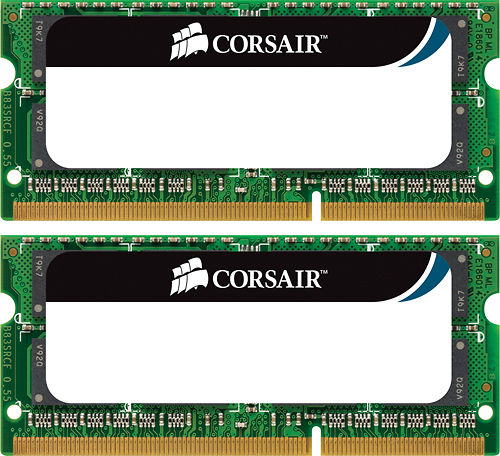
A:AnswerYes - I put this in a Windows laptop even though the packaging said "Mac" - the key is DDR3 SoDIMM. As long as your machine is DDR# SoDIMM RAM it doesn't matter if it's a Mac or Windows machine.
A:AnswerThis memory fits most Mac systems. But BEFORE you buy it, click on your apple icon on the top left of your Mac. Click on about this Mac. Then click on memory tab. There it should tell you if your system uses the 1066 MHz speed or the 1333 MHz speeds. Hope this helps.
A:AnswerFollowed the advice of Corsair Art and contacted Corsair support. These memory modules will only work on Mac's according to John the support specialist. Best Buy does not sell the Corsair memory required for the Lenovo T400
A:AnswerYes it will. However because you're already upgrading, I would recommend removing the two 2GB sticks and maxing out all four slots by picking up two of these 8GB Corsair RAM kits. The idea is that all your memory runs at the same speed and latency timings for maximum efficiency.
A:AnswerHi DG,
From what I found out, nope. You'd need a 2x4gb kit such as this, but it'd need to be 1600MHz in DDR3L. This is what I'd recommend: CMSO8GX3M2C1600C11
If you have any other questions, please reach out: support.corsair.com
A:AnswerHello,
Please confirm with your specific model's manual or product page online. You can otherwise collect the information regarding the specific model and reaching out for assistance: support.corsair.com
-Art
A:AnswerHello,
Afraid not, you'd want to get DDR3L 1600 or DDR3 1866 from what I'm finding out online for this model.
Please refer to its specific manual to confirm.
If you have anything else we can help with, please reach out: support.corsair.com
-Art
A:AnswerYes, this will work with your mid 2009 macbook pro. 2 sticks of 2gb 1066 mhz ddr3 (pc3-8500) is what your system came with. Upgrading to 8gb of RAM your system will be happier and a bit snappier. Note the RAM will show as 1067mhz in your system and 8gb is the max your system will accept. Be aware that you need to be running OSX 10.10.x (Yosemite) or above for the upgraded RAM to be recognized and before you install the RAM. These sticks work great in my mid 2009 mac mini on OSX Yosemite. Highly recommend an ssd to go with this upgrade. Just don’t forget to enable TRIM when upgrading to an ssd.
A:AnswerHello Joe,
This wouldn't be compatible as it's DDR3 1066MHz SO-DIMMs.
Please check with your specific nitro's model manual for more information on memory upgrades, and do contact us if you have any further questions: support.corsair.com
A:AnswerFor your Mac Mini (macmini6.1/macmini6.2) memory with a higher bus speed is listed (1600MHz vs. 1333MHz). This memory is intended for earlier generation Macs.