Questions & Answers
- Model:
- R010311
- |
- SKU:
- 6495773
Q: QuestionCan I hardwire one to my computer for a wired setup?
Asked by AdrianeS.
- A:Answer Yes, you can hardwire a computer or device to any of the eero (not just the gateway but to a wireless eero as well), and that device will see its connection as hardwired.
Answered by eeroinc Team
Q: QuestionWill this work with a T-Mobile trash can gateway?
Asked by Anonymous.
This question was asked about the related product: eero - 6+ Dual-band Mesh Wi-Fi 6 Router (1-pack) - White
- A:Answer Yes and then you would disable the built in wireless of the T-Mobile modem/gateway.
Answered by jrudd
Q: QuestionI have 3 EERO Extenders in my Ranch Style to extend the WiFi signal. The EERO have died. Need them for WiFi cameras to work. Can I purchase the 3-Pack and Just plug them into the computer and other places they already were?
Asked by Lfortson.
- A:Answer Yes, that should work fine. The radios are different so the ideal placement for one model isn't necessarily the ideal for another, but going from eero 6 extender to eero 6+ won't involve a lot of difference, should be good.
Answered by eeroinc Team
Q: QuestionDoes this system work with ATT fiber optic WiFi
Asked by Horndog.
- A:Answer Hi Horndog, Yes it work with AT&T Fiber optic. The best setup involves connecting the EERO gateway directly to the AT&T Fiber Gateway via Ethernet. You could also disable the Wi-Fi on the AT&T Modem to avoid interference in a crowded building or area. Hope this helps!
Answered by Amazon Devices Customer Support
Q: Questionwill this work with an eero 6 router?
Asked by tacboss.
This question was asked about the related product: eero - 6+ Dual-band Mesh Wi-Fi 6 Router (1-pack) - White
- A:Answer Hello tacboss! Yes! The EERO mesh system is built to mix and match for your network. Important note that the 6 model capabilities will be limited by the least advanced unit compared to the 6+ model. Depending on your home internet plan. Top end speed can change depending on which unit your device is connected to.
Answered by Amazon Devices Customer Support
Q: QuestionI live with someone else who has Verizon WiFi buts it’s trash for gaming , can I buy this eero one pack for my room and connect it straight to my Xbox ?
Asked by Ajay.
This question was asked about the related product: eero - 6+ Dual-band Mesh Wi-Fi 6 Router (1-pack) - White
- A:Answer I asked what I call my Chat buddy, which is AI. I will show you what he says. You can also try chatting with AI. Can 1 Eero 6+ improve your Xbox speed? Yes — but only if you connect the Xbox to the Eero by Ethernet. Here’s why: Option 1: Xbox → Ethernet cable → Eero 6+ This gives you: The fastest possible connection Lower latency (better for gaming) More stable speeds Full benefit of your Google Fiber gigabit This is the best way to use a single Eero 6+ with an Xbox. Option 2: Xbox → Wi‑Fi → Eero 6+ This can still improve things if: Your current Wi‑Fi signal is weak Your Xbox is far from your router You place the Eero closer to the Xbox But Wi‑Fi will never beat a wired connection for gaming. Important note If you buy just one Eero 6+, it must be: Wired to your modem (or to your Google Fiber jack) And then your Xbox can be wired to the Eero’s second Ethernet port If you want to place the Eero somewhere else in the house wirelessly, you’d need at least two Eeros (one wired gateway + one wireless node).
Answered by Macs
Q: QuestionWill this work with Verizon Fios Internet? I do not have Verizon TV or phone packages. I have several hubs which I need to hook up. How would I do this with only two Ethernet connections in the back of the eero.
Asked by FSUNole.
- A:Answer Hi Russell! The eero 6+ system should work just fine with any Fios internet. If you need additional ports to connect hard wired devices, I would suggest getting an unmanaged switch. I use several ethernet switches in my home setup wherever I want to connect multiple devices via a physical connection. This allows me to run a single ethernet cord to an area, then use smaller cords to connect the devices to the switch itself instead of having to have dedicated lines for each device. This will work just fine with the eero system, allowing you to connect multiple devices easily. I hope that helps, have a great rest of your day!
Answered by Amazon Devices Customer Support
Q: QuestionWill this be compatible with my preexisting linksys mesh system?
Asked by Andre.
- A:Answer Hi Andre. Thanks for reaching out about the eero 6+ system. To get the most out of your eero WiFi system, we recommend having your eero WiFi system replace your mesh system and having your gateway eero plugged directly into your modem. If you plug the eero into your Linksys mesh system, it will create a separate network, not expand the existing one. I hope this helps. Have a great day!
Answered by Amazon Devices Customer Support
Q: QuestionI have a euroPro 6E with three six plus Euros mesh I need to extend the Wi-Fi distance for my outside cameras what do I use
Asked by ThomasS.
- A:Answer Hi Tommy. Thanks for reaching out! You can extend the outdoor coverage of your eero network by adding an eero Outdoor 7. I hope this helps. Have a great day!
Answered by Amazon Devices Customer Support
Q: QuestionIs it mountable?
Asked by Rudy.
- A:Answer Hello Rudy! Thank you for your question. Yes, the eero 6+ units are mountable on walls or ceilings. Each unit has mounting holes on the bottom that allow you to hang them using screws. However, please note that mounting hardware is not included in the package, so you'll need to purchase appropriate screws and wall anchors separately. Just remember that for optimal performance, you'll want to ensure the units aren't blocked by large metal objects or placed in enclosed spaces, even when mounted. I hope that helps and have a great day!
Answered by Amazon Devices Customer Support
Q: Questiondoes every single eero in this system come with ethernet ports? or only 1
Asked by tyknight.
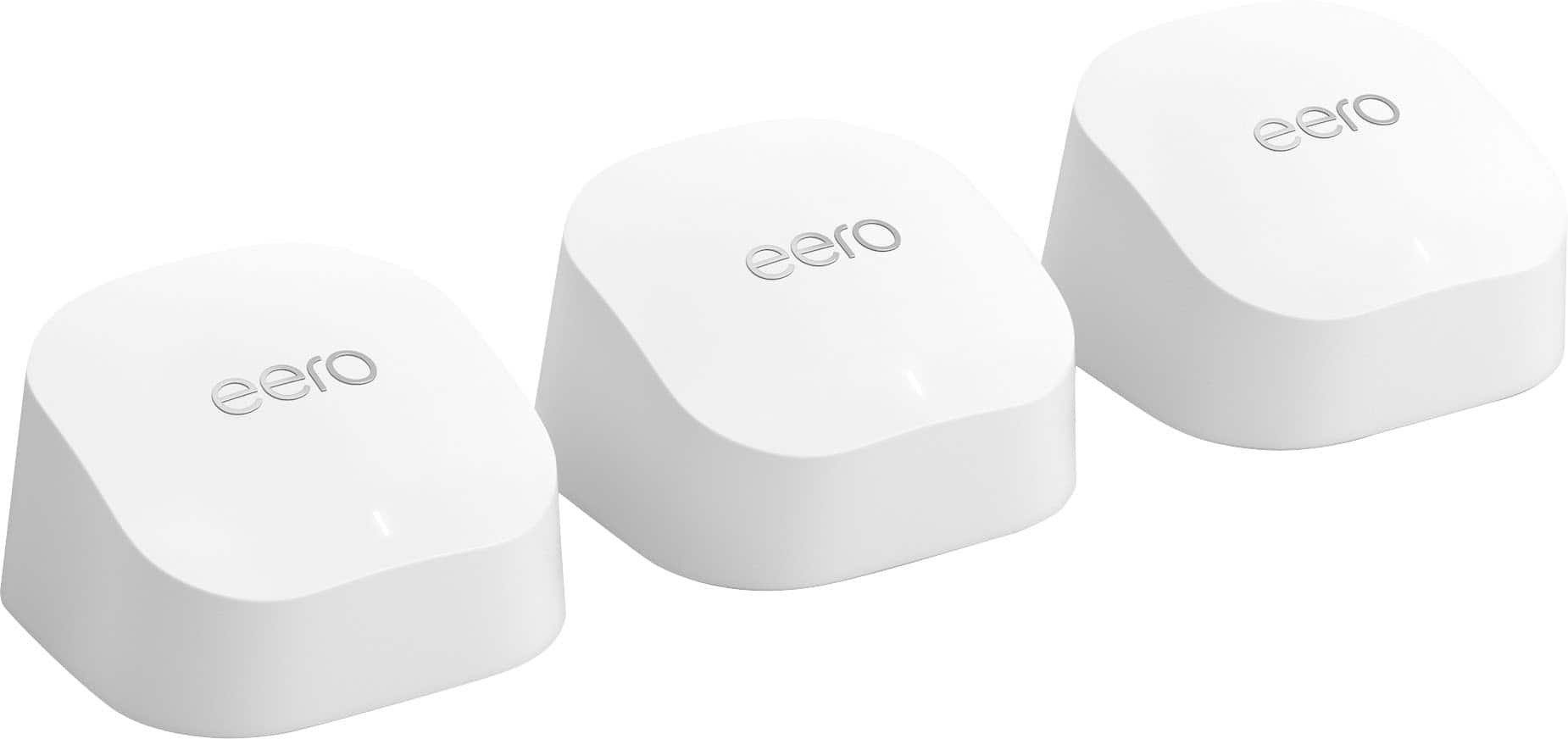
- A:Answer They all come with Ethernet ports. So it doesn’t matter which one you connect to the modem. Which ever one you connect to the modem, becomes the main router. And the other 2 are basically extenders you can use to hard wire things.
Answered by DylanC
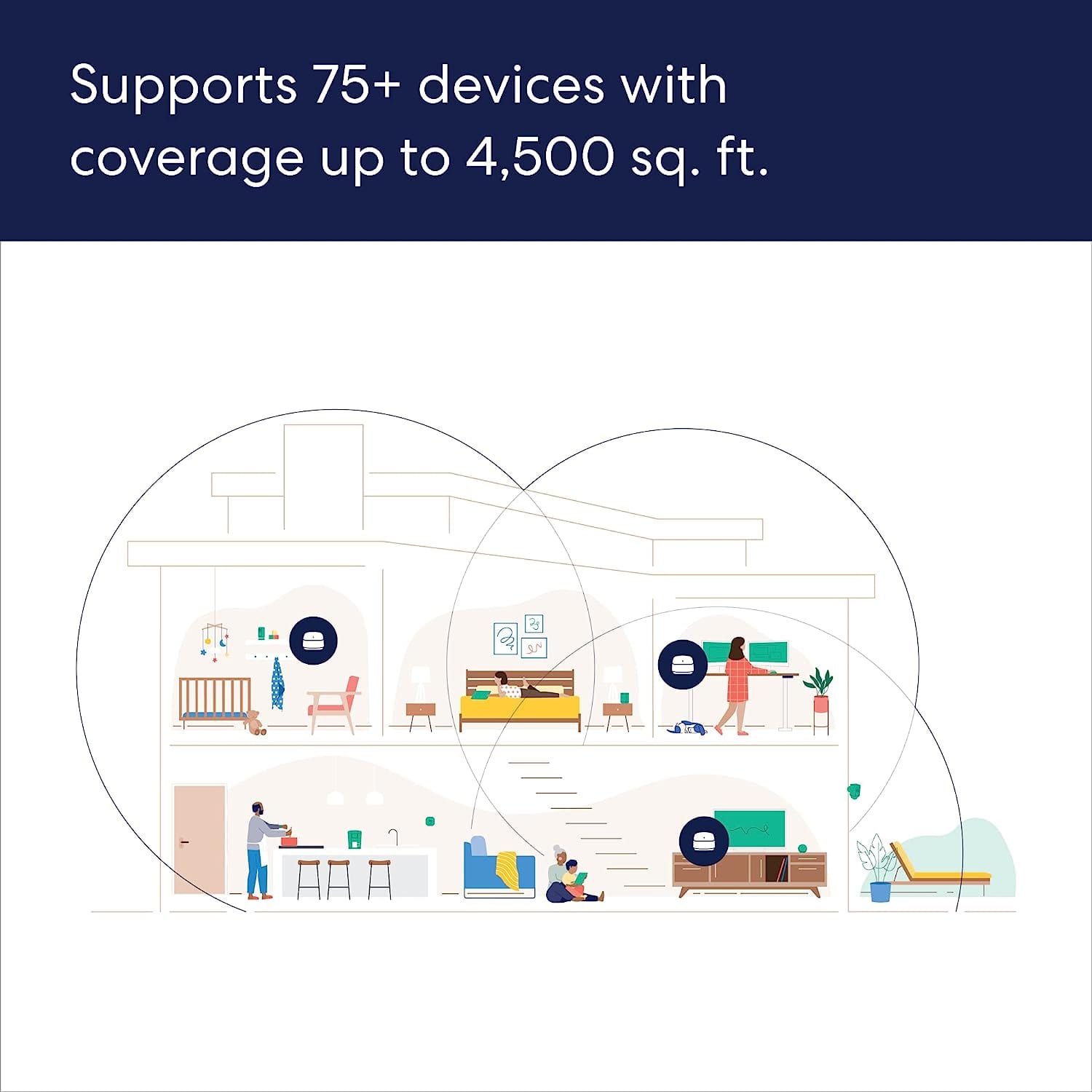
Q: QuestionDo I need to buy the eero Beacon too or will these be fine? I'm assuming I connect one of the 3 to the modem and set the other two somewhere in the house to extend that wifi connection right?
Asked by Justo773.
- A:Answer I purchased just the pack of 3. Connected 1 to the modem and put the other 2 throughout my house to extend the WiFi. You can also use an Ethernet cable from the other two, to hard wire some electronics like your TV or gaming system.
Answered by DylanC
Q: QuestionPuedo conectarlo directamente con un cable Ethernet
Asked by Menena.
This question was asked about the related product: eero - 6+ Dual-band Mesh Wi-Fi 6 Router (1-pack) - White
- A:Answer Hola Menena, Gracias por tu pregunta. Sí, el eero 6+ se conecta directamente mediante Ethernet, ya que cada dispositivo cuenta con dos puertos Ethernet: uno para conectarlo al módem o enrutador y otro para conectar por cable otros dispositivos, como computadoras o consolas de videojuegos. ¡Espero que esto te ayude, que tengas un buen día!
Answered by Amazon Devices Customer Support
Q: QuestionWill this work in my townhouse ?
Asked by Mario.
This question was asked about the related product: eero - 6+ Dual-band Mesh Wi-Fi 6 Router (1-pack) - White
- A:Answer Hi Mario. Thanks for reaching out. The eero 6+ router provides coverage up to 1,500 sq. ft. Depending on the layout of your home and the materials used in its construction, a multi-pack system could be needed. I hope this helps. Have a great day!
Answered by Amazon Devices Customer Support
Q: QuestionAre longer power cords available?
Asked by Akgg.
This question was asked about the related product: eero - 6+ Dual-band Mesh Wi-Fi 6 Router (1-pack) - White
- A:Answer Hi Annie. Thanks for reaching out! The eero-certified power adapter for the eero 6+ is 4.9 ft. (1.5 m) in length. eeros can be plugged into surge protector power strips if extra length is needed. I hope this helps. Have a great day!
Answered by Amazon Devices Customer Support
Q: QuestionI am having issues downloading update on my current eero that is the gateway connected to internet it is a 6+ mesh system other two took the download but gateway will not restart automatically so if i rrplace this one with new one should that fix the prob
Asked by Tim.
This question was asked about the related product: eero - 6+ Dual-band Mesh Wi-Fi 6 Router (1-pack) - White
- A:Answer Hi Tim! Replacing the product could potentially be the solution, but I would recommend utilizing the troubleshooting section of the eero app to make sure you've tried all possible fixes before replacing the device. In the troubleshooting section of the app, you'll find multiple troubleshooting steps for network issues. It's also where you can find contact information for eero support via email or phone. I recommend going that route, and if the device needs to be replaced, the eero support team will let you know. I hope this helps. Have a great day!
Answered by Amazon Devices Customer Support
Q: QuestionCan this product be used as a bridge LAN and then use the extenders as essentially access points for an existing router?
Asked by Badger.
- A:Answer Yes this is the set up currently running
Answered by TRAVISK
Q: QuestionDoes it work with an Apple TV system?
Asked by Luis.
This question was asked about the related product: eero - 6+ Dual-band Mesh Wi-Fi 6 Router (1-pack) - White
- A:Answer Yes
Answered by mglind
Q: QuestionHow many devices can the Eero router handle?
Asked by HarryTC.
- A:Answer Dozens
Answered by RandallW
Q: QuestionCan you create a separate SSID using 2.4 ghz and only 2.4 ghz? I need this for cameras.
Asked by Rard.
- A:Answer I am not able to. Very frustrating. Many of my 2.4 devices won’t sync.
Answered by RandallW
Best-selling whole home Wi-Fi systems
- $289.99Your price for this item is $289.99$349.99The comparable value for this item is $349.99
- $89.99Your price for this item is $89.99
- $169.99Your price for this item is $169.99$239.99The comparable value for this item is $239.99
- $139.99Your price for this item is $139.99$199.99The comparable value for this item is $199.99
- $699.99Your price for this item is $699.99
- $139.99Your price for this item is $139.99$169.99The comparable value for this item is $169.99
- $449.99Your price for this item is $449.99
- $371.00Your price for this item is $371.00$399.99The comparable value for this item is $399.99
- $139.99Your price for this item is $139.99
- $399.99Your price for this item is $399.99
- $699.99Your price for this item is $699.99
- $229.99Your price for this item is $229.99$279.99The comparable value for this item is $279.99
- $299.99Your price for this item is $299.99
- $219.00Your price for this item is $219.00$299.99The comparable value for this item is $299.99
- $329.99Your price for this item is $329.99
- $299.00Your price for this item is $299.00$399.99The comparable value for this item is $399.99
- $449.99Your price for this item is $449.99$599.99The comparable value for this item is $599.99
- $449.99Your price for this item is $449.99$549.99The comparable value for this item is $549.99
- $1,249.99Your price for this item is $1,249.99$1,699.99The comparable value for this item is $1,699.99
- $329.99Your price for this item is $329.99$499.99The comparable value for this item is $499.99