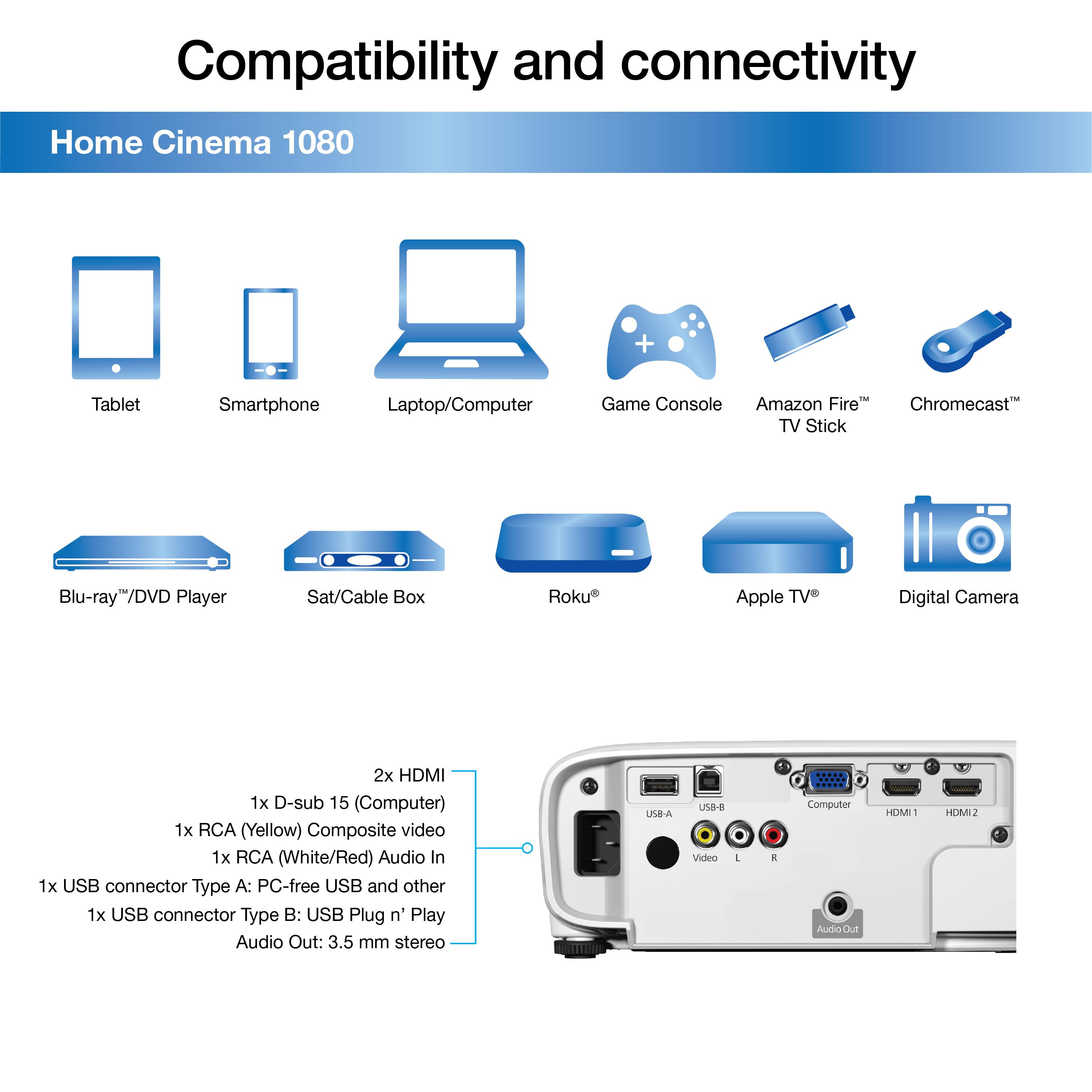
A:AnswerMacbook Air was not able to be connected via a USB to HDMI and HDMI cable, continuous No Signal error despite trying multiple cables and adapters.
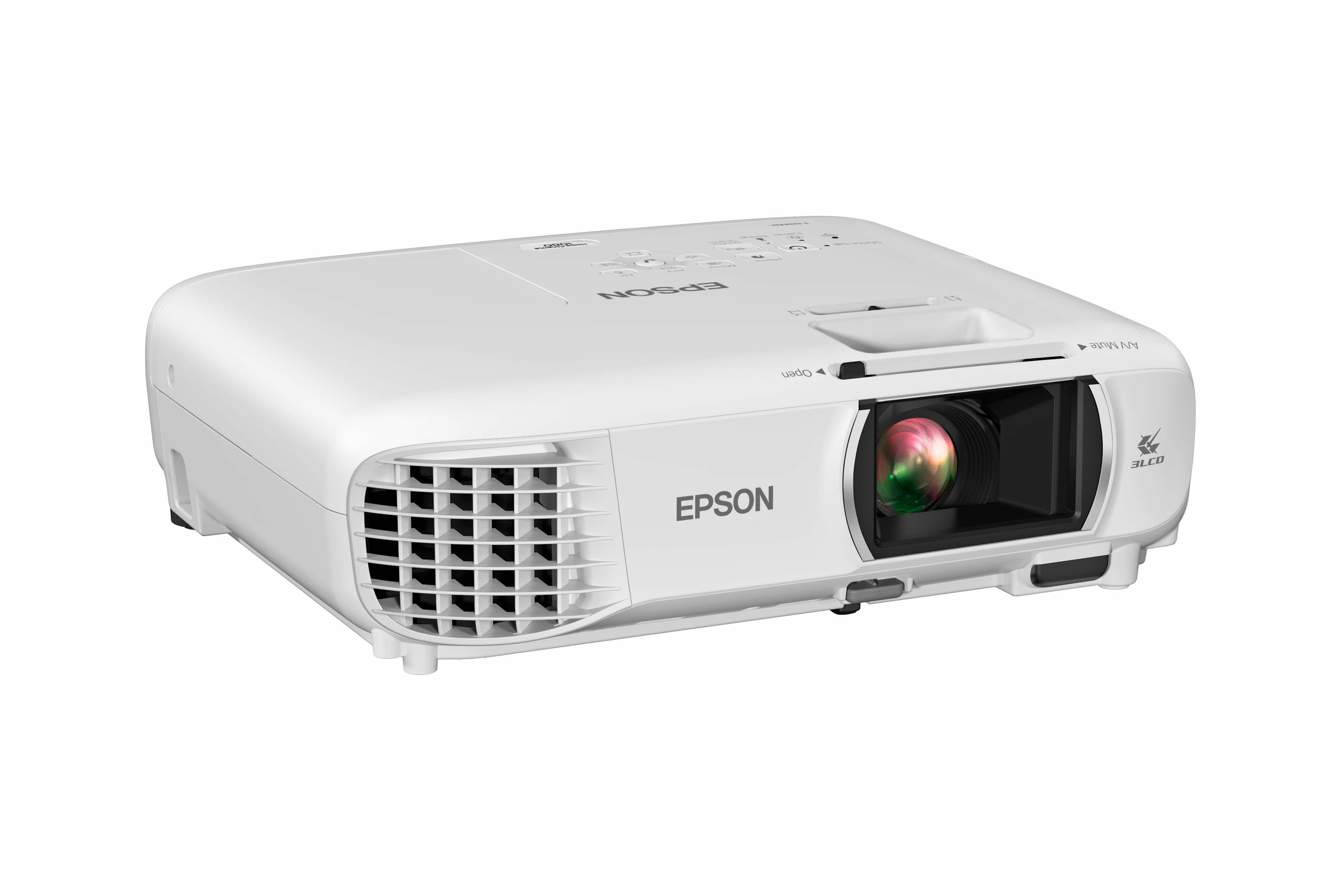
A:AnswerHi, The Home Cinema 1080 is not Bluetooth compatible. It does have built-in Wi-Fi. You can download Epson's free iProjection app to display content from your Android device on the projector. Regards, Mark - The Epson Team.
A:AnswerHi Seba992. Yes, the Epson Home Cinema 1080 projector does have built-in Wi-Fi 5. For more information, please visit the official Epson Support website. Regards, Bobby - The Epson Team.
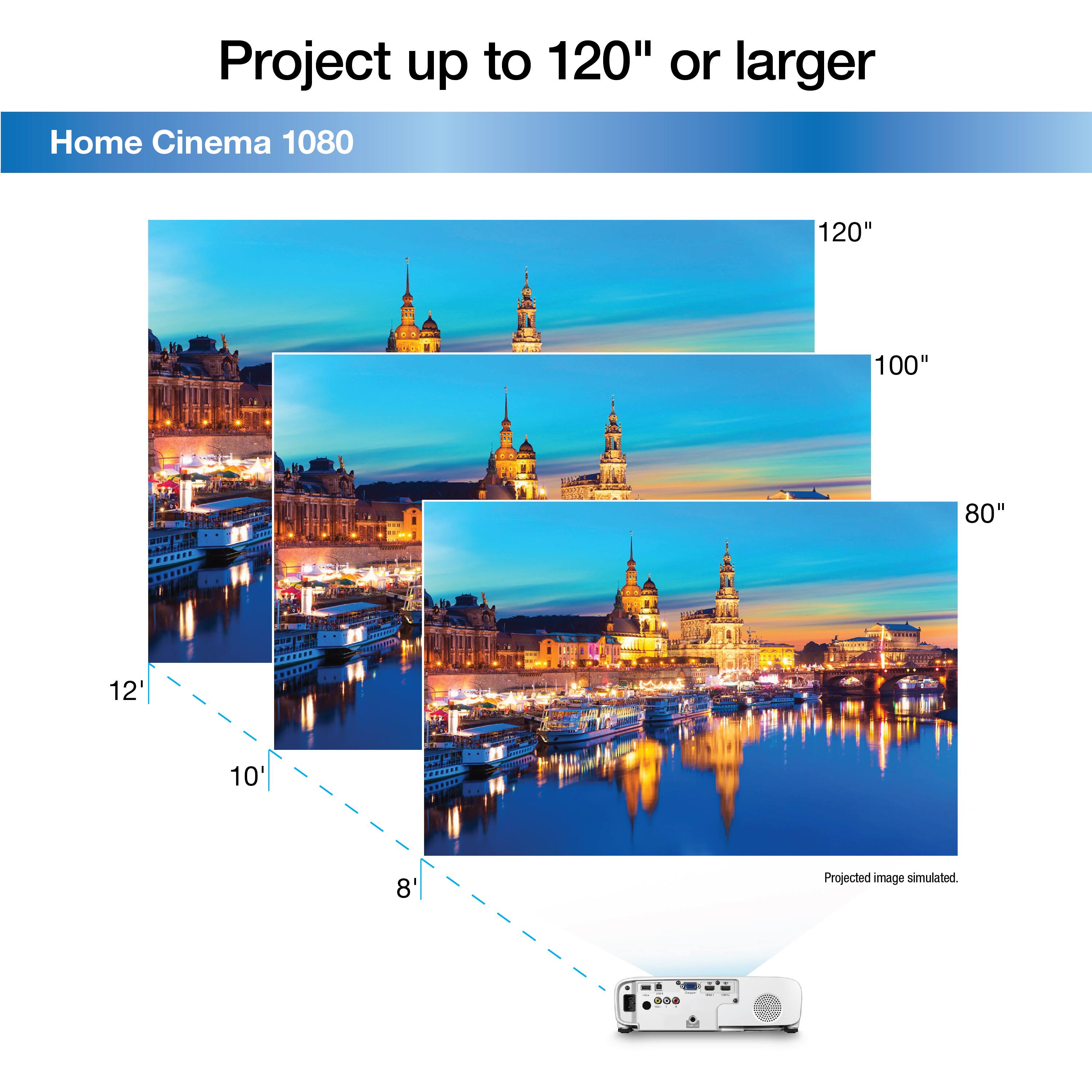
A:AnswerHi, If you place a Home Cinema 1080 12'3" from a screen the minimum diagonal size is 164.29". For more information see the throw distance calculator on the Epson Support site. Regards, Mark - The Epson Team.
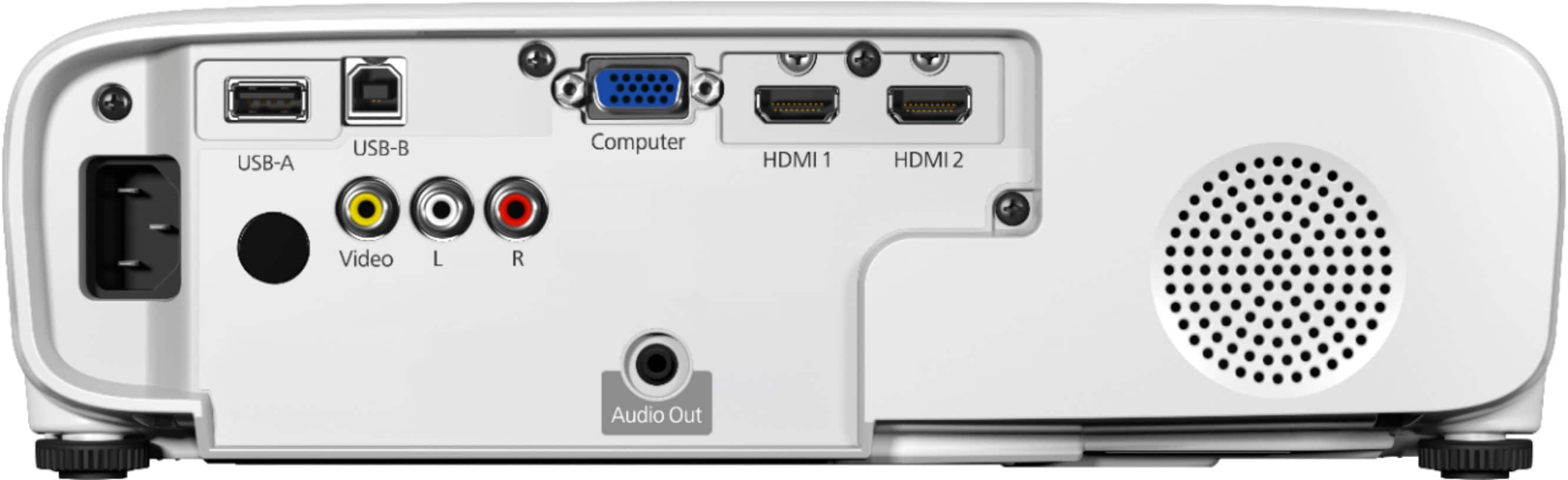
A:AnswerHi Sandi, Yes, the Home Cinema 1080 has a 3.5 mm audio output jack for connecting an amp, or amplified speakers. Regards, Mark - The Epson Team
A:AnswerYes you can connect to audio out for bluetooth to speakers. You can also use a hdmi splitter and send video to projector and sound from splitter to optical on amp or rca from splitter to projector.
A:AnswerHi Shree, As long as the streaming device is capable of working with a 1080p projector, like the Home Cinema 1080 then the picture should be excellent. Regards, Mark - The Epson Team.
A:AnswerHello ACSCO. The Home Cinema 1080 supports playing both an audio and video signal via an HDMI connection. If you want to connect a sound receiver for external sound support, we recommend using the Audio out port. Regards, Kevin - The Epson Team.
A:AnswerHello NewProjectorOwner. Yes, this is normal. The Home Cinema 1080 will only ask for a password on power on – not power off. It will ask for the password when you enable the setting, but you must power cycle the projector by disconnecting the power cable to enable the feature.
A:AnswerHello Moviegirl. The Epson Home Cinema 1080 has an Audio Out port for connecting external sound devices. For more information, please visit the official Epson Support page. Regards, Kevin - The Epson Team.