A:AnswerHello DirtMcGirt. You can try to restart both devices and connect again. It can sometimes take multiple tries before you establish a successful connection. If you are still unable to pair the speaker, please contact our Technical Support team by phone for additional assistance. Regards, Kevin - The Epson Team.
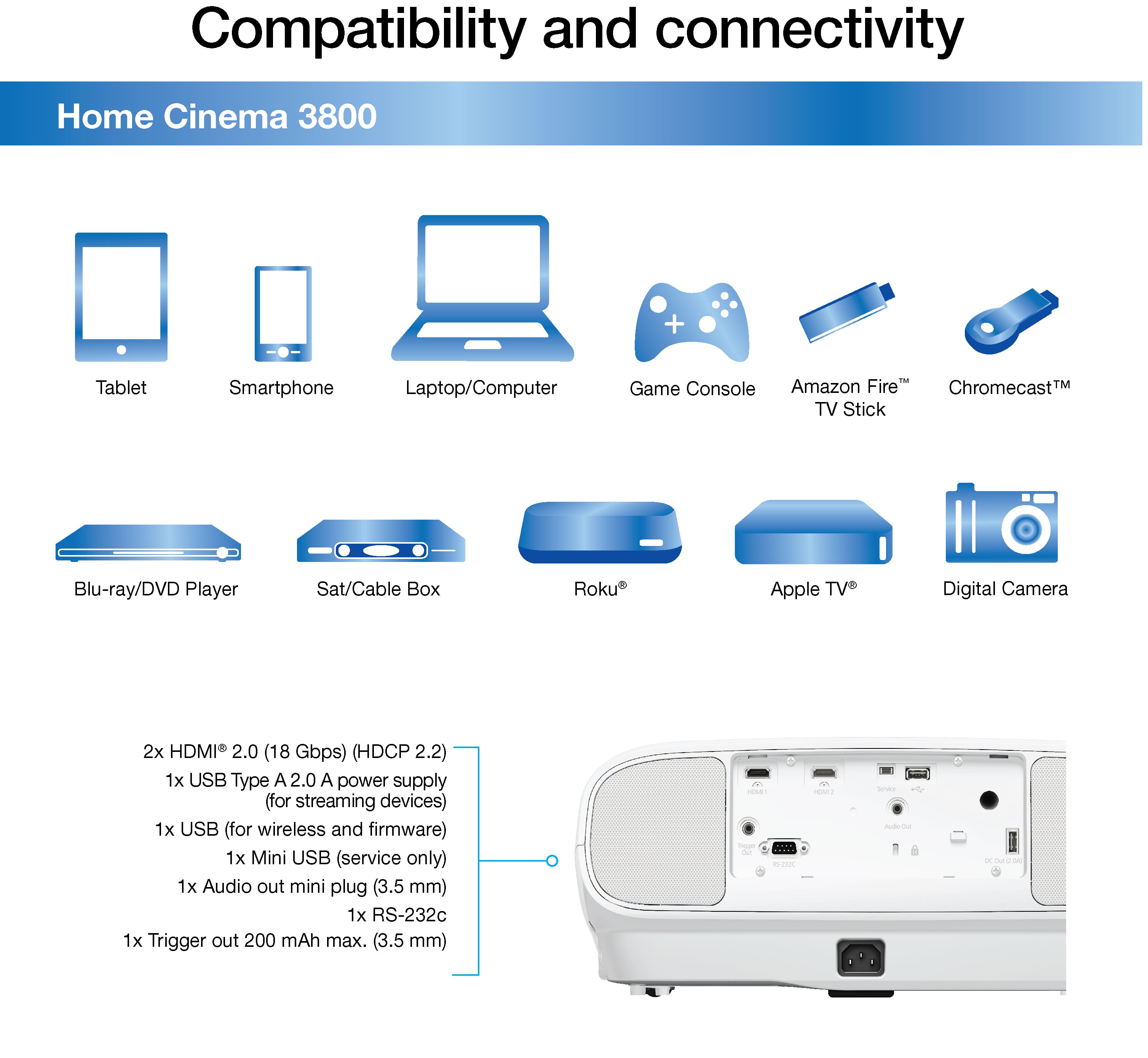
A:AnswerHi Bob, The Home Cinema 3800 does not have Wi-Fi capabilities. If you have an Apple TV, you can connect it to one of the HC 3800's HDMI ports to stream DirectTV. Regards, Dylan - The Epson Team.
A:AnswerHi HT, The Home Cinema 3800 has a 3.5 mm mini plug port for audio out. You need a cable with that connector on the projector end and whatever your receiver uses on the other end. Regards, Mark - The Epson Team.
A:AnswerHello. The Home Cinema 3800 includes a 2-year projector limited warranty and a 90-day limited lamp warranty. For full details on warranty coverage, please see the Warranty Statement for U.S. and Canada PDF on our official Epson Support page. Regards, Kevin - The Epson Team.
A:AnswerThe 3800 is designed to operate in temperatures up to 95 degrees Fahrenheit. If it's shutting down, check the filter and be sure the lamp is properly seated and not developing a heat-related physical distortion. Check the air inlets in the projector case to be sure none are blocked or otherwise enclosed by surrounding structures. Good air circulation is essential.
A:AnswerHi sa, Please call the Epson support number on the Start Here Poster that came with your Home Cinema 3800. A high-pitched noise does not sound normal. Regards, Mark - The Epson Team.
A:AnswerHello. The Home Cinema 3800 Projector can only display captions or subtitles if your video source device has the feature. Unfortunately, the projector does not have a picture-in-picture feature. Regards, Kevin - The Epson Team.
A:AnswerNo device will work well in ambient temperatures that exceed the manufacturer's specs. See website for temperature range. Ceiling mount with angled projection is no problem.
A:AnswerI have to constantly change my Roku display settings as well. If I watch something in regular HD then I have to change it to 4k annoying at best