A:AnswerI'm not sure if you're asking if a third party can track the location of the wearer or if the watch can track the GPS location of the wear while in use. I can say that it can and does track my walks/hikes/rides.
A:AnswerMusic is played thru your phone's app. I use Google Music, Spotify, and Pandora. The watch, when paired to your phone thru the Garmin Connect app will skip songs, repeat songs, pause/stop songs, volume control....like a remote control.
A:AnswerMike, the vívoactive comes with a Charging Data Cradle which clips on the back of the unit. The cord itself is USB, therefore you can connect it to the computer via USB or use a Garmin AC adapter to connect to the wall. Best regards. ~QKO
A:AnswerCurrently, the strap for the vívoactive is available in one size. Third party strap use is not recommended or supported by Garmin. At your discretion, should you choose to use a third party band, please ensure proper fitment as to not lose or damage your vívoactive.
^DK
A:AnswerWhat I have found is the watch is very dependent on communications with the phone. If you have not sync'd in a day and try to use the GPS it behaves unreliably. I have found that I need to sync before I use the GPS, and if I have not recently sync'd, (a day or more) sometimes this requires me to reboot the watch. I have never used the watch and had to run with my phone; the GPS has worked perfectly every time as long as you have sync'd within a reasonable amount of time.
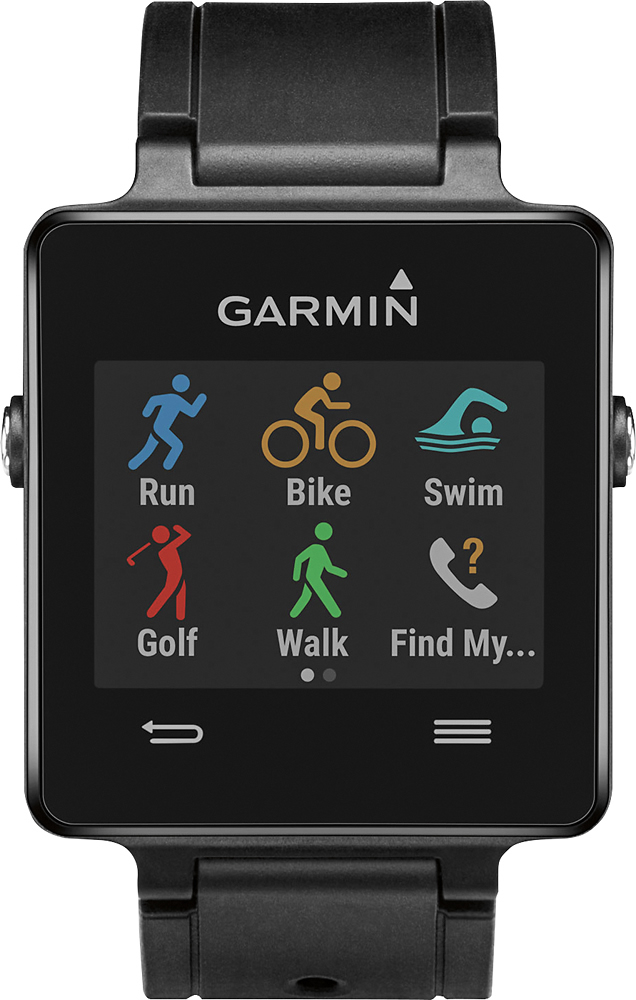
A:AnswerJust download the course details to your phone through the mobile app. When you open the golf function on the watch it will ask to confirm the course you are at. There is a built in score card and you can track your shot distances with the touch of a button. It is actually quite easy, I had it down after the first two holes.
A:AnswerCurrently we so not see the LG G4 on the Bluetooth Compatible list for the Garmin Bluetooth Smart devices. However this list gets updated periodically which we hope at one point in the near future the LG G4 smartphone gets added to the list. {CW}
If you want to check out this list, please visit the Garmin FAQ webpage below.
• http://support.garmin.com/support/searchSupport/case.faces?caseId=%7bbbfc9660-8f77-11e3-d5f4-000000000000%7d
A:AnswerUnfortunately stride is calculated by the natural movement made by your arms as you walk. Holding on the something like a stroller may interfere with calculating steps.
~JH
A:AnswerNo, I ordered online and did an in store pickup and the box only had the sticker with my info on the front of the box. Looked like there was something taped to the top, but that tape did not go across the opening.
A:AnswerOnly used it once to track golf (winter has set in!) but that's my experience, that you enter the score when on the green. But the yardage function seems pretty much right on once you upload a golf course to it. And it knows when you move to the next tee box.
A:AnswerThis listing does not appear to inlcude a Heart Rate Monitor bundle. The vivoactive will pair with an external heart rate strap that could be purchased separately.
A:AnswerThe time between charges will depend on how often you use the GPS feature and smart notifications, but in optimal conditions the battery is designed to last up to 3 weeks in regular watch mode and up to 10 hours in GPS activity mode.
A:AnswerThe vivoactive band is user replaceable, and there are replacement bands available. Where the band attaches to the casing of the watch is 15mm.