A:AnswerI cant say it supports Chromecast specifically but I am able to stream from my LG mobile phone and Samsung tablet without any issues The TV has its on mirroring app which has been compatible with all my devices
A:AnswerYes.
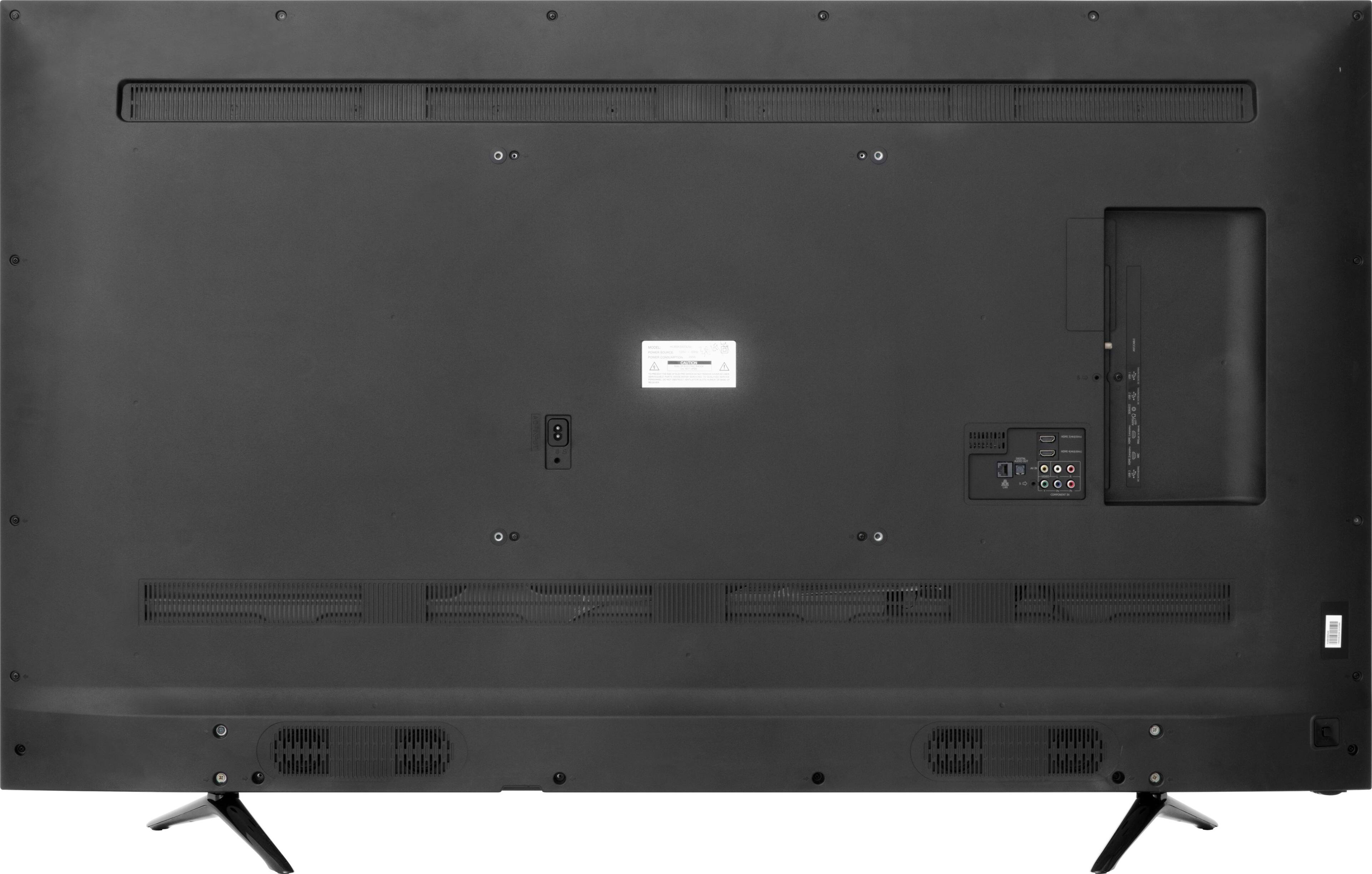
It has 2 HDMI that are 2.0 and 2 HDMI that are 1.4.
4 total.
I connected my blu ray player and my Roku4 into the 2.0's and my Cable box into the 1.4 and the other 1.4 is an ARC so I connected that to my receiver.
AWESOME!!
A:AnswerI have both this tv and DirectTv and I cannot get the 4K to work. I just got DirectTV installed last week so I have the equipment that one might need like the 4K genie's and such. I had a technician out yesterday (6/27) and he could not get it to work and blamed the tv. My Xbox S plays games and 4k content fine on it (have to use Hi Speed port 3 or 4) but hook up a Direct TV signal to one of the ports and you either won't get a picture or you will get something like 480p. If you do get a full 4k picture it will not last then you get a pop up message saying your tv does not support 4k. You can plug into port 1 or 2 but you only get a 1080p resolution and no 4k. It's very irritating! Not sure who to blame but I think it might be a HDCP issue between the tv and the DirectTV box. I do have the latest firmware installed so theoretically it should work but it doesn't.
A:AnswerPretty good actually. I own several 120Hz models and the H8 is on par. Most sets are actually 60Hz native. A lot of the sets under $1,000 claim higher refresh rates, however, it's really a marketing gimmick. The sets use video processing effects to create the 120Hz effect.
A:AnswerHi hisensecustomer –
The Hulu app is not available on this television. However, If you have a device you are able to use for over-the-air casting, you may still be able to watch the content you're looking for without the need for extra cables.
A:AnswerPlease connect the Xbox One X through HDMI #1 or #2. Make sure you turn on the "Enhanced HDMI Format", under picture settings. If you need any assistance, please give us a call at 1-888-935-8880.
A:AnswerLike you I couldn't seem to get hdr to work with my x1x. I tried ecery possible thing on the web spending a whole day tinkering. On my xbox I got it to play hdr bluray but not games. I was using hdmi 3 and 4 like everyone suggested. Wasn't working. 4k was but it didn't look like real 4k.
The fix
Switch to HDMI 1
This literally solved all my issues. My x1x checked off all the hdr and 4k boxes and does it automatically now. Now even just 4k alone looks incredible as does hdr. Also I unchecked 4:2:2 on xbox because it was messing up my colors.
Now i love this tv :)
A:AnswerI've had my TV for two months and have not had it ever buffer even when streaming 4K from Netflix.The picture was amazing. I would try streaming from several different sources and see if they all buffer or not. I would suspect my internet service or source first.
A:AnswerHi chris1414, streaming 4K HDR content through Apps should work with this TV. If you are not experiencing this, then please contact us at 1-888-935-8880 so we can help you with your TV.
A:AnswerThe TV's operating system is OperaTV to the best of my knowledge. That said you will need a streaming device as the unit's built in apps and app store are limited. Hulu, CBS All Access for example are not available.