A:AnswerCouldn’t have been easier. I’m not a computer genius, and it was very simple. This particular model doesn’t require battery removal unless you’re worried about static shock or something. Simply purchase a gen 4 ssd I used a Samsung 980 PRO 1Tb PCIe 4.0 NVMe M.2. Download the HP recover tool from the Microsoft Windows App Store on to a 32gb flash drive. I used a usb-c flash drive to speed up the process. Unplug and turn off power. Remove the 4 exposed screws on the back, unsnap the bottom cover using a guitar pick, there are 2 additional snaps in the middle, but just push lightly towards the front and rear while pulling outward and they will release just like the perimeter snaps.
Replace the hard drive, and reboot from the the HP recovery tool saved on your 32gb flash drive. Follow the onscreen prompts. You do have to disable the secure boot options in the bios, but this is all “on screen” prompts, there’s no technical know how needed. Viola, upgrade complete with 4x hard drive storage. FYI, there is a YouTube video by HP support explaining all of this. If you are uncomfortable with these steps, I’m sure the Geek Squad can help.
A:AnswerNo, it won't. It's what you add to your software apps and what you run that affects your performance/speed. Bear in mind that Windows is loading your machine with it's updates, telemetry, etc. that has a huge affect on it. That's why after a few years, users will often clean it up with reinstalling Windows. Full system recovery. Personally, I install Linux Mint to avoid all of that aggravation. I dual boot, keeping Windows for one year until the warranty is up on the machine; then I delete Windows for the space.
A:AnswerThank you for the question. The HP 15-fc0093dx does not have an Intel CPU - it has an AMD Ryzen 5-7520U, and it supports Vt. This model has Wi-Fi 6, which is backward compatible with 2.4 and 5G frequencies.
A:AnswerThis laptop has an AMD Ryzen 5 7520u processor. This is comparable to an Intel Core i5 1135G7 processor. This computer is fine for school work, but is not a gaming computer per se. It does not have a "high end" video card like serious gamers want. However, it should be suitable for video games that are not particularly demanding, as it has a generous amount of RAM, 16 GB. The SSD is somewhat small at 256 GB, but this is more than adequate for most people and can be upgraded to a larger SSD if desired.
A:AnswerHP and "glasscapt" have the correct answers. I only want to add that HP takes the lazy way out when it says, "removing S Mode is not reversible." This is not strictly true. If you search the PC for "reset my PC," you will find an option for a complete reset for your PC, which will restore S mode. This is useful if you are selling your PC. Be warned that this procedure deletes your drive of EVERYTHING added to it since your initial purchase.
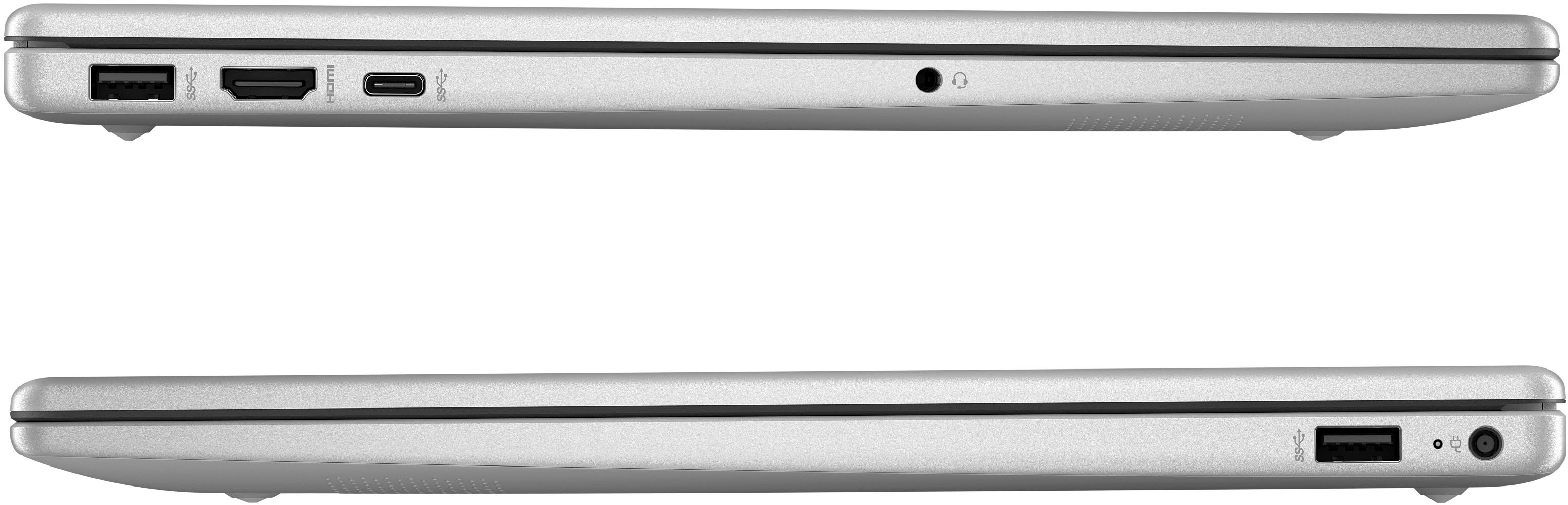
A:AnswerNone of the new laptops come with a CD/DVD bay/tray due to software being available online. However if you need to attach a CD/DVD player you can attach an external drive which I am sure BestBuy or online store will carry. Make sure to check if your laptops has a USB or USB-C port and purchase the player based on your laptop specs. Hope this helps!
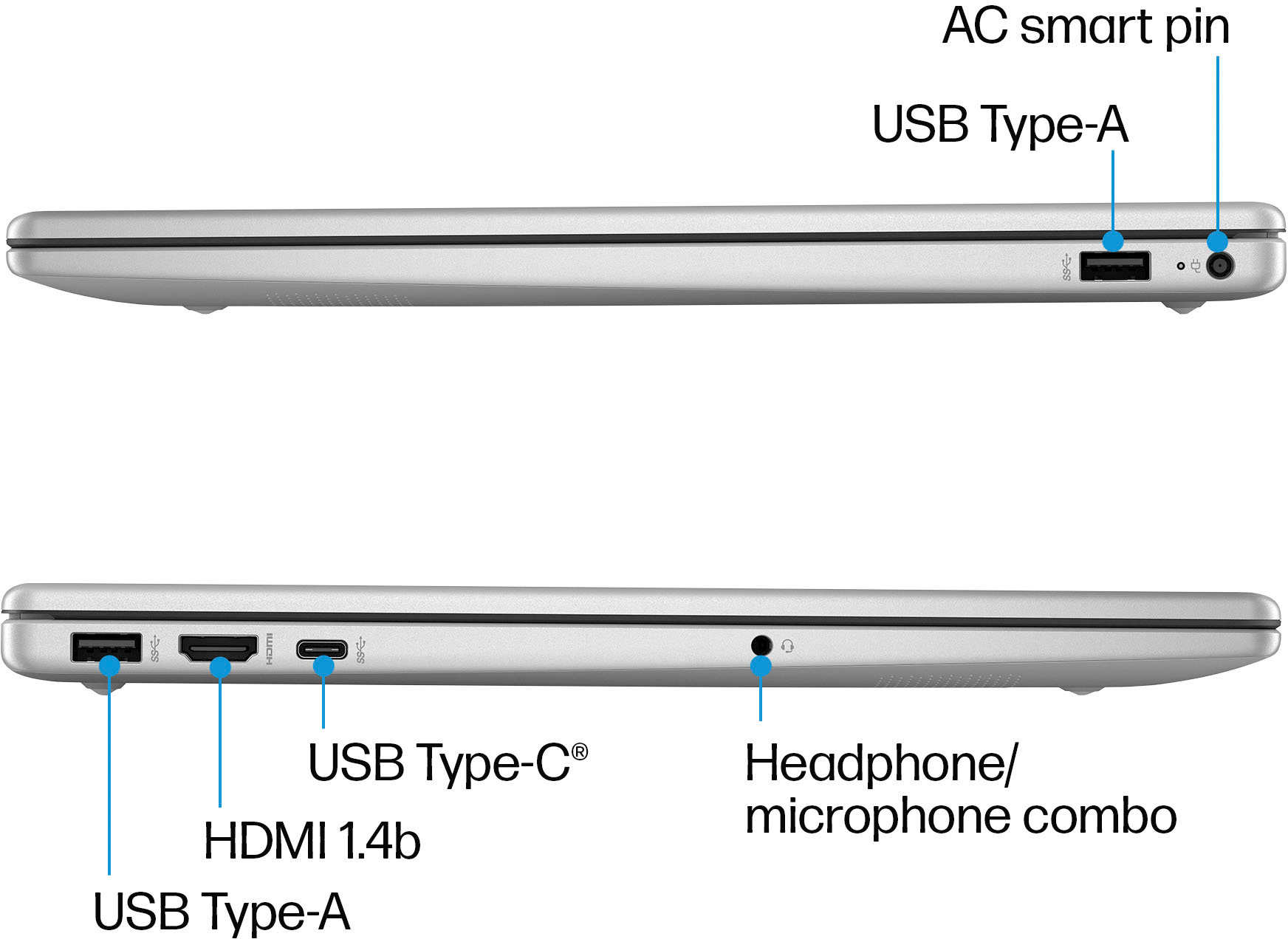
A:AnswerHello there! This HP 15.6" Laptop (15-fc0093dx) does not have an ethernet port, however, you are able to purchase a USB to Ethernet adapter in order to get a wired internet connection. Thank you for your question!
A:AnswerThank you for the question. The USB Type-C port on the 15-fc0093dx does not support a display. However, you can use an adapter via USB Type-A to add another display.
A:AnswerHello BJ and thank you for asking. The HP 15-fc0093dx laptop exceeds all hardware requirements to install Silhouette Studio for use with the Silhouette Cameo 4.
A:AnswerThis laptop is great for streaming. I believe the ram size makes up for streaming good quality. It hasn’t buffered yet but maybe because I have high-speed Internet and do direct lan cable connection
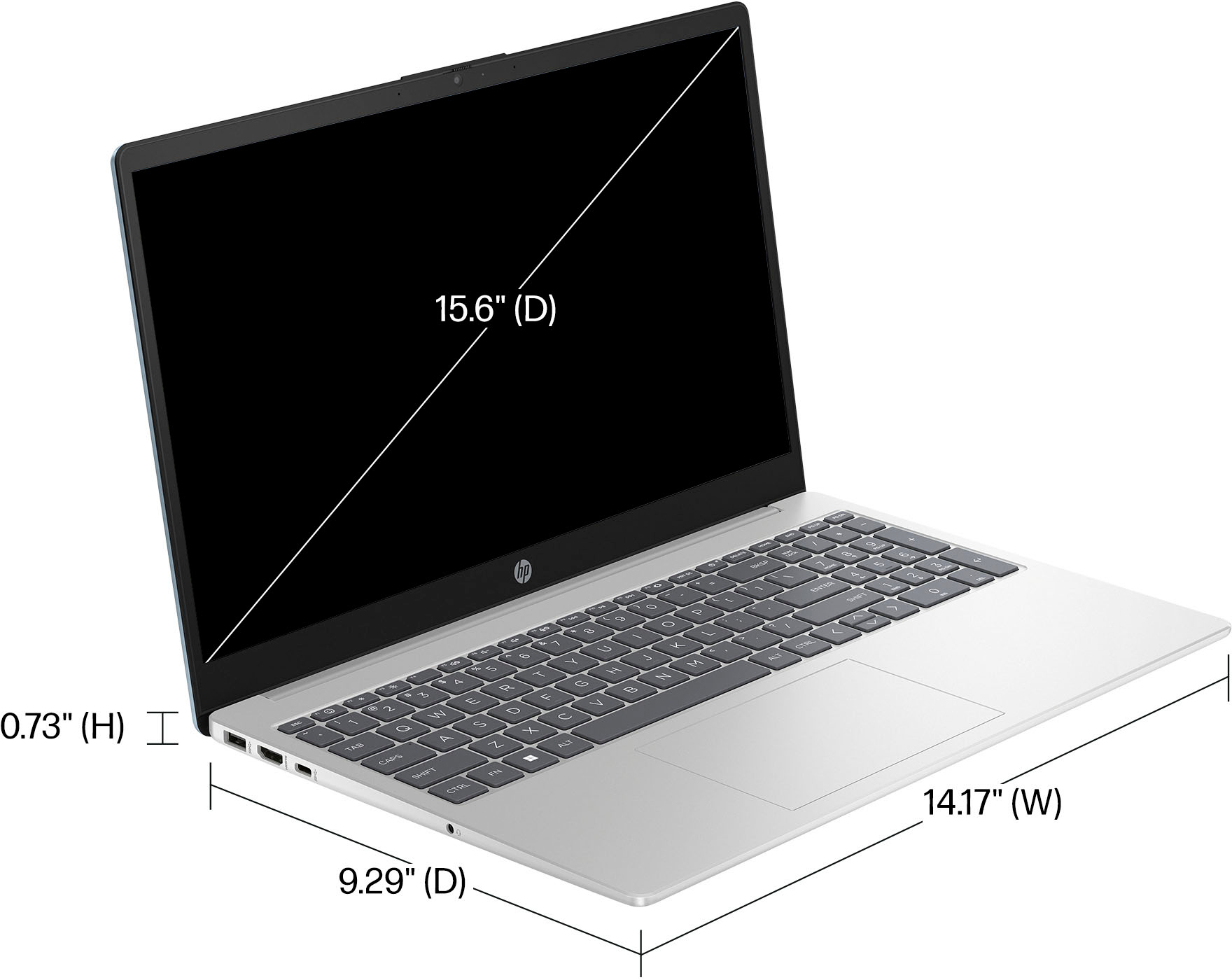
A:AnswerIn theory the chipset claims to support up to four external displays but only via USB-A, max res 1920x1080 per. The USB-C port is 3.0 and does not support any kind of display whatsoever (lacks the bandwidth for DisplayPort). There is one HDMI 1.4 port that will support a single external monitor at 1920x1080. I don't know if you can use the HDMI and USB-A at the same time for external monitors or in which combinations.
A:AnswerYes, it is simple. You need to go into the S mode settings and then turn it off. To do that you need to download the S mode app to remove it. It takes less than 5 minutes.
A:AnswerThe primary difference between S mode and regular Windows Home is that for added security a computer in S mode won't allow you to install any programs that aren't available in the Microsoft store. Microsoft has the instructions to remove S mode at https://support.microsoft.com/en-us/windows/switching-out-of-s-mode-in-windows-4f56d9be-99ec-6983-119f-031bfb28a307#WindowsVersion=Windows_11
A:Answer128GB SSD is just barely large enough to support Windows 11 and all the updates (which consumes 64GB) and the price difference between 128GB SSD and 256GB SSD is almost nothing.
The graphics card is built into the CPU. there really is no upgrade path. if you need fast graphics you want to look for a laptop with a dedicated video card.
A:AnswerThank you for the question. Yes, the AMD Ryzen 5-7520U supports up to four displays. Screen flickering can be the result of poor connections, bad cables, outdated drivers, or improper display settings. Connect one external monitor to the HDMI port on the laptop and use a dual USB 3.0-to-HDMI adapter for the other two monitors. For example: https://www.bestbuy.com/site/j5create-usb-3-0-to-dual-hdmi-multi-monitor-adapter-silver/5615018.p?skuId=5615018.