A:AnswerYes, it does. It's located on the right side of the screen. I can be opened manually or ejected by opening the Computer icon, right clicking "DVD RW Drive (E:)" , and clicking Eject.
A:AnswerI agree I just got this computer and noticed it has a bit of a buzzing/humming noise like the fan is constantly going... I contacted HP costumer support and they informed me it is normal for all in one computers...
A:AnswerGood question. Yes, the base is easily removable, but this is not meant to be a portable all-in-one computer. It has to remain plugged in at all times. I recommend a portable all-in-one desktop if you wish to use it on your lap. Those come with built-in batteries.
I hope this helps.
A:AnswerYes, the monitor does tilt backward and forward. It is not much of an incline, but it is nice to be able to adjust it. It does not swivel side to side. Hope this helps.
A:AnswerI did some research as I didn't want to go through all the hoops to return the computer if at all possible. My quest for a simpler solution was found after using the modern 8-Ball...Google. I found that any imperfections of the CD, physical quality OR SOMETHING LIKE A VERY THIN LABEL, can cause the CD to be imbalanced. This imbalance causes wobbling and vibration and noise. In desktops this wobbling is lessened by the sturdiness of the CD drive being very securely attached and braced in the tower and sounds like an off-key tune hummed by the CPU. However, in All-In-Ones or laptops, the CD drive is usually held in place by one or two screws and less braced. The wobbling and vibration, and thus noise is not lessened, but sounds way more like the CD drive is in it's death throes and is fighting until the bitter end. The CD I was playing had a thin label on it and once removed (which took a while because isn't it bizarre how a seemingly innocent label can become like a very stubborn alien parasite that doesn't want to leave it's host), the residue stickiness scraped (very gently and lovingly with a razor blade), the CD prayed over (as this was my kid's memory CD of a once-in-a-lifetime-trip (because it was too $$$) and "oh, Momma please don't let my life be destroyed because I can't see the pictures of camp and people that I complained about, but now can't live without") and blessed with tears (sob-fest occurring while trying to get the CD back to the CD drive)...everything was quiet while running. And to top it off...my child has had no interest in looking at those pictures since then.
But I have solved the problem! (As a parent, you have to take your joys wherever you can. :) )
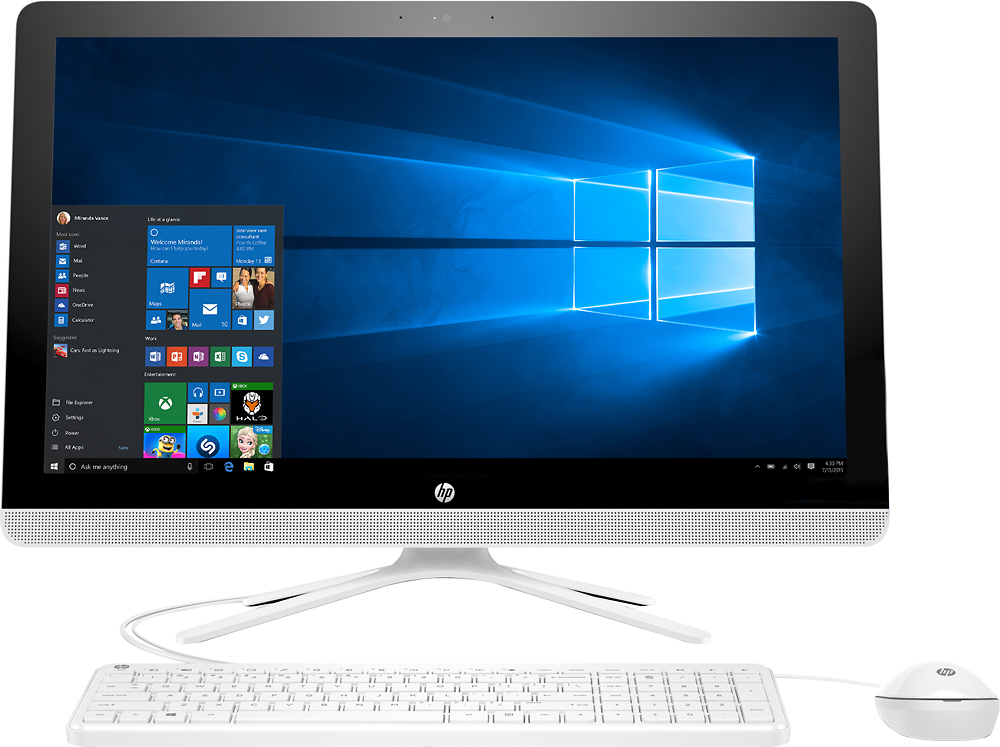
A:AnswerIt has the CPU/screen/speakers in a single unit sitting on a four-leg stand. The CPU is behind the screen and the CD/DVD is vertically mounted on the side of the CPU behind the screen and card reader is on the underside of the CPU immediately behind the screen. The speakers are located below the screen across the front of the unit.. The screen is almost 24" diagonally.
A:AnswerNo, you can not transfer MS Office from one computer to another. You will need to reinstall the MS Office software onto the new computer. You can transfer files from one computer to another.
A:AnswerGood question. The fan will run based on computer usage. If you are performing tasks that use a lot of memory or CPU usage is high, the fan will run at a higher speed. The less demanding tasks you do, the less the fan will run. I hope this helps.