“where do I install disks. Don't know where the opening is located”
Answer This Question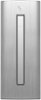
1-5 of 5 Answers
that drive is in the front behind the that vertical trim piece. Grab the trim on the right side and open it to the left. You will then see a button to open the drive.
Sorry, there was a problem. Please try again later.The long silver piece on the front of the computer acts as a cover for the disk drives. Gently pull on the right side of the silver piece and it will open.
Sorry, there was a problem. Please try again later.It is on the front of the product.
Sorry, there was a problem. Please try again later.Door is vertical on front. Flip open. Push on drive.
Sorry, there was a problem. Please try again later.There is a silver slim door on the front of the CPU. Once you open the door, there is a button to push that will eject the disc holder. The disc goes in vertical so make sure you secure the disc in properly, then push the disc holder back in.
Sorry, there was a problem. Please try again later.