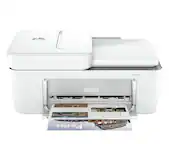
A:AnswerHi Grumpy! The HP OfficeJet Pro 9015 can do that. It features duplex copying by flipping the copy in the document feeder automatically to copy the second side. It will print both sides automatically. This model is the replacement for the OfficeJet Pro 8600.
A:AnswerYes you can print Avery labels that are made for inkjet printers with this printer. You can print business cards with this printer. It can handle up to 110 lb paper.
A:AnswerYes, this printer is compatible with the Acer Chromebook. Here are some instructions on how to set up the printer on the Chromebook: https://support.hp.com/us-en/document/c04122530
A:AnswerI've only been an owner for about three weeks, but based only on a look at the paper tray, I would say that it will accommodate various sizes. (But I did have another similar HP which did have that capability. and the paper trays are quite alike.) Suggest you go online to HP and call up the model which will give you all the info you want about the model.
A:AnswerYou would need a landline to be able to fax. You can use the HP Smart app on your smartphone to send faxes: https://support.hp.com/us-en/document/c03561640 Or you can use a service like eFax to send or receive faxes.
A:AnswerActually, this printer takes the 962 cartridges for the black and the three color cartridges. It's been several years since HP made a printer that took the 950/951 cartridges.
A:AnswerNo those inks are older and none of the current printers can use those inks. I suggest using craigslist or facebook marketplace to sell the older ink cartridges. People will buy them as long as they are still sealed in their inner packs. The replacement for the OfficeJet Pro 8610 is the OfficeJet pro 9015.