A:Answerhi,
im useing it with a tv although my computer is newer.
i am useing the worst type Hdmi on it as well its 30ft long and about 1/8th inch in diameter and is not good and i have had no issues with it just plug it in and it works.
it did not need any drivers or set up when i plugged it in. it is indicated by my pc running windows ten with the video card software (nvidia) as a hdmi connection even though it is a display port on the pc video card end. i believe once it is plugged in it gets a signal from monitor indicating the device type (HDMI) and windows 10 tells the video card to outputs the correct signal. just like when it knows you can go 4k or 1080p or 800 by 600 max or you are on a dvi connection. now if you have the first display port ever sold i really couldent say. Do you have to pull a lever like in frankenstien to fire up your display port :P if so maybe not. does it use special window then maybe not, but all thats unlikely.
to be sure i do believe the manufacture "insignia" will have the operating system limitations posted on their site.
so if it dosnt work with windows 7 for instance it should be posted.
i tossed the box it usually is printed on there.
i had a windows 7 viao and it played out to tv with the hdmi without issue as well on that same long cord if you pc is newer than windows 7 it should work
i think if you are running windows 10 it will probably work and best buy has a 30 return if it dont.
They also have cables for around the same price that are display port on one end and HDMI on the other which are probably more stable taking out the all the different kinds of hdmi cables out there and having a Hdmi / adapter not liking each other situation complicating things.
later,
the TwistedMonk
A:AnswerYup, DP normally provides an audio channel, and this adapter passes it through on both laptops we've used it on - however if you're just using it with the Surface Pro directly, you'll need a different adapter (the Surface Pro 6 has a mini displayport, not a full size one, so you'd need a regular mini-displayport to HDMI cable/adapter); if you're using it with the Surface Dock, it'll work as well I believe!
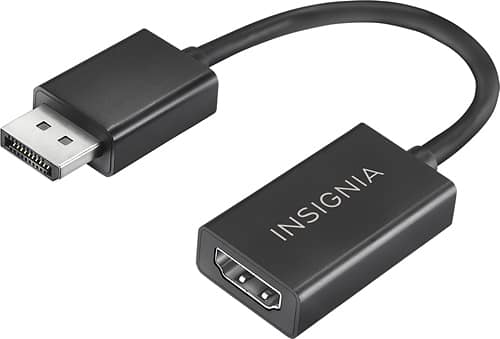
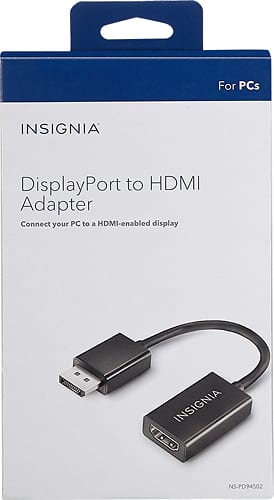
A:AnswerThis will not work for you because you do not have an available DisplayPort for the male end of the adapter. It converts DisplayPort to HDMI in the sense that you must plug an HDMI into the female end and then plug the adapter into your computer with the DisplayPort male end.
A:AnswerNo, this only works in one direction. It has to be connected to a display port output on your laptop or pc. Then you can connect an HDMI cable to the adapter and to a HDMI port on the monitor or tv.
A:AnswerI got the same situation like you, my dock adapter is the cheap one, so didn’t work. But if you use a dock port like ihome anker or Belkin works 100%
A:AnswerYes, that is exactly how I am using it. Conversely it will also plug into a DP receptacle on a monitor and then into an hdmi output. It says it will support up to 1920x1080 but I haven't yet tried to plug it into my LG 21:9 monitor due to busy schedule to see if will indeed max out at that resolution.
A:AnswerNo, this will only convert from DisplayPort (typically on desktop graphics cards) to HDMI. It will NOT connect to any of those that you mentioned: Thunderbolt 3, USB-C, VGA, or the HDMI on your laptop.