Black Friday is hereShop new DoorbustersShop now

Main Content

Questions & Answers

Page Showing 81-100 of 256 questions
  • Questionwill this remote work with Samsung tv model un50f6300af

    Asked by poppy.

    • Answer Hi Poppy! Yes, the Insignia™ Replacement Remote for Samsung TVs is designed to be compatible with nearly all Samsung TV models, including the UN50F6300AF. You should be able to pair it quickly and easily with your TV. If you encounter any issues, you can refer to the setup instructions provided with the remote. If you have any other questions or need further assistance, feel free to ask! |Angelica| Insignia Products| https://www.bestbuy.com/site/insignia-replacement-remote-for-samsung-tvs-black/6448217.p?skuId=6448217
      Answered by InsigniaCustomerSupport

  • QuestionIs this remote compatible with UN50NU7100FXZA Samsung tv?

    Asked by Dez.

    • Answer Hello Dez! Yes, the Insignia™ NS-RMTSAM21 Replacement Remote is compatible with most Samsung TVs, including the UN50NU7100FXZA model. This remote is pre-programmed for easy pairing, so you should be able to use it with your TV without any issues. Jeth | Insignia Support. https://www.bestbuy.com/site/insignia-replacement-remote-for-samsung-tvs-black/6448217.p?skuId=6448217

      Answered by InsigniaCustomerSupport

  • QuestionIs it compatible with un32j400dafxza

    Asked by Anonymous.

    • Answer Yes, the Insignia™ Replacement Remote for Samsung TVs (NS-RMTSAM21) is compatible with your Samsung UN32J400DAFXZA TV. This remote is designed to work with nearly all Samsung TVs and comes pre-programmed for easy pairing. If you have any other questions or need further assistance, feel free to ask! Jeth | Insignia Support. https://www.bestbuy.com/site/insignia-replacement-remote-for-samsung-tvs-black/6448217.p?skuId=6448217

      Answered by InsigniaCustomerSupport

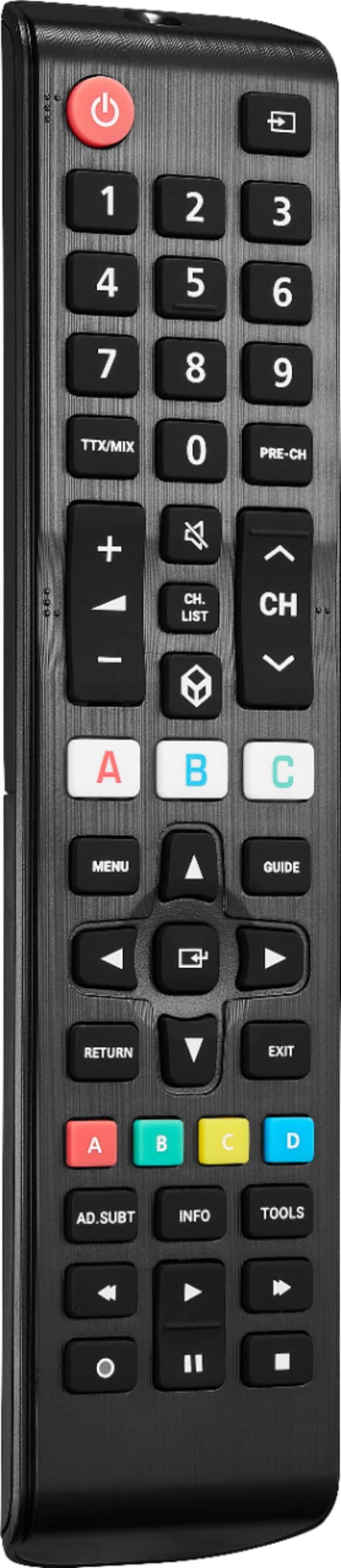
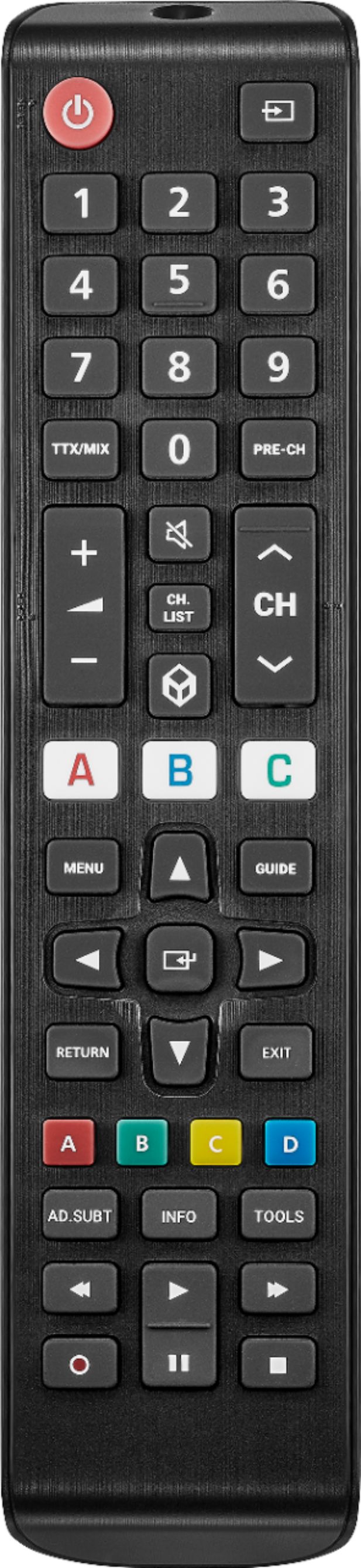
  • QuestionI don't see the buttons for TV, VIDEO, HDMI, and ACC that are on my old remote. Is changing the input handled another way? Or should I be looking at another remote? My old one is NS-RC03A-13. Thank you!

    Asked by aokay.

    • Answer The Insignia NS-RC03A-13 remote has specific buttons for TV, VIDEO, HDMI, and ACC. If your new remote doesn't have these buttons, you can still change the input using the menu or source button, which should allow you to navigate through the input options on your TV. If you find this method inconvenient, you might consider getting a universal remote that includes these specific buttons. Universal remotes can be programmed to work with multiple devices and often have a wider range of input options. If you have any questions or need further assistance, please don't hesitate to reach out. Thank you for choosing Insignia! - Emman | Insignia Support | https://www.bestbuy.com/site/brands/best-buy-brands/pcmcat1596746025285.c?id=pcmcat1596746025285

      Answered by InsigniaCustomerSupport

  • QuestionIs this remote compatible with UN50ES6900 remote?

    Asked by galvanni.

    • Answer Yes, the Insignia™ Replacement Remote for Samsung TVs is compatible with the Samsung UN50ES6900 model12. This remote is designed to work with nearly all Samsung TVs, making it a suitable replacement for your UN50ES6900. If you have any questions or need further assistance, please don't hesitate to reach out. Thank you for choosing Insignia! - Emman | Insignia Support | https://www.bestbuy.com/site/brands/best-buy-brands/pcmcat1596746025285.c?id=pcmcat1596746025285

      Answered by InsigniaCustomerSupport

  • QuestionHow can I make this remote work with Xfinity streaming? I can’t get the guide to work. I tried the learning function but that didn’t work either,

    Asked by Paul.

    • Answer Thank you for reaching out. Here are some steps to help you get your Insignia™ Replacement Remote for Samsung TVs working with Xfinity streaming: 1. Program the Remote: Ensure the remote is properly programmed to control your Xfinity device. You can do this by following the instructions in the remote’s manual or using the learning function to copy commands from your Xfinity remote. 2. Check Compatibility: Verify that the remote is compatible with your Xfinity device. While the Insignia remote is designed for Samsung TVs, it should also work with most major brands and devices. 3. Use the Xfinity Remote Code: If the learning function didn’t work, try using the specific remote code for Xfinity. You can find this code in the remote’s manual or on the Xfinity website. 4. Reset the Remote: Sometimes, resetting the remote can resolve issues. To reset, remove the batteries, press all the buttons, and then reinsert the batteries. 5. Contact Support: If you’re still having trouble, consider reaching out to Insignia or Xfinity support for further assistance. They might have additional troubleshooting steps or solutions. If you have any questions or need further assistance, please don't hesitate to reach out. Thank you for choosing Insignia! - Emman | Insignia Support | https://www.bestbuy.com/site/brands/best-buy-brands/pcmcat1596746025285.c?id=pcmcat1596746025285

      Answered by InsigniaCustomerSupport

  • QuestionWill this remote scan and search for channels without cable

    Asked by Bucket.

    • Answer Hello Bucket! The Insignia™ Replacement Remote for Samsung TVs (NS-RMTSAM21) can control most functions of your Samsung TV, including scanning and searching for channels if your TV is connected to an antenna. However, if you don’t have a cable connection, you’ll need an antenna to receive over-the-air channels. Jeth | Insignia Support. https://www.bestbuy.com/site/insignia-replacement-remote-for-samsung-tvs-black/6448217.p?skuId=6448217

      Answered by InsigniaCustomerSupport

  • QuestionDoes the remote work with tv model UN46ES6150FXZA?

    Asked by Bj.

    • Answer Yes, the Insignia™ Replacement Remote for Samsung TVs is compatible with nearly all Samsung TV models, including the UN46ES6150FXZA. This remote is pre-programmed for easy pairing, so you should be able to use it with your TV without any issues. If you have any questions or need further assistance, please don't hesitate to reach out. Thank you for choosing Insignia! - Emman | Insignia Support | https://www.bestbuy.com/site/brands/best-buy-brands/pcmcat1596746025285.c?id=pcmcat1596746025285

      Answered by InsigniaCustomerSupport

  • QuestionDoes this pair with the Samsung UN55CU70000FXA? Thanks!

    Asked by Scooze.

    • Answer Yes, the Insignia™ Replacement Remote for Samsung TVs is compatible with nearly all Samsung TV models, including the Samsung UN55CU70000FXA. This remote is pre-programmed for easy pairing and should work seamlessly with your TV. If you have any questions or need further assistance, please don't hesitate to reach out. Thank you for choosing Insignia! - Emman | Insignia Support | https://www.bestbuy.com/site/brands/best-buy-brands/pcmcat1596746025285.c?id=pcmcat1596746025285
      Answered by InsigniaCustomerSupport

  • QuestionWill this remote control a Vizio sound bar? It's not listed.

    Asked by bob.

    • Answer Hi Bob! The Insignia™ Replacement Remote for Samsung TVs is specifically designed for Samsung TVs and may not have the necessary codes to control a Vizio sound bar. For more product information, please check the link below. |Angelica| Insignia Products| https://www.bestbuy.com/site/insignia-replacement-remote-for-samsung-tvs-black/6448217.p?skuId=6448217

      Answered by InsigniaCustomerSupport

  • QuestionIs this remote compatible with Samsung TV UN22D5000NF?

    Asked by OKBoomer.

    • Answer We bought it to use with a Samsung in an Abnb, so we have no idea what model it might be! Worked great.

      Answered by CindyD

  • QuestionCan this remote control 6 of the same Samsung model or would a remote control need to be able to control multiple devices.

    Asked by Toyman.

    • Answer Hi Toyman! The Insignia™ Replacement Remote for Samsung TVs (NS-RMTSAM21) is designed to control a single Samsung TV at a time. If you have multiple Samsung TVs of the same model, you will need a separate remote for each TV, or you would need to manually pair the remote with each TV one at a time. If you have any other questions or need further assistance, feel free to ask! Jeth | Insignia Support. https://www.bestbuy.com/site/insignia-replacement-remote-for-samsung-tvs-black/6448217.p?skuId=6448217

      Answered by InsigniaCustomerSupport

  • QuestionHow do I turn off closed caption with this remote

    Asked by 1239.

    • Answer Thank you for your inquiry! To turn off closed captions using the Insignia™ Replacement Remote for Samsung TVs, start by pressing the "Home" button on the remote to access the main menu. Then, use the arrow keys to navigate to the "Settings" menu and press the "Enter" button. Within the Settings menu, find and select the "Accessibility" option. In the Accessibility menu, locate and select the "Caption Settings" or "Subtitles" option. Finally, toggle the "Closed Captions" or "Subtitles" setting to "Off." Note that the exact menu names and navigation steps may vary slightly depending on the specific model of your Samsung TV. If these steps do not work, refer to your TV's user manual for detailed instructions or consult the support section on Samsung's website for model-specific guidance. Keith | Insignia Support https://www.bestbuy.com/site/insignia-replacement-remote-for-samsung-tvs-black/6448217.p?skuId=6448217

      Answered by InsigniaCustomerSupport

  • Questiondoes this remote work as a replacement with my Samsung? The model number for the remote is BN59-01199F

    Asked by sharon.

    • Answer Hi Sharon! Yes, the Insignia™ Replacement Remote for Samsung TVs (model BN59-01199F) is compatible with most standard Samsung TVs and Samsung Smart TVs. This remote should work well as a replacement for your Samsung TV. For more product information, please check the link below. |Angelica| Insignia Products| https://www.bestbuy.com/site/insignia-replacement-remote-for-samsung-tvs-black/6448217.p?skuId=6448217

      Answered by InsigniaCustomerSupport

  • QuestionCan I watch Netflix

    Asked by Anonymous.

    • Answer The Insignia™ Replacement Remote for Samsung TVs is designed to control various functions of Samsung TVs, including basic features like changing channels, adjusting volume, and accessing menus. If your Samsung TV has built-in smart features and you can access the apps using the remote (either through a menu or a specific button), then you should be able to launch and use Netflix. Patricia | Insignia Support https://www.bestbuy.com/site/insignia-replacement-remote-for-samsung-tvs-black/6448217.p?skuId=6448217

      Answered by InsigniaCustomerSupport

  • QuestionIs there a code that will make this product control a vizio sound bar?

    Asked by JVK.

    • Answer No, this remote is specifically designed for Samsung TVs and may not have codes compatible with Vizio sound bars. It is recommended to use the original remote or purchase a universal remote that is compatible with multiple devices. - Mae | Insignia Support | https://www.bestbuy.com/site/brands/best-buy-brands/pcmcat1596746025285.c?id=pcmcat1596746025285

      Answered by InsigniaCustomerSupport

  • QuestionWill it work with model un65ru740df samsung

    Asked by Anonymous.

  • QuestionMy Samsung smart TV accesses directv through a streaming app. Will this remote operate all directv functions such as guide access, channel changing, and dvr operation?

    Asked by Gene.

    • Answer Hi Gene! No, the Insignia replacement remote for Samsung TVs is not designed specifically for use with Directv. It may not have all the necessary buttons or functions to operate Directv features such as guide access, channel changing, and DVR operation. It is recommended to use the remote provided by Directv for full functionality with their service. JC | Insignia Support https://www.bestbuy.com/site/insignia-replacement-remote-for-samsung-tvs-black/6448217.p?skuId=6448217

      Answered by InsigniaCustomerSupport

  • QuestionHow do I hard reset this remote? Looked through instructions and it's not there. Power button worked in the beginning, but after following instructions to connect it to the tv it stopped working. i would like to hard reset it.

    Asked by Wooyoung.

    • Answer Thank you for your inquiry! To hard reset the Insignia™ Replacement Remote for Samsung TVs, start by removing the batteries from the remote. After removing the batteries, press and hold the power button on the remote for approximately 30 seconds. This action helps to discharge any remaining power in the remote. Once you've held the power button for 30 seconds, reinsert the batteries into the remote. Test the remote by pointing it at the TV and pressing the power button to see if it turns on the TV. If the power button still doesn't work after the hard reset, there may be a more significant issue with the remote that requires further troubleshooting or replacement. In such cases, it's advisable to contact Insignia™ customer support for assistance or consider getting a replacement remote. Keith | Insignia Support https://www.bestbuy.com/site/insignia-replacement-remote-for-samsung-tvs-black/6448217.p?skuId=6448217

      Answered by InsigniaCustomerSupport