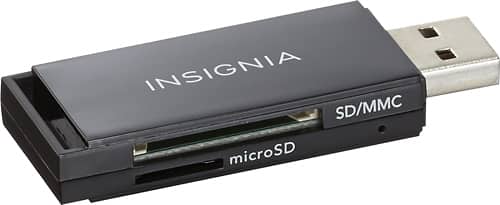
A:AnswerThis is an adapter that allows you to plug an SD or micro SD card into a USB port - usually on a computer. The adapter has no storage itself, so it depends how much space is left on your hard drive or other storage device.
If your "mobi 8GB + WiFi card" is SD or microSD, then your card should work with this adapter - or you can do without the adapter and transfer the photos to your computer by WiFi.
A:AnswerWindows 7 loaded driver automatically for me, but as a suggestion, go to Device Manager, find the USB you just installed (you may have to unplug it and replug it in to see where it pops up). Then you should be able to Right Click -- Properties -Driver - Details (somewhere in there is a "Ask Windows to Search Online for Driver".
A:AnswerNO, I tried putting my larger sized 32 MB memory card & my new 200 GB micro memory card into this card reader, & yes I made sure I put each memory card into their proper slots, I then tried transferring everything from my 32 MB memory card straight to the 200 GB micro memory card but both my laptop nor my desktop PCs would NOT recognize both memory cards at the same time, & it would only recognize each one only when I only put 1 memory card in & copy & transfer everything from one memory to my desktop & then I had to remove that memory card & then put my 2nd memory card into this reader & copy & transfer everything from my desktop to the 2nd memory card.