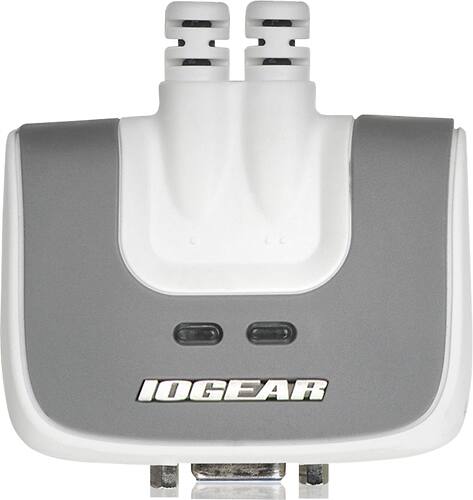
A:AnswerIOGear will isolate the two well. Mouse and keyboard are slow to switch between computers and wake up a sleeping one. No issues with flicker , jumps or repeating after it recognizes the switch
A:AnswerThank you for choosing IOGEAR. It depends on the model number of the KVM . For Dual View with VGA you can look at the GCS1742. DVI look at the GCS1642. The KVM was stated Dual view in order to share 2 monitors. To better service you and understand your set up, please feel to contact our customer support at 1-866-946-4327 or email us: [email protected]. Once again, thank you for choosing IOGEAR.
A:AnswerIOGEAR says : The GCS632U is an emulated VGA KVM. This is not recommended for HDMI monitors. This is a single head KVM to allow you to share one monitor . Our KVM’s emulate a standard 102 key, keyboard and generic 2-button scroll wheel mouse. The reason for this emulation is to allow the hot key functions to operate. A side effect of the emulation is that in most cases the special key sequences required for gamming, and key programming will not translate correctly through the KVM, for gamming we recommend connecting directly to the computer.
Although our KVMs will work with most wireless keyboard mouse sets, we cannot promise an individual multimedia / programmable keyboard and mouse set will work through the KVM.
Due to the large number of manufacturer's and each manufacturer's wide range of models it is impossible to maintain any meaningful compatibility list.
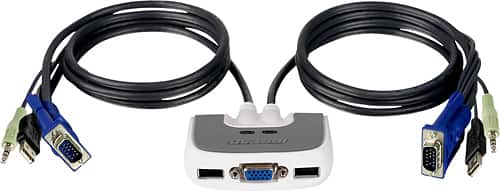
A:AnswerIOGEAR says: The GCS632U is Bus powered and has Emulation for switching ports. This is designed to share one VGA monitor , and a wired keyboard and mouse between 2 computers. To better service you and understand your set up, please feel to contact our customer support at 1-866-946-4327 or email us: [email protected]. Once again, thank you for choosing IOGEAR.
A:AnswerIOGEAR says: The GCS632u Is compatible with Win 7 and Win 10. Since this is an emulated KVM not all keyboards and mice will work correctly with the built in emulation. To better service you and understand your set up, please feel to contact our customer support at 1-866-946-4327 or email us: [email protected]. Once again, thank you for choosing IOGEAR.
A:AnswerIOGEAR says: Thank you for choosing IOGEAR. The GCS632U is a single head, emulated VGA KVM . If you share 1 monitor through the GCS632U and the Other monitor is connected directly to your computer , the answer is yes . This setup will allow you to extend the desktop. To better service you and understand your set up, please feel to contact our customer support at 1-866-946-4327 or email us: [email protected]. Once again, thank you for choosing IOGEAR.
A:AnswerYes audio will be heard on both desktop. I have. Hp and Dell hooked up. This device works perfect and I have wireless mouse and wired keyboard. Easy switch between the 2 desktops. Setup was easy works as advertised.
A:AnswerTo answer your question - on windows machines you can just use the scroll lock key twice. To switch between windows and MAC you will have to invoke the hotkey mode by pressing and holding the Clear key for 2 seconds, press and hold the minus [-] key for 1 second and release the minus key and release the Clear Key. The KVM will enter Hotkey mode; indicated by a blinking of the CAPS Lock LED. Press and release the computers port number {1 or 2} and press Enter.
The directions in the accompanying manual are very clear how to change and invoke the hot key.
Hope that helps!
A:AnswerThank you for choosing IOGEAR. A KVM is used to share one monitor , keyboard and mouse between 2 computers. To fully answer this question we would need to know more about your set, equipment and the IOGEAR KVM model number. To better service you and understand your set up, please feel to contact our customer support at 1-866-946-4327 or email us: [email protected]. Once again, thank you for choosing IOGEAR.
A:AnswerWill this switch work with 2 Lenovo laptops (64-bit)?
Yes it will.
Will this switch work with a Microsoft wireless keyboard/mouse combination?
If it the wireless that uses a USB fob then no it will not. There are two USB inputs required for the switch to work. One if the keyboard and one for the mouse. Wireless fobs must be synced with the computer, not the switch.