Questions & Answers
- Model:
- SK1
- |
- SKU:
- 6201020
Q: QuestionCan i connect the LG soundbar to my LG blue-ray dvd player in order to play CD's?
Asked by chattyconsuelo.
- A:Answer Thank you for reaching us regarding LG Soundbar. Yes, you can connect the LG SK1.AUSALLK to your LG Blu-ray DVD player in order to play CDs. You can download its owner's manual through this link for more information: https://www.lg.com/us/support/product/lg-SK1.AUSALLK. For additional assistance, please reach out to us on social media @LGUSSupport so we can help you further. ^Cris
Answered by LG Digital Customer Care

Q: QuestionWhy doesn’t my LG sound bar turn on? The remote control doesn’t turn it on.
Asked by PhillipS.
- A:Answer Just leave it turned on when you turn your TV on with your TV remote it automatically turns on
Answered by Cutman
Q: Questionwill this soundbar work with a panasonic Viera 50 in. tv model no. tc-p50ou50?
Asked by Anonymous.
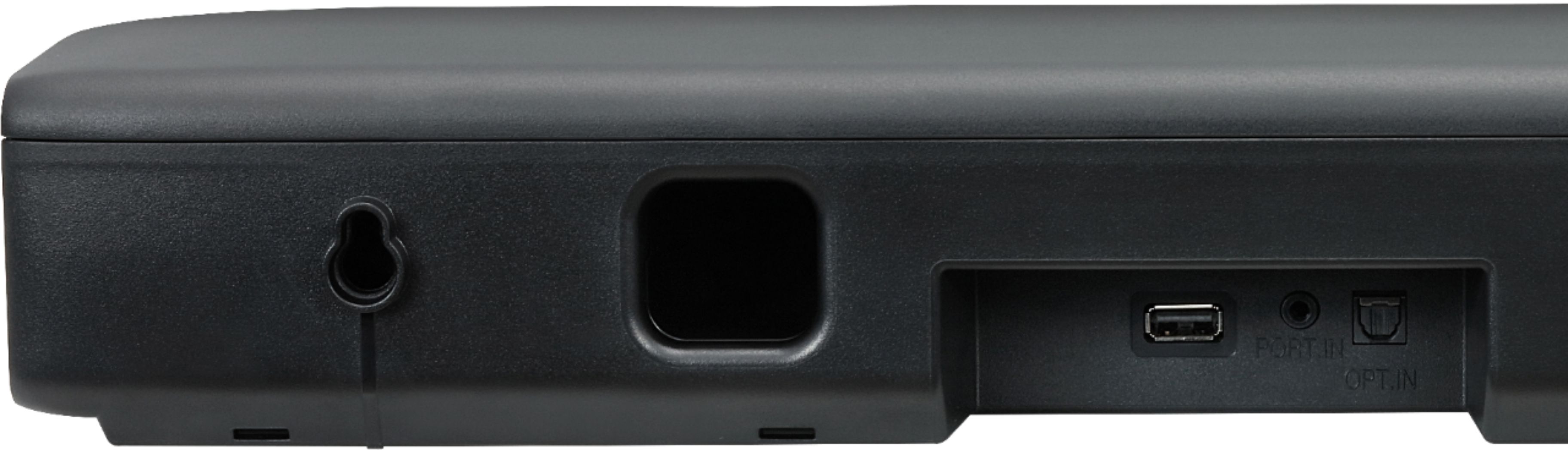
- A:Answer Thank you for reaching us regarding LG Soundbar. To see if the LG SK1 soundbar works with your Panasonic Viera 50 in. TC-P50OU50 TV, you need to check if the TV has either an optical audio or HDMI ARC output. This will determine if they can be connected properly. You can download its owner's manual through this link for more information: https://www.lg.com/us/support/product/lg-SK1.AUSALLK. ^Cris
Answered by LG Digital Customer Care

Q: QuestionCan this soundbar be mountable to a Vizio TV
Asked by Mounted.
- A:Answer Thank you for your interest in the LG Sound Bar (SK1) model. Yes, the LG SK1 soundbar can be connected to a Vizio TV. You can download its owner's manual through this link for more information: https://www.lg.com/us/support/product/lg-SK1.AUSALLK. ^Cris
Answered by LG Digital Customer Care

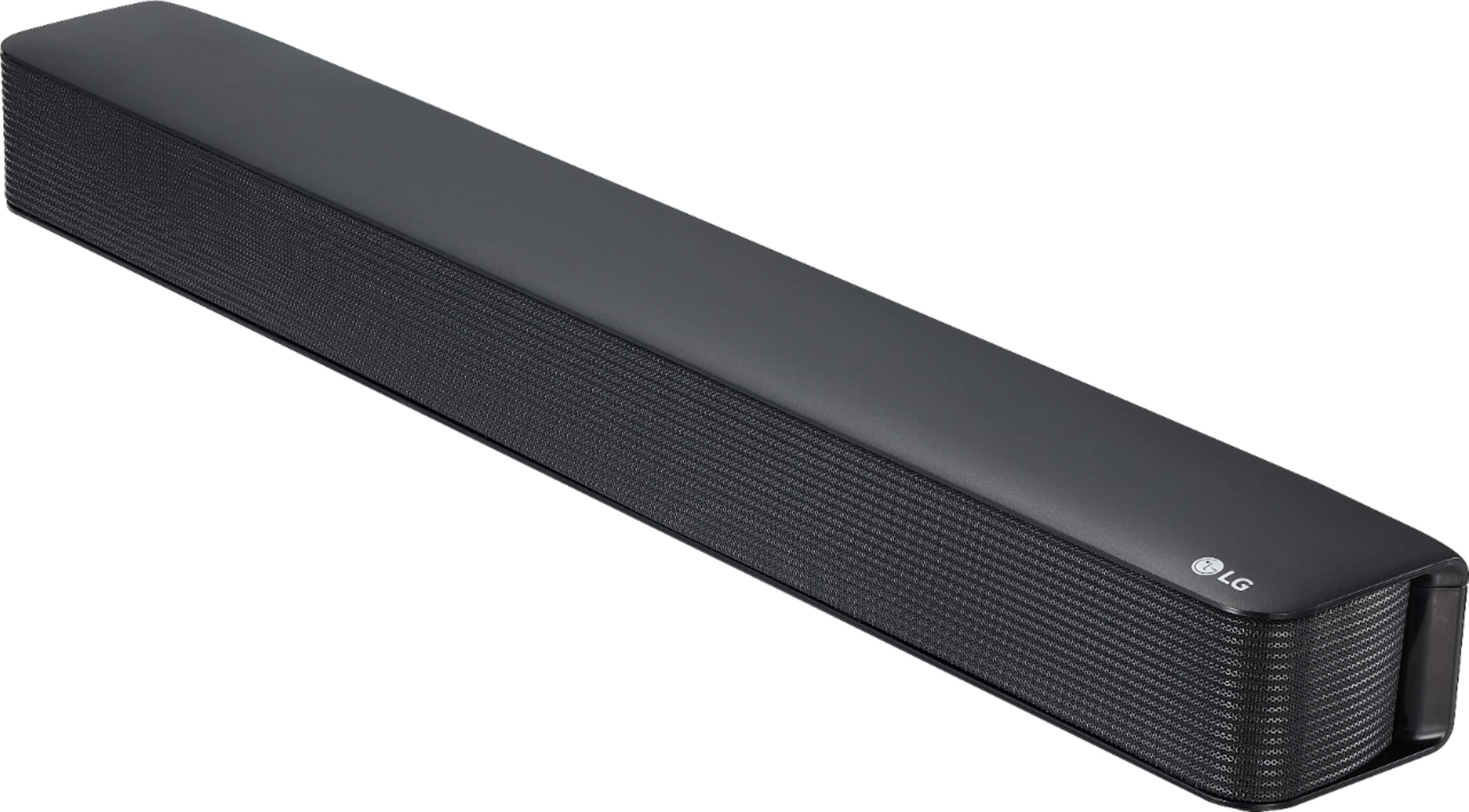
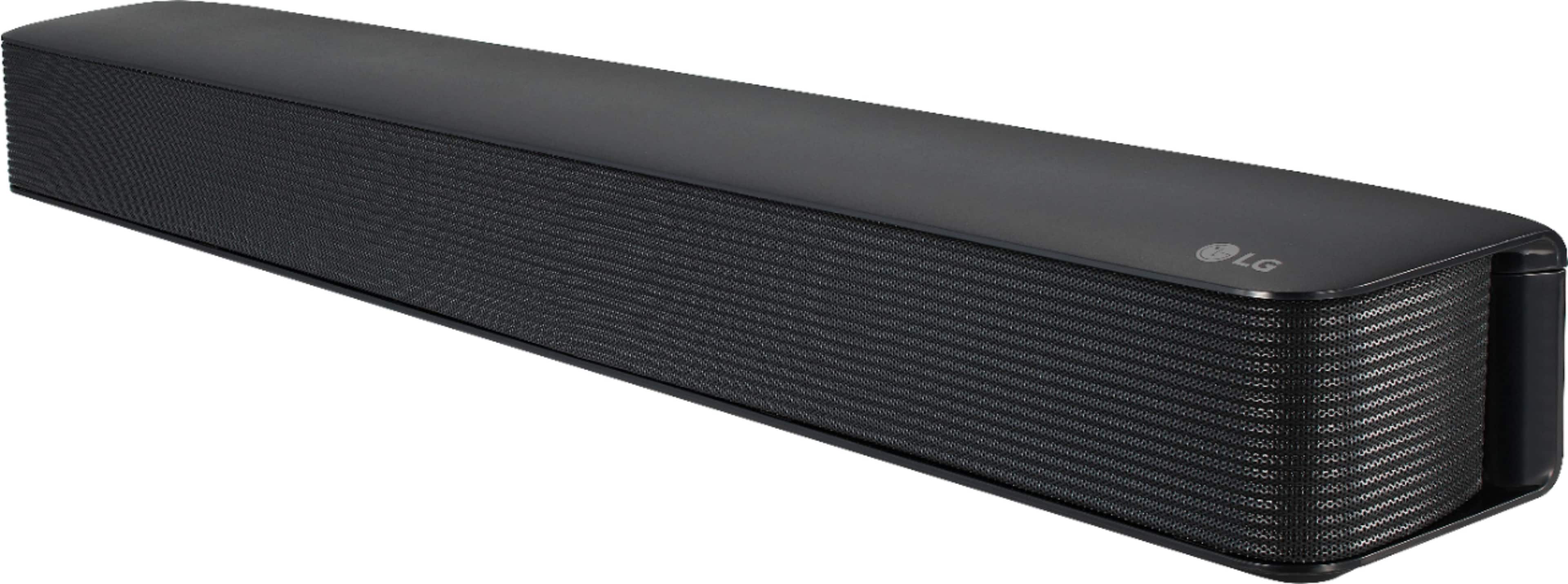
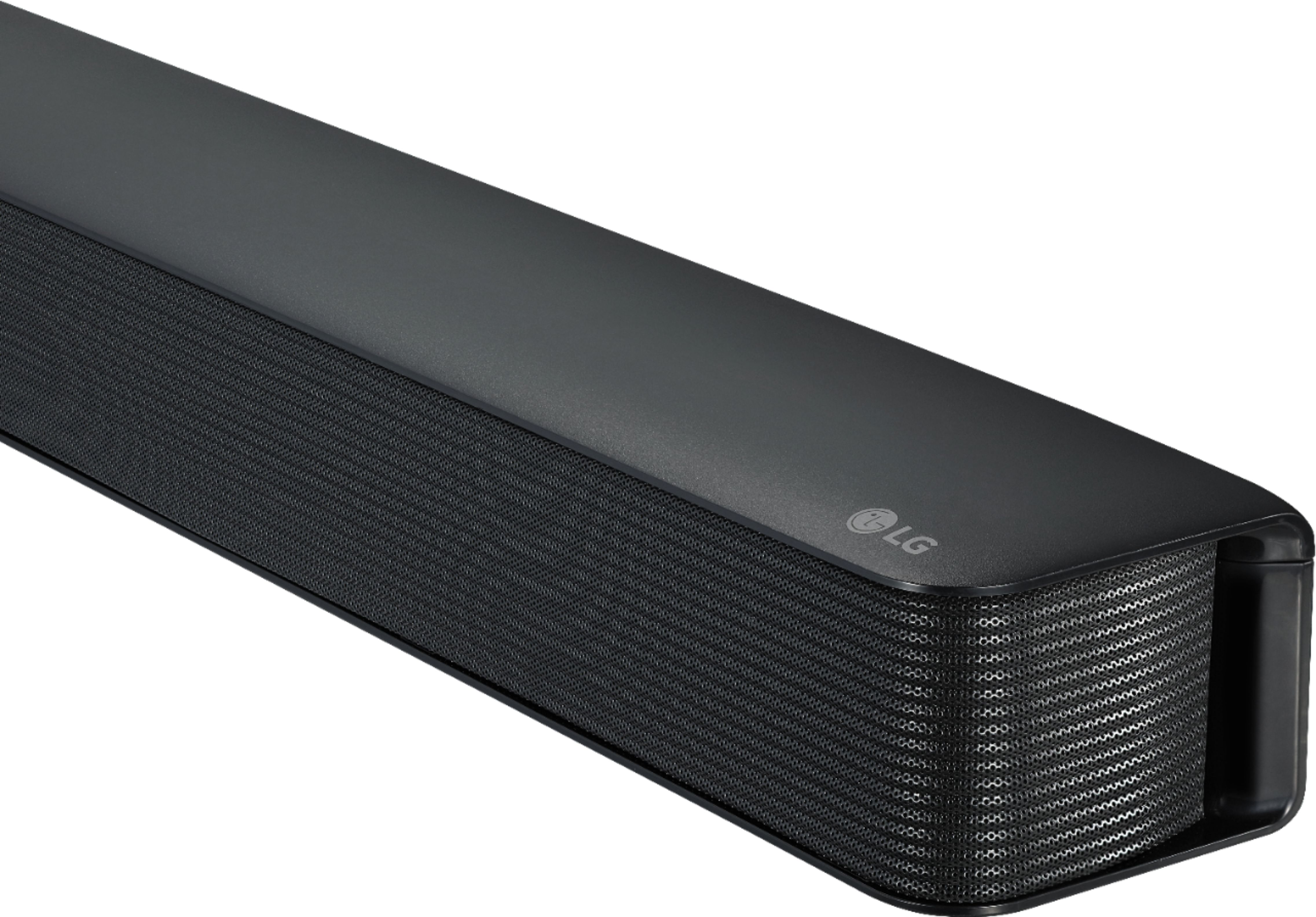
Q: QuestionHow long is this sound bar? We have 22 inch LG tv
Asked by Hear.
- A:Answer Thank you for your interest in the LG Sound Bar (SK1) model. The LG SK1 soundbar is 25.6 inches wide. This soundbar would be wider than your 22-inch LG TV. You can download its owner's manual through this link for more information:https://www.lg.com/us/support/product/lg-SK1.AUSALLK. ^Cris
Answered by LG Digital Customer Care

Q: QuestionI was not able to connect the sound Barr to my Sony TV with the cable that came with it. What type of other cable should I use to connect this sound Barr to my Sony Tv?
Asked by Nene.
- A:Answer It should be your hdmi cord. The other way is through your settings and try connecting by Bluetooth. When you connect it go through your settings and adjust that. And turn off your sound to your tv itself.
Answered by Anonymous
Q: QuestionHow is the unit powered? Wall plug? Or something else?
Asked by FluffyCementPoodleDetangler.
- A:Answer Standard 2 prong Wall plug.
Answered by John
Q: QuestionWill this connect to a projector? If it has wireless capability.
Asked by Scq.
- A:Answer Thank you for your interest in the LG SK1 2.0 Channel Compact Sound Bar with Bluetooth® Connectivity (SK1) model. Yes, the LG SK1 soundbar has Bluetooth connectivity, which means it can connect to a projector that also has Bluetooth capabilities. You can download its owner's manual through this link for more information: https://www.lg.com/us/support/product/lg-SK1.AUSALLK. ^Cris
Answered by LG Digital Customer Care

Q: QuestionDoes this soundbar make the dialogue clearer?
Asked by Ccharnock123.
- A:Answer Very much so since the internal speaker has faded
Answered by RobertW
Q: QuestionCan I use it with 220 volt out side USA
Asked by Amin.
- A:Answer No you should be able to find a 220 volt unit
Answered by boater
Q: QuestionWill this connect to a auking mini projector?
Asked by Straka1.
- A:Answer Hello there! The LG Channel Soundbar can hook up to a projector as long as you have an HDMI connection or activate Bluetooth. ~Rita
Answered by LG Digital Customer Care

Q: QuestionCan you connect the sound bar wirelessly to the LG OLED EVO TV?
Asked by mackie.
- A:Answer yes... it has Bluetooth.
Answered by rlikis
Q: QuestionI’ve had this sound bar for 4 years with no issues. I use an optical cable to connect to tv. Out of nowhere it automatically switches from optical to Bluetooth connection. I’ve tried a new optical cable. And turned off Bluetooth devices. How can I fix?
Asked by Hope.
- A:Answer Hey, Hope! We are sorry to hear you have had such trouble keeping your optical cable stable for your LG 2.0-Channel Soundbar with 40-Watt Digital Amplifier Model:SK1. For helpful information on why the optical cable is switching to a Bluetooth connection, check out our LG Support page: https://www.lg.com/ca_en/support/product-help/CT20098013-20150556406950. If you are still experiencing the same issue, please reach out to us via direct or private message on Facebook or Twitter, using the handle @LGUSSupport. We are here to help! ~Rita

Answered by LG Digital Customer Care

Q: QuestionDoes this sound bar work with a Vizio tv ?
Asked by Anonymous.
- A:Answer Yes. I have both a Vizio and Insignia TV, it connects via the supplied digital cable.
Answered by Freesh2844
Q: QuestionCan I control volume with my xfinity xr11 remote?
Asked by Mike4717.
- A:Answer Hi Mike4717. That depends on what type of remote control your Xfinity xr11 remote is. If it is a universal remote or programmable remote that will work with LG Soundbars, you may be able to control the volume for the LG 2.0-Channel Soundbar with 40-Watt Digital Amplifier - Black, Model # SK1. We recommend that you contact Xfinity to ask if the remote can control functions for different brands of Soundbars...^Ivan
Answered by LG Digital Customer Care

Q: QuestionCan you use Firestick for tv to control spin bar?
Asked by Wendy.
- A:Answer Hey there, Wendy! Yes, you can use Firestick for your television to control spin bar. In the menu select “manage equipment” and then “add equipment”. You should see a tab for the soundbar, scroll through until you find the brand name of your unit. After clicking on the brand name, follow the on-screen instructions. Your Fire TV remote should be controlling the soundbar. Glad to help! ~Rita

Answered by LG Digital Customer Care

Q: QuestionVolume decreased on Netflix .will increase some on original
Asked by Zack.
- A:Answer Hi there Zack. LG wants to thank you for reaching out. Locate the input and Bluetooth button on your LG soundbar. Press and hold them simultaneously for ten seconds. Once released, you should successfully reset your LG soundbar to its previous settings or default settings. Once reset turn the LG Soundbar on. If the same issue is accruing we recommend you reach out to our support team via Facebook or Twitter. Send a private message. A agent will be happy to hear from you. If you do not have either platform you can call at (800)243-0000. `Jai.
Answered by LG Digital Customer Care

Best-selling sound bars
- Black Friday Deal$249.99Your price for this item is $249.99
- $1,099.00Your price for this item is $1,099.00
- $469.99Your price for this item is $469.99$499.00The comparable value for this item is $499.00
Samsung - HW-B650/ZA 3.1 Channel Soundbar with Wireless Subwoofer, Dolby 5.1 / DTS Virtual:X - BlackBlack Friday Deal$199.99Your price for this item is $199.99- $24.99Your price for this item is $24.99$39.99The comparable value for this item is $39.99
- $99.99Your price for this item is $99.99$119.99The comparable value for this item is $119.99
- $199.99Your price for this item is $199.99$279.99The comparable value for this item is $279.99
- $399.99Your price for this item is $399.99$499.99The comparable value for this item is $499.99
- $219.00Your price for this item is $219.00
- $299.99Your price for this item is $299.99$399.99The comparable value for this item is $399.99
- $349.99Your price for this item is $349.99$399.99The comparable value for this item is $399.99
- $199.99Your price for this item is $199.99$279.99The comparable value for this item is $279.99
- $119.99Your price for this item is $119.99
- $699.99Your price for this item is $699.99$799.99The comparable value for this item is $799.99
- $497.99Your price for this item is $497.99$699.99The comparable value for this item is $699.99
- Black Friday Deal$499.99Your price for this item is $499.99
- $139.99Your price for this item is $139.99$159.99The comparable value for this item is $159.99
- Black Friday Deal$149.99Your price for this item is $149.99
- Black Friday Deal$34.99Your price for this item is $34.99
- $209.99Your price for this item is $209.99$229.99The comparable value for this item is $229.99