Questions & Answers
- Model:
- 25MS550-B.AUS
- |
- SKU:
- 6577078
Highly rated by customers for: Picture Quality, Price, Ease of use
$32.99Your price for this item is $32.99
Clearance
Comp. Value: $129.99
The comparable value price is $129.99
Page Showing 1-20 of 47 questions
Q: QuestionWhat comes in the box with this monitor?
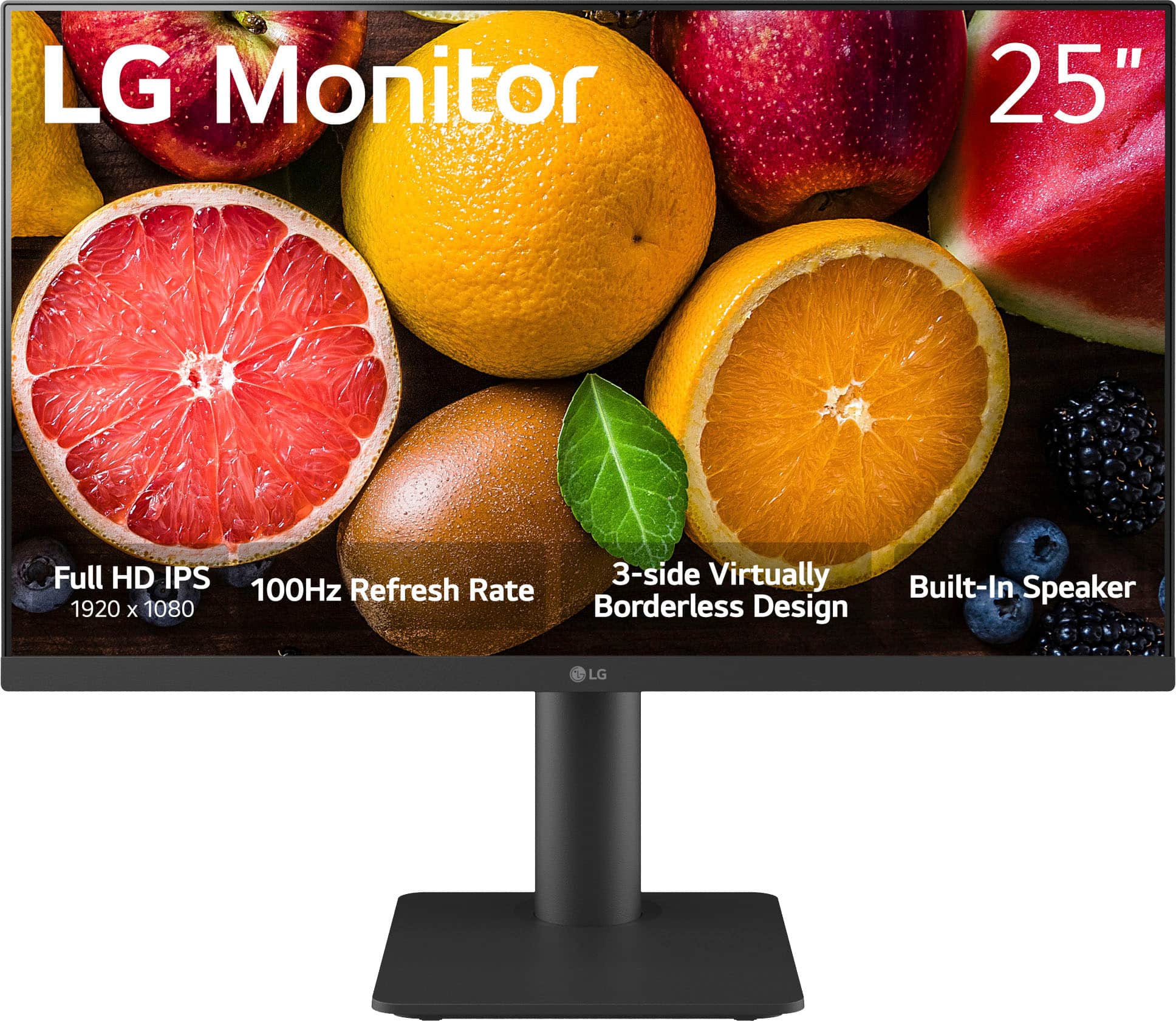
- A:Answer The monitor comes with the stand, base, power cord and adapter, HDMI cable, and screws.
This question and answer was generated by AI based on customer and product data.Q: QuestionWhat is the response time of this LG monitor?
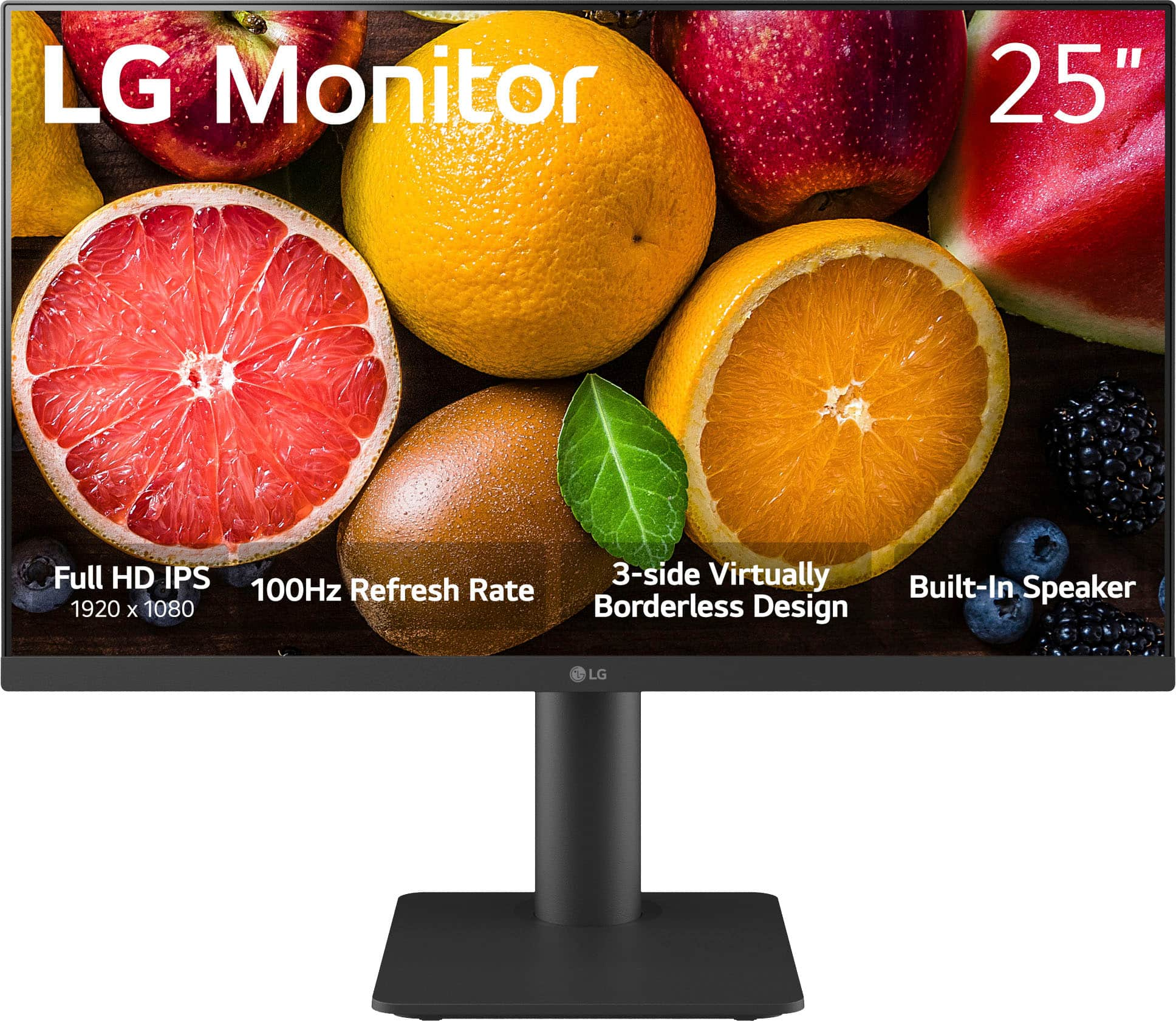
- A:Answer This monitor has a response time of 5ms(GTG).
This question and answer was generated by AI based on customer and product data.Q: QuestionDoes this monitor have built-in speakers?
- A:Answer Yes, this monitor has two built-in speakers for audio.
This question and answer was generated by AI based on customer and product data.Q: QuestionWhat is the resolution of this monitor?
- A:Answer This monitor has a Full HD resolution of 1920x1080.
This question and answer was generated by AI based on customer and product data.Q: QuestionCan this monitor be mounted to a wall?
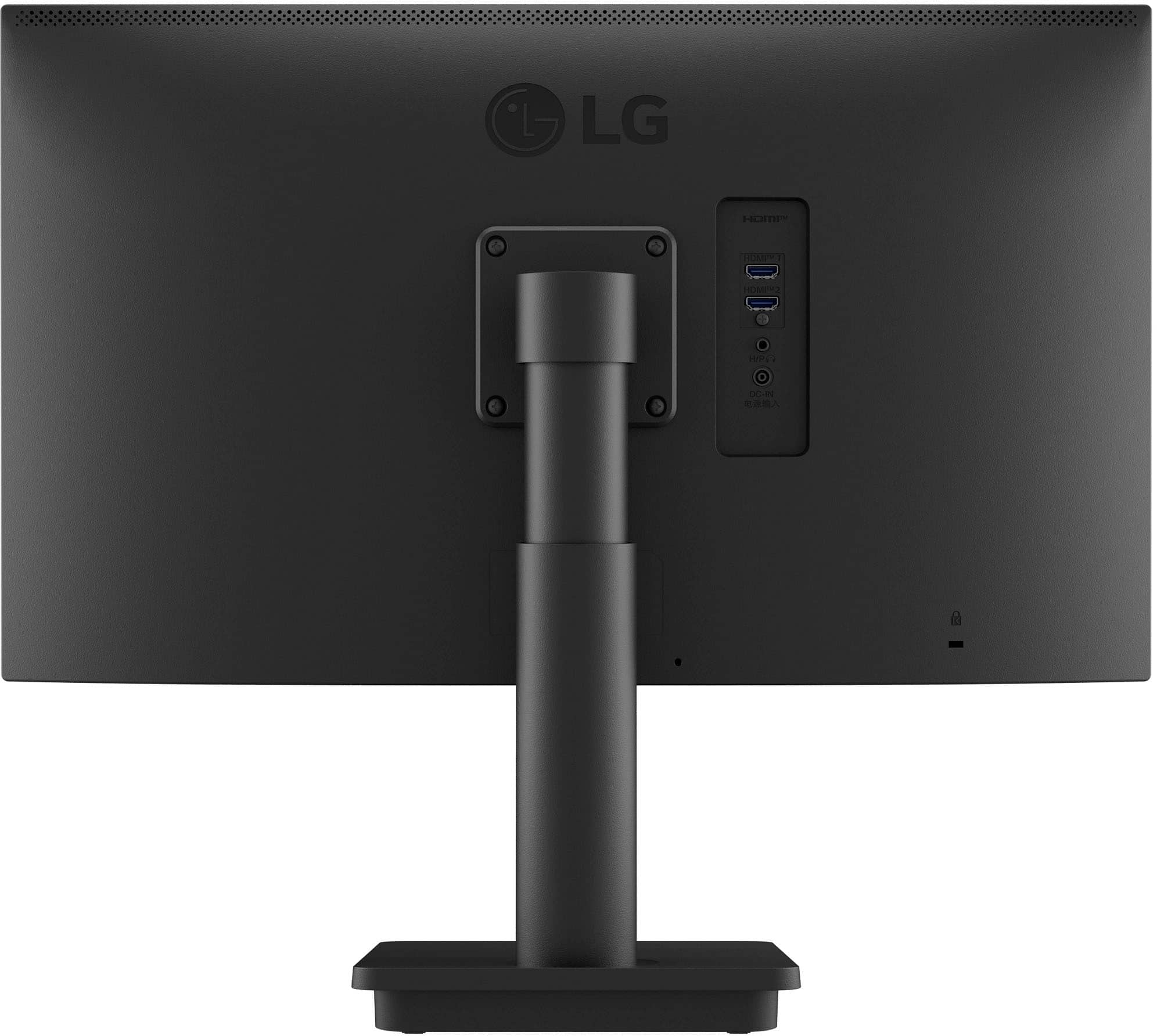
- A:Answer Yes, this monitor is wall mountable.
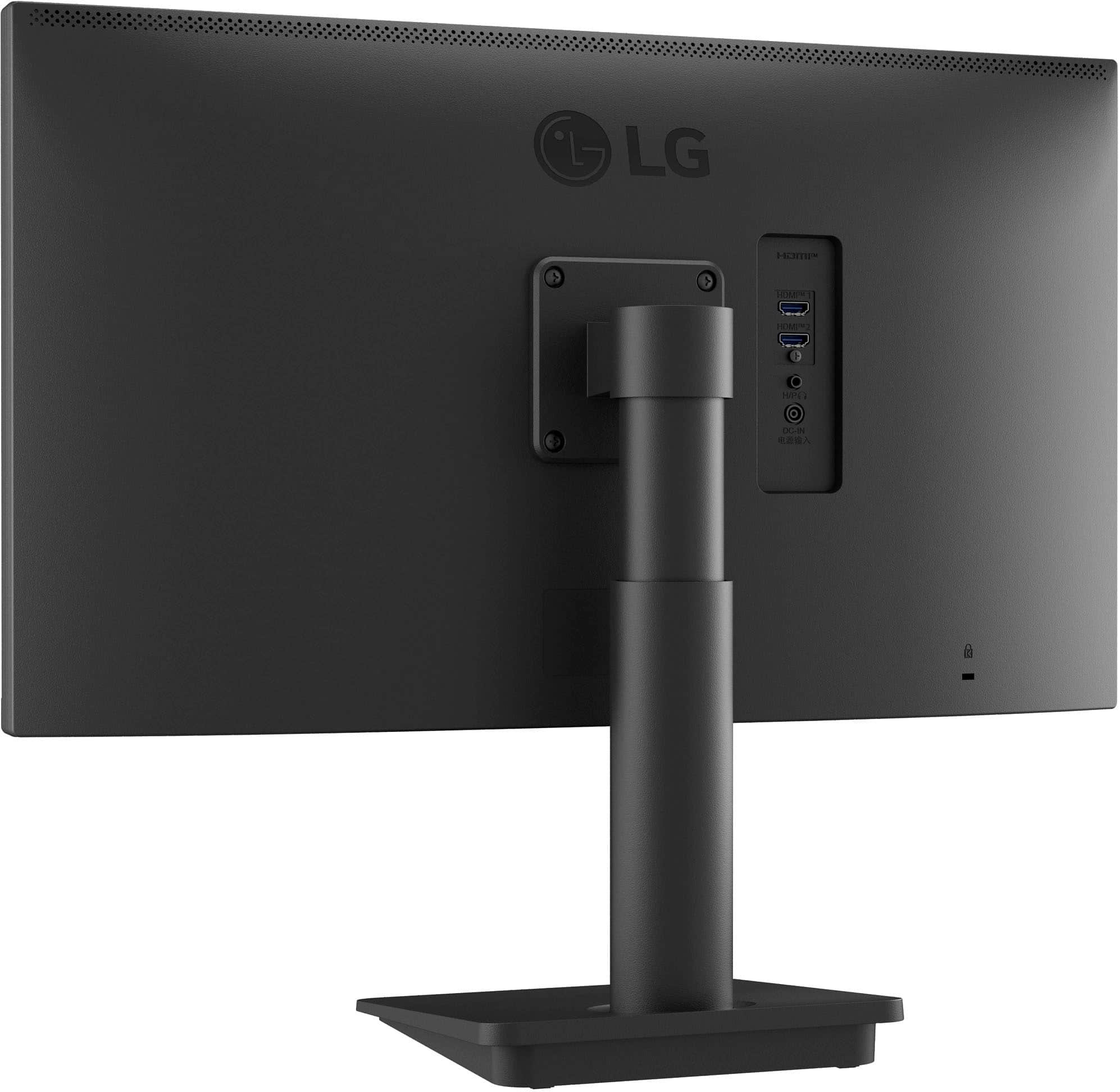
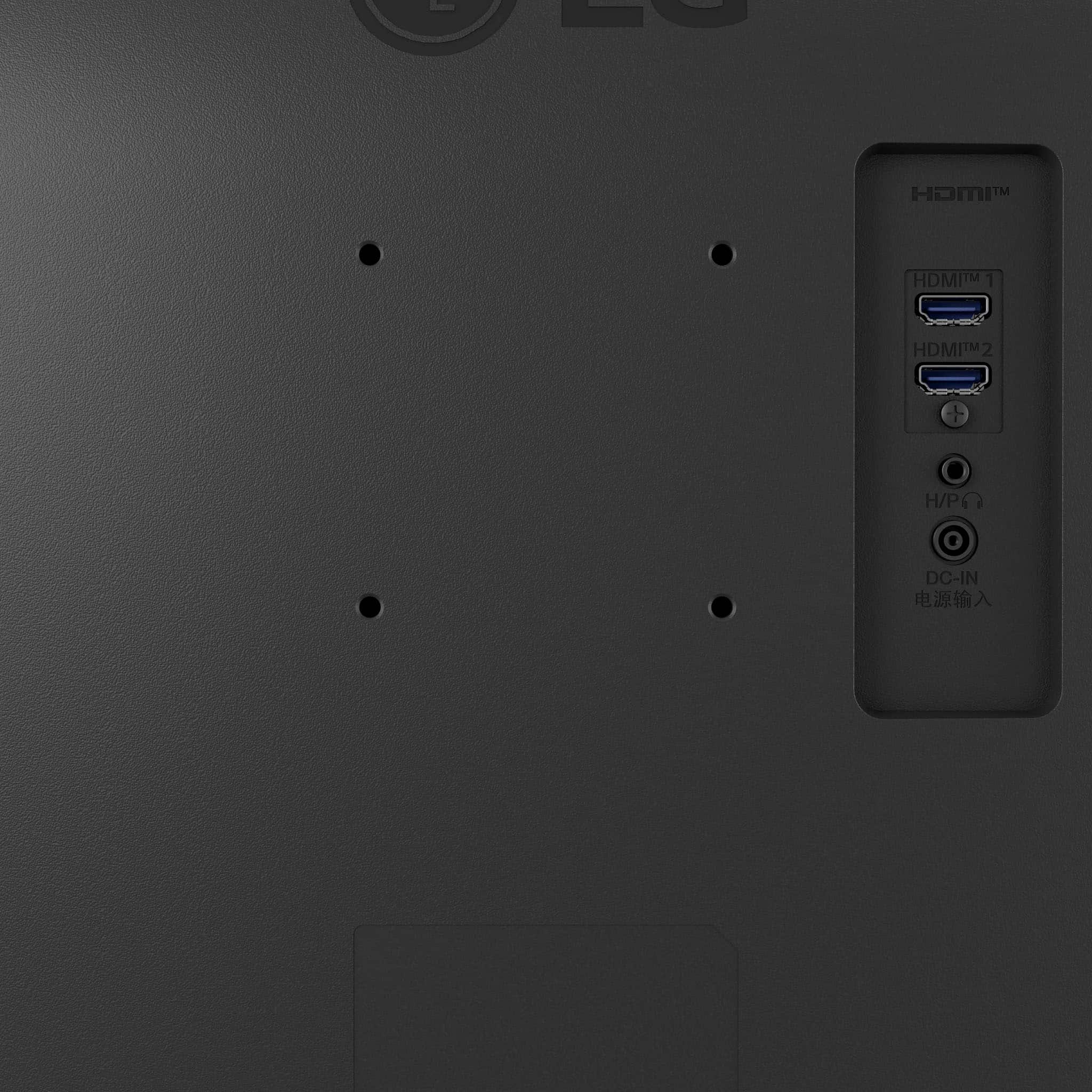
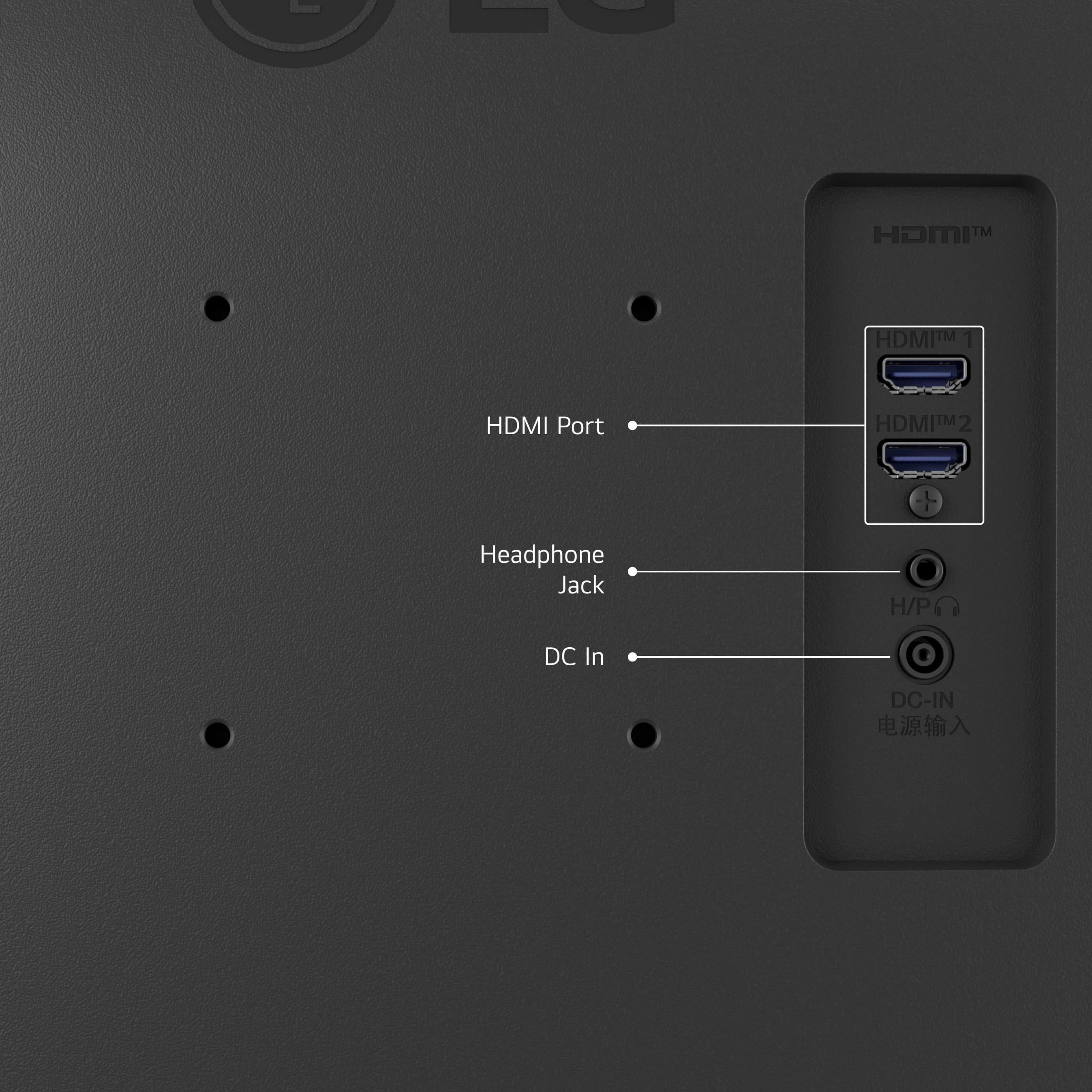
This question and answer was generated by AI based on customer and product data.Q: QuestionHow many HDMI ports does this monitor have?
- A:Answer This monitor has 2 HDMI ports.
This question and answer was generated by AI based on customer and product data.Q: QuestionIs there any type of monitor control buttons for various picture adjustments? I'm just looking for basic adjustments in brightness, contrast, etc. I don't see any controls or buttons on the monitor anywhere. Thanks in advance for your help.
Asked by JoeC.
- A:Answer The LG monitor model 25MS550-B.AUS does not have physical control buttons for adjusting picture settings such as brightness and contrast. Instead, it features an on-screen display (OSD) menu accessed via a joystick button located at the bottom of the monitor. To adjust settings, simply press the joystick button to bring up the OSD menu, navigate through the options using the joystick, and make adjustments to brightness, contrast, and other picture settings as needed. This design allows for easy and intuitive control of your monitor's display settings directly from the screen. If you have any more questions or need further assistance, feel free to ask! —Renzo
Answered by LG Digital Customer Care

Q: QuestionDoes this monitor have a camer
Asked by Kathmacmini.
- A:Answer Hi there! We understand your inquiry about the LG 25MS550‑B.AUS monitor having a built‑in camera. According to the official specifications, this model does not include an integrated webcam. As a troubleshooting step, you can access the On‑Screen Display menu and navigate to Settings > General > Device Connection (or similar) to confirm whether any camera input options are available—if no camera settings appear, that confirms the absence of a built‑in webcam. If you need video‑chat capability, we recommend pairing your monitor with an external USB webcam. Simply connect the webcam to your PC’s USB port, then select it as the video source in your conferencing app. https://www.bestbuy.com/site/lg-25-led-fhd-100hz-monitor-black/6577078.p?skuId=6577078 For more personalized assistance or to explore accessory recommendations, please send us a private message on social media @LGUSSupport, and our team will be happy to help you find the right solution. We appreciate your patience and thank you for choosing LG! —Renzo
Answered by LG Digital Customer Care

Q: QuestionI'm trying to raise the refresh rate to 100 HZ but the maximum it gives is 60HZ. How do I get it to reach 100hz?
Asked by Mustard.
- A:Answer Hello, there. Thank you for your question. To raise the refresh rate of your LG Monitor model 25MS550-B to 100 Hz, please try the following steps: 1. Ensure that you are using a high-quality HDMI or DisplayPort cable that supports higher refresh rates. 2. Make sure your graphics drivers are up to date. You can update them through your computer's Device Manager or by visiting the graphics card manufacturer's website. 3.Adjust Display Settings: • On Windows, right-click on the desktop and select "Display settings." • Scroll down and click on "Advanced display settings." • Under "Refresh rate," select 100 Hz from the drop-down menu if it is available. 4. Ensure that the monitor itself is set to the correct mode that supports 100 Hz. Refer to the monitor’s user manual for instructions on changing settings via the on-screen display (OSD) menu. If these steps do not resolve the issue, please send us a private message on our social media platform via @LGUSSupport. Our team will be happy to assist you further. ^Sam
Answered by LG Digital Customer Care

Q: QuestionIs this monitor mountable?
Asked by Cookie.
- A:Answer Yes VESA standard mounting holes on back 75x75
Answered by tanline
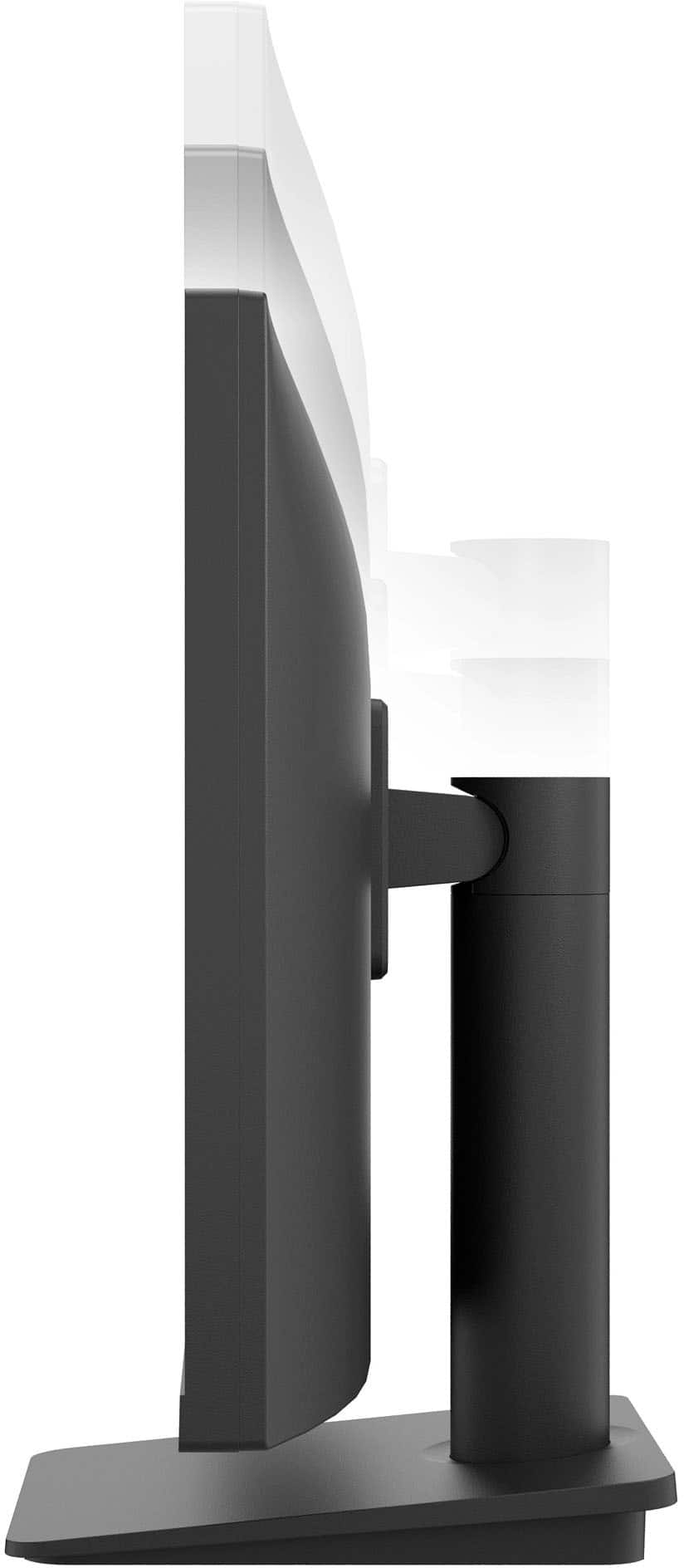
Q: QuestionWhat are the height measurements? Without the stand particularly.
Asked by Matt.
- A:Answer Thank you for your interest in the LG Monitor. The LG 25MS550-B.AUS monitor, without the stand, is 14.1 inches or 358 mm. You can download its owner's manual through this link for more information: https://www.lg.com/us/support/product/lg-25MS550-B.AUS. ^Cris
Answered by LG Digital Customer Care

Q: QuestionCan i change the screen orientation to portrait so I can mimic my android phone
Asked by ezed.
- A:Answer You can put the actual monitor in portrait mode by unscrewing the monitor from stand and turning it and attaching it back on stand.
Answered by Newiphonelady
Q: QuestionTem WecCam embutida?
Asked by Anonymous.
- A:Answer Hi there! We understand your inquiry and appreciate you reaching out with your question about the 25MS550-B.AUS monitor. This model does not include a built-in webcam. If you’d like to use video conferencing or take photos, you can connect an external USB webcam to your computer. Here’s a quick troubleshooting step to get you started: Connect your USB webcam to an available USB port on your PC or laptop. Open your camera app (e.g., Windows Camera or macOS Photo Booth) to confirm the webcam is recognized and displaying video. If you don’t see an image, go to Settings » Privacy & security » Camera on Windows (or System Settings » Security & Privacy » Camera on macOS) and ensure camera access is enabled for your apps. https://www.lg.com/us/monitors/lg-25ms550-b-fhd-monitor#pdp_specs Please send us a private message on social media @LGUSSupport and our team will be more than happy to explore additional setup tips or compatible accessories to enhance your experience. We appreciate your patience and look forward to helping you make the most of your LG monitor. —Renzo
Answered by LG Digital Customer Care

Q: QuestionHow you do enable sound?
Asked by PlugNPlay.
- A:Answer Hello there! We understand your situation and appreciate you reaching out about your LG 25MS550-B.AUS FHD Monitor. To enable sound through the built-in speakers, please try this troubleshooting step: Select the correct audio source on your computer or device: On Windows, right-click the speaker icon in the system tray, choose “Playback devices” or “Open Sound settings,” then select “LG 25MS550” (or similar HDMI/Display Audio) as your default output. On macOS, go to System Preferences → Sound → Output and choose “LG 25MS550.” Adjust the monitor’s volume via OnScreen Control (OSC) or the monitor’s joystick/menu: Press the joystick below the screen to open the OSD menu. Navigate to Sound → Volume and increase to your desired level. If you still don’t hear audio, please double-check that your HDMI (or DisplayPort) cable is fully seated at both ends and that your source device’s audio isn’t muted. https://www.lg.com/us/monitors/lg-25ms550-b-fhd-monitor#pdp_specs For any further assistance or if you’d like us to walk you through additional checks, please send us a private message on Social Media @LGUSSupport and we’ll be more than happy to explore possible solutions. We appreciate your patience. —Renzo
Answered by LG Digital Customer Care

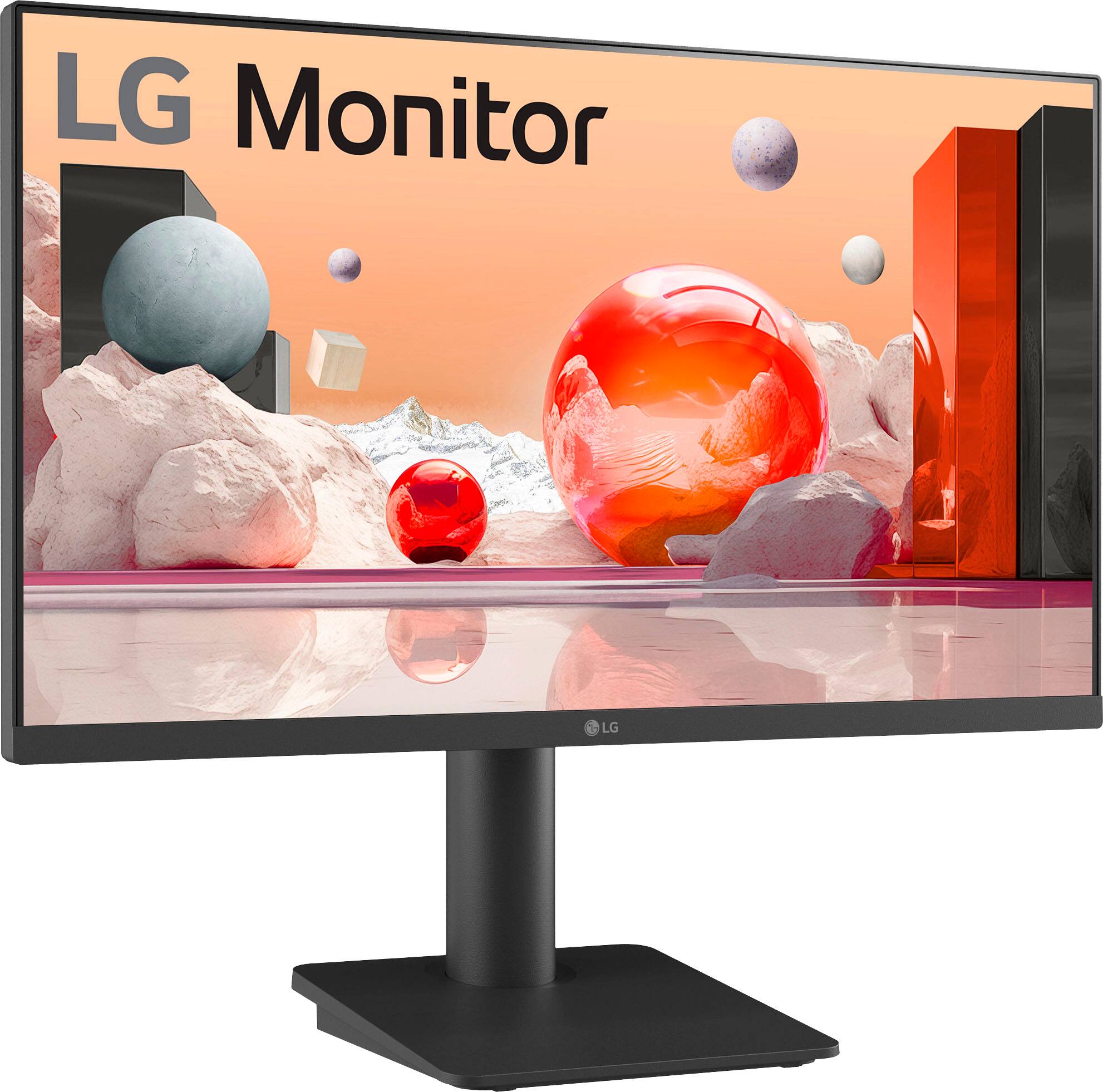
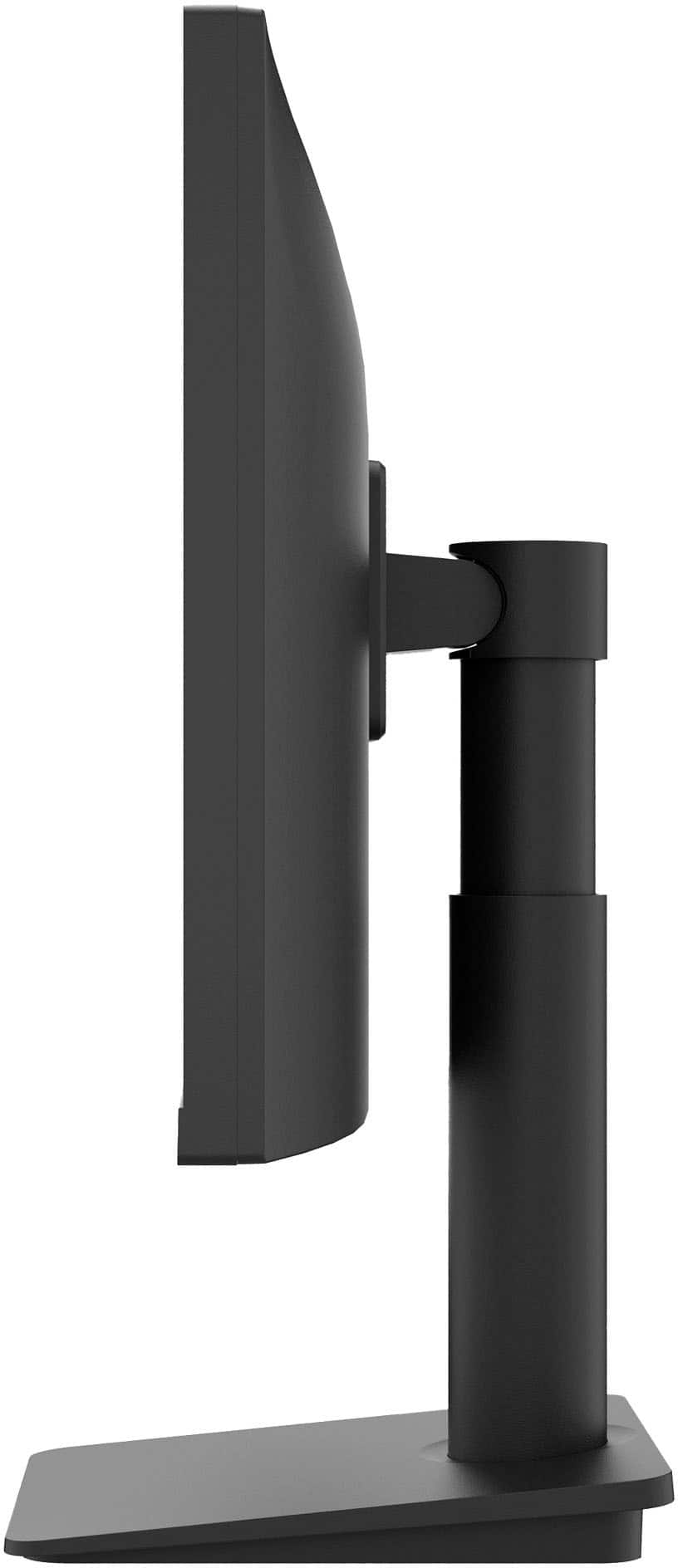
Q: QuestionDoes this tilt?
Asked by howard.
- A:Answer Yes. Tilts deep enough to adjus5 for unexpected glare.
Answered by JaimeA
Q: QuestionIs there a setting option to completely turn off the function of the speakers? If not, if you turn the volume all the way down with the joystick control, does it display a muted speaker symbol on the screen all the time when the sound is off?
Asked by Dan.
- A:Answer It seems there is no dedicated setting option to disable the speakers altogether. However, if you turn the volume all the way down using the joystick control, a muted speaker symbol appears on the screen whenever the sound is off.
Answered by NicoleS
Q: QuestionDoes the screen have a matt finish?
Asked by halF.
- A:Answer Hello there, Hal. Thank you for reaching out about the LG 25MS550-B.AUS. We understand your situation and are happy to provide some clarity. Based on the information available and the design approach of this monitor, it is engineered with an IPS panel that typically incorporates an anti-glare treatment, which gives it a matte-like finish to help reduce reflections and improve viewing comfort. https://www.lg.com/us/monitors/lg-25ms550-b-fhd-monitor#pdp_specs Please send us a private message on Social Media @LGUSSupport so our team can explore possible solutions or provide additional clarification if needed. —Renzo
Answered by LG Digital Customer Care

Q: Questiondoes the monitor have a mic
Asked by amc.
- A:Answer Hello there. Thank you for sharing your experience with us. We understand your situation, and based on the product specifications, the LG 25MS550-B.AUS monitor does not include a built-in microphone. If you’re looking to use voice features, we recommend pairing it with an external microphone. As a troubleshooting step, please check that your external mic is properly connected to your device and that your device’s audio settings are correctly configured to recognize it. https://www.lg.com/us/monitors/lg-25ms550-b-fhd-monitor#pdp_specs For further assistance and to explore all available solutions, please send us a private message on Social Media @LGUSSupport and our team will be more than happy to help you. We appreciate your patience. —Renzo
Answered by LG Digital Customer Care

Q: QuestionIs the monitor HDCP compliant
Asked by JR.
- A:Answer Hello, JR. The HDMI ports on the LG 25" IPS Full HD 100Hz Monitor with OnScreen Control and Built-In Speakers, Model # 25MS550-B are not HDCP compliant...^Ivan.
Answered by LG Digital Customer Care

Page 1, Showing 1-20 of 47 questions
Top Rated
- $349.99Your price for this item is $349.99
- Black Friday Deal$104.99Your price for this item is $104.99
- Black Friday Deal$86.99Your price for this item is $86.99
- $309.00Your price for this item is $309.00$329.99The comparable value for this item is $329.99
- Black Friday Deal$149.99Your price for this item is $149.99
- $369.99Your price for this item is $369.99
- Black Friday Deal$179.99Your price for this item is $179.99
- $149.99Your price for this item is $149.99
- $109.99Your price for this item is $109.99$119.99The comparable value for this item is $119.99
- $379.99Your price for this item is $379.99
- Black Friday Deal$114.99Your price for this item is $114.99
- $999.99Your price for this item is $999.99$1,199.99The comparable value for this item is $1,199.99
- $139.99Your price for this item is $139.99$169.99The comparable value for this item is $169.99
- $89.99Your price for this item is $89.99$119.99The comparable value for this item is $119.99
- $249.99Your price for this item is $249.99
- $1,499.00Your price for this item is $1,499.00$1,599.99The comparable value for this item is $1,599.99
- $172.79Your price for this item is $172.79$189.99The comparable value for this item is $189.99
- $84.99Your price for this item is $84.99$109.99The comparable value for this item is $109.99
- $74.99Your price for this item is $74.99$159.99The comparable value for this item is $159.99
- $134.99Your price for this item is $134.99