Black Friday is hereShop new DoorbustersShop now

Main Content

Questions & Answers

Your price for this item is $105.99
Clearance
The comparable value price is $449.99
Page Showing 1-20 of 146 questions
  • QuestionAre all the speakers wireless? It mentions that the sub is wireless, but makes no mention on if the rear speakers are wireless.

    Asked by Andrew.

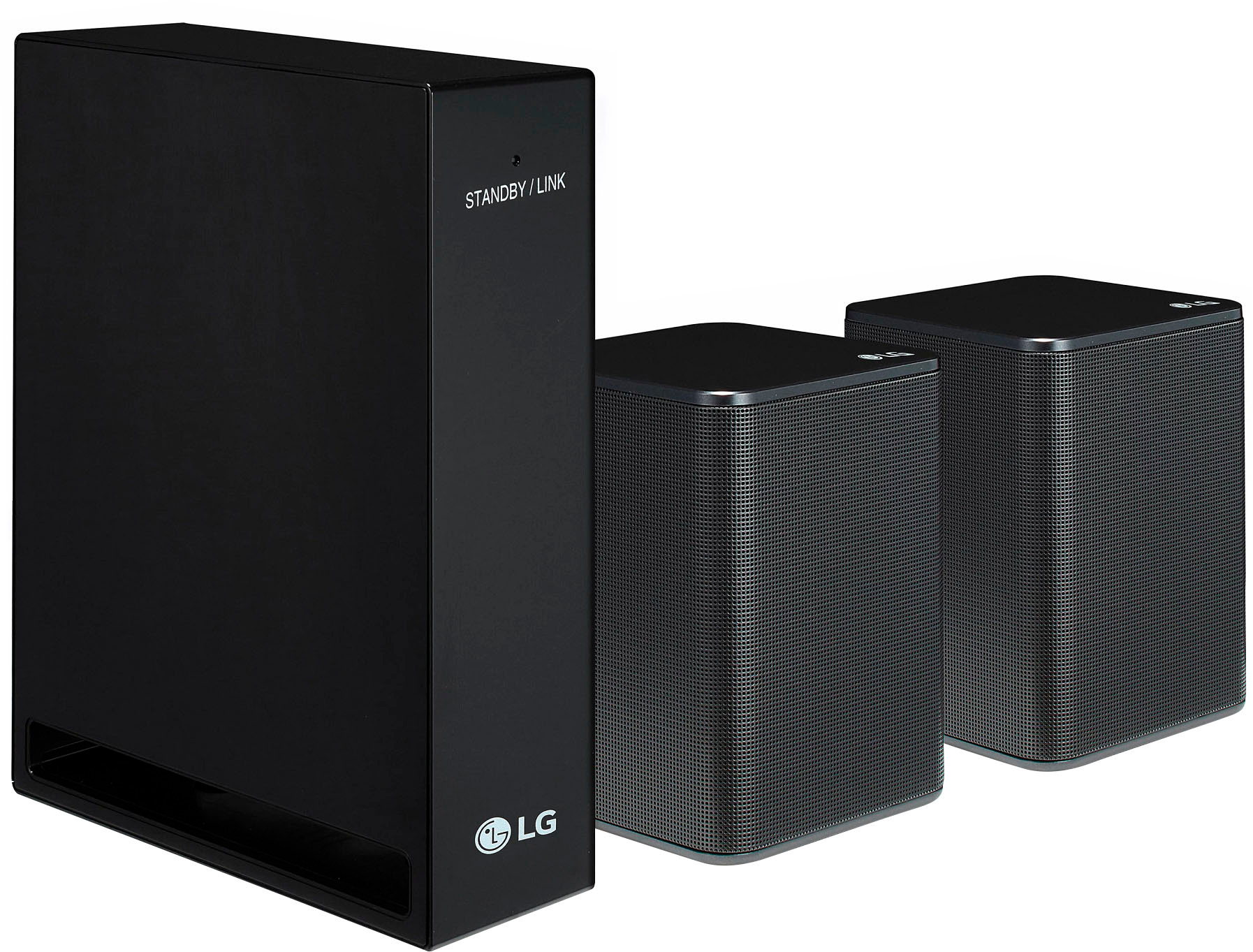
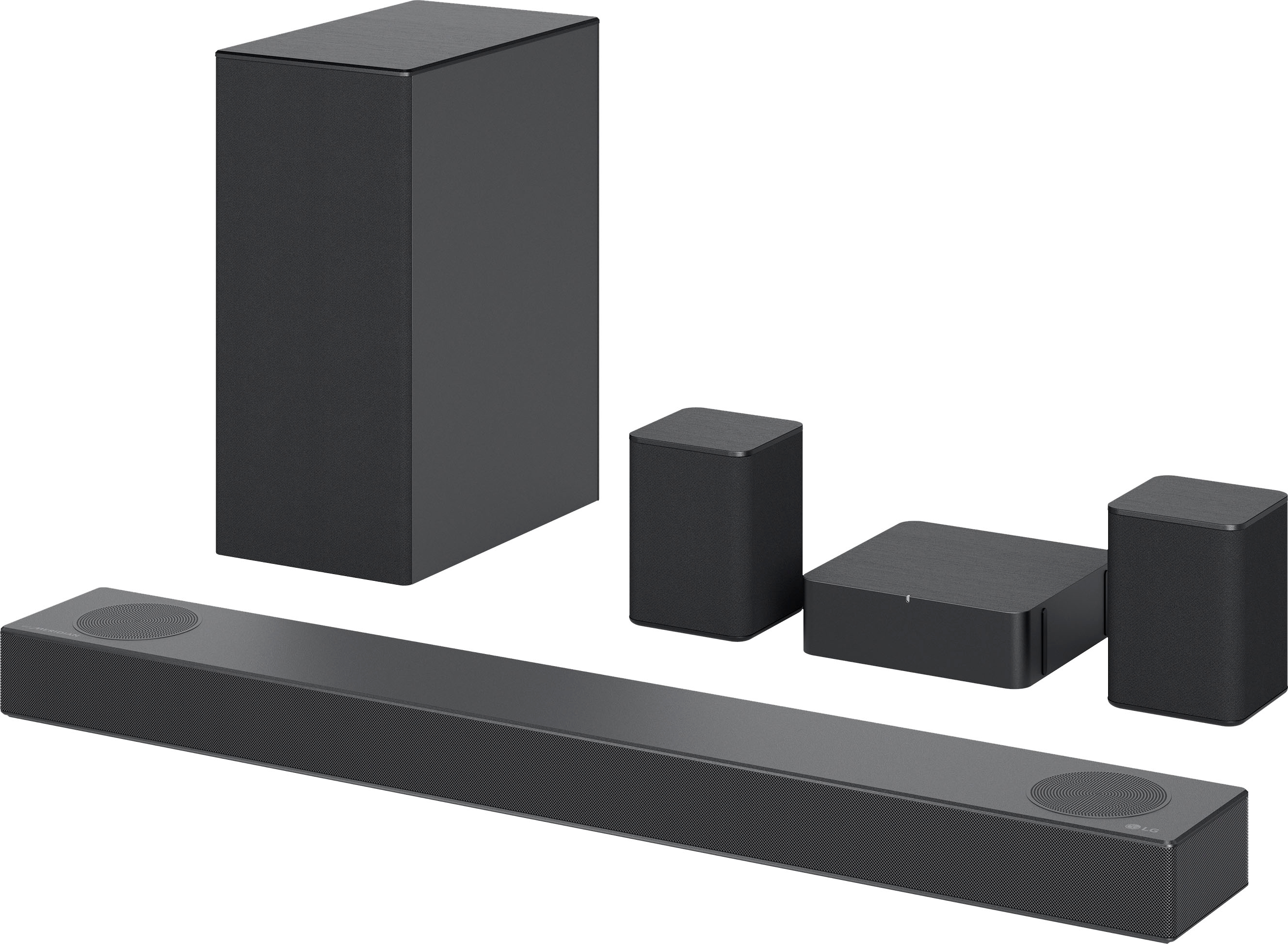
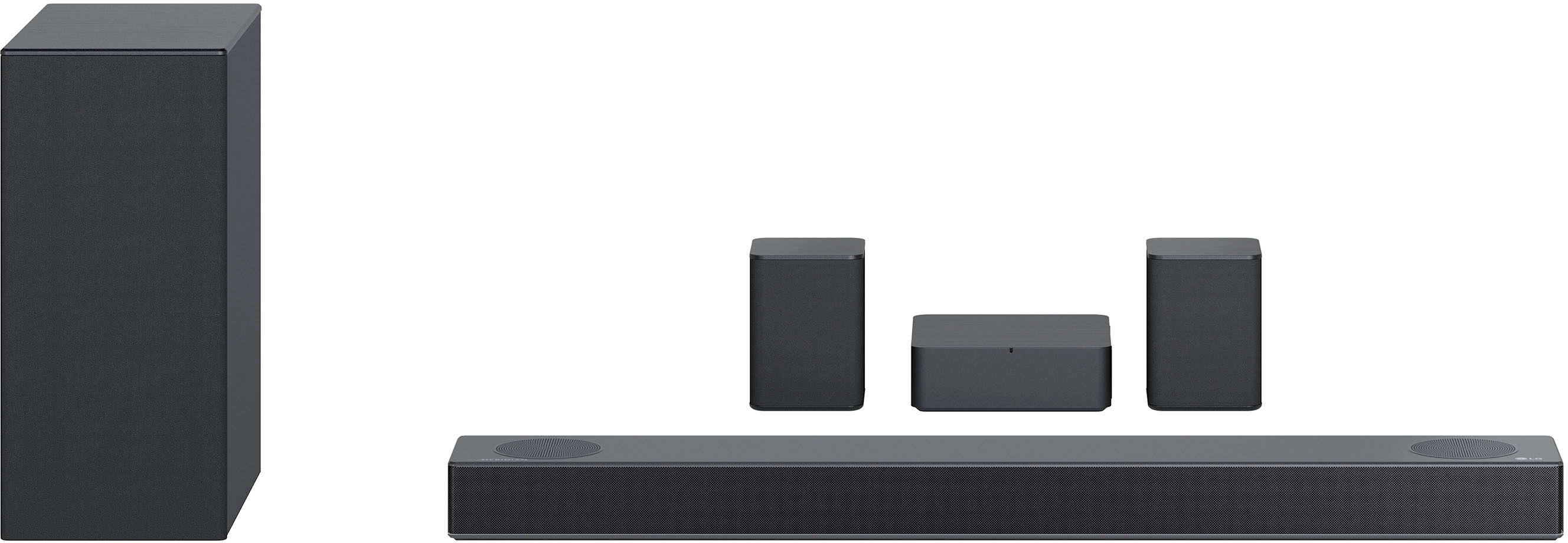
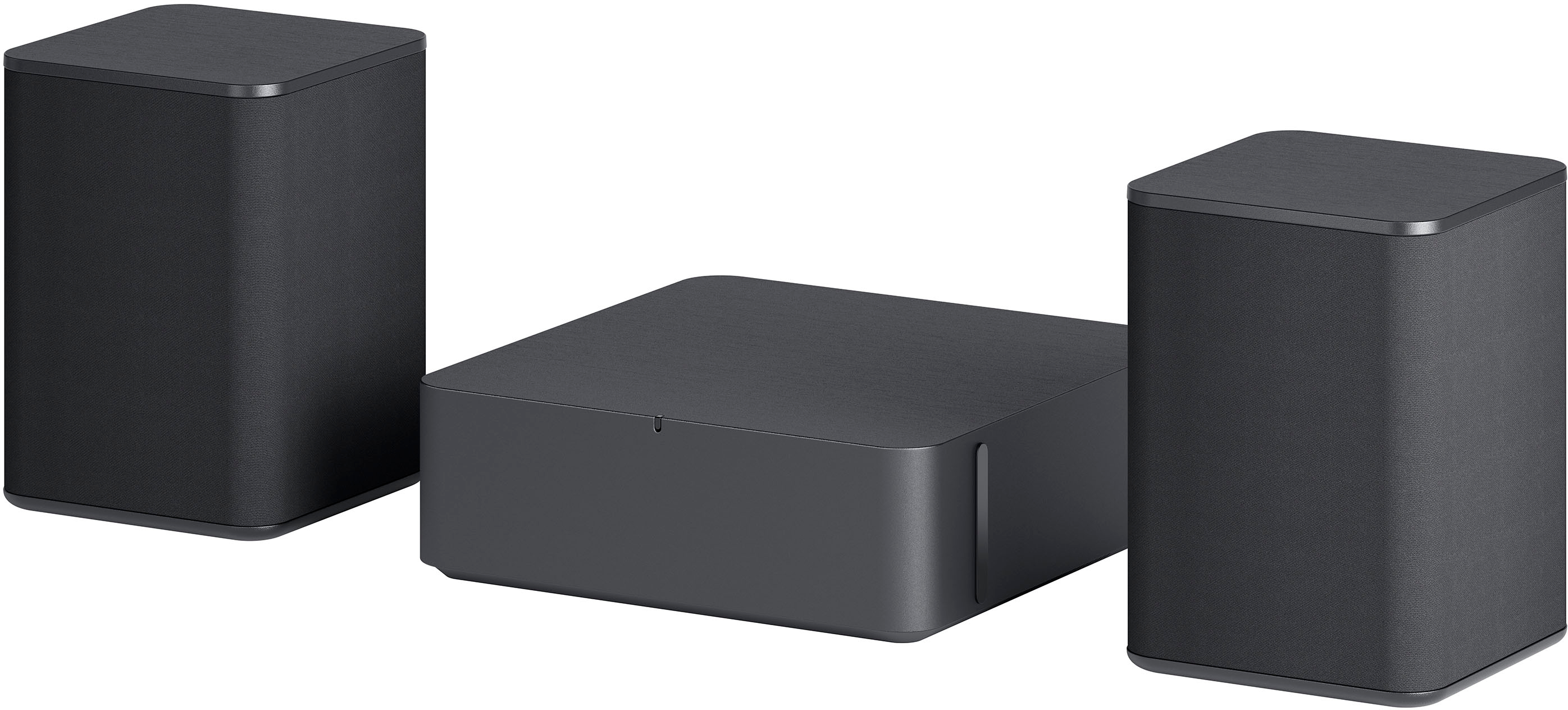
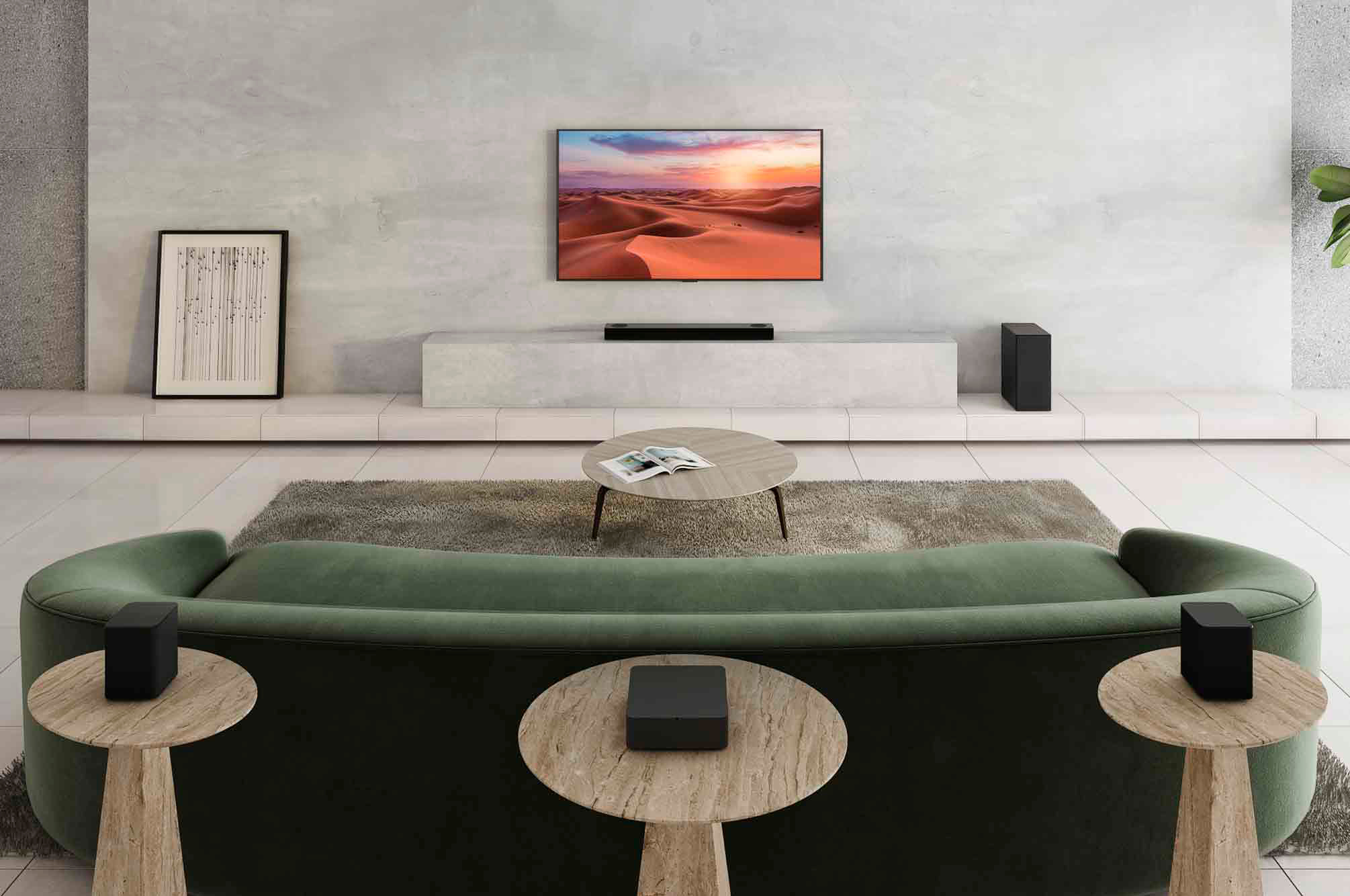
    • Answer I purchased the S75QR 5.1.2 CH HIGH RES AUDIO SOUND BAR W/ REAR SPEAKER UNIT A few weeks ago. The Rear speakers Are Not What I would call completely wireless. This is what it I Mean: There is one set of 2 Rear speakers wires(included) that connect from the rear speakers to a rear wireless base control unit. Then the rear wireless base control unit plugs into the wall/120V AC.. The Subwoofer Is Wireless to those Speakers and Only has one Connection and that is the 120V AC Wall Plug for power. The unit works great in my opinion. When the soundbar is turned on it does take a few seconds for the rear channels to connect due to they are wireless from the subwoofer but that’s to be expected. I think in Best Buy’s description they should advise that the only speakers that are wired are from the Rear Wireless Base Control Unit to the Rear Speakers. They should not be calling it wireless in my opinion. I Actually have my rear base unit behind my couch turn the speaker wires go from that unit to my rear speakers which are all hidden. I hope that helps to clarify any one Who may have questions.

      Answered by Anonymous

  • QuestionCan anyone tell me how the rear speaker receiver unit connects with the sound bar wirelessly? Is it Wi-Fi, Bluetooth or line of sight IR. Thank you.

    Asked by Ughhh.

    • Answer It is radio frequency, not wi-fi. So it will not interfere. It uses a different frequency that is outside of wi-fi. It does not have to be line of sight. Just like Roku and other newer remotes use radio frequency to communicate to the set-top box. By not using Wi-Fi it doesn't interfere with other devices in the house. The pairing is done automatically when you turn it on. There are no steps to take.

      Answered by MobyMud

  • QuestionWhat gage is the speaker wire?

    Asked by Wolf.

    • Answer 16. I recommend you get the more heavy duty 14.

      Answered by HectorZ

  • QuestionTo clarify a previous question - When then soundbar is ON and IN USE, does the LED display turn off or dim at all or is there only one brightness setting?

    Asked by Will.

    • Answer If you download the app to your phone then you can leave the display on or set it to dim in 20 seconds or set it to go off in 20 seconds. Once you download the app you will be told to update, and after you update the new features will be there and you will be able to adjust the display settings by your phone or from your remote. One warning when I downloaded the app and updated the sound bar, I started having problems with my sound bar and had to return it. Just telling you what happen to me.

      Answered by Retired2012

  • QuestionAre all the speakers wireless?

    Asked by Vmann.

    • Answer No of course both the bar and the sub have power cables but the rear two speakers have a base station that need speaker cables running from both speakers to the rear receiver then the rear reciver has a power cable it's a lot easier easier to manage than have to dealing with a traditional av receiver but you do still have to deal with some speaker cables

      Answered by Thomas

  • QuestionDoes rear receiver have a speaker other than the two speakers attached to it?

    Asked by Kevin.

    • Answer Hi Kevin. No. Best Regards,

      Answered by Anonymous

  • QuestionHow Many watts are the speakers?

    Asked by Wolf.

    • Answer Hi, Front 30W x 2, Subwoofer 220W (Wireless), Center 30W and Rear 70W x 2. ^Vanessa

      Answered by LG Digital Customer Care

  • QuestionDoes it have optimal performance in 15x20 feet room? If I wall mount rear speakers 20feet away from tv.

    Asked by prav.

    • Answer I have the same dimensions in my room and the rear wall speakers receive great sound quality with no drop outs. The rear speakers auto connect to the sound bar via Bluetooth connection. I recommend downloading the LG sound bar app to easily control the sound qualty and individual speaker volume to create the perfect sound you want.

      Answered by John

  • QuestionIs this compatible with the LG 60UP8000PUA?

    Asked by Rocker.

    • Answer It's compatible with any TV that has an ARC/eARC HDMI port.

      Answered by H1forlife

  • QuestionThere’s no space under my TV for a sound bar. Since the speakers fire up will it hurt sound quality if I mount it above my TV; and since it will be so close the ceiling should I have a tilted forward so the speakers are facing towards me?

    Asked by Blinkey.

    • Answer Hi there, Great question, We'd suggest that yes try and have the speakers facing towards you for better sound. The actual recommended placing of the speakers should be mounted as close to your TV as possible, either above or preferably below it. They can be attached to the wall using brackets or positioned on a cabinet or table below the TV. ~Tanisha

      Answered by LG Digital Customer Care

  • QuestionAre the rear speakers wall mountable and how big is the subwoofer speaker?

    Asked by Maineiac.

    • Answer yup, you can walk mount the rear speakers. the subwoofer is taller than standard soundbar subwoofers 7W x 11 3/8L x 15 1/2H

      Answered by EddyStayReady

  • QuestionHow do I get more bass out of my sound bar ...right now it's minimal at bedt

    Asked by AL.

    • Answer Thank you for reaching us regarding LG Soundbar. To boost the bass on your LG S75QR soundbar, try these simple steps: 1. Adjust Woofer Level: Use the LG Sound Bar app or remote to increase the subwoofer level to the maximum of +6 decibels. 2. Equalizer Settings: Go to the equalizer in the app and raise the bass to +5 for deeper low-frequency sounds. 3. Sound Profile: Change to the Cinema sound mode for a richer bass experience, or try Bass Blast mode for stronger bass without the surround effects. 4. Disable Night Mode: Turn off Night Mode, as it can limit bass and dynamic range. 5. Speaker Positioning: Place the subwoofer closer to walls or corners to enhance bass through sound reflection. 6. Surround Sound Settings: Make sure the surround sound settings are turned on for a fuller audio experience. 7. Check for Enhancements: Turn off any audio enhancements that might be limiting the bass output. You can download its owner's manual through this link for more information: https://www.lg.com/us/support/product/lg-S75QR.DUSALLK. For additional assistance, please reach out to us on social media @LGUSSupport so we can help you further. ^Cris

      Answered by LG Digital Customer Care

  • QuestionI recently installed the sound bar on the wall under my TV and noticed the mounts make the sound bar angle downard. Is this intentional? Or should it be flat? Normally, I'd assume flat but with the two upward facing speakers I wasn't sure.

    Asked by drclloyd.

    • Answer Mine was installed by the Geek Squad and also has a slight downward tilt. Like you, I assume this is to facilitate the up firing speakers.

      Answered by Ibyote

  • QuestionCould i add another sub to the sound system?

    Asked by Grayson.

    • Answer Thank you for your interest in the LG Audio Sound Bar (S75QR) model. The LG S75QR soundbar supports the addition of a subwoofer. The S75QR model is a 5.1.2 channel soundbar that comes with a wireless subwoofer and rear speaker kit, providing an immersive audio experience with powerful bass and surround sound capabilities. Therefore, if you are considering adding another subwoofer to the sound system, it is compatible with the LG S75QR model. You can visit this website for more information and more options: https://www.lg.com/us/search?q=Sound%20Bar. ^Cris

      Answered by LG Digital Customer Care

  • QuestionDoes this support video 3D pass through?

    Asked by GreggK.

    • Answer Thank you for your interest in the LG Audio Sound Bar (S75QR) model. The LG S75QR soundbar supports 4K pass-through, including HDR10 and Dolby Vision, but it does not support 3D video pass-through. You can download its owner's manual through this link for more information: https://www.lg.com/us/support/product/lg-S75QR.DUSALLK. ^Cris
      Answered by LG Digital Customer Care

  • QuestionCan you connect a Firestick through the hdmi port?

    Asked by dean119.

    • Answer Thank you for your interest in the LG S75QR 5.1.2 ch High Res Audio Sound Bar with Dolby Atmos and Surround Speakers (S75QR) model. Yes, you can connect a Firestick to the HDMI port of the LG S75QR TV. You can download its owner's manual through this link for more information: https://www.lg.com/us/support/product/lg-S75QR.DUSALLK. ^Cris
      Answered by LG Digital Customer Care

  • Questionwhat height is recommended to mount the rear speakers?

    Asked by Kboo.

    • Answer Thank you for your interest in the LG S75QR 5.1.2 ch High Res Audio Sound Bar with Dolby Atmos and Surround Speakers (S75QR) model. The recommended height to mount the rear speakers for the LG S75QR soundbar may vary depending on the specific setup and personal preference. However, here are some general guidelines to consider: Wall mounting: If you are wall mounting the rear speakers, it is recommended to place them slightly above ear level when seated. This positioning helps to create a more immersive surround sound experience by directing the sound towards the listener Speaker stands: If you are using speaker stands to mount the rear speakers, the height can be adjusted to achieve the desired sound projection. A common recommendation is to position the speakers at ear level when seated, or slightly above ear level, to ensure optimal sound dispersion Adjustable brackets: Some wall mount brackets, such as the Qzanyee Life Black Wall Bracket for LG S75Q and S75QR soundbars, offer both horizontal and vertical adjustment of the speakers. This flexibility allows you to direct the sound where you like, making it easier to achieve the desired listening experience You can download its owner's manual through this link for more information: https://www.lg.com/us/support/product/lg-S75QR.DUSALLK. ^Cris
      Answered by LG Digital Customer Care

  • QuestionI have a 65" LG G2 OLED television and want to control the sound with the television remote (not the soundbar remote). Will this sound bar allow for that?

    Asked by ssbourbon2002.

    • Answer if you use the hdmi arc connection and have both the sound bar and tv off (after you’ve synced up the sound bar, subwoofer and rear speakers/receiver) you should be able to use the tv remote to turn both on and it should work from there

      Answered by Andrew

  • Questionwill this samsung soundbar compatible with 80 inch sharp commercial tv

    Asked by robert.

    • Answer Hi, Robert! To confirm compatibility, you'll need to see if the TV in question supports the SBC and AAC Bluetooth codecs. ^Ian

      Answered by LG Digital Customer Care

  • QuestionCan I connect my cox cable box directly to this IN on this sound bar and then OUT of this sound bar to my projector ? For my home theater setup

    Asked by DesertAudio.

    • Answer Yes you can the sound bar has 2 HDMI ports as well as optical and USB

      Answered by MarcusS