
Questions & Answers
- Model:
- OLED55B5PUA
- |
- SKU:
- 6635751
$899.99Your price for this item is $899.99
Comp. Value: $1,499.99
The comparable value price is $1,499.99
Page Showing 1-4 of 4 questions
Q: QuestionWhat is the difference between a B5 vs C5 model?
Asked by Tom.
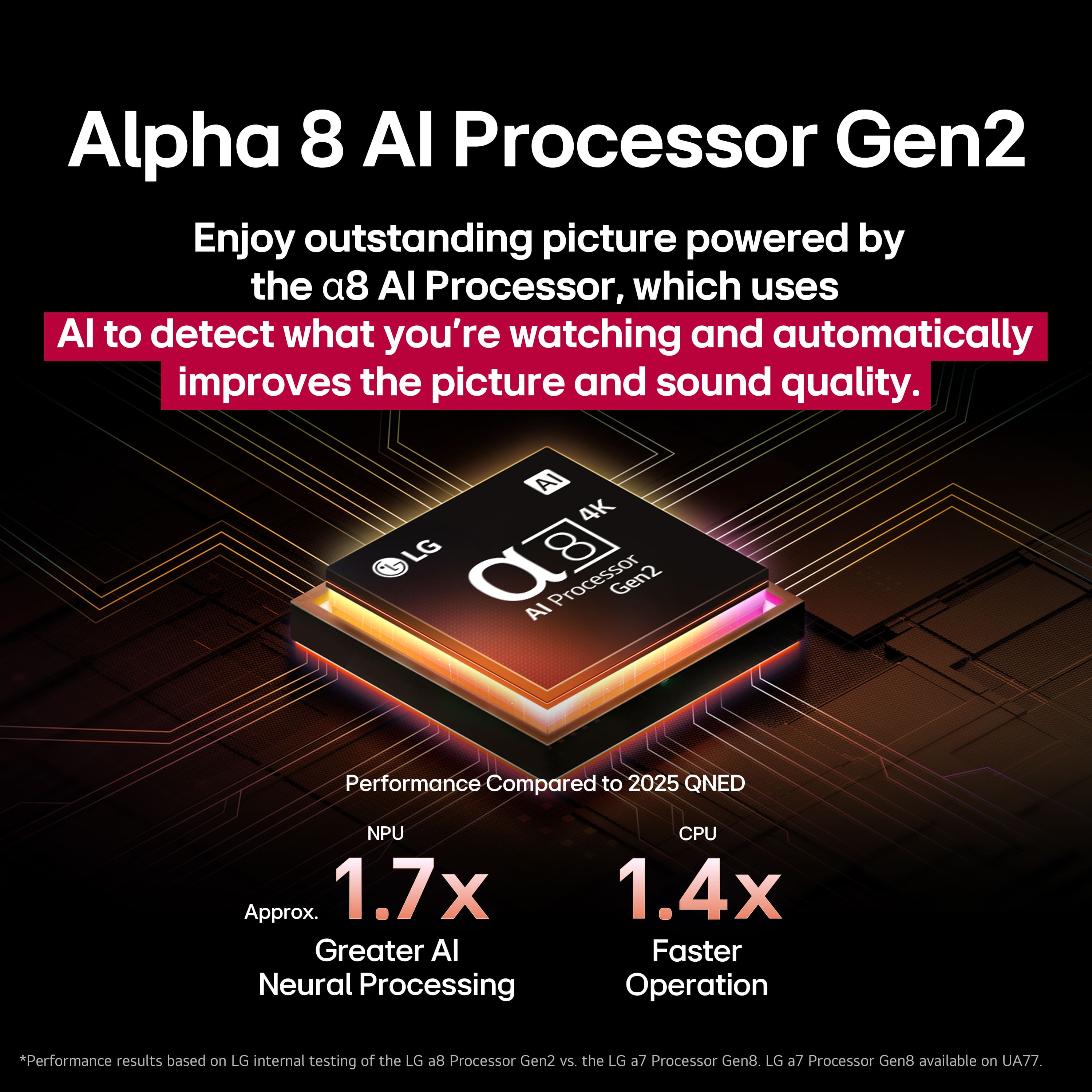
- A:Answer The main differences are that the LG C5 is brighter and has more advanced processing with an Alpha 9 Gen 8 processor, while the B5 has a less powerful Alpha 8 Gen 2 processor, making it a more budget-friendly option. This means the C5 will have better picture quality, especially with HDR content, and a higher 144Hz refresh rate for PC gaming, whereas the B5's 120Hz refresh rate is still excellent for most console gaming. You can watch this video to see a side-by-side comparison of the LG C5 and B5 TVs: https://youtu.be/WskGB1PNQ5w?si=0ytx-btBnnZnx_DR THAT SAID, I'm not a gamer so that refresh rate doesn't mean anything to me and the B% picture is lovely. I think you can only tell a difference if they're side by side. And I don't see much difference even then.
Answered by Deee
Q: QuestionCan 2 sets of bluetooth headphones be paired to this TV for simultaneous listening?
Asked by Bubba.
- A:Answer Depending on the Bluetooth headphones/earbuds you pair with the LG 55" Class B5 Series OLED AI 4K UHD Smart webOS TV (2025), Model # OLED55B5PUA, you can pair two of the same model. If two different Bluetooth headphones are connected and used simultaneously, the voice may not match...^Ivan.
Answered by LG Digital Customer Care
Q: Questionwhen connected to a pc, does it still have dimming issue like the c1? thank you
Asked by nightcap.
- A:Answer Hello there. Thank you for sharing your inquiry with us. We understand your question regarding the potential for dimming when the LG OLED B5 series (OLED55B5PUA) is connected to a PC, similar to what you may have heard about the C1 model. The dimming you are referring to is typically related to two features present in most OLED TVs: ABL (Automatic Brightness Limiter): This is a hardware protection feature that manages power and heat by dimming the entire screen when a large portion of it is very bright (high Average Picture Level). ABL cannot be disabled through standard user menus as it is essential for the panel's safety. ASBL (Auto Static Brightness Limiter) / TPC (Temporal Peak Luminance Control): This is a feature designed to prevent image retention (burn-in) by automatically dimming the screen after a few minutes if it detects a static image, such as a desktop with unmoving elements. While ABL is an inherent safety function of OLED technology and will be present, the implementation and aggressiveness of ASBL has been improved across generations of our OLED TVs, which helps to minimize the noticeable dimming effect during PC use compared to older models. For PC and console users, the OLED55B5PUA includes features like the Game Optimizer and dedicated Game/PC modes which are designed to enhance your experience by automatically applying settings to reduce input lag and optimize picture quality for a computing environment. https://www.bestbuy.com/product/lg-55-class-b5-series-oled-ai-4k-uhd-smart-webos-tv-2025/JJ8VPZTKH9 If you have any further questions about optimizing your settings for PC use on the OLED55B5PUA, please send us a private message on Social Media @LGUSSupport, and our team will be more than happy to assist you. —Renzo
Answered by LG Digital Customer Care
Q: QuestionHow do you correct the volume on the LGOLEDB5 it’s too high on some stations and too low on others also, how do you correct the brightness on the movies?
Asked by JOE5.
- A:Answer Like any other TV, the LG 55" Class B5 Series OLED AI 4K UHD Smart webOS TV (2025) Model # OLED55B5PUA, has a settings menu where you can find settings for Brightness, Color, or Clarity, and in the settings you will find Panel Brightness that controls the level of screen brightness by adjusting the backlight, and the OLED Pixel Brightness that adjusts the display brightness by varying the brightness of the OLED panel. Depending on the Energy Saving (Auto/Maximum), you may not be able to adjust the OLED Pixel Brightness. In this case, navigate to Settings > All Settings > General > Energy Saving > Energy Saving Step and set it to Off or Minimum. Black Level adjusts the brightness of dark areas of the screen. The closer it is to 100, the lighter the screen becomes. Auto Dynamic Contrast corrects the difference between the bright and dark areas of the screen for optimal results, depending on the brightness of the picture. When Dynamic Tone Mapping is set to On, is suitable for contrast settings based on the image brightness of the HDR content. You will also find other settings like Peak Brightness, Expression Enhancer, and Auto Dynamic Contrast, In the Sound settings on the TV, the Automatic Volume Adjustment, when set to On, will automatically adjust the volume to a suitable level for each content you watch to help you enjoy watching more comfortably. This setting only applies to internal speakers of the device or LG Soundbars that support the TV Sound Mode Share. Keep in mind that there is a Commercial Advertisement Loudness Mitigation (CALM) Act, where the FCC's regulations for volume control in commercials are primarily governed by the Commercial Advertisement Loudness Mitigation (CALM) Act. This act requires that TV commercials be broadcast at a volume level consistent with the program material they accompany. The CALM Act mandates that all "multichannel video programming" distributors implement the Advanced Television Systems Committee's (ATSC) A/85 Recommended Practice to measure and control the audio loudness of digital programming, including commercials. The CALM Act applies to TV commercials and does not extend to radio commercials or those aired on the internet or via streaming services. It is important to note that the CALM Act does not address loudness differences between programs or channels on a given station or MVPD, focusing solely on the differences between commercials and the programs they accompany. The enforcement of the CALM Act relies on consumer complaints, with the FCC focusing on patterns or trends of complaints rather than individual complaints...^Ivan.
Answered by LG Digital Customer Care

Page 1, Showing 1-4 of 4 questions
Top Rated
- $949.99Your price for this item is $949.99$1,999.99The comparable value for this item is $1,999.99
- Black Friday Deal$399.99Your price for this item is $399.99
- Black Friday Deal$189.99Your price for this item is $189.99
- Black Friday Deal$229.99Your price for this item is $229.99
- Black Friday Deal$74.99Your price for this item is $74.99
- Black Friday Deal$1,399.99Your price for this item is $1,399.99
- Black Friday Deal$499.99Your price for this item is $499.99
- $649.99Your price for this item is $649.99$1,199.99The comparable value for this item is $1,199.99
- $549.99Your price for this item is $549.99$999.99The comparable value for this item is $999.99
- $649.99Your price for this item is $649.99$1,299.99The comparable value for this item is $1,299.99
- Black Friday Deal$599.99Your price for this item is $599.99
- Black Friday Deal$1,999.99Your price for this item is $1,999.99
- $249.99Your price for this item is $249.99$379.99The comparable value for this item is $379.99
- Black Friday Deal$379.99Your price for this item is $379.99
- Black Friday Deal$699.99Your price for this item is $699.99
- Black Friday Deal$1,399.99Your price for this item is $1,399.99
- $349.99Your price for this item is $349.99$489.99The comparable value for this item is $489.99
- $479.99Your price for this item is $479.99$649.99The comparable value for this item is $649.99
- $119.99Your price for this item is $119.99$229.99The comparable value for this item is $229.99
- Black Friday Deal$1,999.99Your price for this item is $1,999.99


. Independently Tested for Quality and Workmanship CheckPlus: 100 % Color Volume to DCI-P3 oi PSSEANE Intertek [www.IntertekCheck.com](http://www.IntertekCheck.com). 100% Color Fidelity and '100% Color Volume to DCI-P3' applies to 2025 OLED TVs. *LG OLED Display is verified by UL for Perfect Color measured to IDMS 11.5 Ring-light Reflection standards. *100% Color Volume is defined as the performance of display which is equal or greater than the size of DCI-P3 standard color volume as verified independently by Intertek. *The LG OLED Panel is certified by Intertek for 100% Color Fidelity, measured to IDMS 11.5 Ring-light Reflection standards.](https://pisces.bbystatic.com/image2/BestBuy_US/images/products/3661ed5e-8d92-47a9-baef-65aa6eb5dcb9.jpg;maxHeight=54;maxWidth=54;format=webp)