Main Content

Questions & Answers

$1,296.95
Save $3.04
Comp. Value: $1,299.99
Page Showing 21-40 of 42 questions
  • QuestionDoes this model include "clear voice" to clarify human voices?

    Asked by Lauri.

    • Answer Hello there, Lauri. Thank you for your interest in the OLED65B5PUA. We understand your inquiry regarding the Clear Voice feature. Yes, this model comes equipped with Clear Voice Pro (Auto Volume Leveling) to help clarify human voices. https://www.bestbuy.com/product/lg-65-class-b5-series-oled-ai-4k-uhd-smart-webos-tv-2025/JJ8VPZTKWV If you have any further questions about its features, please contact us on [email protected], and our team will be more than happy to assist you. —Renzo

      Answered by LG Digital Customer Care

  • QuestionWhat all is included with installation? I know I have to purchase the wall mount, but what will the installers actually do? We would like to mount this over our fireplace and do not currently have any electricity going to that area.

    Asked by MK.

    • Answer Geek Squad cannot, to my knowledge do anything for a power supply that is not located where you want your TV. An electrician will have to run electriciy to that wall.

      Answered by Greywolf

  • QuestionWhat's the input voltage range

    Asked by Mike.

    • Answer Hello there, Mike. We understand your inquiry about the input voltage range for the OLED65B5PUA television. The official specifications for the power supply of the OLED65B5PUA indicate that the required power supply is AC 120V, 50/60Hz. This unit is rated to operate on the standard household voltage for the US market. We want to ensure you have the correct power requirements for your new TV. https://www.bestbuy.com/product/lg-65-class-b5-series-oled-ai-4k-uhd-smart-webos-tv-2025/JJ8VPZTKWV If you have any further questions about its installation, or require troubleshooting assistance with your unit, please send us a private message on Social Media @LGUSSupport, and our team will be more than happy to assist you. —Renzonse.bazaarvoice.com/
      Answered by LG Digital Customer Care

  • QuestionWhat is the best picture settings?

    Asked by Bob.

    • Answer Hello there! We understand your inquiry regarding the best picture settings for the LG B5 Series OLED TV. For an accurate, cinematic experience, we recommend using Filmmaker Mode™ or Cinema Mode, and you can further customize your view using the Personalized Picture Wizard in the settings menu. https://www.bestbuy.com/product/lg-65-class-b5-series-oled-ai-4k-uhd-smart-webos-tv-2025/JJ8VPZTKWV For further assistance and any specific concerns you may have, please contact us on [email protected]. —Renzo

      Answered by LG Digital Customer Care

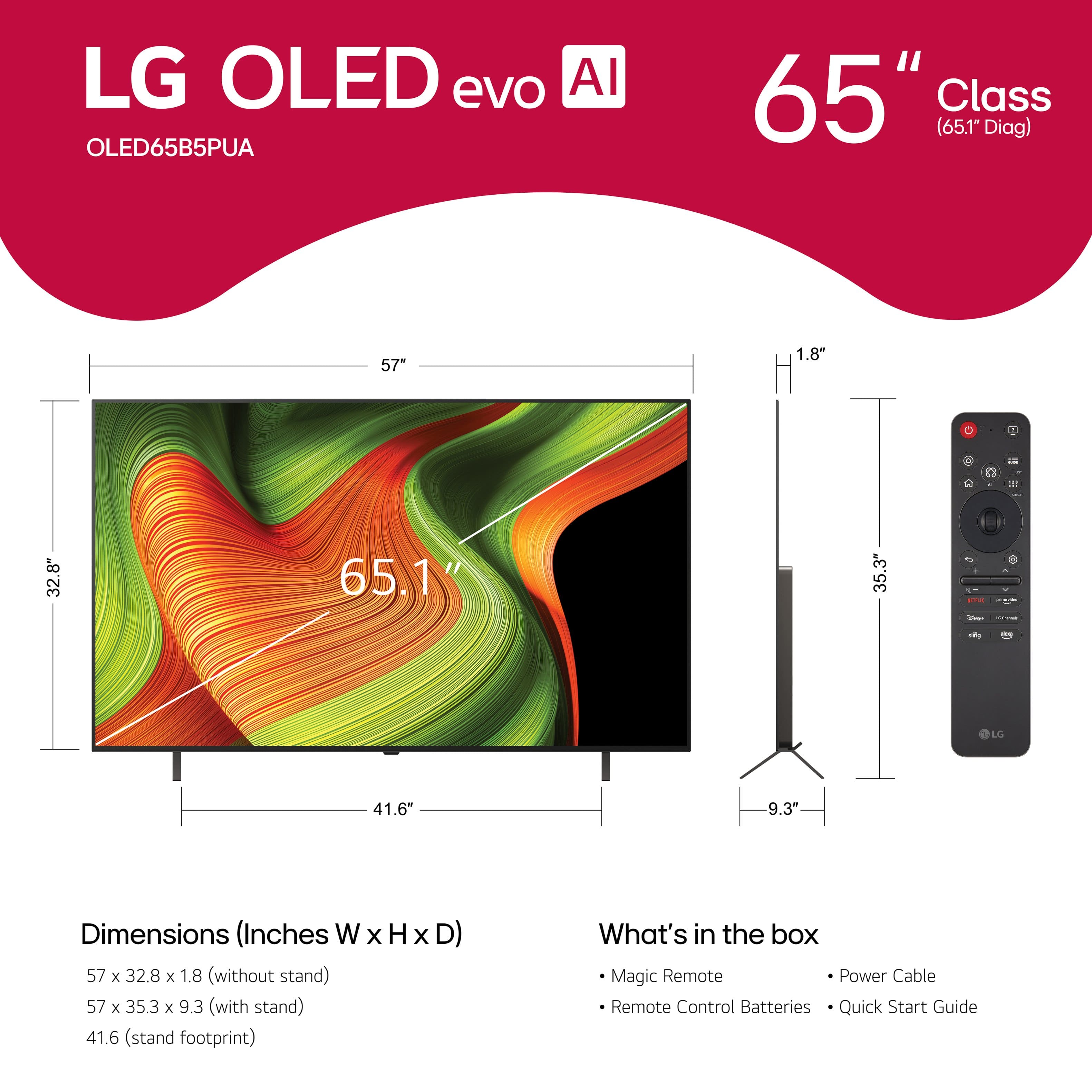
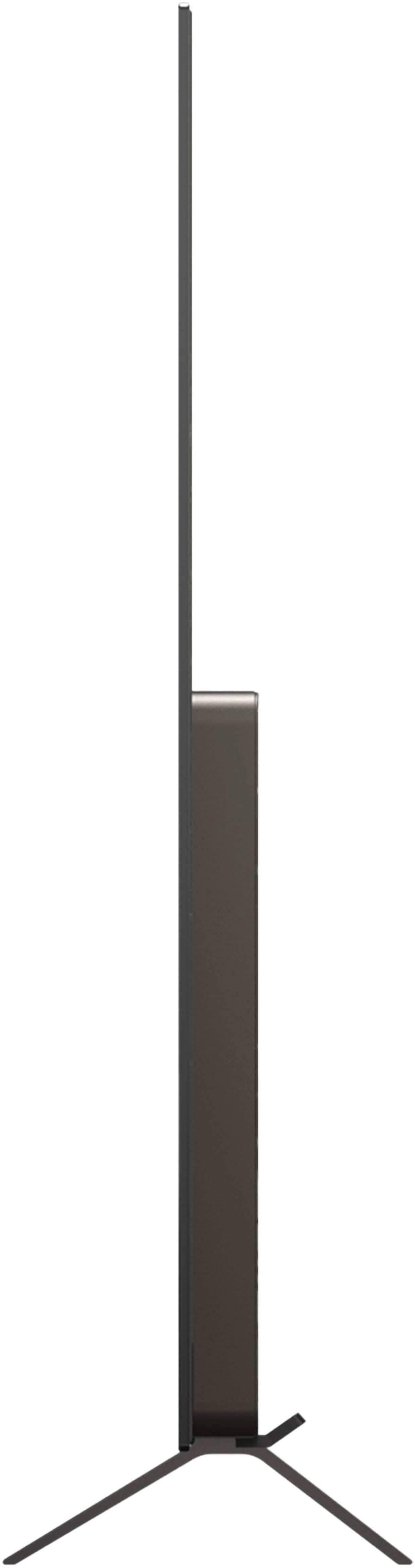
  • QuestionIs the stand/legs included and already attached upon delivery

    Asked by Anonymous.

    • Answer Hello there. Thank you for sharing your experience with us. We understand your inquiry regarding the setup of your LG 65" Class B5 Series OLED TV. While the stand is included in the box, it is not pre-attached to ensure the panel remains protected during transit; we recommend following the included assembly guide to securely attach the stand after unboxing. https://www.bestbuy.com/product/lg-65-class-b5-series-oled-ai-4k-uhd-smart-webos-tv-2025/JJ8VPZTKWV For further assistance and any specific concerns you may have, please contact us on [email protected]. —Renzo

      Answered by LG Digital Customer Care

  • QuestionWill my current wall mount holding another TV also hold this?

    Asked by HLC.

    • Answer If you mean as a replacement, yes. They took my old TV off the wall bracket and installed the new one on the same bracket. Of course the bracket cannot support two TVs at the same time if that is your question.

      Answered by Greywolf

  • QuestionAs I use Directv plugged into HDMI1, can I set tv to turn on to HDMI1 directly? Vs having to access from tv home screen

    Asked by Nile.

    • Answer Are you turning the TV on with the LG remote or the remote with your DirecTV device? If you use the LG remote, it won’t turn on the device plugged into the HDMI port. I have an Apple TV 4K device. If I use the remote with that device, it automatically goes to that instead of the LG screen. I hope this helps!

      Answered by Konnori

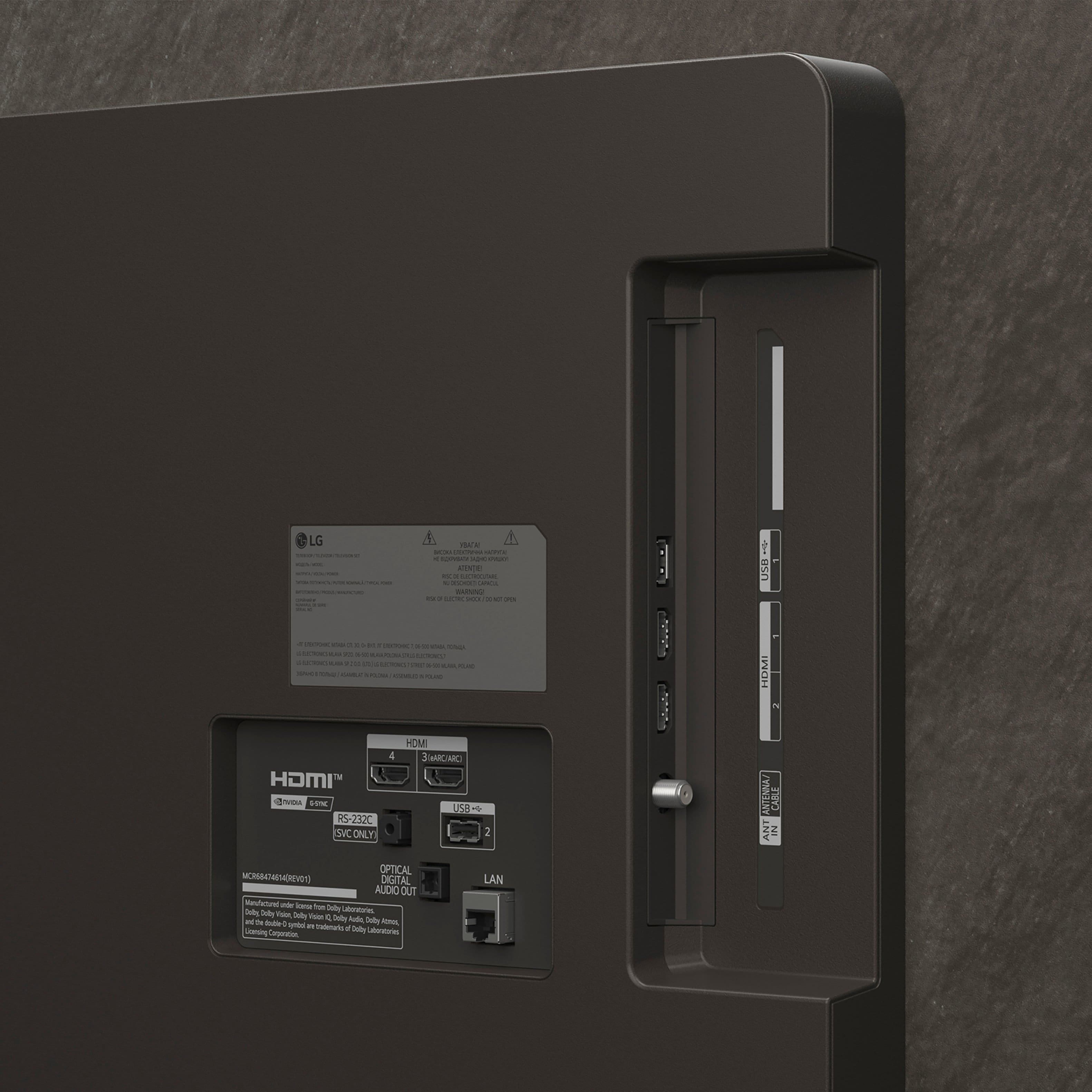
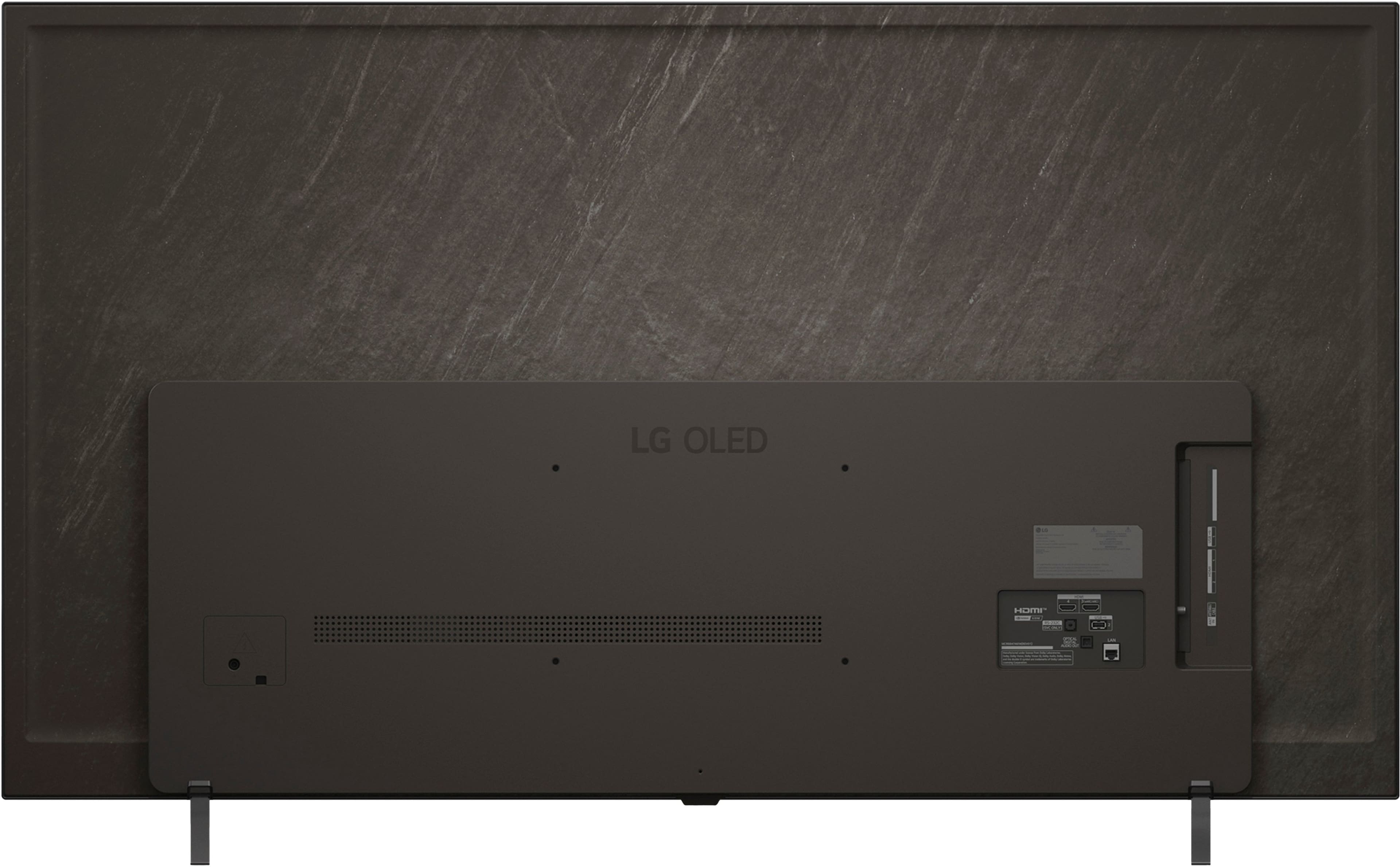
  • QuestionDoes this have optical output for a sound bar.

    Asked by JL.

    • Answer Yes

      Answered by Intraman

  • QuestionDoes this TV allow me to cast from my phone or computer directly to the TV, without an HDMI cable?

    Asked by PeterL.

    • Answer If your device and the LG 65" Class B5 Series OLED AI 4K UHD Smart webOS TV (2025), Model # OLED65B5PUA, are on the same network, when you enable 'Screen Share mode' on your device (it may have a different name for this feature), your device will be displayed in the list of available devices from which you can select it and and request connection. When the connection is complete, your connected device's screen will be shown on the TV. The TV has Google Cast built-in, which allows users to wirelessly stream content from their mobile devices, tablets, or laptops to thee TV. This feature is integrated into the TV's operating system, enabling users to cast content directly from supported apps like YouTube, Netflix, and Spotify. The process involves pressing the cast icon in the app, selecting the TV from a list of available devices, and starting the cast, thus eliminating the need for additional devices like Chromecast dongles, making it a convenient and integrated solution for streaming content. The Sharing PC Content feature on the TV allows you to open the “Start” menu on your PC screen, search for “media streaming options” and then select the result that appears so you can browse and watch the content stored on the PC using the TV (Windows 10/Windows 11). To watch a 1080p video through the content sharing function, a router using the 5 GHz frequency is required. If you use an existing 2.4 GHz router, the video may be laggy or not play properly. The Content Share function may not be supported for a router that does not support multi-cast. For more information, refer to the user guide that came with your router or contact the manufacturer. If there are too many folders or files in a folder, it may not work properly. Depending upon the encoding, some streams may not play in Content Sharing mode. You can also click the Notification Center icon on the taskbar on a PC screen and select Connect, select the device you want to connect to and request the connection. After the connection is established, the TV will display the screen of the connected PC...^Ivan

      Answered by LG Digital Customer Care

  • QuestionCan I use Fubo TV on this?

    Asked by PamP.

    • Answer Fubo IPTV is compatible with the webOS 25 TV Platform that the LG 65" Class B5 Series OLED AI 4K UHD Smart webOS TV (2025), Model # OLED65B5PUA runs on, and it can be downloaded and installed on the TV through the LG Content Store (App Store) feature on the TV's home screen. Fubo IPTV and Fubo TV are essentially the same service. Fubo TV is an IPTV service that offers a variety of sports, entertainment, and news channels, while Fubo IPTV is another name for the same service. Both terms refer to the same platform that provides live television and on-demand content, making them interchangeable in most contexts...^Ivan.

      Answered by LG Digital Customer Care

  • QuestionIs it 5 years for software update on WebOS

    Asked by Anonymous.

    • Answer yes

      Answered by Computerhack

  • QuestionI am considering this for an outdoor TV. What is the NIT brightness on this TV?

    Asked by Danny.

    • Answer I am using this indoor TV not outdoor TV. Full sun shine out their in my living room still see very clear picture so far

      Answered by LANP

  • QuestionDoes this output Dolby atmos , heard it doesn't include Dolby Atmos capabilities. How is this possible in 2025?

    Asked by Customer.

    • Answer Yes! This TV has Dolby Vision and Atmos capabilities. If you have an Apple TV, it is automatic for all content. You can turn DV and DA on in TV settings.

      Answered by Konnori

  • QuestionDoes this tv have the ability to record shows

    Asked by JOAD.

    • Answer Hi there, JoJo. Thank you for sharing your experience with us. We understand your inquiry regarding the features of your OLED65B5PUA TV. To directly answer your question, this LG TV model does not have the ability to record over-the-air or cable programming directly onto an external storage device, as this feature is not included in the model's design for the US market. Your feedback is important, and we'd like to assist you further. https://www.bestbuy.com/product/lg-65-class-b5-series-oled-ai-4k-uhd-smart-webos-tv-2025/JJ8VPZTKWV If you have any further questions about its features, or if we can clarify anything about its operation, please send us a private message on Social Media @LGUSSupport, and our team will be more than happy to assist you. —Renzo

      Answered by LG Digital Customer Care

  • QuestionCan an Apple MacBook Pro connect via bluetooth or wifi to this?

    Asked by ComputerConnection.

    • Answer Yes! You can cast from your MacBook Pro to this TV. I do it multiple times per week.

      Answered by Konnori

  • QuestionCan I connect this TV to my Apple MacBook Pro?

    Asked by David.

    • Answer Yes! You can cast from your MacBook Pro to this TV, I do it multiple times per week.

      Answered by Konnori

  • QuestionWhat kind of adjustable stand can I use for this model

    Asked by Dians.

    • Answer LG does not make an adjustable stand for the 65-inch Class LG OLED AI B5 4K Smart TV 2025, Model # OLED65B5PUA. The TV has a 300 x 200 mm VESA Mount Pattern that can be used to mount the TV on TV stands that have a VESA Mount that supports the TVs VESA mount pattern that might be height adjustable, so you can search online to find such TV stands...^Ivan.

      Answered by LG Digital Customer Care

  • QuestionHow many speakers and wattage.

    Asked by Anonymous.

    • Answer The LG 65" Class B5 Series OLED AI 4K UHD Smart webOS TV (2025), Model # OLED65B5PUA, has a 20W 2.0 Channel Speaker System...^Ivan.

      Answered by LG Digital Customer Care

  • QuestionWhere is it manufactured

    Asked by KeyWest.

    • Answer The LG 65-inch Class LG OLED AI B5 4K Smart TV 2025, Model # OLED65B5PUA, is made in Mexico...^Ivan.

      Answered by LG Digital Customer Care

  • QuestionDo I need a special cable for hookup?

    Asked by Sandy.

    • Answer Hello there, Sandy. Thank you for your inquiry regarding the LG - 65" Class B5 Series OLED AI 4K UHD Smart webOS TV (2025). The TV has four HDMI inputs that support 4K resolution at 120Hz, which is perfect for high-quality video and gaming. We recommend using a high-speed HDMI 2.1 cable to get the best performance from your new television. https://www.bestbuy.com/product/lg-65-class-b5-series-oled-ai-4k-uhd-smart-webos-tv-2025/JJ8VPZTKWV If you would like to explore this further, please send us a private message on Social Media @LGUSSupport and our team will be more than happy to assist you. We appreciate your patience. —Renzo

      Answered by LG Digital Customer Care