A:AnswerThe LG 65” Class UA7050 Series LED AI 4K UHD Smart webOS TV (2025), Model # 65UA7050PUB, is not an outdoor TV. It is designed for indoor use where the temperature is between 0°C to 40°C (32°F to 104°F), and the humidity is less than 80%.
Although it is possible to use it in a patio, that comes with some risks.
Indoor TVs are not designed for outdoor conditions, which can lead to moisture damage and potential malfunctions. Most indoor TVs will likely break down over time due to the elements.
If you choose to use it outdoors, consider taking protective measures, but this will void your warranty.
You can use an indoor TV on a covered patio, but again, be aware of environmental factors that may affect its performance and longevity...^Ivan.
A:AnswerHi there. Thank you for sharing your inquiry with us regarding the viewing angles of your LG 65UA7050PUB TV. We understand your desire to know how well the picture quality holds up when viewing the screen from the side, which is very important for large living areas or family movie nights.
The LG 65UA7050PUB is a 65-inch 4K UHD TV with a standard LED panel and Direct backlighting. Generally, standard LED TVs are optimized to deliver the highest picture quality, including contrast and color saturation, when viewed from directly in front of the screen.
When viewing any standard LED screen from wider angles, some customers may notice a slight decrease in picture brightness or a subtle shift in color and contrast compared to a straight-on viewing position. This is typical for this display technology. For the best possible viewing experience on your 65UA7050PUB unit, we recommend positioning the main seating directly across from the center of the screen.
We are confident that you will still enjoy the stunning 4K Ultra HD resolution and the enhanced picture quality delivered by the α7 AI Processor 4K Gen8.
https://www.bestbuy.com/product/lg-65-class-ua7050-series-led-ai-4k-uhd-smart-webos-tv-2025/JJ8VPZKYT2
If you have any further questions about optimizing your viewing settings or the picture modes available on your TV, please send us a private message on Social Media @LGUSSupport, and our team will be more than happy to assist you. —Renzo
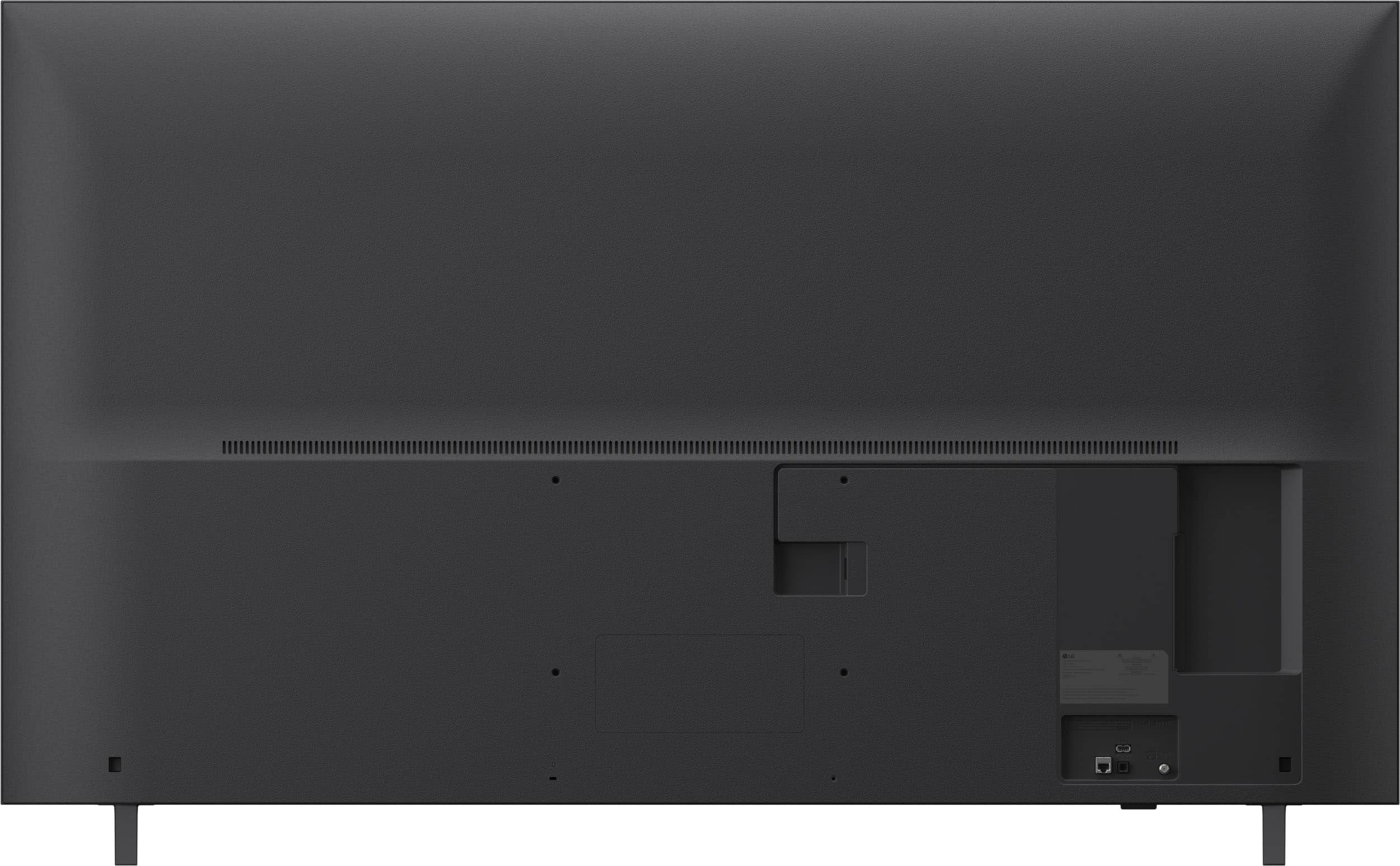
A:AnswerThe metric measurement for the width of the screws that will fit into the VESA Mount holes on the LG 65” Class UA7050 Series LED AI 4K UHD Smart webOS TV (2025), Model # 65UA7050PUB, is M6 (i.e. 6 mm).
The length of the screws is not given since it will depend on the wall mount you use to mount the TV.
The wall mount screws are not provided with the TV. They are provided with the wall mounts, which typically come with 2-3 sets of screws with varying lengths and spacers to use if the screws are too long... ^Ivan.
A:AnswerAs with other LED LCD TVs, regardless of brand or manufacturer, the LG 65” Class UA7050 Series LED AI 4K UHD Smart webOS TV (2025), Model # 65UA7050PUB, does not have HDR certification.
LED LCD TVs do not have HDR certification.
The 65UA7050PUB supports the HDR10 and HLG HDR formats...^Ivan.
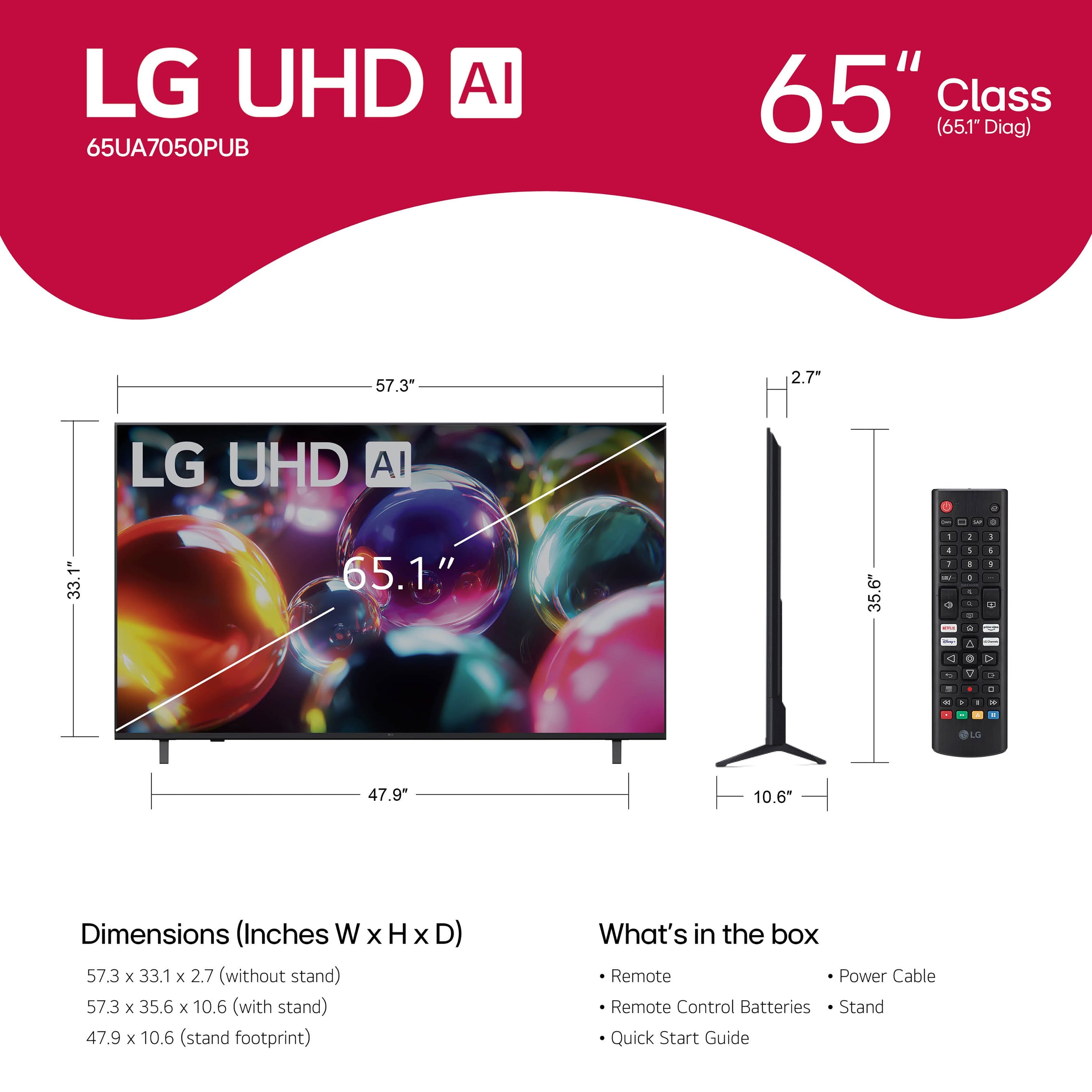
A:AnswerI have a mounting plate that has screw holes that are approximately 7 7/8 inches apart side to side and 11 1/8 inch diagonally, will the 65 inch LG class UA 7050 series LED AI 4K UHD smart web OS TV fit this mounting plate?
A:AnswerYou can click on 'Specifications' for the LG - 65” Class UA7050 Series LED AI 4K UHD Smart webOS TV (2025), Model # 65UA7050PUB, and scroll down to 'Box Dimension' on the page that opens up...^Ivan.
A:AnswerHi there. Thank you for sharing your experience with us. We understand your inquiry regarding the 65 Class UA7050 Series LED AI 4K UHD Smart webOS TV and the streaming issues you're experiencing. To help resolve this, we recommend checking your TV’s location settings by going to Settings > General > System > Location and ensuring your zip code and country are correctly set, as this often initializes the local service agreements required for apps to load.
https://www.bestbuy.com/product/lg-65-class-ua7050-series-led-ai-4k-uhd-smart-webos-tv-2025/JJ8VPZKYT2
For further assistance and any specific concerns you may have, please contact us on lgdigitalcare@lg.sprinklrsupport.com. —Renzo
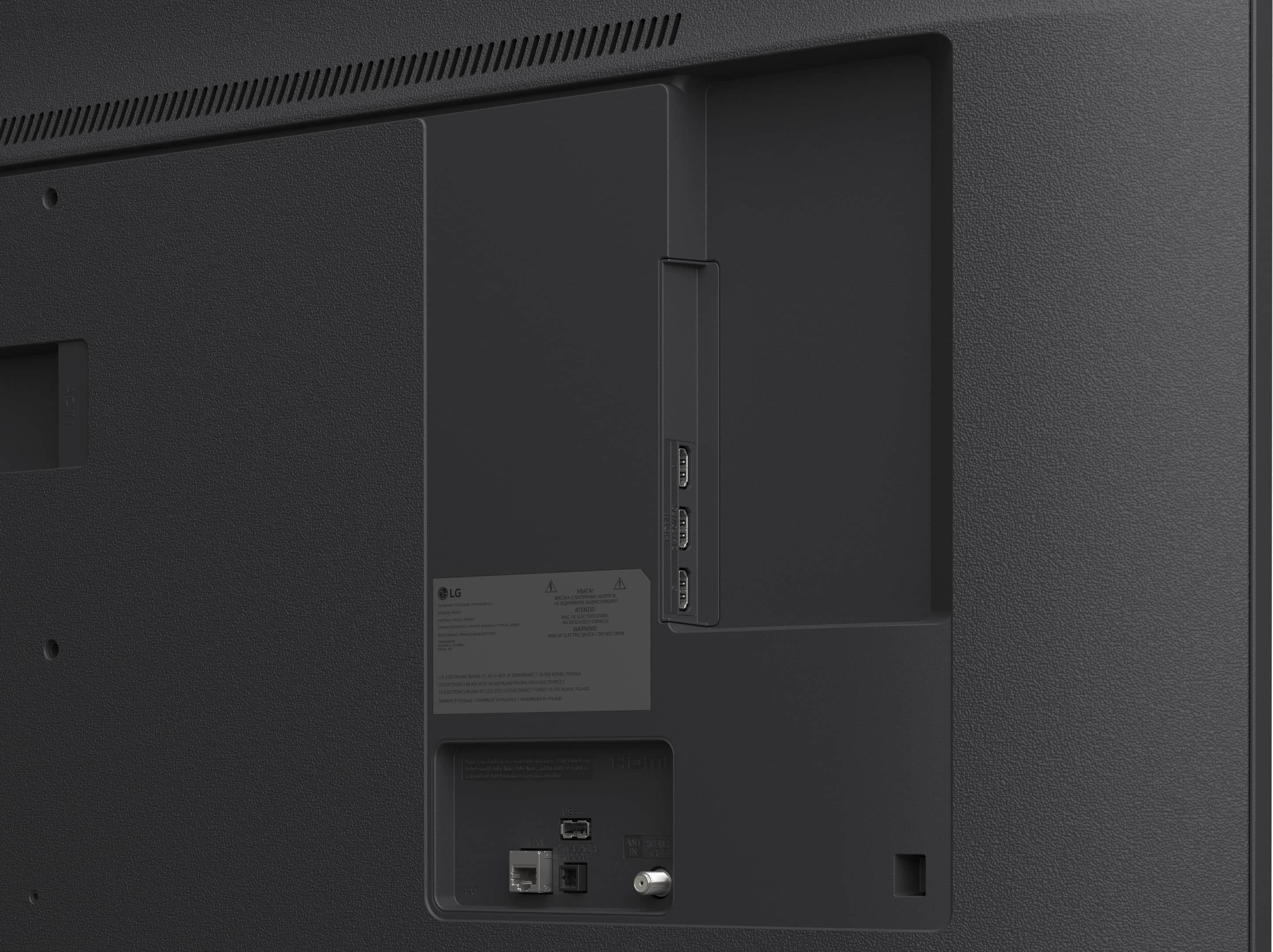
A:AnswerHi there. Thank you for sharing your experience with us. We understand your inquiry regarding the 65 Class UA7050 Series LED AI 4K UHD Smart webOS TV. This model is equipped with 1 USB 2.0 port located on the connectivity panel.
https://www.bestbuy.com/product/lg-65-class-ua7050-series-led-ai-4k-uhd-smart-webos-tv-2025/JJ8VPZKYT2
For further assistance and any specific concerns you may have, please contact us on lgdigitalcare@lg.sprinklrsupport.com. —Renzo
A:AnswerHi there. We understand your inquiry regarding the features of the UA7050 Series. This model is a Smart TV equipped with our webOS platform, allowing you to access various streaming apps and services directly.
https://www.bestbuy.com/product/lg-65-class-ua7050-series-led-ai-4k-uhd-smart-webos-tv-2025/JJ8VPZKYT2
For further assistance and any specific concerns you may have, please contact us on lgdigitalcare@lg.sprinklrsupport.com. —Renzo
A:AnswerHello there. Thank you for sharing your inquiry with us. We understand your inquiry about using your Spectrum voice-activated remote control with your 65UA7050PUB TV. We are here to clarify the remote control compatibility.
We understand your inquiry about the Spectrum remote control with voice activation working with the 65UA7050PUB. Your LG TV is designed to work with various universal and cable provider remotes for basic functions like power, volume, and channel change, which can often be set up using a universal remote code or the TV's Universal Control Settings within the webOS menu. For voice activation specifically, this feature is controlled by the remote itself and the device it is paired with. To use the Spectrum remote's voice commands, you would need to confirm with Spectrum that their remote can be programmed to pass voice commands to a third-party TV model like yours. If the Spectrum remote only controls the Spectrum cable box via voice, it may only control basic TV functions via IR.
Your feedback is important, and we'd like to assist you further to ensure you can conveniently control your viewing experience. To start the process of setting up basic control, you can navigate to Settings > General > Devices > External Devices > Universal Control Settings on your TV. I
https://www.bestbuy.com/product/lg-65-class-ua7050-series-led-ai-4k-uhd-smart-webos-tv-2025/JJ8VPZKYT2
If you have any further questions about programming or achieving voice control, please contact us on lgdigitalcare@lg.sprinklrsupport.com, and our team will be more than happy to assist you with the setup process.
—Renzo
A:AnswerHello there. Thank you for sharing your experience with us. We understand your inquiry regarding the red dots on your 65UA7050PUB and that this didn't meet your expectations. Based on the details you provided, what you are seeing are likely stuck or bright pixels, which can happen due to a malfunction in the transistor. Your feedback is important, and we'd like to assist you further to determine the exact cause.
LG TV – Troubleshooting Pixel Outage or Colored Dots on Screen - https://www.lg.com/us/support/help-library/lg-tv-troubleshooting-pixel-outage-or-colored-dots-on-screen--20150933240306
Please contact us on lgdigitalcare@lg.sprinklrsupport.com, and our team will be more than happy to assist you. —Renzo
A:AnswerHello there. Thank you for sharing your experience with us. We understand your inquiry regarding the wireless audio capabilities of your LG 65" Class UA7050 Series LED TV. This model is Bluetooth Surround Ready, which allows you to connect two compatible LG Bluetooth speakers to serve as rear surround channels for a more immersive sound experience.
https://www.bestbuy.com/product/lg-65-class-ua7050-series-led-ai-4k-uhd-smart-webos-tv-2025/JJ8VPZKYT2
For further assistance and any specific concerns you may have, please contact us on lgdigitalcare@lg.sprinklrsupport.com. —Renzo
A:AnswerWhether you can control the LG 65” Class UA7050 Series LED AI 4K UHD Smart webOS TV (2025)
Model # 65UA7050PUB, with just your Dish remote, is a question for Dish.
You will need to ask them what type of remote you have, whether it is a universal remote, a learning remote, or a programmable remote...^Ivan.
A:AnswerThe XBPlay app (Remote Play for Xbox) is compatible with the webOS 25 TV Platform that the LG 65” Class UA7050 Series LED AI 4K UHD Smart webOS TV (2025), Model # 65UA7050PUB runs on, so it can be downloaded and installed on the TV through the LG Content Store (App Store) on the TV's home screen...^Ivan.
A:AnswerThe LG 65” Class UA7050 Series LED AI 4K UHD Smart webOS TV (2025), Model # 65UA7050PUB, is a Bluetooth-enabled TV (Bluetooth ver. 5.0) and it can be paired with most Bluetooth headphones/earbuds, but there are no guarantees it can be paired with ALL Bluetooth headphone/earbuds...^Ivan.
A:AnswerHi there, Connie. We understand you are asking about the Bluetooth capabilities of your LG TV, model 65UA7050PUB. Yes, this TV supports Bluetooth 5.0, so you can connect your earbuds to it.
https://www.bestbuy.com/product/lg-65-class-ua7050-series-led-ai-4k-uhd-smart-webos-tv-2025/JJ8VPZKYT2
If you have any further questions about its features, please send us a private message on Social Media @LGUSSupport, and our team will be more than happy to assist you. —Renzo