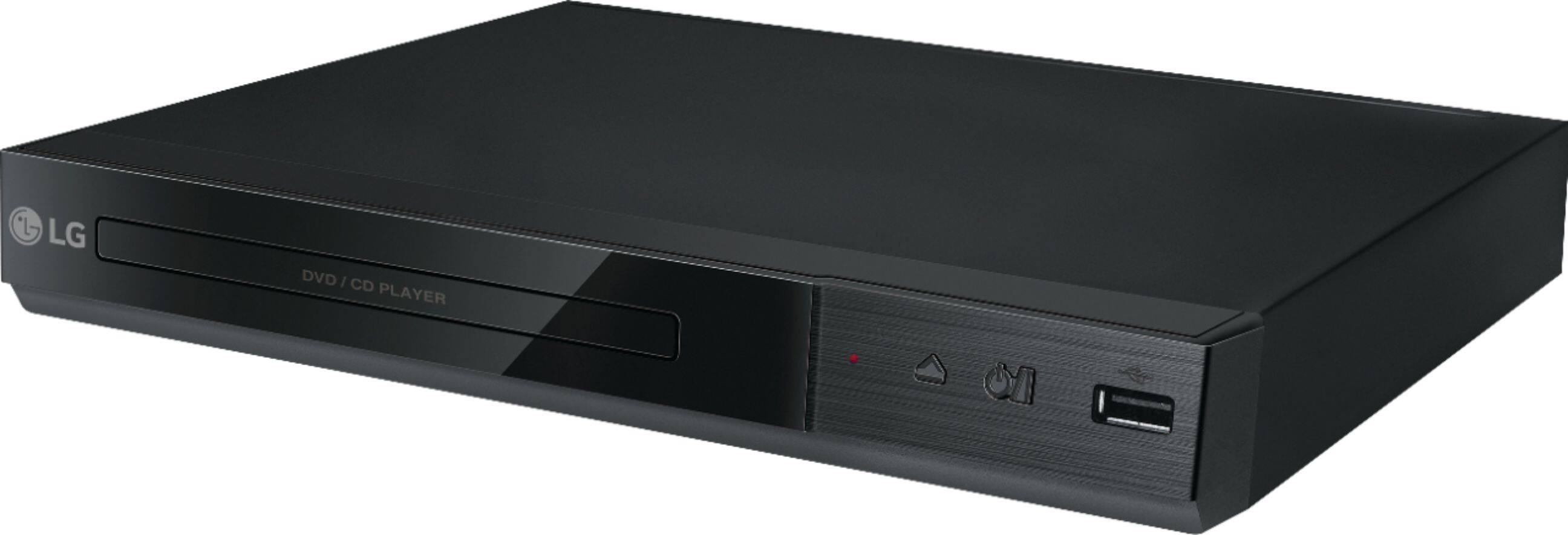
A:AnswerUnfortunately your phone cannot be used as a remote control for the DP132H. Parts and accessories can be obtained through our parts distributor, Encompass Parts. Their contact number, for placing orders and pricing information, is 866-779-7906. You can also use their website, at https://www.encompassparts.com/ ^CP
A:AnswerThe DP132 has a regional code printed on the rear of the unit. This unit can play only DVD discs labeled the same as the rear of the unit or “ALL” ^CP
A:AnswerWe appreciate your interest in this DVD player and its operations. According to the information in the owner’s manual, AVI, MPG and MPEG video files, using XviD, MPEG-1 and MPEG-2 recording Codecs, will be compatible at a 720x576 resolution. More specifics can be found on page 7. ^CP

A:AnswerCorrect. The Maximum Files/Folder: Less than 600 (total number of files and folders). If you are in need of any assistance, have additional questions, or would just like to see our helpful tips, check us out on Twitter @LGUSSupport Facebook https://www.facebook.com/LGUSA/ or you can give us a call at 800-243-0000. ^CP
A:AnswerThe LG DVD Player with USB Direct Recording, Model # DP132H does not require any installation at all. It has an HDMI Output that you can simply connect to an HDMI port on a TV and when you switch the input on your TV to the HDMI port that you have the DVD Player connected to, the DVD's picture should appear on the TV screen. The DVD Player also has a Composite Video Output that has a yellow tip and an Analog Audio 2Channel Output which are red and white RCA barrel ports. If your TV has Composite RCA ports on it, just match the color for the barrels and you shouldn't be getting a black & white picture. The Yellow RCA port carries the video signal and it has to be connected to a yellow RCA port on your TV. IF your TV has what is referred to as a Shared Composite/Component port, the yellow tipped RCA port on the DVD Player has to be connected to a half green/half yellow port on the TV. Your TV may have a different color coding so you will need to check your owner's manual for your TV to make sure you connecting to the correct port. You also want to check that your cables are not damaged...^IFV
A:AnswerI don't know if this applies to you, but in order to play a DVD on my television which has Spectrum cable, I first need to change the Video Source setting using my Spectrum cable remote control.
A:AnswerHello, the region is listed on the back of the player, usually on the black sticker with the model number. It will be a number inside a what looks to be a globe. Looks like this: http://all-free-download.com/free-vector/download/dvd-regional-code-1-0_78582.html The unit will most likely only be listed for Region 1. ^AC
A:AnswerThe American DVD Copy Control Association requires that DVD Player manufacturers incorporate the regional-playback control (RPC) system, so the LG DVD Player with MP3 Playback/JPEG Viewer - Black. Model # DP132H is coded to play region 1 DVDs...^IFV
A:AnswerHi JL. The American DVD Copy Control Association requires that DVD Player manufacturers incorporate the regional-playback control (RPC) system, so the LG DVD Player with MP3 Playback/JPEG Viewer - Black. Model # DP132H is coded to play region 1 DVDs. DVDs that are marketed and sold in the U.S. will generally be coded for region 1...^IFV