Questions & Answers
- Model:
- 910-005693
- |
- SKU:
- 6404201
Highly rated by customers for: Ergonomic, Customization, Battery life
Page Showing 1-14 of 14 questions
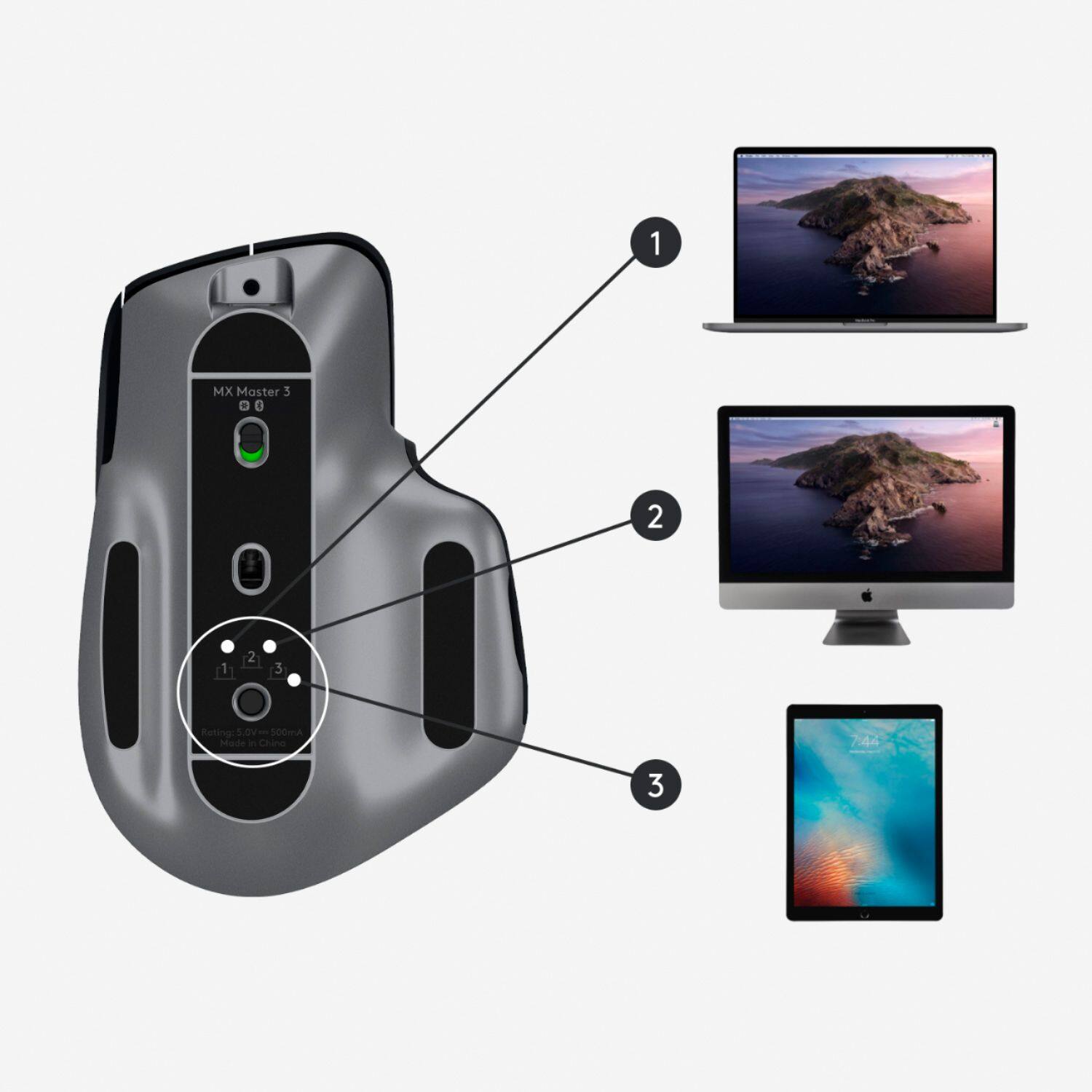
Q: QuestionHow do you delete a device from the easy-swich? I can remove the device under Bluetooth settings on the PC itself, but the mouse still reserves that device position for that computer. I can not figure out how to delete the old device
Asked by Cheeto.
- A:Answer I’ve had a Logitech Bluetooth keyboard for a few years, it got stuck paired to a device and it basically bricked it. After doing some research, I found away of wiping the keyboard’s memory, allowing the keyboard to be used again: 1. Unpair, delete all Bluetooth settings regarding the keyboard in Windows or Mac. 2. Reset the keyboard by pressing the following keys: “Escape” – “o” – “Escape” – “o”,“Escape” – “b” 3. If the reset is accepted, you may see a light blink depending on your Bluetooth keyboard model. 4. Connect your keyboard to the computer via Bluetooth and your keyboard will be ready to go! This works with Logitech multi-connect keyboards as well.
Answered by Anonymous
Q: QuestionWill this mac version work on Windows and Surface perfectly through Bluetooth, though it doesn't have the USB receiver?
Asked by Ollie.
- A:Answer I bought this for my Mac, but I also use it on my work computer which is a Surface Laptop 3. The Mac version doesn't come with a USB receiver, but the Bluetooth has worked flawlessly for both my Mac and my PC.
Answered by Bobby
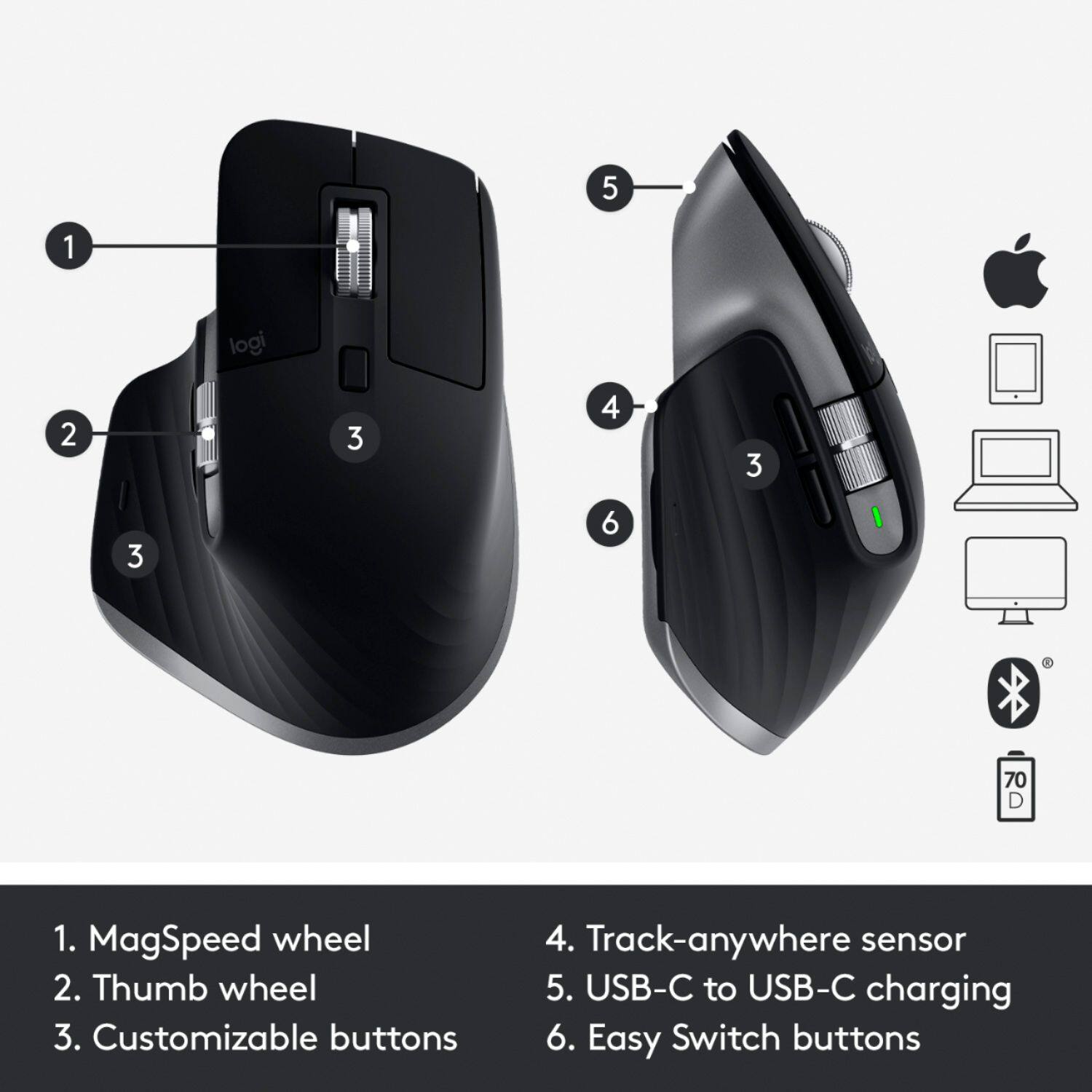
Q: QuestionWhat about this mouse makes it specific to the mac?
Asked by Logiteccccccch.
- A:Answer Almost nothing. The mac version has a nice space gray trim on it to match Apple hardware, and comes with a USB-C to C, vs a USB-C to A in the original. The mac version also gets rid of the USB dongle, so you only get bluetooth connection. All of the features are identical on both, this version is 99% marketing.
Answered by BobLoblaw
Q: QuestionIs this the new one that they released for MacOS?
Asked by AskinAQuestion.
- A:Answer Yes. I just ordered this exact item/SKU and received it yesterday and it is the Mac-specific version. Also, for those wondering, despite not being listed on the specs (even asking Logitech support directly couldn't get a full answer), it DOES indeed support their USB Unifying Protocol in addition to Bluetooth.
Answered by BasitMustafa
Q: QuestionIs the receiver a USB-C (compatible with the new MacBook Pro) or will I need an adapter?
Asked by thecoolestcat.
- A:Answer The MX Master for Mac does NOT come with a unifying receiver, but it WILL work with one. You will indeed need a USB-C adapter or hub, but fortunately the unifying receiver dongle itself is very low profile. Worth it to get away from bluetooth, IMHO.
Answered by TonyC
Q: QuestionDoes this mouse work with Big Sur? My 'Magic' mouse doesn't...
Asked by bilding.
- A:Answer Well I just recently updated to Big Sur (been about three weeks now) but it works fine so far, I haven’t experienced any negative issues with it.
Answered by Rock
Q: QuestionJust installed mouse. It works. However, Bluetooth does not recognize it and, as a result, I can't turn off the trackpad. Help.
Asked by Jack.
- A:Answer I had no issues. Maybe try the receiver in a different USB port
Answered by Pleased
Q: QuestionIs there any difference other than the charging cable between this one and the regular MX Master 3?
Asked by Anonymous.
- A:Answer I believe they’re both usb C
Answered by Kief
Q: QuestionWill this work with a 2018 ipad pro?
Asked by Deke.
- A:Answer Yes as it is a bluetooth device.
Answered by JenT
Q: QuestionIs there a version for left handed people?
Asked by Tee123.
- A:Answer I’m not quite sure if there is a left-handed variation, but I am a fellow lefty and use this mouse with my right hand. It’s comfortable and you have the ability to change and configure the buttons to your liking, so overall it might still be very useful for you!
Answered by Carter
Q: QuestionWhat MX Mouse would be best for use with I pad Pro and windows 10 computers, the MX Master 3 for Mac or the Mx Master 3?
Asked by NEMPA.
- A:Answer Both work great
Answered by GerryS
Q: QuestionWill this mouse work with brand new Mac OS released in September of 2020?
Asked by JCM.
- A:Answer Yes. Currently using.
Answered by JenT
Q: QuestionI have a 2012 IMAC running macOS Catalina 10.15.6 and also use boot camp to run Windows 8. Would this mouse work for both the macOS and Windows 8?
Asked by Rascal.
- A:Answer Depends on Bluetooth capabilities of your windows setup. Mac shouldn’t be a problem at all.
Answered by Kief
Q: QuestionCan you easily switch between connected bluetooth devices like you can for the MX Keys keyboard?
Asked by Kyle.
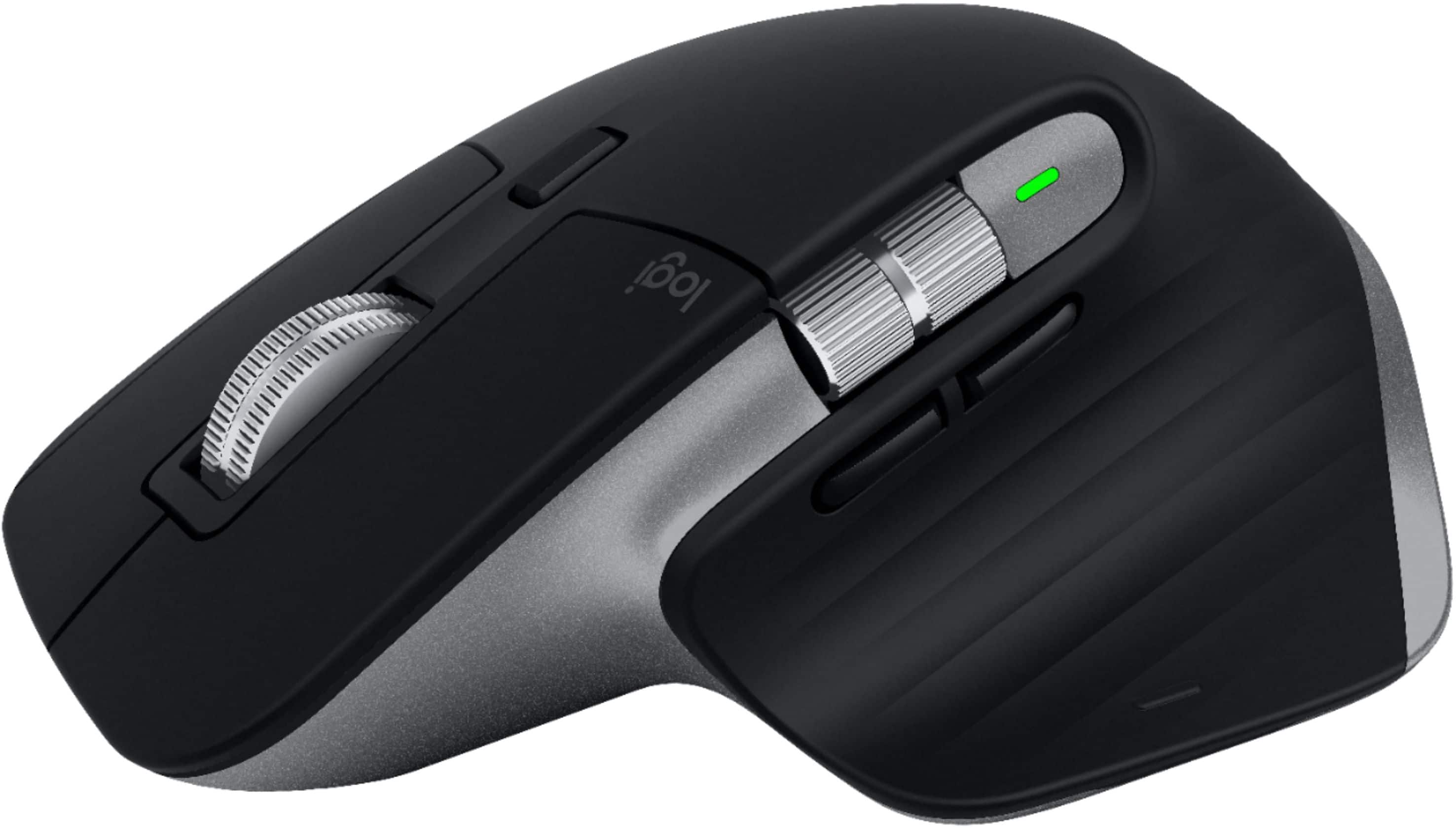
- A:Answer If you flip over the mouse, there is a button underneath that allows you to switch between 3 devices. However, it's actually very annoying having to switch devices like this when they are right next to each other. So, if you are thinking of using this to easily switch between your laptop screen and your tower monitor, I would not buy this mouse. There is no way to remap the device switch button to be one of the more conveniently positioned buttons on the upper surface of the mouse. I honestly don't know what Logitech was thinking. They really bungled this feature. However, if you are planning on only using this mouse for a single computer, I highly recommend it. Otherwise, look for another mouse.
Answered by SirClicksAlot
Page 1, Showing 1-14 of 14 questions
Most-viewed items
- $329.99$329.99The price was $469.99
- $149.00$149.00The price was $399.00
- $159.99$159.99The price was $179.99
- $1,149.00$1,149.00The price was $1,299.00
- $449.99$449.99The price was $649.99