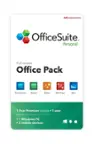
A:Answer How to activate Office 2024 after download
Go to https://setup.office.com
Sign in with your Microsoft account (or create a new one).
Click Get Started.
Enter your product key.
Click Redeem.
Once redeemed, the product will appear under Subscriptions in your Microsoft account.
Click Install and follow the on-screen instructions to complete the setup.
After installation, simply open any Office app and sign in with the same Microsoft account to activate it.
If you need any assistance during the process, feel free to reach out and we’ll be happy to help.