1-3 of 3 Answers
Sorry for the delay, with adapter, the Surface have a minidisplay port, and I can connect HDMI, VGA. I can connect TV or display with USB port too.
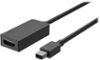
Sorry, there was a problem. Please try again later.It is a Mini DisplayPort. They also sell an adapter for DisplayPort to HDMI (works cleanly). Additional tech specs are available on Microsoft's site, link to the specific specs on this system: https://www.microsoft.com/en-us/p/surface-pro/8nkt9wttrbjk/L6FV?activetab=pivot:techspecstab. For me the full benefits of the system became apparent when I used my first one provided by my last employer. I purchased the Surface Dock, the company had provided the keyboard cover and surface pen plus the USB to Ethernet adapter. I then purchased the Mini DisplayPort to HDMI 2.0 adapter for use in conference rooms. Worked extremely well, no weird connectivity issues.
I would recommend:
Sorry, there was a problem. Please try again later.The Surface Pro comes equipped with a Mini Display Port. Many of our customers have been able to cast a display using this port. In addition, another solution you may consider is the Microsoft Wireless Display Adapter. This accessory allows you to cast your display without the hassle of wires. Check it out at Best Buy here: https://www.bestbuy.com/site/microsoft-wireless-display-adapter-v2-receiver-dark-titanium/4974200.p?skuId=4974200.
Sorry, there was a problem. Please try again later.