A:AnswerMost CenturyLink connections I have seen are DSL connections (over phone line).
If this is the case for you then no this unit will not work for you.
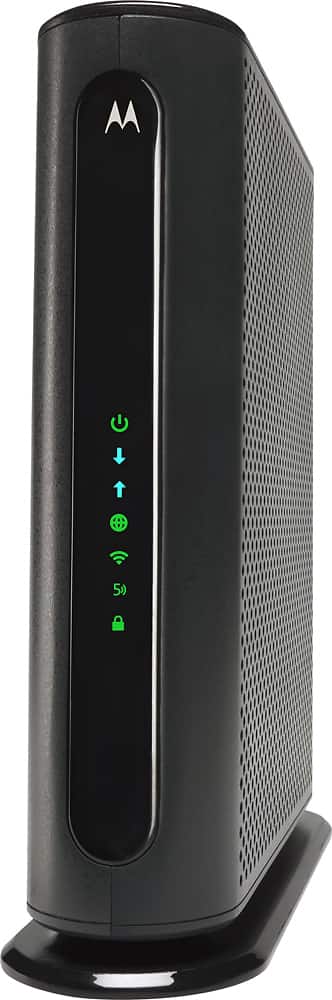
This unit is designed for coax cable type connections.
A:AnswerIt works with Spectrum. You will have to set it up on Bridge mode if you plan to use it with your own wireless router/mesh system. There is not need to put it in bridge mode if you are using it as a stand alone modem/router.
A:AnswerTypically a cable installer will install one outlet per install. Usually at that time the installer will either open a retail package with a new coax, or they will manufacture a cable on site.
A:AnswerI don't know the max but we consistently have 3 laptops, a tablet, 4 cell phones, a smart tv, a roku device, and an xbox. We have not had any issues with those all connected at the same time.
A:AnswerMy Motorola Cable Modem is on Spectrum Internet speeds typically between 60 to 80 mbps on my desktop and up to 100 mbps on my surface notebook. Since mediacom is a high speed internet provider it should work just as well as mine does with Spectrum.
A:AnswerIf your current model/router is working fine and at the full speed provided to you by your internet service then I would not change.
You have an 8x4 DOCSIS (up to 343Mbs download/123Mbs upload) where this unit has a 16x4 DOCSIS (686Mbs download/123Mbs Upload) providing higher download speeds if your internet provider provides speeds that fast.
A:AnswerFor sure, this router is certified to work with Comcast Xfinity and Time Warner Cable. It would most likely work with other cable modem internet providers that require a DOCSIS 3.0 compatible modem (it would be best to give them a quick call to double check). It would NOT work with a DSL or U-verse type provider, where the incoming connection is over a phone line, because this modem's incoming signal connection is a coax cable connector.
A:AnswerWhen you look for the connection to pair modem, it shows up as the 2g and a separate for the 5g with the same password. I have not used it to pair that specifically but anything else I have paired it shows both speed options.
A:AnswerI see under advanced setting for WIFI there is option to enable/disable the network. I have not tried to disable yet due to ongoing usage for work. Attached is the screenshot.
A:AnswerYes it is okay just be sure to let your cable company know that your replacing their module and they will want to know some information about the Motorola and you will be surfing the net in no time
A:AnswerIf you locate your router in a central location testing has shown this router works better than several other makes. In a townhouse or condo atmosphere with competing wifi it is a top performer. Reference website Businesswire.com article on this modem. Gives a report on testing shown it is a leading contender.