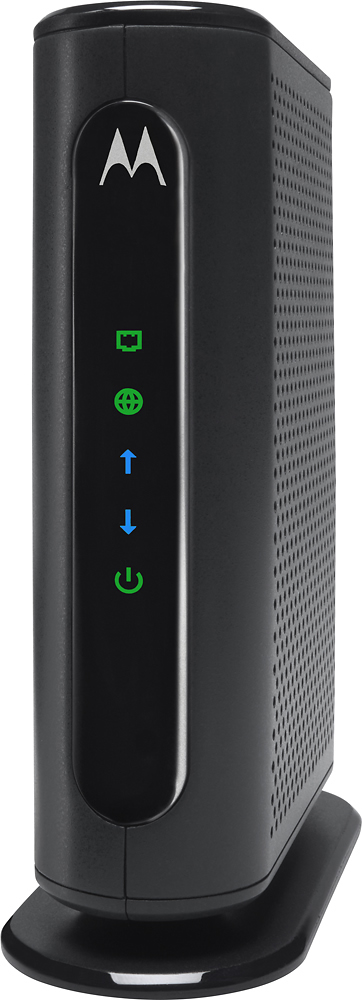
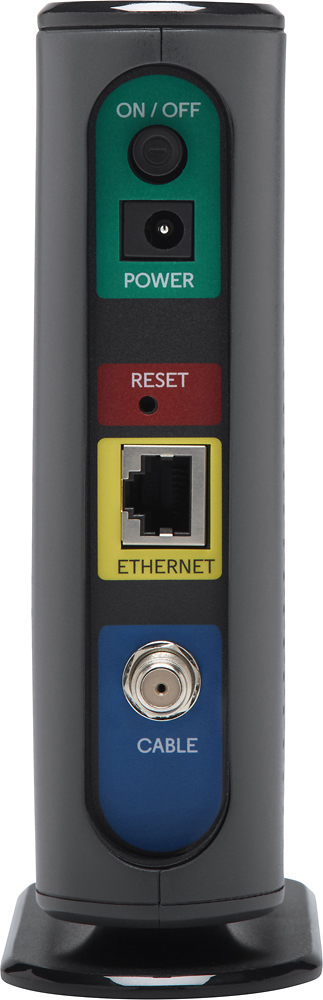
A:AnswerThis will work with Optimum Internet (100 Mps), I just start my optimum service yesterday, it's working well. Case1 If you are a new optimum customer, their technician will make it work when they are doing the installation. Case 2 you are an existed optimum customer, you can not just plug in and use this modem. They need to do some setups to identify you modem. I am not sure if they would charge you for this setup or not, better contact them.
A:AnswerYes this modem and the Netgear n600 router you mentioned will work together great! If you receive your internet through a cable line (Coax) connection you'll connect the Motorola modem to the wall using a standard coax cable that is/was usually used to hook up cable tv to your television or digital cable box. From there you will use the supplied Ethernet cable (included with the netgear router) to attach to the Netgear router to the modem. An easy to read installation diagram is included with the modem (and with the router as well) and will help you on your way.
A:AnswerI am getting 120+ mbps on my desktop with this modem comcast network. this modem max out around 300mbps-ish. for the next model up,($10more) you can get event greater max speed.
A:AnswerThis modem worked perfectly (the same priced Netgear had lots of problems) for my 25MBs Comcast service in the 95060 area. I would give it a try if it rated to handle the speeds of the service plan you're purchasing.
A:AnswerThe Motorola - Docsis 3.0 Cable Modem performs great on the Comcast XFinity network in my area, but you'll want to call them to verify anyway. However, the chances are, this modem will work just fine.
A:AnswerYes, Xfinity's Corporate Logo is printed right on the Front of the Box. I connected easily to my Cable ISP Time-Warner and it works flawlessly & Fast!
A:AnswerWell one steers a ship, the other is a type of network bridge and modem that provides bi-directional data communication via radio frequency channels on a hybrid fibre-coaxial (HFC) and RFoG infrastructure.
Of course, I'm poking fun... I know you meant "router".
To understand the difference, you have to understand some networking terminology. In a computer network, you can have a "bridge" and a "router".
A bridge is a device that separates two or more network segments within one logical network (e.g. a single IP-subnet).
A router is a networking device that forwards data packets between two or more computer networks
The key here is that a brige runs on one network, where a router runs on two or more networks and "routes" traffic between them.
A cable modem is typically classified as a "bridge". Meaning, it bridges a connection with your computer and the cable company's network. Your computer then acts as a device on the cable company's network and talks to it over the bridge.
A router is basically a computer in of itself. Modern routers today have a lot of features that basically allow you to set up your own private network within your home or business. You can then route traffic to and from all those devices on your private network to another network.
When you have a cable modem (bridge) connected to a router, you are basically connecting two networks together. Your private network contains all the devices connected in your home, and these devices basically "share" the same connection through your router and over the bridge (cable modem) to your cable company.
Many modern routers come with a cable modem bridge built right into the same device. These are basically "2 in 1" devices, having both a cable modem and router built into the same box. However, you can choose to have these devices separated for whatever reason. Really there's no difference in basic functionality.
See the attached products to this article if you want to see the difference. One is a simple cable modem, the other is a router with a built-in cable modem.
Hope this helps!