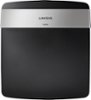
“Which Router I have 2 computers, wireless printer, 2 iphones, ipad, ipod, Kindle and a smart TV on two floors What wireless router would you recommend ? I am using TWC broadband, cable & telephone modem.”
Answer This Question
1-5 of 5 Answers
It's better to buy a separate cable modem and separate router than having a combo. This allows for more flexibility. I recommend either Motorola SB6121 or SB6141 cable modem. As for routers, if you have 5 Ghz capable devices, you can purchase the WNDR3400 or Netgear R7000 for AC capability.
Sorry, there was a problem. Please try again later.If your family is using all those products at the same time, you may want to invest in a dual broadband router. Your basic router can do the job if you don't transfer files over the home network often. If you can keep a wired connection to the router, that is always best and you can use the non-dual band routers if you can accomplish that. Dual band is needed with you have MANY wireless connections and want to stream videos from netflix or want no delays on youtube. Basically how wifi goes, it is 1/3 the speed of wires and is shared by everything that is using it. If someone wants to download updates over wifi or anything that requires time to recieve, this is where you will notice the difference between dual band and basic routers
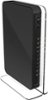
I would recommend:
Sorry, there was a problem. Please try again later.If you position this modem properly, you should not have connectivity issues, especially if you subscribe to higher internet speeds. I used it for both a MacBook Pro (2013) and a Sony Vaio that runs Windows 7, a couple of iPhones, an iPad and a cable box.
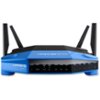
Sorry, there was a problem. Please try again later.Depending on the size of your house would be the biggest determination of which router/access point you would need. If you are under 3000 sqft. then I would recommend the Asus below, if you are over 3000 then the same router, but you might need to use an access point towards the far end for better coverage.
I would recommend:
Sorry, there was a problem. Please try again later.I would recommend the Apple Airport Extreme, which is what I use, after years trying Linksys, Netgear, D-Link, and others. It just works, and it doesn't overheat like the others. You can also add a Hard Drive to it to store your backups or any other media. And if your computers are Macs, you can use it for Time Machine.
Sorry, there was a problem. Please try again later.