“Hi Guys, I have HTPC server for watching movies, I have GTX970. Does the GTX1080 help in movie resolution? Does it improve the resolution when watching movies? or its mainly related to games?. Please educate me. Thanks.”
Answer This Question
1-5 of 5 Answers
Good question. We are not playing games, We are using the 1080 for display measurements on static images without compression on 4k displays. You don't describe what media you are watching or the display you are using (and size) or the distance you view the display, all which would help. The 970 should be able to drive HD TVs or computer monitors without signal compression (4:4:4, probably at 30 Hz, maybe not at 60 Hz), but it won't drive 4k TVs without compression (uses 4:2:0), if memory serves. The 1080 will drive 4k TVs without compression (4:4:4 at 30 Hz). However, most media, HD or 4k (DVDs or Blu-Ray), will be compressed at 4:2:2 or 4:2:0 to save space or bandwidth. At normal or ideal viewing distances (3.2 screen heights for HD, 1.6 screen heights for 4k) the human eye can't resolve the blue or red like it can resolve the white or gray shades (or even green to a slightly lesser amount). Thus, most media doesn't include high resolution for red and blue because you won't see the difference from uncompressed video at ideal viewing distances and beyond. What you see also depends upon the display device. Sometimes TVs will compress the video input to 4:2:2 or lower 4:2:0 (most TVs do this unless you deliberately set them up in a computer-monitor mode). Such a subsampling will blur the red and especially the blue. (If you don't understand video compression, see Chroma Subsampling at https://en.wikipedia.org/wiki/Chroma_subsampling.) I've attached HD and 4k (3840x2160) test patterns that we've used. Look at the 1x1 grilles. If the blue grilles are smeared out but the 1x1 white grilles are resolved, then something is subsampling the chroma, but at normal viewing distances you won't be able to resolved the red and blue grilles anyway. Hope this helps.
Sorry, there was a problem. Please try again later.I'm assuming when you say that you mean a home theater PC. In which case the 1080 helps with 4k because the display port supports native 4k better. the main attribute to your movie resolution goes as follows. 1. Movie resolution, 2. streaming/disc resolution, 3. Cable support for the resolution and the refresh rate=(60hz-240hz), 4. Graphics card resolution support. I believe the 970 is fine unless you want to watch 4k at more than 60hz in the future in which case the 1080 would help you in the regard of future proofing.
Sorry, there was a problem. Please try again later.Only if you are using 4k hdr blu rays. Otherwise you are wasting money. Mostly for gaming and rendering
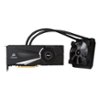
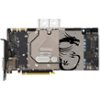
Sorry, there was a problem. Please try again later.I'm not familiar enough with the GTX970 to give you a definitive answer, but If you're running a large 4k or more resolution television or monitor, an upgrade may help, if you have problems watching your movies. It depends on what you want, or need. The GTX 1080 most likely uses more power, and will be a bit nosier, though the chipset depends on which brand/model GTX 970 you're using. If you feel you need an upgrade, I'd recommend no less than a GTX 1070. Running an HTPC server, I would expect heat and noise are a concern for you in which case I could only recommend a Hybrid water cooled card, or a card with a waterblock for a custom water cooling solution. I hope my info helps you out. The two cards I set as recommendations mostly because of their cooling design, which would prove a quieter and cooler solution for you. I like NVIDIA products much better for games that need raw power. I can tell you little of any Radeon cards, other than in the long ago past (5 years +) the Radeon's couldn't touch NVIDIA's power, but the picture they produced were much nicer, in my opinion. Again, good luck in your venture, and I hope this helped you some.
I would recommend:
Sorry, there was a problem. Please try again later.Yeah buy it
Sorry, there was a problem. Please try again later.