A:AnswerYou would need to connect a single optic wire. Or hdmi. The fact you stream doesn’t matter. All receivers will work like this. A single fiber optic wire to the receiver will do all your sound needs. And basically output everything your tv plays. Hook up an hdmi and chances are the tv remote will control the volume. Power on and off etc using the hdmi CNET system
A:AnswerIf they are not tec savvy probably not, You will need to run a hdmi or outer av out just for set up. Only has L&R zone B But plenty of power. Oh and download the online manual for them or yourself.
A:AnswerSome earlier Onkyo AV Receivers such as my son's older TX-NR608 experienced HDMI board failures and that may be your problem You can go to Onkyo USA's site and search for that problem where you will be directed to enter your TX-NR509's serial number to see if it qualifies for repair. My son's did not but it had served well for many years prior to the recent failure.
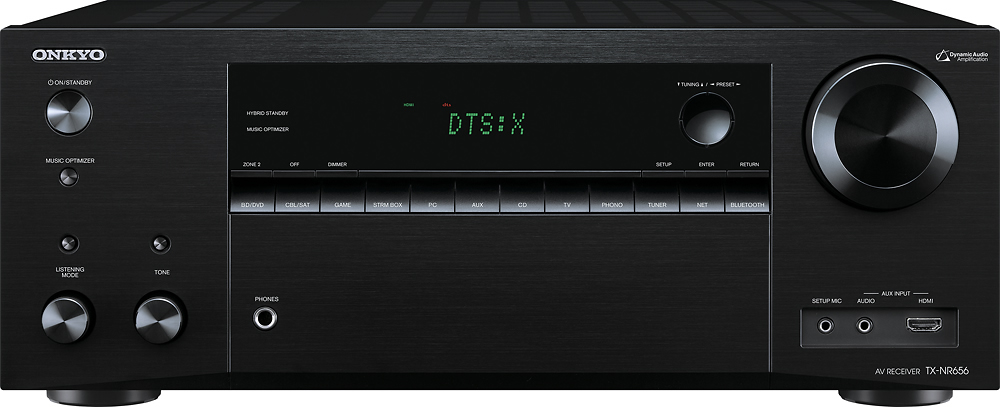
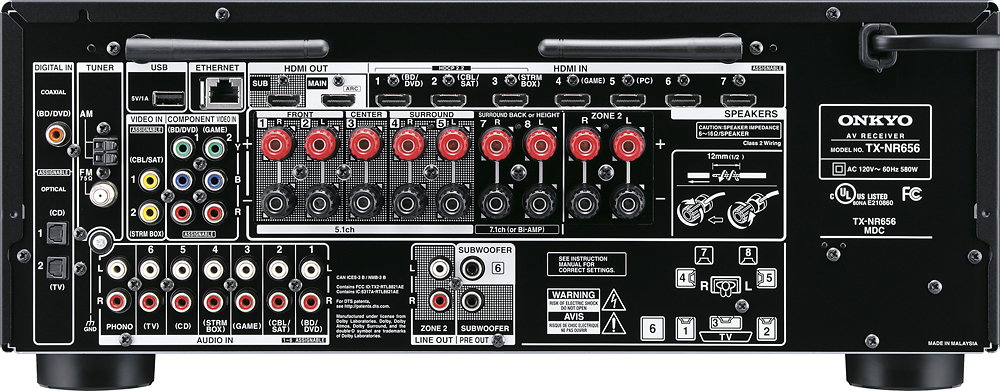
And yes, with an AV Receiver such as this Onkyo you really only need one HDMI output to meet your requirements. I would say that the new TX-NR656 will more than satisfy your needs as the perfect upgrade to a new Onkyo.
A:AnswerGo to Best Buy, then go to their Magnolia Dept. and talk to the sales professional and ask him for his recommendations. I bought the high end pioneer and it has it a zone 3.
A:AnswerYes,Inputs 6&7 have to be manually assigned thru the menu although you have to use either phono and cd if you want all 8 video input to work.The manual will explain it for you.
A:AnswerI am not certain about this but you could probably use a microphone on the phono input since a phonograph cartridge has similar output to a microphone (small signal). The phono input is an RCA connector so you may need an adapter. There is a connection on the front labeled "Setup Mic". This is only for setup of the speakers and not usable for a regular microphone.
A:AnswerYou can connect up to four sets of speakers to the receiver.
-3 pairs to amplified outputs
-1 pair to "zone 2" line outputs. You would need separate stereo amp to drive this pair.
Then use "surround stereo" in music settings.
A:AnswerIf your just playing music it should be fine to use zone 2 as surround but it wont use them as surround sound so you will lose the effect. Most recievers will just play stereo through the 2nd zone