Questions & Answers
- Model:
- KX-TGD862G
- |
- SKU:
- 11690656
Q: QuestionWill this system automatically reconnect with my cell phone when I return to the house ?
Asked by JPZ.
- A:Answer Yes as long as your phones bluetooth is active
Answered by ClaudeL
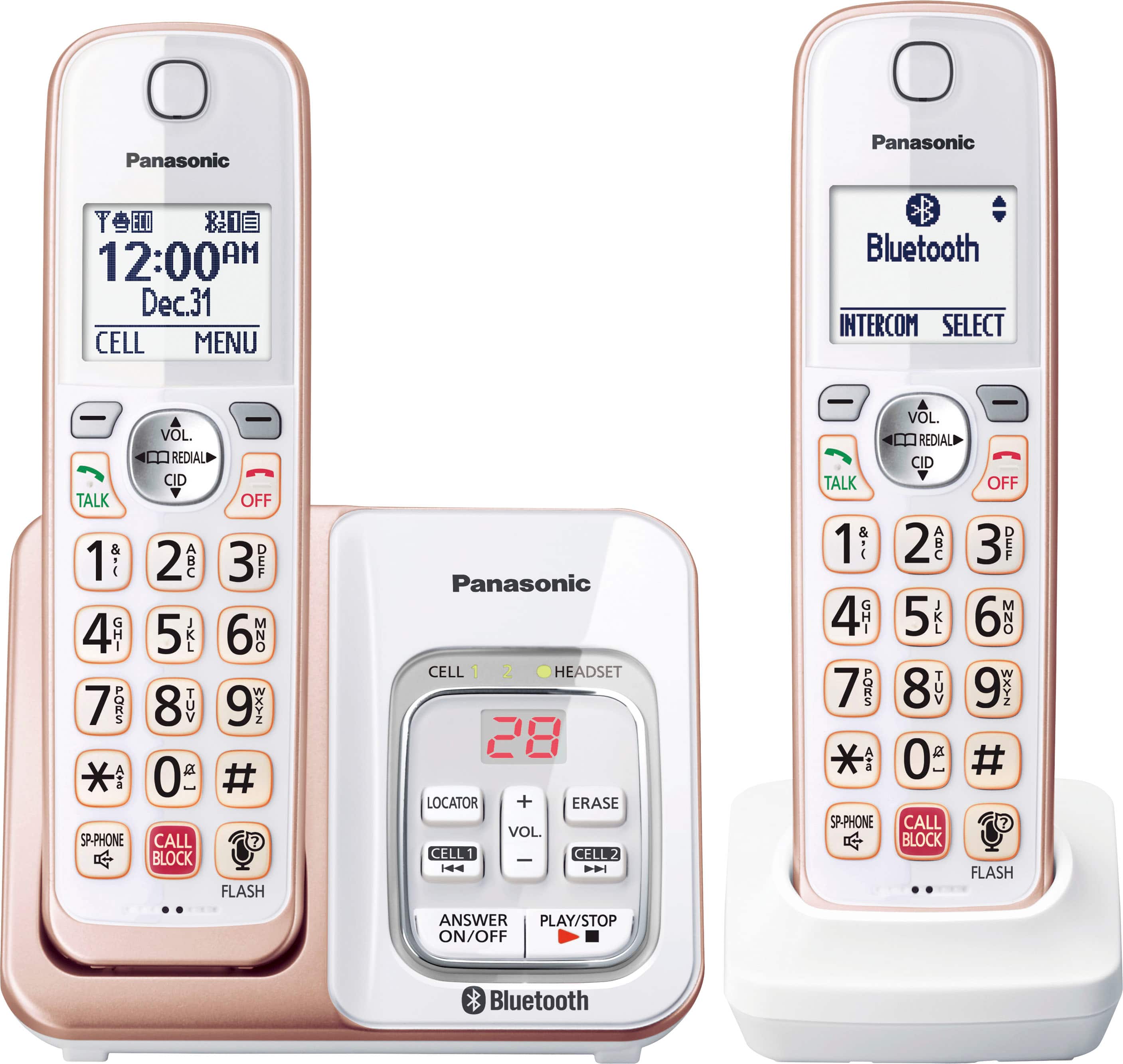
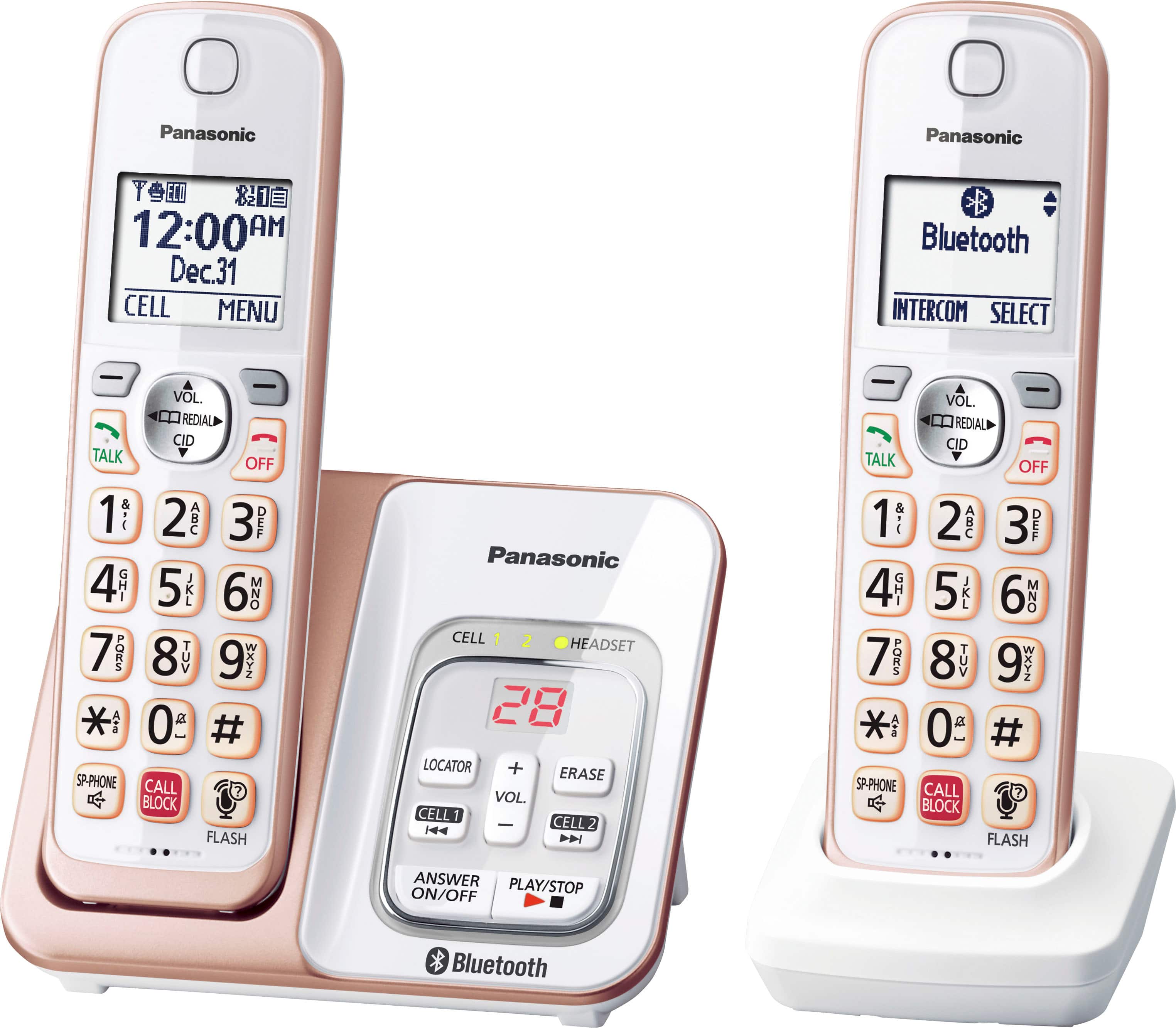
Q: QuestionDoes this phone have a headset jack so a headset can be plugged into the handset?
Asked by Sher.
- A:Answer Hi, Sher! The handsets do not have headset jacks. -C
Answered by Panasonic Team

Q: Questioncan I pair a blue tooth earpiece to this phone
Asked by Blkeuby.
- A:Answer Hello! This model can be connected to a Bluetooth headset that supports Headset Profile (HSP) specification. -M
Answered by Panasonic Team

Q: QuestionIs there a headphone jack in the handset?
Asked by AB.
- A:Answer Hi! The handsets do not have headset jacks. However, by pairing a Bluetooth headset to the base unit, you can enjoy hands-free conversations when talking on landline calls. -C
Answered by Panasonic Team

Q: QuestionWhy do my 4 handsets display "Line In Use" and they will not send or receive calls?
Asked by RhonaSera.
- A:Answer Thank you for reaching out! If "line in use" is displayed on the handset screens, please ensure that none of the handsets are currently engaged in a call. Press the OFF button on all handsets and unplug the base unit for a few minutes. Also, verify that your base unit is connected to a working outlet and that the telephone line is securely connected to the base unit. If the issue affects all of your phones, you might be experiencing a line problem. To test this, try plugging your telephone into a different line, such as at a neighbor's or friend's house, to see if the issue persists. -M
Answered by Panasonic Team

Q: QuestionCan it be mounted on the wall
Asked by Anonymous.
- A:Answer Yes, the base unit can be wall mounted. -M
Answered by Panasonic Team

Q: Questiondoes the phone have a pad on the back so you can hold on your shoulder?
Asked by Lindy.
- A:Answer Hi, Lindy! No, the handsets do not have support for the shoulder. -M
Answered by Panasonic Team

Q: QuestionWhy won’t my phone record messages on my phone?
Asked by Tip.
- A:Answer Hi! Make sure the answering machine is on. Press ANSWER ON on the base unit and the indicator should be on. -M
Answered by Panasonic Team

Q: QuestionDo I need to purchase any wires or cables to use this phone?
Asked by Anonymous.
- A:Answer No, necessary accessories are supplied. -M
Answered by Panasonic Team

Q: QuestionDo you have to pay extra for the caller ID feature ?
Asked by Anonymous.
- A:Answer You would need to subscribe with your provider for Caller ID to work on the phone.
Answered by Cathy
Q: Questionis this phone wall mountable
Asked by jmaple.
- A:Answer Yes, the base can be wall mounted. -M
Answered by Panasonic Team

Q: QuestionWhere is the mute button???
Asked by Mom.
- A:Answer Hi! While using the handset to answer or make a call, you will see the word “MUTE” appear on the handset display window. To activate the MUTE, press the button below the word MUTE. To de-activate the MUTE function, press the button below the word MUTE again and the word MUTE will stop flashing on the LCD screen on the handset. -C
Answered by Panasonic Team

Q: QuestionHow many numbers can I program
Asked by dooze.
- A:Answer Hi! The capacity for the phonebook is 3000 contacts. -M
Answered by Panasonic Team

Q: QuestionDoes this phone have the extended range feature and noise reduction feature?
Asked by Jen.
- A:Answer Hello! The phone system has the Handset noise reduction feature. Also, the range of the handsets is approximately 33 feet from the base unit. The range will also be influenced by the environment in which the phone system is placed, and if there are any electronics around that would weaken the signal (such as microwave ovens, Wi-Fi routers, radios). -C
Answered by Panasonic Team

Q: QuestionIs this phone compatible with Verizon wireless home phone system
Asked by Walt.
- A:Answer The telephone system requires a landline connection. Please check with the phone company further. -M
Answered by Panasonic Team

Q: QuestionDoes it have the capability of having a conference call?
Asked by Rover.
- A:Answer Hello! Yes, it is possible to perform a conference call. Outside calls can be transferred or a conference call with an outside party can be made between handsets. A maximum of 3 parties (including 1 outside party) can join a conversation using 2 extensions. -C
Answered by Panasonic Team

Q: QuestionHello. How do you put on mute when you're on a call? Thank you.
Asked by LK.
- A:Answer press star
Answered by GeneL
Q: QuestionWill this phone allow me to change greeting remotely? Thank you. Jt
Asked by Anonymous.
- A:Answer Hello! No, it is not possible to change the greeting message remotely. The remote commands available are: Repeat message (during playback), Skip message (during playback), Play new message, Play all messages, Stop playback, Turn answering machine off, Erase currently playing message, Erase all messages and End remote operation. It is also possible to turn on the answering system remotely. -C
Answered by Panasonic Team

Q: QuestionCan this phone pair and be used with my blue tooth enabled hearing aids? My cell phone can, but i would like to be able to do this with my home phone system too.
Asked by ddo.
- A:Answer The phone system is hearing aid compatible as defined by the FCC in 47 CFR Section 68.316, and it is in compliance with the TIA-1083 standard which makes the phone system have reduced noise and interference when used with T-Coil equipped hearing aids and cochlear implants. We recommend you check with the manufacturer of your hearing aids for additional information. -C
Answered by Panasonic Team

Q: QuestionI too have blue tooth flip phone. Will it work for standard making and receiving calls if no hands free system. We don’t plan to use any voice activated programs only old fashion phone call out and recieve
Asked by Anonymous.
- A:Answer We would need more information in order to have a better understanding of your inquiry. If you’re open to discussing it further, please contact Support Team via Live Chat on the Panasonic Website, Contact Us option, Mon-Fri, 9am-5pm EST. -C
Answered by Panasonic Team

Most-viewed items
- $44.95Your price for this item is $44.95
- $26.95Your price for this item is $26.95
- $73.99Your price for this item is $73.99
- $191.99Your price for this item is $191.99$211.99The comparable value for this item is $211.99
- $105.99Your price for this item is $105.99$115.99The comparable value for this item is $115.99
- $105.99Your price for this item is $105.99
- $119.99Your price for this item is $119.99$159.99The comparable value for this item is $159.99
- $69.95Your price for this item is $69.95
- $119.95Your price for this item is $119.95$139.95The comparable value for this item is $139.95
- $71.79Your price for this item is $71.79$89.95The comparable value for this item is $89.95
- $97.10Your price for this item is $97.10$119.95The comparable value for this item is $119.95
- $199.99Your price for this item is $199.99
- $26.49Your price for this item is $26.49
- $68.99Your price for this item is $68.99
- $109.00Your price for this item is $109.00
- $175.96Your price for this item is $175.96$199.99The comparable value for this item is $199.99
- $115.66Your price for this item is $115.66$129.99The comparable value for this item is $129.99