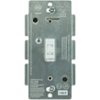
“I just purchased google home and trying to figure out how to setup my lights. Can I buy this dimmer and replace my existing dimmer, I am trying to avoid purchasing 18 light bulbs.”
Answer This Question
1-10 of 11 Answers
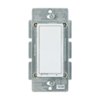
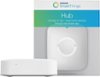
No you cannot replace your existing dimmers with this, but you can keep your existing bulbs and instead get z-wave wall switches like a leviton in combination with a samsung smartthings hub. Note that the in wall switches basically require the neutral wire. The in wall switches that do not require a neutral wire don't work as well (e.g. incandescent bulbs only, *NO* LED/CFL).
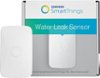
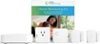
Sorry, there was a problem. Please try again later.Just want to affirm cowsalive's answer. If you already have 18 bulbs on a dimmer, you will spend faaaarrr less with a SmartThings Hub and a zwave in-wall dimmer to replace your manual one. The only reason to replace all your bulbs would be if you wanted different levels of dimming for each or a group of bulbs, or you wanted colors. Consider the SmartThings kit which includes the hub, 2 door contact/vibration sensors, a motion sensor, and a wall outlet switch. All but the outlet switch have temperature sensors, but the outlet switch does show how many watts are running through it. It's a great way to test out the possibilities of home automation. With a home or facility that has 18 bulbs on a single dimmer, it may benefit you greatly.
I would recommend:
Sorry, there was a problem. Please try again later.No you will not be able to use this dimmer to replace a physical hardwired dimmer. This dimmer kit provides you with an additional white bulb and a dimmer switch. The dimmer switch only controls philips hue lights and has no way of interfacing with non smart bulbs.
Sorry, there was a problem. Please try again later.No, this is a wireless dimmer that only works with the Philips Hue system. It's not one you can wire in. There are other products that do that though. This isn't one of them. Here's something that will work with SmartThings, but it won't work with Hue.
I would recommend:
Sorry, there was a problem. Please try again later.This will not replace your in wall switch, furthermore it will only work with hue bulbs. For situations with multiple lights I would look at getting started with a hub like Smarththings or Wink. Try to find a hub that works with many different standards the bonus with a hub is that you can also start adding other home automation like outlets, cameras, thermostats, door sensors and more. Also these hubs are the best ways to work with google home because once you setup everything on the hub you just connect the hub to home and everything should work. Once you have selected a hub find a compatible in wall dimmer and it should control all the lights your dimmer currently connects to.
I would recommend:
Sorry, there was a problem. Please try again later.Hi. Over the holiday break I did what cowsalive suggested and it worked like a charm. I am ordering 3 more zwave switch to connect more rooms.
Sorry, there was a problem. Please try again later.This is less a dimmer, and more a remote control. This system works by communicating with the lightbulbs themselves, rather than cutting power to the fixture the way a switch does. To use Hue with Google Home, you need the Hue bulbs and a Hue bridge to go from the wi-fi control (apps, Alexa, Google Home) to the Ziggbee network the Hue system operates on. So unfortunately, yes, you would need to replace your bulbs to use google home to control your lighting.
Sorry, there was a problem. Please try again later.Yes it will work ... you get to choose what lights will function once setup is completed
I would recommend:
Sorry, there was a problem. Please try again later.The easiest way is to put hue lights throughout the house and then place the hue switches in highly used areas instead of telling the google home to do it. I use the smartthings app to control everything as well. I've used different bulbs and dimmers but phillips does it best. If you have more questions for me just write new reviews right here
Sorry, there was a problem. Please try again later.This dimmer will only control Zigbee compatible lights. It does not control existing hard wired lights.
Sorry, there was a problem. Please try again later.