Questions & Answers
- Model:
- 455303
- |
- SKU:
- 5708713
Highly rated by customers for: Ease of use, Dimming, Compatibility
Page Showing 21-33 of 33 questions
Q: QuestionCan I use these lights for outside use like my porch or flood lights an still be use an hooked up to my Wi-Fi or do in have to buy a different one for outside use
Asked by AL.
- A:Answer These are not outdoor ready lights
Answered by Matt
Q: QuestionI have a floor lamp that is plugged into wall outlet but controlled by wall switch that is also a dimmer. If I use this bulb will i loose the ability to dim the lights via the wall switch?
Asked by Tommy.
- A:Answer No you will not lose the ability to dim with the wall switch. However you should leave the light switch on 100% in order to control the Hue system with the app, Alexa or Siri.
Answered by Elmo307
Q: Questionwill these Philips hue kit work with an echo so you can turn your lights on and off
Asked by echo.
- A:Answer Yes. They work very well with Alexa. I got so familiar with the voice command that I forgot how to manually turn on the lights. Haha.
Answered by jgatto
Q: QuestionCan you use the lights on a bedside table lamp or only a light that's controlled by a wall switch?
Asked by Julia.
- A:Answer You can use whatever you want. It also works with table lamp.
Answered by pyj084
Q: QuestionThe $69 model says 840 lumins and the $56 is only 800. Are they basically the same based on lumins or does the higher priced model go higher than 60 watts?
Asked by Anonymous.
- A:Answer The Term "Wattage" is not so much an amount of output, as much as it is a measure of energy used.. In this case both products are compared to an equivalent 60 watt bulb for consumer sales specs. The older one is the cheaper one, the More expensive one is the newest one. As far as I can tell, Lumens is a BS term manufacturers use to describe how bright their lighting products are. I have bought many flashlights based on how bright they are per the manufacturer's statements of "lumens" and some are on brighter than others but should be at least twice as bright... Don't get caught up on Lumens... It's a Smoke and mirrors thing. In my case, I always pay the extra and buy the newest, as there's almost always something better about it. The Second gen units have a the newer Bridge in the kit. It is a Better bridge.
Answered by bestbuyer
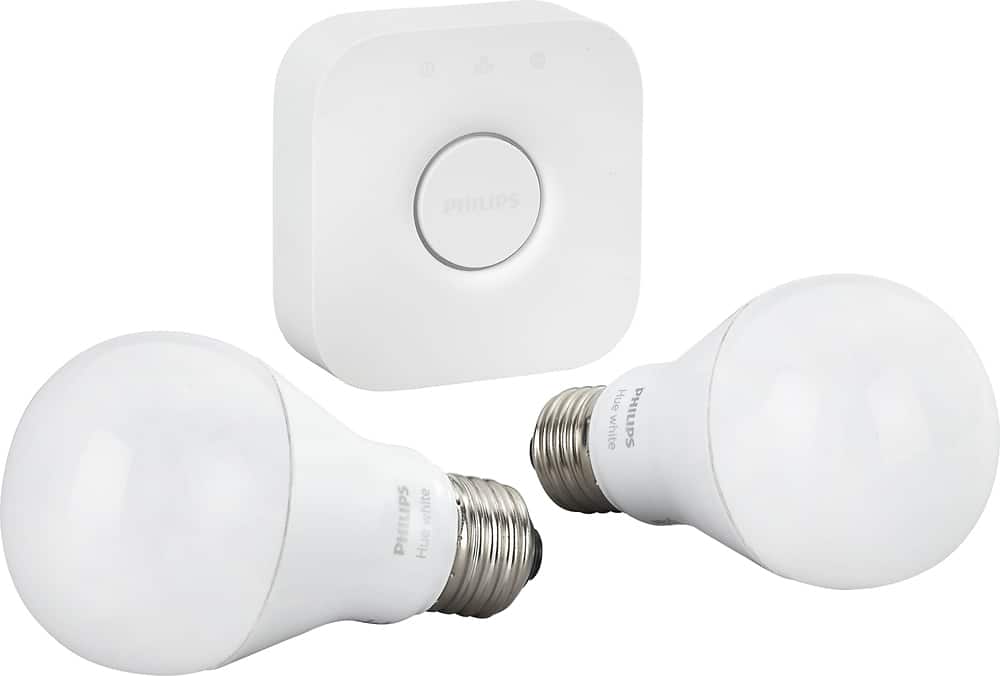
Q: Questionis the hub wireless?
Asked by Anonymous.
- A:Answer No it needs to be plugged into your router and a power source.
Answered by jgatto
Q: QuestionHow do you install, any wiring needed?
Asked by Shu.
- A:Answer The kit comes with an Ethernet wire to attach to your modem, that's all that is needed.
Answered by RayprescottAZ
Q: Questiondo they gradually go off ,or instantly?i am thinking of using them in a home theater and want them to dim out as the movie starts.
Asked by bd59.
- A:Answer You control them from your phone, tablet or computer through an app.
Answered by Stugotts
Q: QuestionIs this compatible with Google Home?
Asked by Candice.
- A:Answer Yes! I have 8 that are currently connected to mine.
Answered by Mmmedsker
Q: QuestionCan you create schedule of turning on from 7-9 pm for example?
Asked by Ryan22.
- A:Answer Yes, you can set timers on any light using the routines in the app.
Answered by HadoKing
Q: QuestionIf I have a Wink Hub - do I still need the bridge for the bulbs to work?
Asked by Shannon.
- A:Answer Yes you do still need the phillips bridge. I have the wink, bought just the bulbs at first but had to take the bulbs back to get this set with the hue bridge
Answered by Ckeith13
Q: Questiondoes it work outdoor
Asked by Anonymous.
- A:Answer Not sure what you mean by Does it work outdoor? If you plan on using the bulbs on your deck or as security lights, it's not the bulbs that respond it's the WiiFi setup you have. What i mean is you can download their app (Philips Hue) or use the Apple home app or others they suggest and turn lights on or off at will or program startup and turnoff settings using your phone or on your Laptop..It's not hard at all. What I will suggest if you plan on using outdoors is install the bulb in a fixture (lamp) inside your house first and program that bulb (instructions come with the starter kit) then assign it a name on whichever program you decide to use, then screw it into your outside fixture. Just remember this whole wireless system works through the Bridge and your home wifi. On another note, this can get expensive if you have a lot of fixtures you want to control.
Answered by fox121
Page 2, Showing 21-33 of 33 questions