1-10 of 10 Answers
Well - first you need a software to make a disk image and copy that to the new hard drive. Then only you'll be able to take the internal hard drive out and put the new one in. A quick Google can tell you your options for creating disk image copies. The other option is to copy all you files from your current disk - possibly into an external drive, then put the new SSD in, install Windows and all related software again and copy back your files - not so straight forward though.
Sorry, there was a problem. Please try again later.You will have to open your laptop up and replace the factory Hard Drive with this.
Sorry, there was a problem. Please try again later.Put your specific laptop make and model into the search engine at YouTube. Search "my laptop model replace hard drive". Look for a video that shows you how to access your old drive. Some laptop manufacturers have recently started to burry drives and are not giving us access panels to replace drives. Hope this helps a little.
Sorry, there was a problem. Please try again later.start by either having a os disc or usb flash drive with a os install program on it like (windows 7) than Flip the laptop over so you are looking at the bottom, you will see a few different cutouts in the plastic being held in with small screws. Under one of them is access to your 2.5 sata hard drive, when you find it simply unscrew any remaining screws (almost allways at least one tiny one holding the drive in place.) Than pull on the ribbon like tab that sticking out the end of the hard drive. Once you remove the old hard drive, take the brackets off the side of it and reattach them to the new ssd drive. From here you simply reverse the process to reinstall the new Data ssd. Power the laptop back on and reinstall your os. If you don't want to loose anything of your Data you can make a clone of you old drive to your new drive using "macrium reflect" . you will need a USB to data cable for that though.
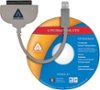
I would recommend:
Sorry, there was a problem. Please try again later.I simple put it in laptop and formatted drive then installed Windows.
Sorry, there was a problem. Please try again later.It depends on what make/model you have. In most cases, there will be labeled (usually will have an imprinted image of a short stack of disks) hatch on the bottom of the laptop that can be released by unscrewing it. From here it is fairly easy to remove the old drive and install the SSD. Before you being, make sure you have your recovery media, either from the manufacturer or a self made.
Sorry, there was a problem. Please try again later.Go on you tube and look for vids of this process. It is really easy and took me about 10 mins to do it.
Sorry, there was a problem. Please try again later.Laptops hard drives might slip in and out by removing a couple of screws or you take the bottom off, again with screws and a little more (but not) complicated. The drive itself just unplugs and the new one plugs in. In my experience, best way to upgrade is to backup all data to a spare external hard drive and also purchase an inexpensive ($20) hard drive enclosure. 1. Install this new hard drive in the purchased enclosure. 2. Plug it into a USB port. 3. Use free software to clone your current drive in the laptop to the new drive connected by USB. 4. Once complete, unplug the USB and remove this new drive from the enclosure. 5. Replace your old drive with the new drive. There are some steps in between, but it really is easy. You'll find some youtube videos on how to do this, too.
Sorry, there was a problem. Please try again later.You have to open the back panel to your laptop and replace it with the hard drive. If you have an extra hard drive bay in the computer, you could always plug it in there as well.
Sorry, there was a problem. Please try again later.Just plug it in and follow the simple instructions. Must be easy, I'm 70
Sorry, there was a problem. Please try again later.