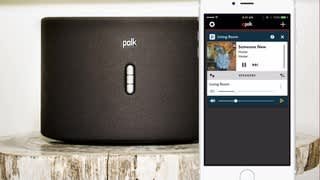
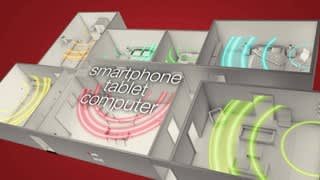
A:AnswerNo, you cannot do that because the way the Windows app works is that it changes your speaker output to be the DTS PlayFi. So nothing will come out of your hardwired speakers while you are using the Play Fi app. When you close the Play Fi app it informs you that you are switching back to your speakers as the sound. Make sense?
A:AnswerYou are supposed to be able too, but I never got mine to work correctly. The wireless speakers are not really wireless as they still have to be powered (plugged in). The speakers use your homes wifi network to communicate with your sound bar system. In my case my home wifi had trouble picking up the wireless speakers and I was never able to get it to work correctly. If I had to do it again I would stick with the regular wired speakers.
A:AnswerI think it depends on your source. I am however using mine in a true DTS surround as wireless rear speakers but my sound bar is able to produce this. Both speakers are different channels.
A:AnswerSpeakers can be linked using the polk audio app or Play-Fi app if each speaker allows for that connection. Sonos and polk use this type of technology in their current speakers
A:AnswerNo, you need wifi. These are not bluetooth speakers which is a good thing. You get much better sound this way and bluetooth speakers do not have a multiple speaker setup option.
A:AnswerSpeaker has to be connected to a WiFi network. This does not work like Bluetooth and pair to a device. WiFi speakers have sound advantages over Bluetooth and since there is no pairing you can play many at the same time, from the same source or separate sources. You can use these speakers directly outside your house as long as there is a WiFi signal reaching them and the S2 Rechargeable version has a better antennae but these are not meant to leave the house, like taking them to the beach or the park. If you want that get a good Bluetooth speaker like a jam box or a UE Boom.
A:AnswerNo, these do NOT work with the Polk Command Bar. I bought it and then even called Polk and they said it will not work. The only thing you could do is hook them up to another Alexa via an auxiliary cable.