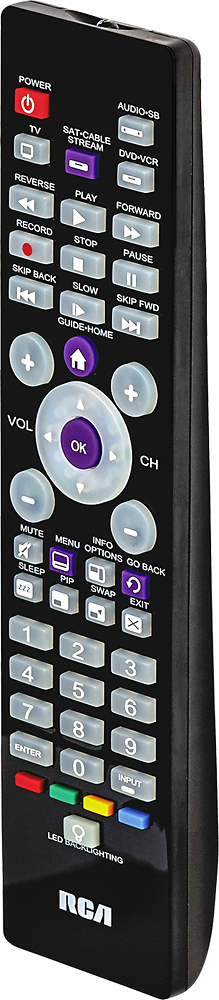
A:AnswerAccording to the code list for this remote, there are 6 possible codes for your brand of dvd player. The list does not list device models; just brands. So, you will still have to buy and try the remote. But Best Buy has a great return policy!
A:AnswerHi Jeanie , I will walk you through the instructions for using the AUTO CODE SEARCH for this remote.
1st = manually turn on the device you want to control
2nd = on the remote PRESS AND HOLD THE TV BUTTON - do not remove your finger (Note: the power key should illuminate),
with your other hand place your finger firmly on the POWER BUTTON .... the POWER KEY will turn off BUT DO NOT REMOVE
YOUR FINGERS ----- WAIT FOR THE POWER KEY to come back on and stay on
THEN ..... RELEASE YOUR FINGERS ........ YOUR MAGNAVOX TV should now be synced with your remote
ps: if you have a DVD PLAYER or an AUDIO SOUNDBAR SYSTEM and wish to use your RCA REMOTE CONTROL ......
just repeat the steps above and use the proper buttons on your remote
hope this is helpful to you Jeanie ..... Happy Holidays
A:AnswerThe steps in pairing your universal remote are as follows.
1. Turn on whatever device you want to program.
2. Press and release the button on the remote that corresponds with whatever device you’re currently attempting to program (i.e. the TV, the DVD player, etc.). You’ll notice that the ON-OFF button will turn on and stay on as you complete this step.
3. Press the device button again, this time simultaneously with the ON-OFF button. The ON-OFF button will turn off and then come back on immediately. Release both buttons once the ON-OFF button comes back on. It should stay on once you release the buttons.
4. Press the PLAY button on the remote. The device you’re programming should respond within five seconds. If it doesn’t respond after five seconds, press the PLAY button every five seconds until the device turns off.
5. Press and release the REVERSE button once the device turns off to see if it will turn on again.
6. Press and release STOP to save the new code.
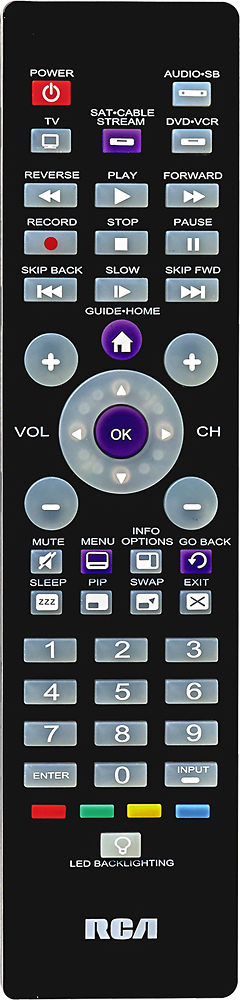
A:AnswerThis remote is pretty easy to use don’t know if it can pair easily with Toshiba but I was using it to watch my smart tv so I could control apps and atomically synched up to DirectTv.
A:AnswerHi Alex,
I would suggest you call our helpline at 1-800-420-7968 and they will be able to help you and answer any questions you have.
Thank you for your inquiry.
A:AnswerHi there,
I would suggest calling our helpline #1-800-420-7968 and they will be able to help you. Please make sure you have model # of the remote when calling.
Have a great day.