Questions & Answers
- Model:
- B0BLXZ6HLT
- |
- SKU:
- 6572561
Highly rated by customers for: Ease of use, Camera Quality, Installation
$84.99Your price for this item is $84.99
Clearance
Comp. Value: $129.99
The comparable value price is $129.99
Page Showing 1-14 of 14 questions
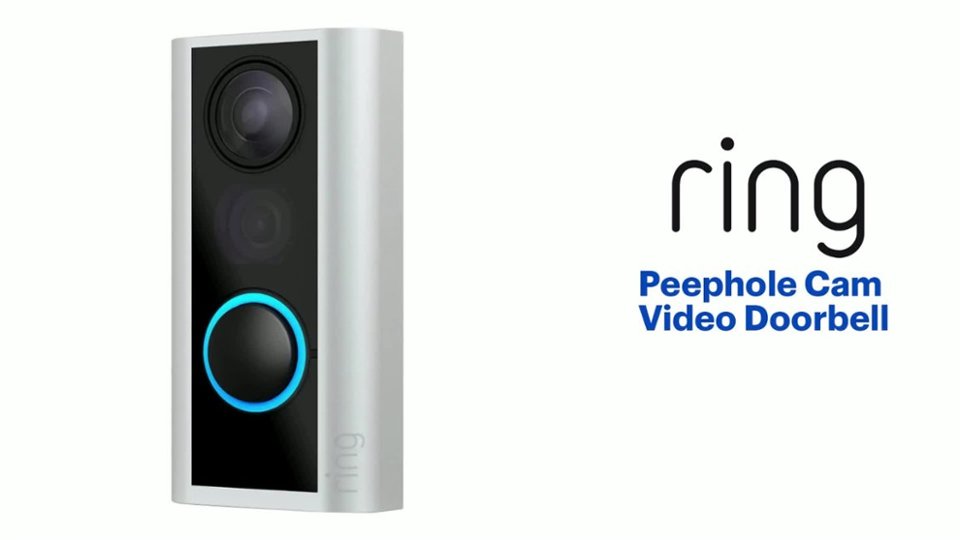
Q: QuestionWhat is the video resolution of the Ring Peephole Cam?
- A:Answer The Ring Peephole Cam records and streams video in 1080p HD resolution.
This question and answer was generated by AI based on customer and product data.Q: QuestionDoes the Ring Peephole Cam have night vision?
- A:Answer Yes, the Ring Peephole Cam has night vision.
This question and answer was generated by AI based on customer and product data.Q: QuestionWhat is the field of view for the Peephole Cam?
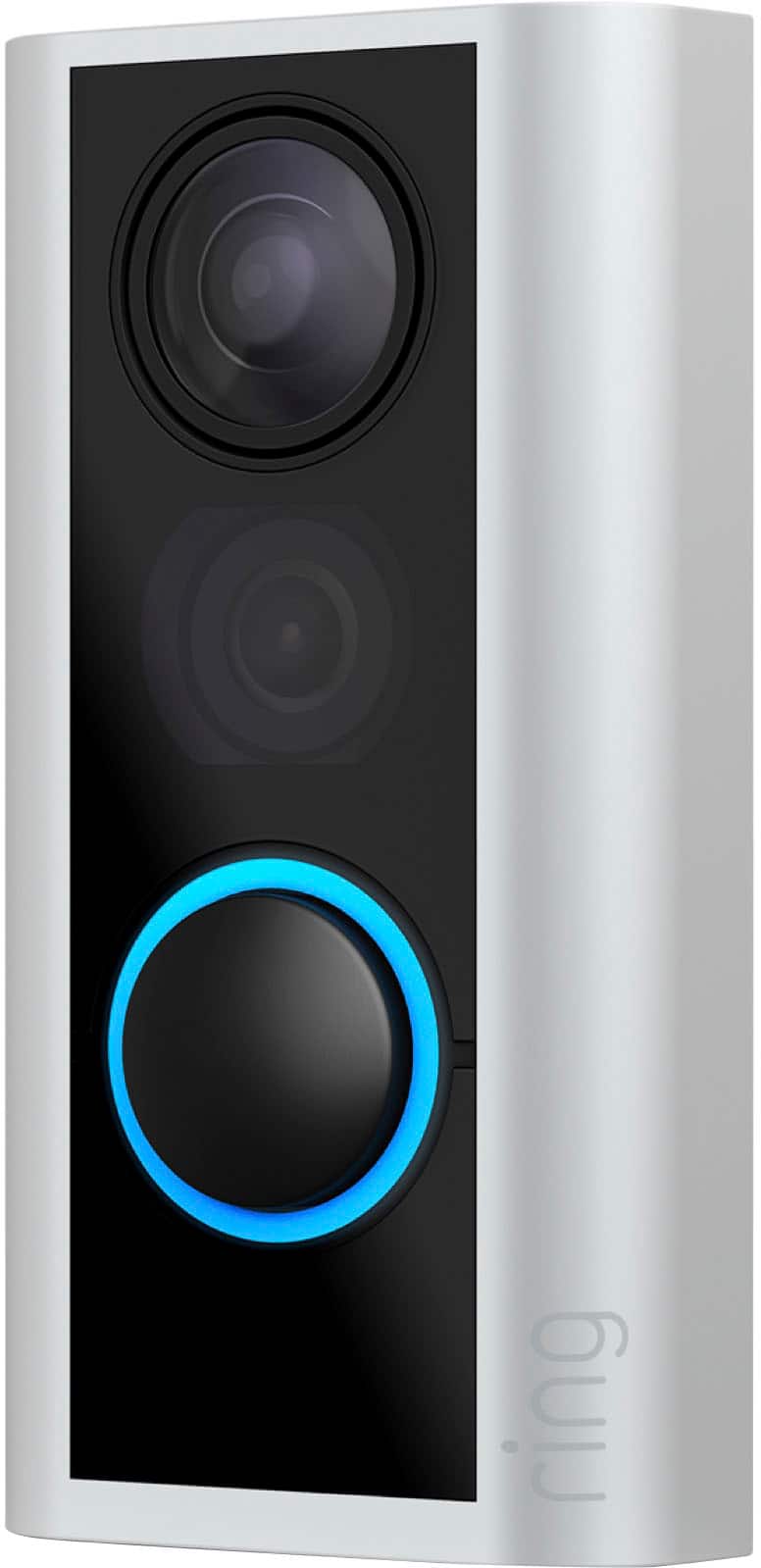
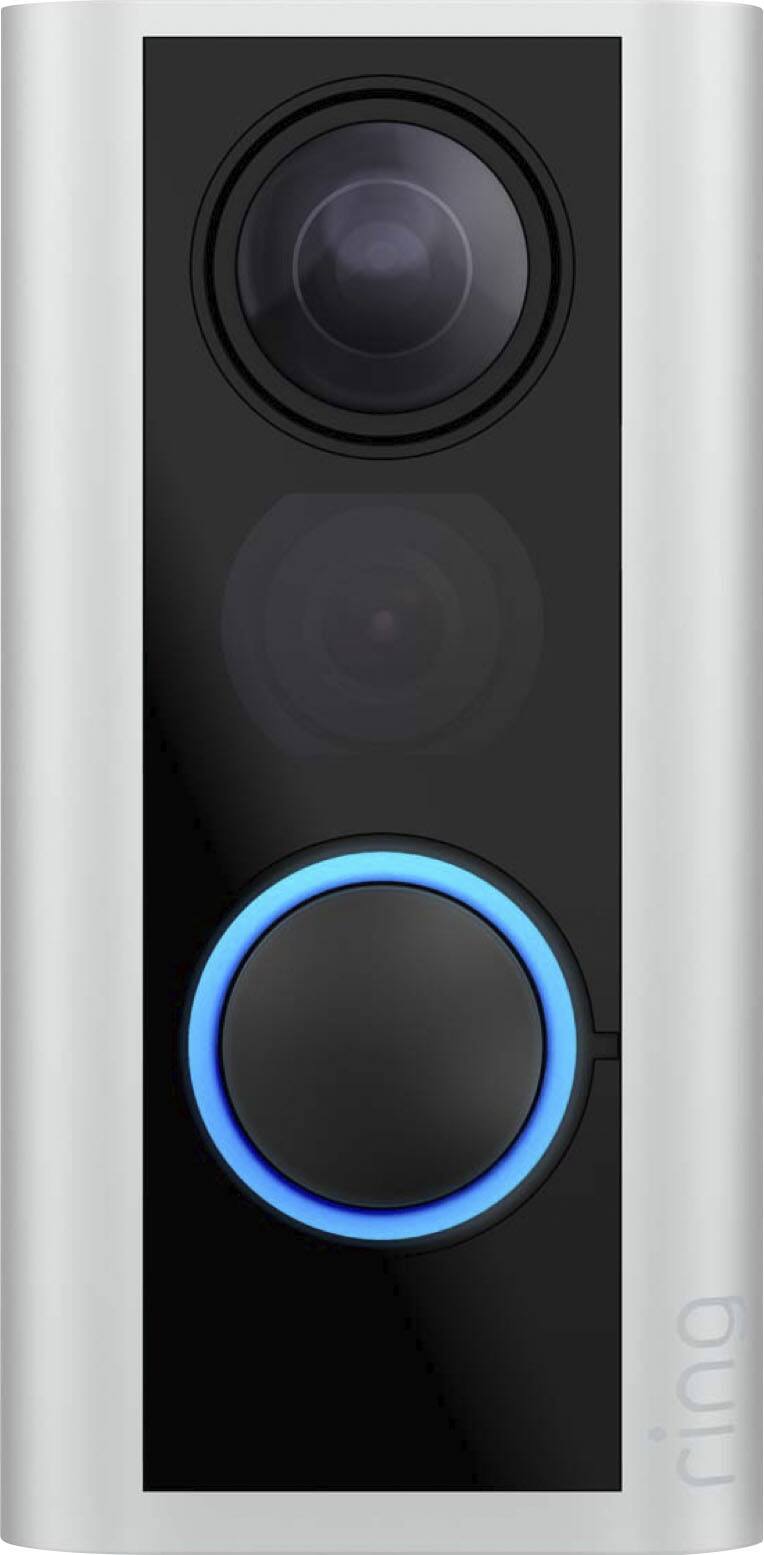
- A:Answer The Peephole Cam has a 155-degree field of view.
This question and answer was generated by AI based on customer and product data.Q: QuestionDoes the Ring Peephole Cam require batteries?
- A:Answer Yes, the Ring Peephole Cam is battery-powered and uses a rechargeable lithium-ion battery.
This question and answer was generated by AI based on customer and product data.Q: QuestionIs the Ring Peephole Cam compatible with Alexa?
- A:Answer Yes, the Ring Peephole Cam is compatible with Amazon Alexa.
This question and answer was generated by AI based on customer and product data.Q: QuestionCan I speak to someone at the door through the Ring Peephole Cam?
- A:Answer Yes, the Ring Peephole Cam has two-way audio, so you can see, hear, and speak to visitors from anywhere.
This question and answer was generated by AI based on customer and product data.Q: QuestionHow long does the battery charge in the Ring Peephole Cam last.? Want to install this cam in a condo that is lived in half the year.
Asked by Clyde.
- A:Answer It lasts for a while!! You can go weeks without having to charge it!! I’m a month in and my battery is 67%. Good rule of thumb is putting it on your calendar to charge it or at least check the battery like every couple weeks or so.
Answered by Roanna
Q: QuestionCan I view on my smartphone?
Asked by Dave.
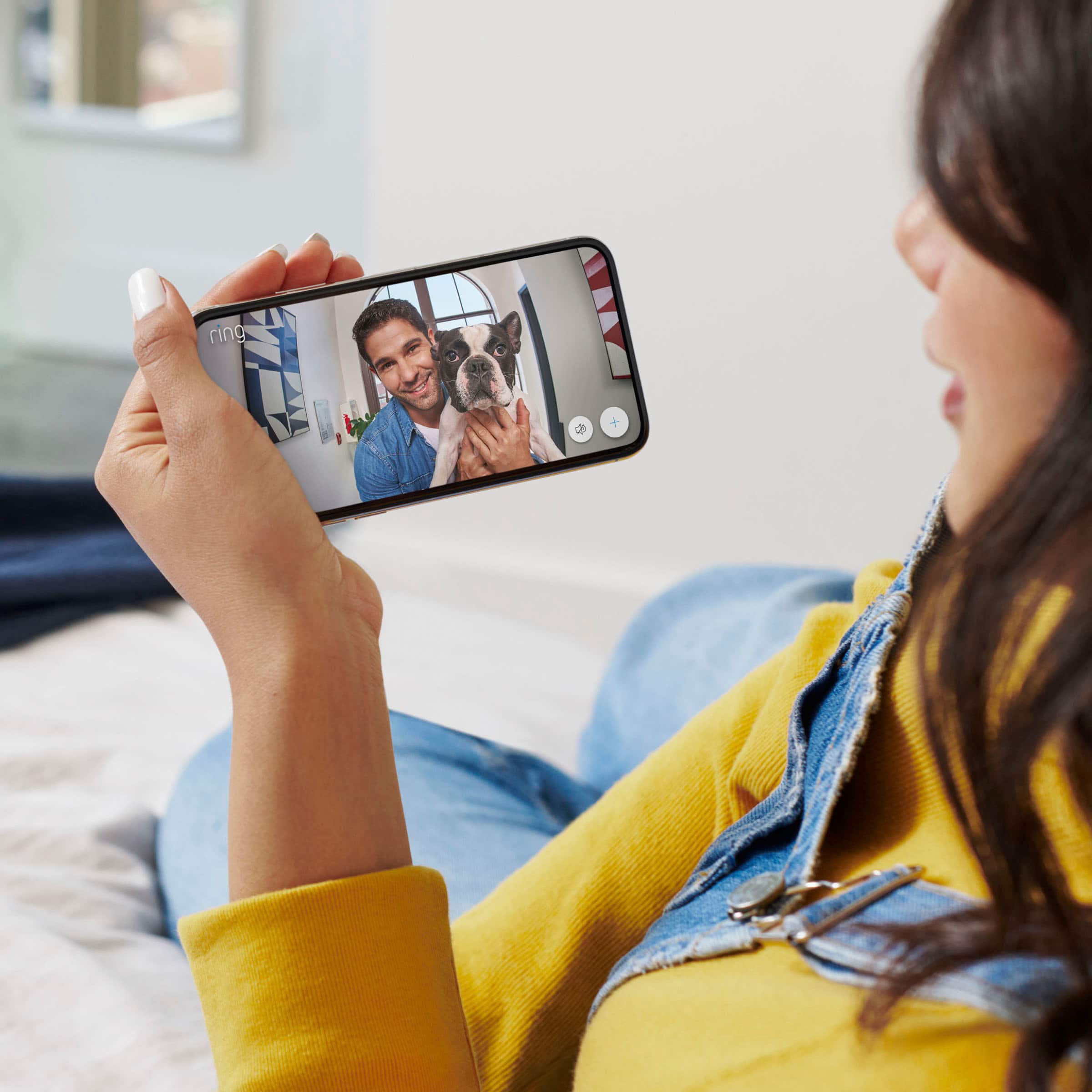
- A:Answer Hi Dave. Thank you for taking the time to reach out to us with your question. The Ring Peephole Cam is designed to integrate with your smart phone or tablet through the Ring app. To set up any Ring device, simply follow these steps: Download and open the Ring app. Select Set Up a Device. Scan QR code with the Ring app. Ring Community was launched to help deliver the most current news and educational information to our neighbors. This online forum is divided into four categories: Product Boards, Ring Updates, Tips + Tricks, and a Moderators’ Corner. The Product Boards are where you can begin new topics with your questions or feedback; there is also a search option that helps you find topics that have already been posted by other neighbors. We invite you to visit our site at https://community.ring.com/ today. Thank you, Melissa from Ring.
Answered by Ring

Q: QuestionCan this be installed inside of my door as I live in an apt building, inside
Asked by bbf.
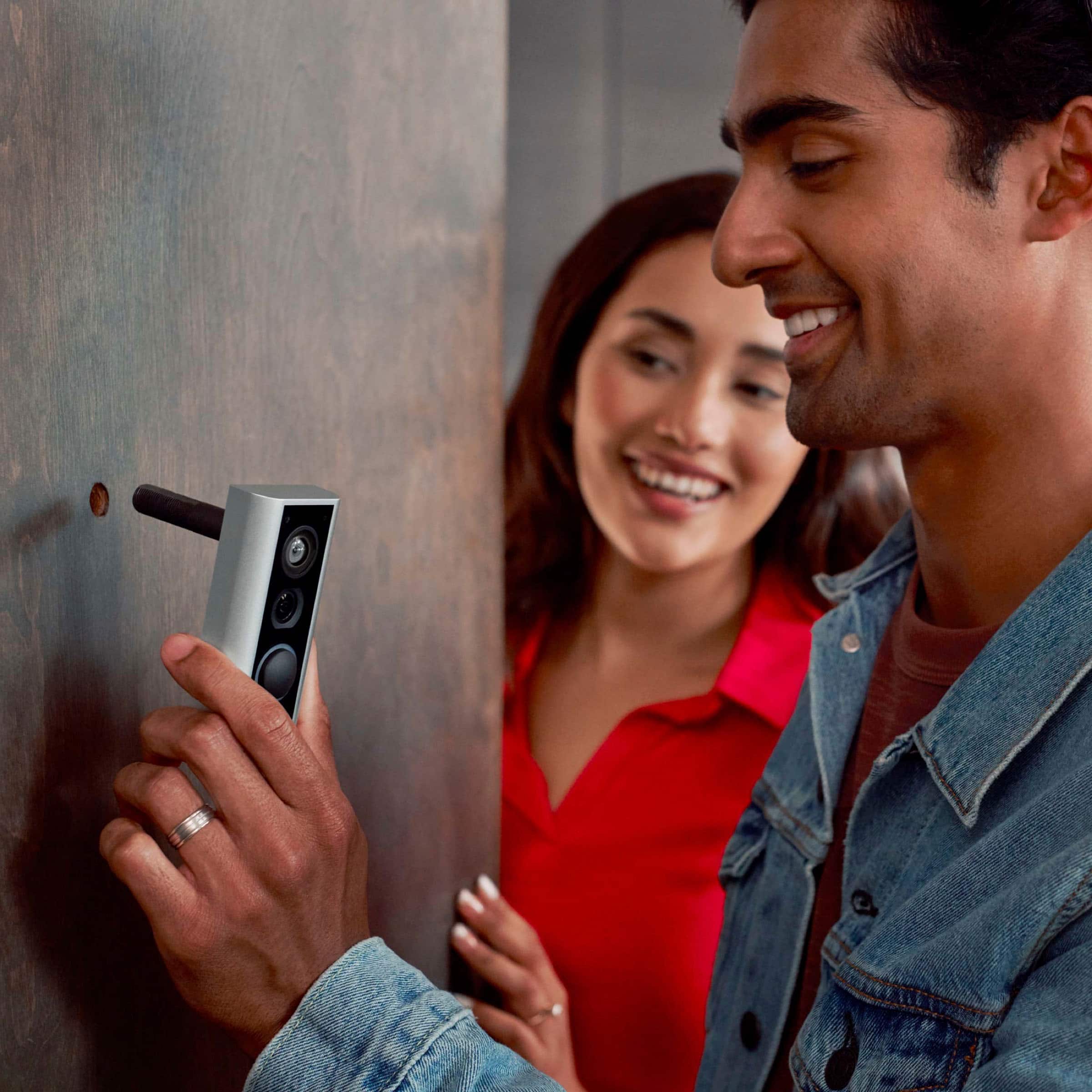
- A:Answer Hi bbf. Thank you for reaching out to us with your question. Yes, the Ring Peephole Cam replaces the peephole on your door, so a peephole is required to begin installation. The Ring Peephole Cam is compatible with standard size peepholes 1/2 in to 9/16 in (12 mm to 14 mm) and door thickness ranging from 1.3 in to 2.2 in (34 mm to 55 mm). If any additional information is needed regarding your question, please reach out to our community. Ring Community is our first peer-to-peer community forum, giving our customers the ability to help one another and share their feedback and experiences directly with Ring. Join the Ring Community today! Thank you, Amilia from Ring.
Answered by Ring

Q: Questiondoes work with 5g internet
Asked by Anonymous.
- A:Answer Hello. Good question. No, the Ring Peephole Cam is compatible with 802.11 b/g/n wifi connections at 2.4 GHz. We recommend a minimum upload speed of 2 Mbps per device. We invite you to reach out to our Community if any additional information is needed regarding your question. The Ring Community is our first peer-to-peer community forum, giving our customers the ability to help one another by sharing their feedback and experiences with each other. All the best, Nicole from Ring.
Answered by Ring

Q: QuestionCan this be used next to the peephole mounted on the door? I can’t open up my peephole. So that’s out the question.
Asked by Nyc.
- A:Answer Hi Nyc. Good question. No, the Ring Peephole Cam Video Doorbell is only compatible with standard-size peepholes ranging from 1/2 in to 9/16 in (12 mm to 14 mm) and door thickness ranging from ~1.3 in to ~2.2 in (34 mm to 55 mm). Peephole Cam (Door View Cam) is not recommended for doors with a glass storm door, metal, or screen door in front of them. We invite you to reach out to our Community if any additional information is needed regarding your question. The Ring Community is our first peer-to-peer community forum, giving our customers the ability to help one another by sharing their feedback and experiences with each other. All the best, Nicole from Ring.
Answered by Ring

Q: QuestionWill this work through the glass of a storm door?
Asked by SteveF.
- A:Answer Hi SteveF. Thank you for your question! Installing the Ring Peephole Cam with a door that can close in front of it, like screen or storm doors, can have an impact on the Ring Peephole Cam's functionality. Glass doors usually let you see the camera's view, but you will need to turn off the night vision LEDs in the device settings, or the glass door will reflect them back into the camera, obstructing its view. Metal and mesh screens may partially or fully obstruct the camera's view and may also reflect the night vision LEDs. If Motion Detection is enabled, most outer doors will also prevent motion from being detected by Door View Cam until the outer door is opened. If any additional information is needed regarding your Ring Peephole Cam please reach out to our community. Ring Community is our first peer-to-peer community forum, giving our customers the ability to help one another and share their feedback and experiences directly with Ring. Sincerely, Matthew from Ring.
Answered by Ring

Q: QuestionIs the peephole compatible with Fire/ Police., because I’m handicap
Asked by Anonymous.
- A:Answer Hello. Thank you for taking the time to ask this question. With Virtual Security Guard, trained security professionals from Rapid Response will monitor the enrolled Ring cameras at your home or business. You are in charge of which cameras are monitored and when. Simply set your Ring system to Home or Away Mode, and guards will start monitoring when a person is detected by Ring’s person detection feature. When a person is detected, guards can monitor motion events on your cameras, engage through Two-Way Talk and activate your enrolled camera's siren to help deter unwanted behavior, and request to dispatch emergency services if needed. You'll need to have a Ring Alarm and compatible camera, and be subscribed to Ring Home Standard or Premium. You can add Virtual Security Guard from the Plans page in your Ring Account. All the benefits for Alarm Professional Monitoring are automatically included with a Virtual Security Guard subscription. If any additional information is needed regarding your question, please reach out to our community. Ring Community is our first peer-to-peer community forum, giving our customers the ability to help one another and share their feedback and experiences directly with Ring. Join the Ring Community today! Thank you, Amilia from Ring.
Answered by Ring

Q: QuestionWhy can't I hear the person at the door talking
Asked by Anonymous.
- A:Answer Hello. Thank you for taking the time to ask this question. If you are experiencing issues hearing audio from your Ring device, or the Two-Way Talk feature is only working in one direction (e.g., you are unable to hear visitors, or they are unable to hear you), try the following troubleshooting steps: Increase volume: Make sure the volume is turned up on the smartphone or tablet you are using, or try using another phone or tablet that is connected to your Ring app. Verify permissions: Check the permissions on your smartphone or tablet for the Ring app, and make sure microphone use is allowed. Enable audio during Live View: When in Live View, unmute the microphone and speaker. There should be no slash through the microphone and megaphone icons. Confirm device settings: Check that Audio Streaming and Recording is enabled on the device’s page in the Ring app by following these steps: Open the Ring app to the main dashboard. Tap more (•••) on the camera you want to access. Tap your device's Settings. Tap the Device Settings tile. Tap Privacy Settings. Enable Audio Streaming and Recording. If any additional information is needed regarding your question, please reach out to our community. Ring Community is our first peer-to-peer community forum, giving our customers the ability to help one another and share their feedback and experiences directly with Ring. Join the Ring Community today! Thank you, Amilia from Ring.
Answered by Ring

Page 1, Showing 1-14 of 14 questions
Most-viewed items
- Black Friday Deal$49.99Your price for this item is $49.99
- Black Friday Deal$29.99Your price for this item is $29.99
- Black Friday Deal$89.99Your price for this item is $89.99
- Black Friday Deal$79.99Your price for this item is $79.99
- $129.99Your price for this item is $129.99$229.99The comparable value for this item is $229.99
- Black Friday Deal$139.99Your price for this item is $139.99
- Black Friday Deal$69.99Your price for this item is $69.99
- $49.99Your price for this item is $49.99
- Black Friday Deal$49.99Your price for this item is $49.99
- $24.99Your price for this item is $24.99$34.99The comparable value for this item is $34.99
- $119.99Your price for this item is $119.99$179.99The comparable value for this item is $179.99
- $69.99Your price for this item is $69.99
- $39.99Your price for this item is $39.99$79.99The comparable value for this item is $79.99
- $119.99Your price for this item is $119.99$179.99The comparable value for this item is $179.99
- $59.99Your price for this item is $59.99
- Black Friday Deal$129.99Your price for this item is $129.99
- Black Friday Deal$28.99Your price for this item is $28.99
- $99.99Your price for this item is $99.99$149.99The comparable value for this item is $149.99