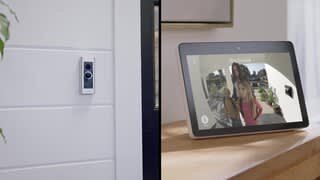
A:AnswerYes, it does come with those face plates. I have chosen to keep the silver because it looks better on the side of my house but I have the option to change whenever I want to.
A:AnswerHi JIMTMOR,
Great question! Yes, Ring devices are compatible with Android phones. Android Version 8.1 or higher, with access to the Google Play Store, is required for the Ring app.
For more information on Ring compatibility with mobile devices, visit our support center: https://support.ring.com/hc/en-us/articles/4812209807124-Mobile-Device-Compatibility-and-the-Ring-App.
You can also visit our Ring Community. It was launched to help deliver the most current news and educational information to our neighbors. This online forum is divided into four categories: Product Boards, Ring Updates, Tips + Tricks, and a Moderators’ Corner. The Product Boards are where you can begin new topics with your questions or feedback; there is also a search option which helps you find topics that were already posted by other neighbors. We invite you to visit our site at https://community.ring.com/ today!
All the Best,
Nicole with Ring
A:AnswerHi CJ,
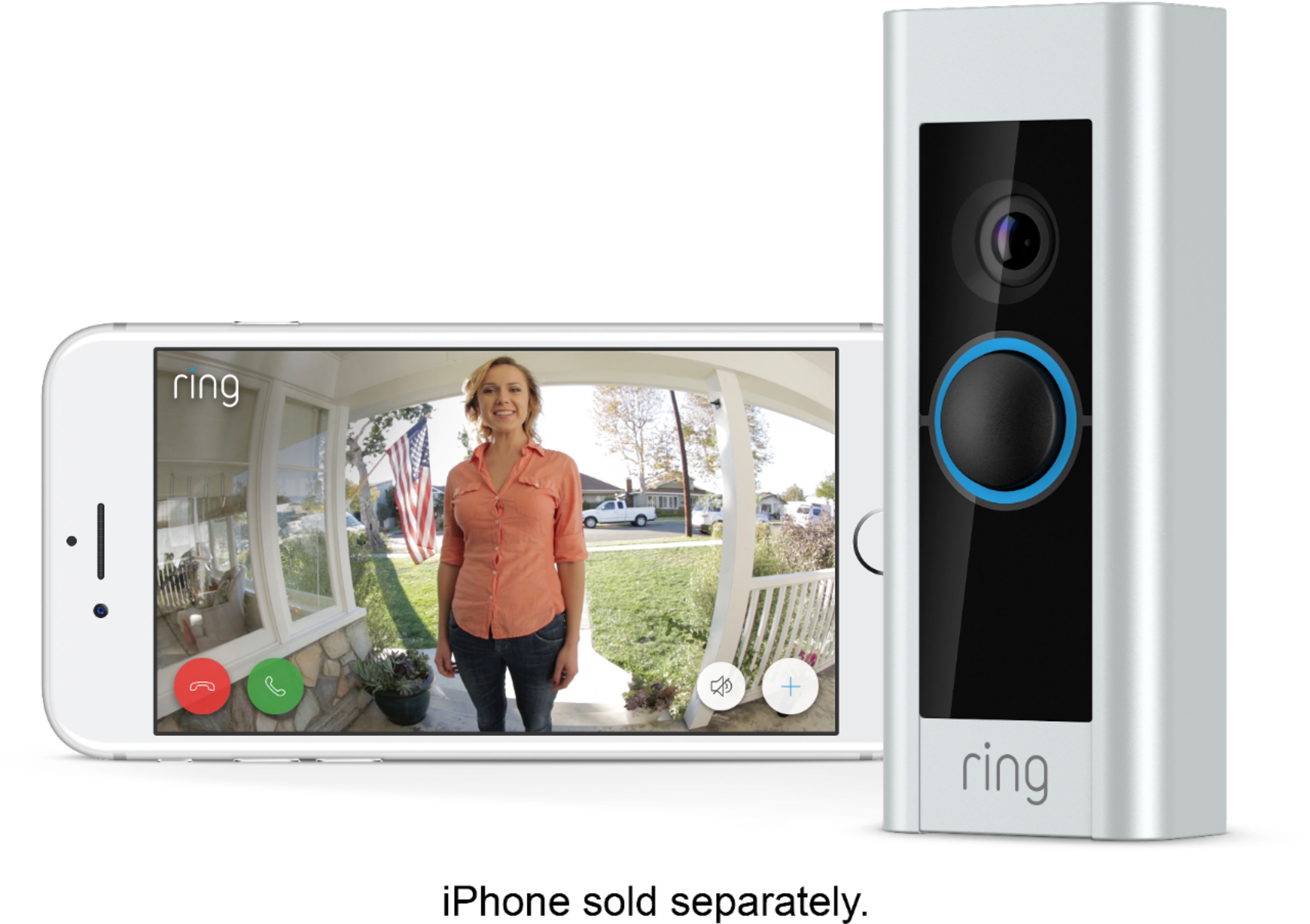
Good question! No, the slimmer Ring Video Doorbell Pro requires hardwiring. If there is no existing wiring, you can use a plug-in adapter as an alternative power solution. For more information on installing the Ring Video Doorbell Pro with a plug-in adapter, visit our support center: https://support.ring.com/hc/en-us/articles/360000081706-Installing-Your-Ring-Plug-in-Adapter-to-Your-Video-Doorbell-Pro.
You can also visit the Ring Community. Ring Community launched in March 2019 to help deliver the most current news and educational information to our customers. You can find tips and tricks from other Ring users at https://community.ring.com/. This peer-to-peer forum allows our neighbors to share their feedback and experiences to assist each other in resolving their concerns.
All the Best,
Nicole with Ring
A:AnswerHello,
Thanks for reaching out! Yes, it is possible to set up a Ring Video Doorbell Pro without an existing doorbell. The Ring Video Doorbell Pro requires 16-24 VAC, 40VA max, 50/60Hz power. In situations where there is no existing doorbell system or the existing system is unusable, a plug-in adapter is suggested. For additional information on installing a plug-in adapter, visit our support center: https://support.ring.com/hc/en-us/articles/360000081706-Installing-Your-Ring-Plug-in-Adapter-to-Your-Video-Doorbell-Pro.
You can also visit the Ring Community. This is our first peer-to-peer community forum, giving our customers the ability to help one another and share their feedback/experiences with Ring. We invite you to reach out at https://community.ring.com/ if any additional information is needed regarding your Ring Video Doorbell Pro concern.
Thank you,
Nicole with Ring
A:AnswerNo. However installation is super simple. This is a hardwired version. All you have to do is unscrew your existing one, disconnect the 2 wires, reconnect them on the ring and then mount it to the wall. The rest is just a matter of connecting the ring to your wifi and phone.
A:AnswerHello Patti,
Yes, the Ring Video Doorbell Pro is compatible with both 2.4 GHz and 5.0 GHz. For more information on the Video Doorbell Pro please visit our support website here: https://support.ring.com/hc/en-us/articles/209622213-Ring-Video-Doorbell-Pro-Information
Please reach out to our support team for any assistance today.
Thank you
Antonio from Ring
A:AnswerHi Peter,
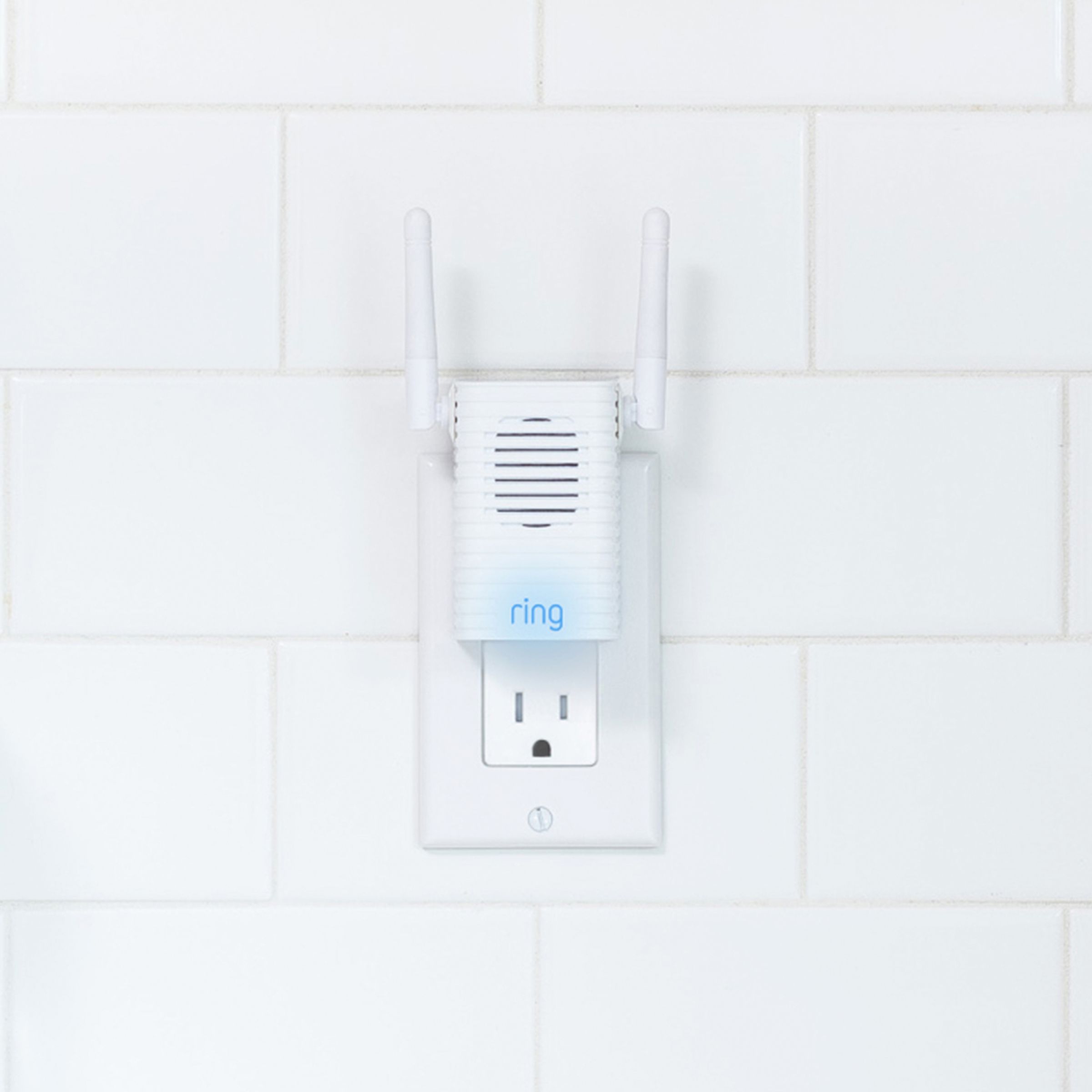
Great question! Both the Ring Video Doorbell Pro's in question are the same. The difference between the two is the included Ring Chime Pro in the bundle package. With a Chime Pro, you can extend the wifi signal from your router to your Ring devices, so you can eliminate wifi dead zones and stay online. It plugs into any standard power outlet and amplifies your alerts, so you can get Ring notifications in any room of your home-even if you're not near your phone.
For more information on the Ring Chime Pro, visit our support center: https://support.ring.com/hc/en-us/articles/115000126543-Setting-Up-Your-Ring-Chime-Pro-1st-Generation-in-the-Ring-App.
You can also visit Ring Community. It launched in March 2019 to help deliver the most current news and educational information to our customers. You can find tips and tricks from other Ring users at https://community.ring.com/. This peer-to-peer forum allows our neighbors to share their feedback and experiences to assist each other in resolving their concerns.
Thank you,
Nicole with Ring
A:AnswerHi Phred,
Great question! No, the Ring Video Doorbell Pro will not operate on battery power. The Ring Video Doorbell Pro is a hardwired doorbell that requires power from a transformer of 16-24VAC, 50/60HZ. If you are interested in a battery-powered Ring Video Doorbell, check out our product comparison guide: https://support.ring.com/hc/en-us/articles/115004668746-Ring-Video-Doorbells-Product-Comparison.
You can also visit the Ring Community. It launched in March 2019 to help deliver the most current news and educational information to our neighbors. It is our first peer-to-peer community forum, giving our customers the ability to help one another and share their feedback/experiences with Ring. Please reach out at https://community.ring.com/ if any additional information is needed regarding your doorbell power concern.
All the Best,
Nicole with Ring
A:AnswerHello Deez,
Thank you for asking! Yes, the Ring Video Doorbell Pro requires hardwiring to a transformer rated at 16–24 VAC, 40VA max, 50/60Hz, or to a plug in adapter. The Video Doorbell Pro brings you next-level features like enhanced dual-band wifi, color night vision, and built-in Alexa Greetings that answer the door for you when you're busy. If you are interested in more information on the Ring Video Doorbell Pro, visit our support center: https://support.ring.com/hc/en-us/articles/209622213-Ring-Video-Doorbell-Pro-Information.
Ring Community was launched to help deliver the most current news and educational information to our neighbors. This online forum is divided into four categories: Product Boards, Ring Updates, Tips + Tricks, and a Moderators’ Corner. The Product Boards are where you can begin new topics with your questions or feedback; there is also a search option which helps you find topics that were already posted by other neighbors. We invite you to visit our site at https://community.ring.com/ today!
All the Best,
Nicole with Ring
A:AnswerHi Mimi,
Thanks for asking! No, the Ring Video Doorbell Pro cannot be installed without wiring. The Ring Video Doorbell Pro requires a compatible doorbell, a Ring plug-in adapter or transformer (not included): 16-24 VAC, 40VA max, 50/60Hz. For information on installing it, visit our support center: https://support.ring.com/hc/en-us/articles/360036047831-Physically-Installing-your-Ring-Video-Doorbell-Pro.
If you are looking for a video doorbell that does not require hardwiring, Ring does offer multiple battery powered devices. You can compare these devices here: https://support.ring.com/hc/en-us/articles/115004668746-Ring-Video-Doorbells-Product-Comparison.
You can also reach out in the Ring Community. It launched in March 2019 to help deliver the most current news and educational information to our customers. You can find tips and tricks from other Ring users at https://community.ring.com/. This peer-to-peer forum allows our neighbors to share their feedback and experiences to assist each other in resolving their concerns.
All the Best,
Nicole with Ring
A:AnswerHi lee1958,
Great question! The Ring Video Doorbell Pro is a hardwired device that requires a doorbell transformer rated at 16–24 VAC, 40VA max, 50/60Hz. The Ring Chime Pro plugs into a standard wall outlet for power. The Ring Video Doorbell Pro and the Ring Chime Pro work together so you can hear real-time notifications in your home and extend your wifi to your Ring devices to stay online and reduce dead zones. For in-depth instructions on installing your Ring Video Doorbell Pro, visit our support center: https://support.ring.com/hc/en-us/articles/360036047831-Physically-Installing-your-Ring-Video-Doorbell-Pro.
Ring Community is our first peer-to-peer community forum, giving our customers the ability to help one another and share their feedback/experiences with Ring. We invite you to reach out at https://community.ring.com/ if any additional information is needed regarding your concern.
All the Best,
Nicole with Ring
A:AnswerHi Wend,
Great question! No, the Ring Video Doorbell Pro is not wireless. Before installing, verify your transformer has an output of at least 16V 30VA (40VA max) and 50/60 Hz. Do not use a halogen or garden-lighting transformer or a DC transformer/power supply. To review how this device installs, visit our support center: https://support.ring.com/hc/en-us/articles/360036047831-Physically-Installing-your-Ring-Video-Doorbell-Pro.
Once physically installed, the Ring Video Doorbell Pro connects to your home's wifi through the Ring App. This is a simple process. The steps are outlined here: https://support.ring.com/hc/en-us/articles/115002791966-Setting-Up-Your-Ring-Video-Doorbell-Pro-in-the-Ring-App.
You can also reach out in the Ring Community. It is our first peer-to-peer community forum, giving our customers the ability to help one another and share their feedback/experiences with Ring. We invite you to reach out at https://community.ring.com/ if any additional information is needed regarding your concern.
All the Best,
Nicole with Ring
A:AnswerHello Gmacathi,
Great question! Yes, you can set custom motion zones for your Ring Video Doorbell Pro in the Ring App so that you do not get notified of motion beyond your desired area. Motion Zones allow you to define a specific area that you want your Ring device to cover while ignoring everything outside that area. By drawing your Motion Zones to cover only the areas you want the Ring device to monitor, you can more effectively monitor the area you want as well as reduce the number of "false positive" motion alerts (such as cars driving by).
This article will help you set up your Motion Zones and give you some tips in making them more effective: https://support.ring.com/hc/en-us/articles/360021842611-Utilizing-Motion-Zones-With-Your-Powered-Ring-Devices.
You can also check out the Ring Community. It is our first peer-to-peer community forum, giving our customers the ability to help one another and share their feedback/experiences with Ring. We invite you to reach out at https://community.ring.com/ if any additional information is needed regarding your motion detection concern.
All the Best,
Nicole with Ring
A:AnswerHi Tamm,
Good question! Yes, the Ring Video Doorbell Pro can be installed on brick. If mounting on a masonry surface, you will want to use the device as a template to mark pilot holes, drill holes and insert the anchors. There are some helpful tips for installing the Ring Video Doorbell Pro in our support center: https://support.ring.com/hc/en-us/articles/360036047831-Physically-Installing-your-Ring-Video-Doorbell-Pro.
Ring Community was launched to help deliver the most current news and educational information to our neighbors. This online forum is divided into four categories: Product Boards, Ring Updates, Tips + Tricks, and a Moderators’ Corner. The Product Boards are where you can begin new topics with your questions or feedback; there is also a search option which helps you find topics that were already posted by other neighbors. We invite you to visit our site at https://community.ring.com/ today!
All the Best,
Nicole with Ring

A:AnswerHi Joyce,
Good question! Yes, the Ring Video Doorbell Pro is compatible with Android phones. The Ring app is compatible with Android devices running version 8.1 or higher that have access to the Google Play Store. For more information, visit our support center: https://support.ring.com/hc/en-us/articles/4812209807124-Mobile-Device-Compatibility-and-the-Ring-App.
Ring Community is our first peer-to-peer community forum, giving our customers the ability to help one another and share their feedback/experiences with Ring. We invite you to reach out at https://community.ring.com/ if any additional information is needed regarding your concern.
All the Best,
Nicole with Ring
A:AnswerHello,
Good question! Yes, the Ring Chime Pro requires a constant power supply, plugs into a wall socket and is connected through the Ring app to your wifi signal. For more information on the Ring Chime Pro, visit our support center: https://support.ring.com/hc/en-us/articles/360038168452-Ring-Chime-Pro-2nd-Generation-Information.
Ring Community is our first peer-to-peer community forum, giving our customers the ability to help one another and share their feedback/experiences with Ring. We invite you to reach out at https://community.ring.com/ if any additional information is needed regarding your concern.
All the Best,
Nicole with Ring.
A:AnswerHello emissary,
Great question! The Ring Video Doorbell Pro is compatible with most digital and mechanical doorbell systems that are powered by a transformer (16–24 VAC, 40VA max, 50/60Hz). A great first step is locating and confirming your transformer’s rating to see if your wiring is compatible or not. This article goes into greater detail about the Ring Doorbell Pro: https://support.ring.com/hc/en-us/articles/209622213-Ring-Video-Doorbell-Pro-Information.
If your existing wiring is compatible, we do also sell an accessory that would cover your old intercom kit during the physical installation process. More information can be found regarding this here: https://support.ring.com/hc/en-us/articles/4405531718036-Ring-Intercom-Kit-information.
Ring Community launched in March 2019 to help deliver the most current news and educational information to our customers. You can find tips and tricks from other Ring users at https://community.ring.com/. This peer-to-peer forum allows our neighbors to share their feedback and experiences to assist each other in resolving their concerns.
All the Best,
Nicole with Ring
A:AnswerHi Jim,
Great question! No, you will not need two Pro Power Kits when connecting one Ring Video Doorbell Pro to two internal chime kits. If you're in the process of installing your Ring Video Doorbell Pro, the following wiring diagrams may help: https://support.ring.com/hc/en-us/articles/360022454432-Wiring-Diagrams-for-Ring-Video-Doorbell-Pro-Setup.
Ring Community is our first peer-to-peer community forum, giving our customers the ability to help one another and share their feedback/experiences with Ring. We invite you to reach out at https://community.ring.com/ if any additional information is needed regarding your concern.
All the Best,
Nicole with Ring