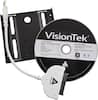
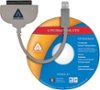
“Does it come with the necessary Sata 3 cable and caddy? If not, how can I get them for my laptop? Also, if I have windows 10 on my computer from an upgrade, will it change back to Windows 8.1 or will the clone software take care of that?”
Answer This Question
1-5 of 5 Answers
The standard retail packaging does not come with cable and caddy, but if your laptop currently has a 2.5 in hard drive installed, you should be able to use the existing caddy. If it doesn't, you'll have to look up how to find the caddy separately. Cloning the drive should retain the Windows version.
Sorry, there was a problem. Please try again later.It only comes with the drive and migration software.. The migration software will migrate your system just as it is.. you can get the cable separately
Sorry, there was a problem. Please try again later.It does not come with a SATA cable. If you are installing it in your laptop, you generally install it in-place of your hard drive. I would suggest a USB-to-SATA cable to clone the hard drive onto the SSD first, before trying to install it into your laptop. You will not need the USB-to-SATA cable after cloning is complete. The drive comes with a CD containing the transfer software, but I would suggest downloading it from Samsung's website instead. Do not use the software that comes with the USB-to-SATA cable, use Samsung's. It will not change your installation to Windows 8. You will have all the files (OS, Programs, and DATA) just as you had before the clone.
I would recommend:
Sorry, there was a problem. Please try again later.This is a standard 2.5" form factor so as long as u r running a 2.5" drive now u shouldn't need a caddy. As far as cables r concerned there is no testing tht shows that SATA cables are manufactured to different specs based on speed. I use a 5 year old SATA II cable with my evo and it's fine. So as long as ur laptop has a quality cable just use it.
Sorry, there was a problem. Please try again later.no need for a caddy for a laptop they come built in and as far a cloning software that should take care of windows 10 cloning
Sorry, there was a problem. Please try again later.