“Can this be installed on a Toshiba Satellite A505-S6980? Plus how do I "duplicate" the entire contents of my HDD to this new SSD? The interface is: Serial ATA [SATA] Transfer Mode: SATA/300 Very important> Plus how do I "duplicate" the entire contents of my HDD to this new SSD?”
Answer This Question
1-5 of 5 Answers
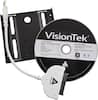
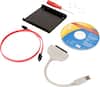
you install the program on your system that the drive comes with. You need to have a usb to sata cable to hook up the drive(sold separately) temporarily to system. Then you just select the original drive as source and the ssd as the target and it will image it over. You then shut off system and swap drives. Plan on a whole day to do this, depending on your file size it may take a while. It took 45 minutes for 20 gig on one system....8 hours on my other (300gig and usb 2.0) .
I would recommend:
Sorry, there was a problem. Please try again later.you will need an external usb adapter cable with power to do a transfer... alternatively you can use a desktop if u have the proper amount of extra connections and cables. see added kit as an example of what you need.
I would recommend:
Sorry, there was a problem. Please try again later.yes, I did it in my Satellite A665 laptop, just before purchase it check if you can turn on AHCI mode in BIOS. and after install use your recovery media to install OS.
Sorry, there was a problem. Please try again later.Yes. I bought a $12 enclosure for my old laptop drive and used it as a USB device. That way I can copy whatever files I want back onto the laptop and use the old drive as a backup as well. You will need to use you recovery disks or a set of windows disks to load on your new drive. You cannot copy programs only files.
Sorry, there was a problem. Please try again later.It comes with software to copy your maid hard disk (C:\).
Sorry, there was a problem. Please try again later.